






















HubSpot–NetSuite Sync for Nutrition Brands Selling to Practitioners and Retailers
A practitioner who works at two clinics is the test case: keep contacts, companies, and NetSuite payers as three levels so terms and order history stay with the right buyer.
- Author
- Ruben Burdin · Founder & CEO
- Published
- Read time
- 5 min read

The operating decision
Connect practitioner and retailer relationships to the correct NetSuite payer without treating every professional contact as a separate wholesale customer. HubSpot can own outreach and sample follow-up, while finance approves the legal account and terms. A deliberate contact-to-clinic-to-payer model prevents duplicate accounts and misplaced order history.
Explore the complete nutrition and supplements integration and automation hub for the systems and processes around this guide.
What this looks like in nutrition and supplements
A nutrition brand sends samples to a practitioner who works at two clinics. One clinic orders centrally and the other buys through a distributor. Creating an ERP customer for the contact alone would blur two commercial relationships and could assign one clinic’s payment terms to the other.
Records, ownership, and update rules
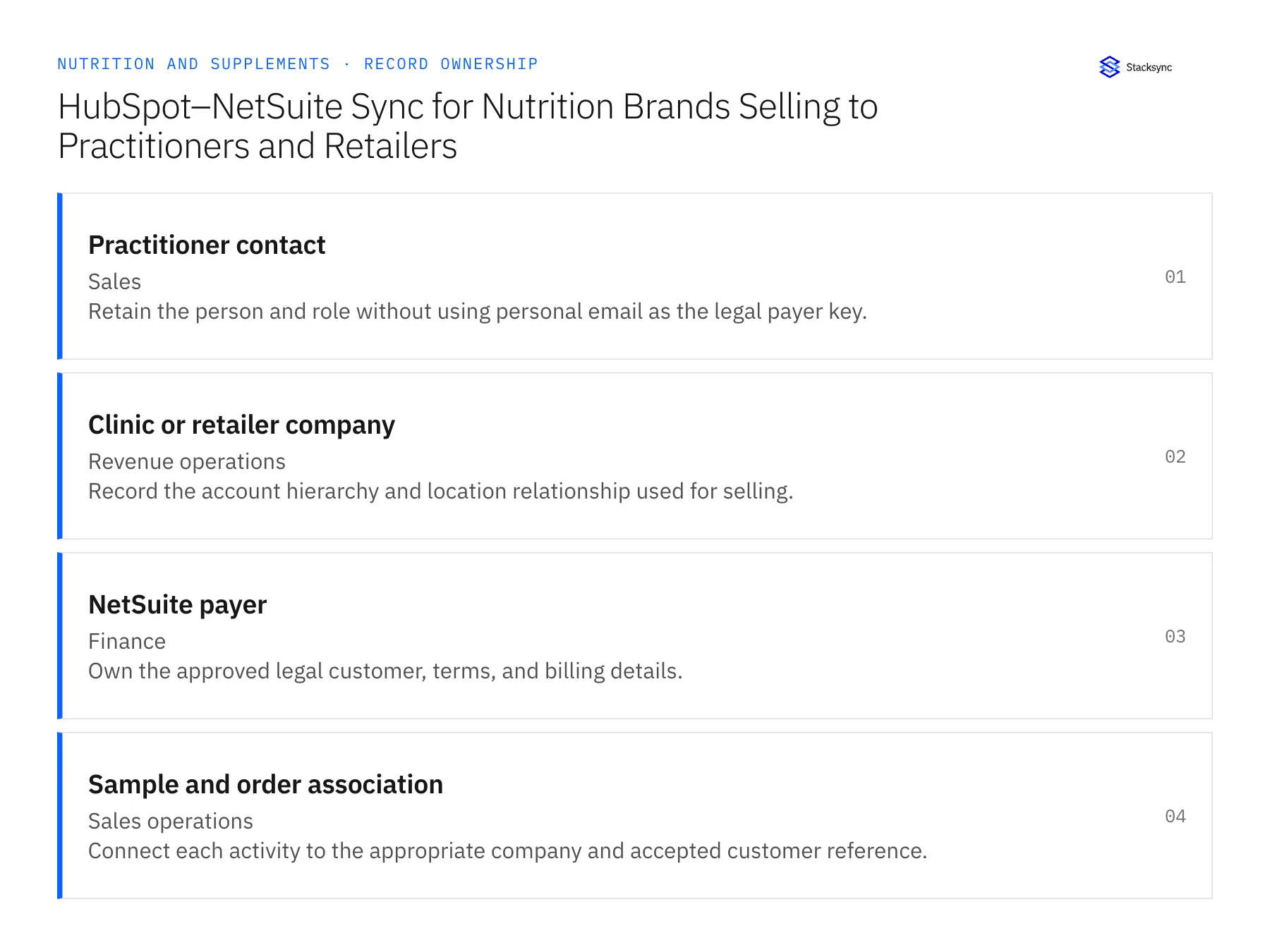
| Record | Owner | Operating rule |
|---|---|---|
| Practitioner contact | Sales | Retain the person and role without using personal email as the legal payer key. |
| Clinic or retailer company | Revenue operations | Record the account hierarchy and location relationship used for selling. |
| NetSuite payer | Finance | Own the approved legal customer, terms, and billing details. |
| Sample and order association | Sales operations | Connect each activity to the appropriate company and accepted customer reference. |
Work through the process
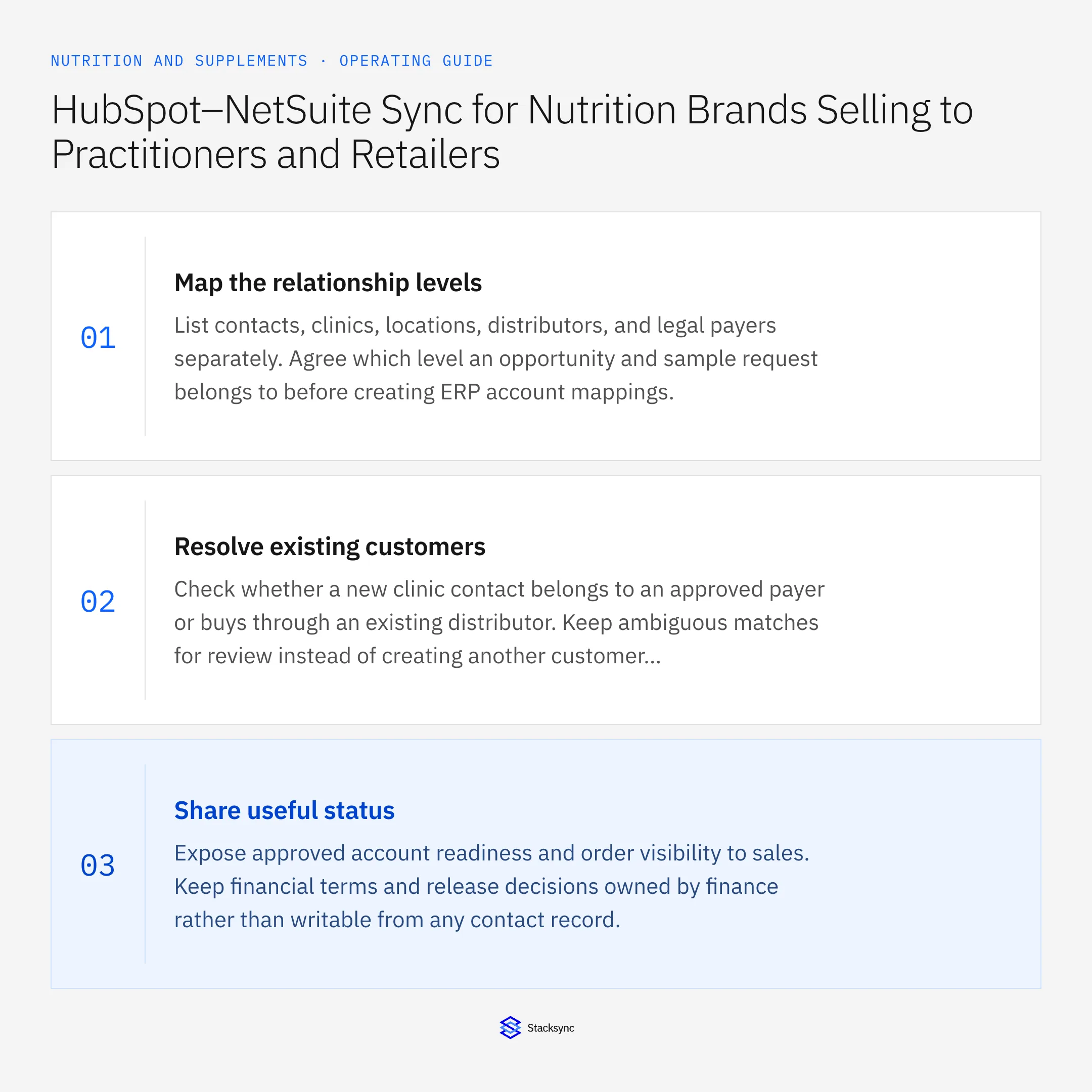
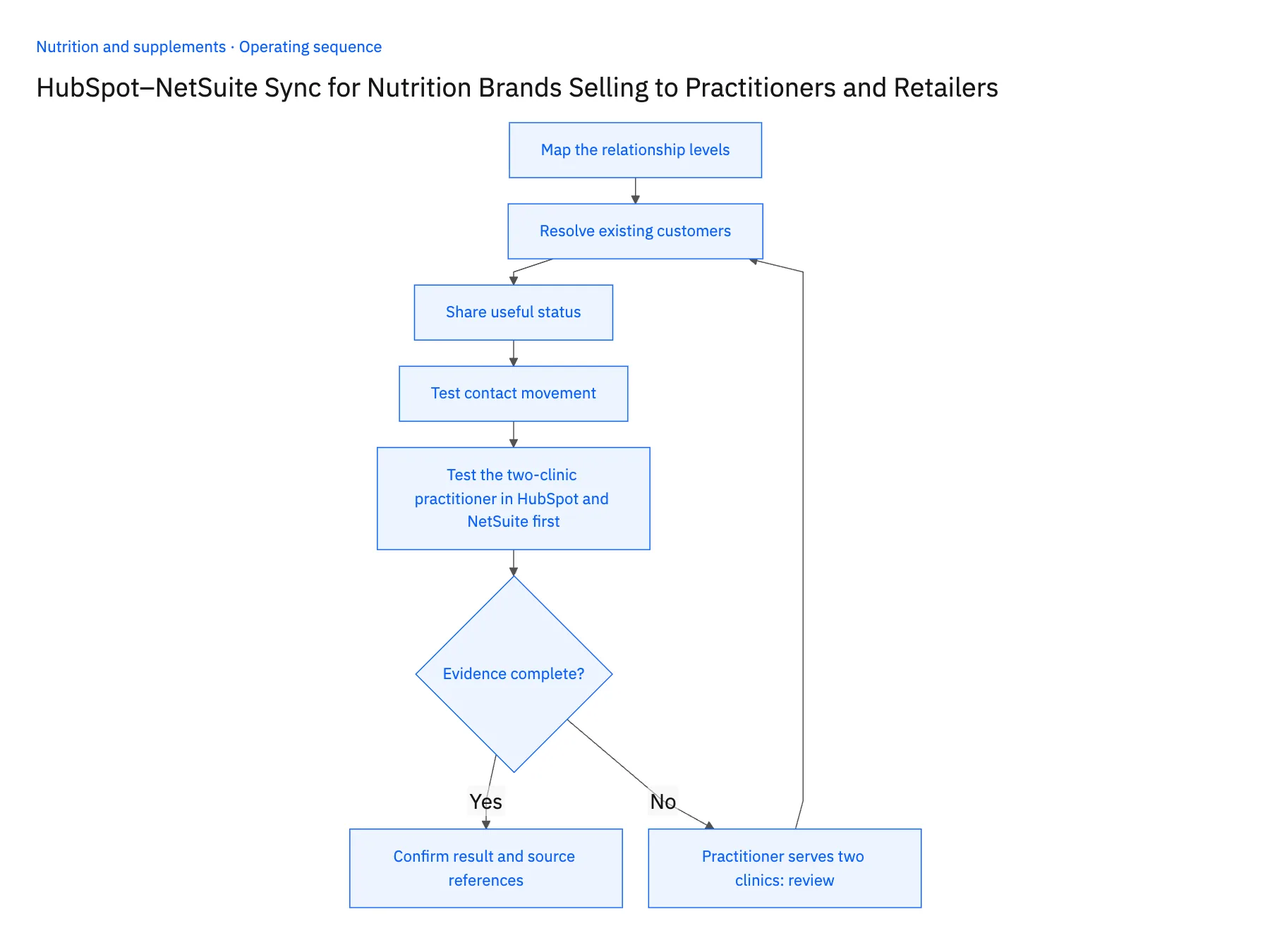
- 01Map the relationship levelsList contacts, clinics, locations, distributors, and legal payers separately. Agree which level an opportunity and sample request belongs to before creating ERP account mappings.
- 02Resolve existing customersCheck whether a new clinic contact belongs to an approved payer or buys through an existing distributor. Keep ambiguous matches for review instead of creating another customer automatically.
- 03Share useful statusExpose approved account readiness and order visibility to sales. Keep financial terms and release decisions owned by finance rather than writable from any contact record.
- 04Test contact movementMove a practitioner between companies in a test case and confirm that historical samples and orders remain associated with the original buying relationship.
- 05Test the two-clinic practitioner in HubSpot and NetSuite firstCreate a test practitioner in HubSpot associated with two clinic companies: one already approved in NetSuite as a direct payer and one that buys through a distributor who has their own NetSuite customer. Log a sample request under each company and confirm that each request links to the existing payer for that context, that the two payers keep separate balances, and that no customer record was created under the person's name. Then move the contact to a third company in HubSpot and reopen the earlier orders in NetSuite; they should still belong to the original clinics. Stop the rollout if a single payer appears for both clinics, if the distributor-served clinic gained a direct-billing customer record, or if the employer change dragged historical orders to the new company.
Handle the exceptions explicitly
Practitioner serves two clinics
Use explicit company associations and choose the correct buying context for each request.
Clinic buys through a distributor
Retain the end relationship without creating an unsupported direct-billing account.
Contact changes email
Update contact details without changing the legal customer mapping.
What to verify before expanding
- A person can be associated with multiple buying contexts without merging their balances.
- Historical order ownership survives a contact’s employer change.
- A practitioner associated with two clinics requires an explicit buying context before the request links to a payer.
- A distributor-served clinic remains relationship context and does not become an approved direct-billing account without finance review.

Connect this process to the rest of your operation
Explore Stacksync two-way sync and scope the records and actions against your actual systems. Book a demo with a real practitioner contact example and the exception your team handles most often, for example practitioner serves two clinics.
- Shopify–NetSuite Integration for Nutrition and Supplement Brands
- Amazon–NetSuite Integration for Supplement Marketplace Sales
- Shopify–NetSuite Sync for Nutrition Brands: Map Flavors, Serving Sizes, and Bundle SKUs
- Wholesale Sample-to-Order Workflows for Nutrition Brands Using HubSpot and NetSuite
- Supplement Return Workflows: Connect Zendesk Requests to Warehouse and Finance Review
- Syncing Custom Fields From a Legacy NetSuite to HubSpot
- NetSuite AI Agents FAQ: Smarter Automation
The shared architecture guide covers record matching, ownership, and recovery across systems.
Technical references
FAQ
Frequently asked questions










Explore these integrations and topics
- integrationHubSpot and NetSuite integration
- connectorHubSpot integrations
- connectorNetSuite integrations
- platformTwo-way sync
- platformCRM synchronization
- platformCRM and ERP integration
- Two-way sync guidesUnderstand two-way sync, record matching, field ownership, and production readiness.
- CRM synchronization guidesConnect customer records across sales, marketing, and operational systems.
Related articles





