






















Supplement Return Workflows: Connect Zendesk Requests to Warehouse and Finance Review
Wrong tub size reported, nothing back at the warehouse yet: the workflow keeps the ticket, the authorization, the receipt, and the credit as four separate facts.
- Author
- Ignacio Malpartida · GTM Engineer
- Published
- Read time
- 5 min read

The operating decision
Connect a supplement return request to the original order, authorized return decision, actual receipt, and finance outcome. Support owns the customer conversation, receiving owns what physically arrives, and the approved policy determines disposition and refund. Do not equate a ticket status with returned stock or a completed financial adjustment.
Explore the complete nutrition and supplements integration and automation hub for the systems and processes around this guide.
What this looks like in nutrition and supplements
A customer reports receiving the wrong tub size and asks for a replacement. Support finds the order, but the warehouse has not received anything back. The workflow must distinguish the reported issue, approved remedy, physical return, and any finance action instead of treating a closed support ticket as proof that all four happened.
Records, ownership, and update rules
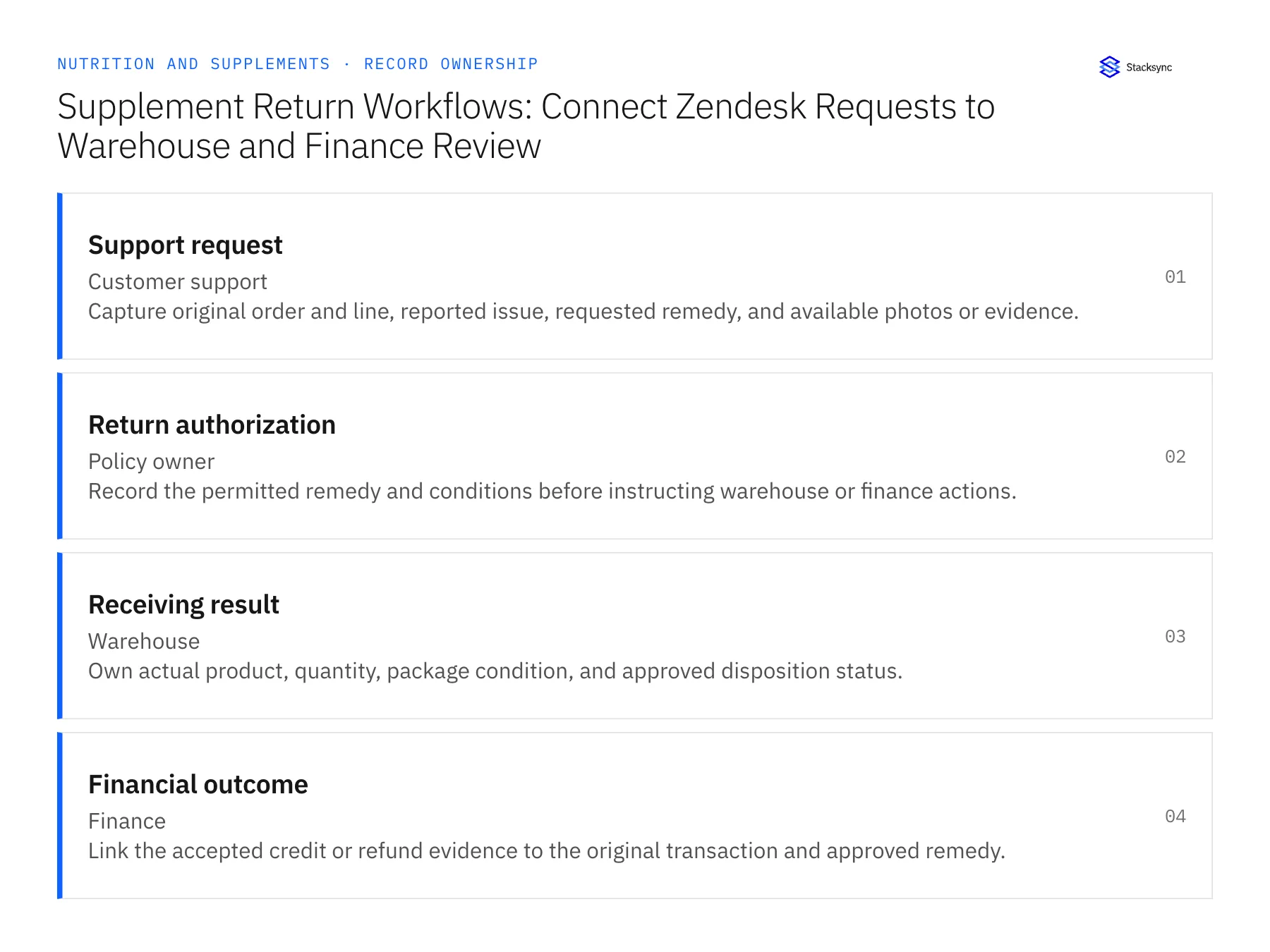
| Record | Owner | Operating rule |
|---|---|---|
| Support request | Customer support | Capture original order and line, reported issue, requested remedy, and available photos or evidence. |
| Return authorization | Policy owner | Record the permitted remedy and conditions before instructing warehouse or finance actions. |
| Receiving result | Warehouse | Own actual product, quantity, package condition, and approved disposition status. |
| Financial outcome | Finance | Link the accepted credit or refund evidence to the original transaction and approved remedy. |
Work through the process
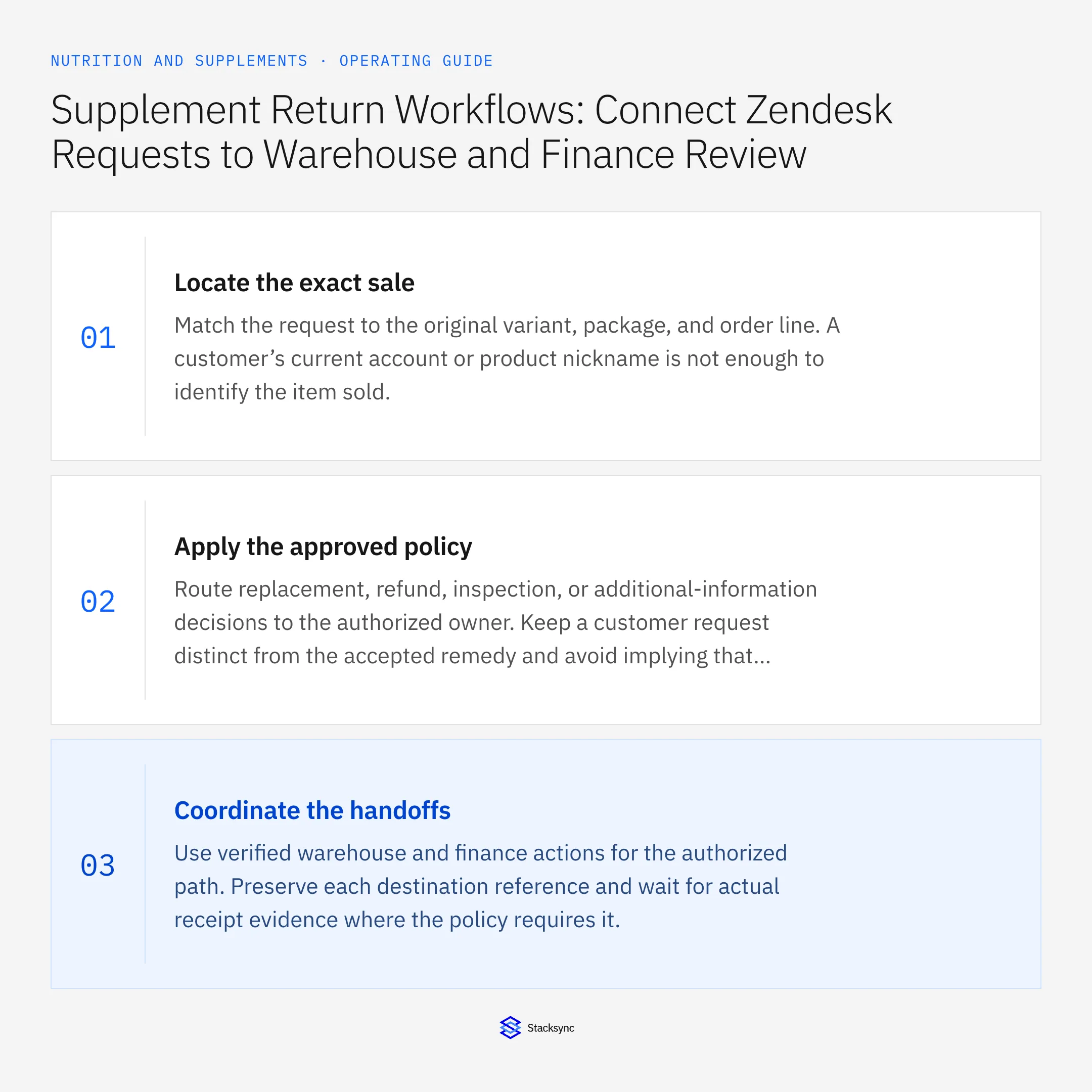
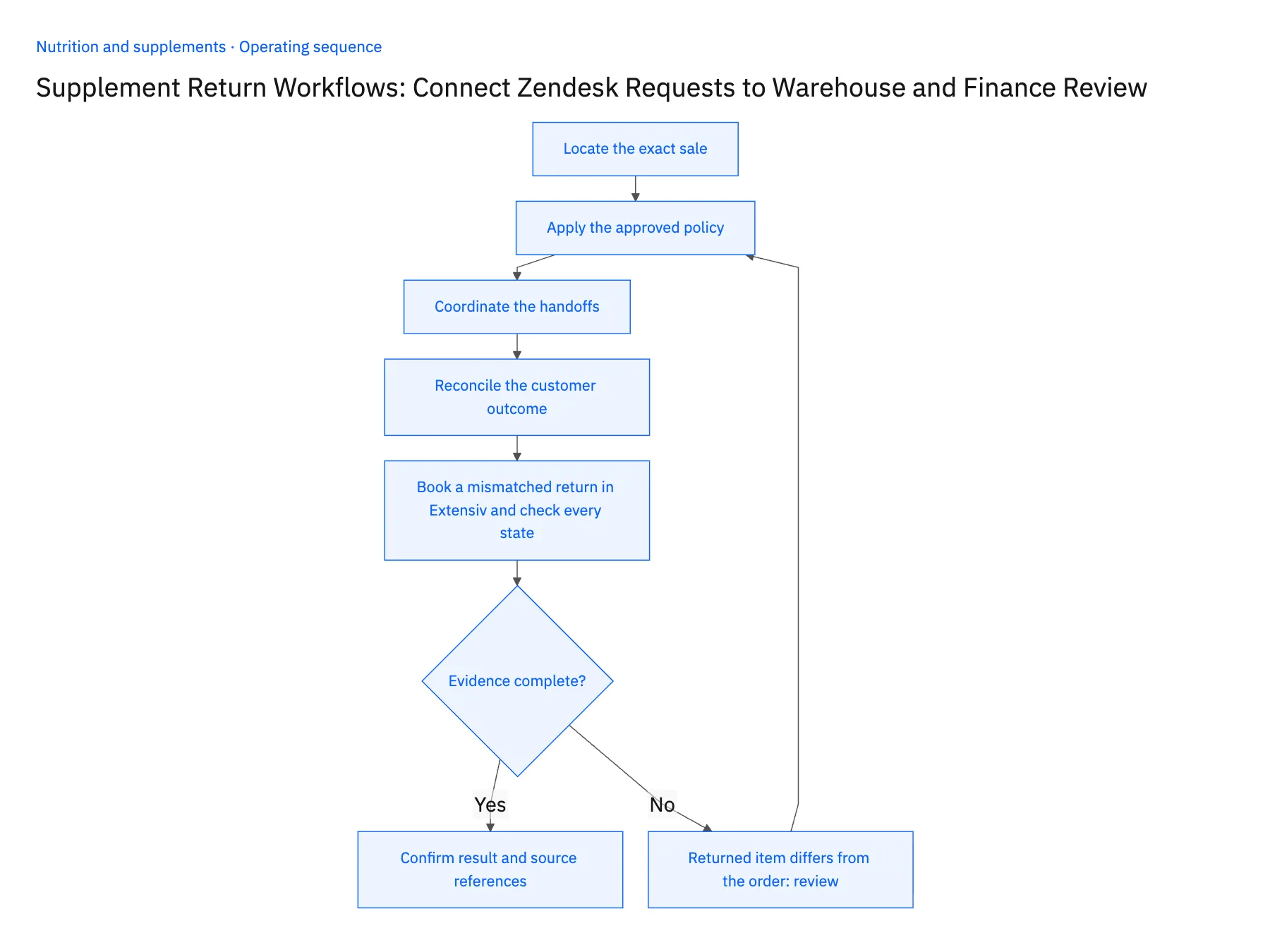
- 01Locate the exact saleMatch the request to the original variant, package, and order line. A customer’s current account or product nickname is not enough to identify the item sold.
- 02Apply the approved policyRoute replacement, refund, inspection, or additional-information decisions to the authorized owner. Keep a customer request distinct from the accepted remedy and avoid implying that opened goods are automatically resaleable.
- 03Coordinate the handoffsUse verified warehouse and finance actions for the authorized path. Preserve each destination reference and wait for actual receipt evidence where the policy requires it.
- 04Reconcile the customer outcomeConfirm which remedy completed and what remains pending. Support should communicate the accepted state, not infer a refund from a warehouse receipt or infer receipt from a shipping label.
- 05Book a mismatched return in Extensiv and check every stateApprove a return for the wrong-size tub, then have the warehouse receive a different product against it in Extensiv. Check four places: the Zendesk ticket should show the authorization but not a closed status, Extensiv should show the receipt with disposition pending rather than the item in sellable stock, NetSuite should have no credit memo yet, and the return authorization should show the mismatch awaiting the owner. Stop the rollout if the receipt alone flipped the item to resaleable, if NetSuite posted a refund before the disposition decision, or if closing the ticket in Zendesk cleared any of the other three states.
Handle the exceptions explicitly
Returned item differs from the order
Hold disposition and ask the owner to review the mismatch.
Replacement already shipped
Check prior remedy references before issuing another replacement or refund.
No physical return is required
Record that explicit policy decision instead of creating a fictional receiving event.
What to verify before expanding
- The ticket, authorization, receipt, and financial outcome have separate states.
- An item is not marked resaleable solely because a return arrived.
- An existing replacement reference is checked before another replacement or refund can be approved for the same request.
- A policy-approved no-return remedy completes without creating a warehouse receiving event or returned-stock increase.

Connect this process to the rest of your operation
Explore Stacksync workflows and scope the records and actions against your actual systems. Book a demo with a real support request example and the exception your team handles most often, for example returned item differs from the order.
- Wholesale Sample Automation for Nutrition Brands
- Wholesale Sample-to-Order Workflows for Nutrition Brands Using HubSpot and NetSuite
- AI Agents for Nutrition Brands: Assemble Product and Batch-Document Requests
- Missing COAs and Batch Mismatches: Exception Handling for Nutrition Brand Agents
- NetSuite Returns Dashboard via SuiteQL Query
- Automating Quote-to-Cash Between HubSpot and NetSuite
The shared architecture guide covers record matching, ownership, and recovery across systems.
Technical references
FAQ
Frequently asked questions










Related articles




