






















Wholesale Sample-to-Order Workflows for Nutrition Brands Using HubSpot and NetSuite
Three flavors requested, one unavailable and no ship-to contact: the workflow fills the gaps, routes the substitution, and records what shipped to the clinic before sales calls.
- Author
- Ignacio Malpartida · GTM Engineer
- Published
- Read time
- 5 min read

The operating decision
A sample-to-order workflow should link the requested nutrition products, approved recipient, fulfillment evidence, and later wholesale opportunity. Use explicit sample authorization and keep the first paid order’s account approval separate. This gives sales an accurate follow-up trail without representing every sample shipment as a commercial sale.
Explore the complete nutrition and supplements integration and automation hub for the systems and processes around this guide.
What this looks like in nutrition and supplements
A sales rep requests three flavors for a clinic evaluation. The request lacks the receiving contact and one flavor is unavailable. The workflow can obtain the missing address detail, route a proposed substitution for approval, and record what actually shipped before scheduling a useful follow-up.
Records, ownership, and update rules
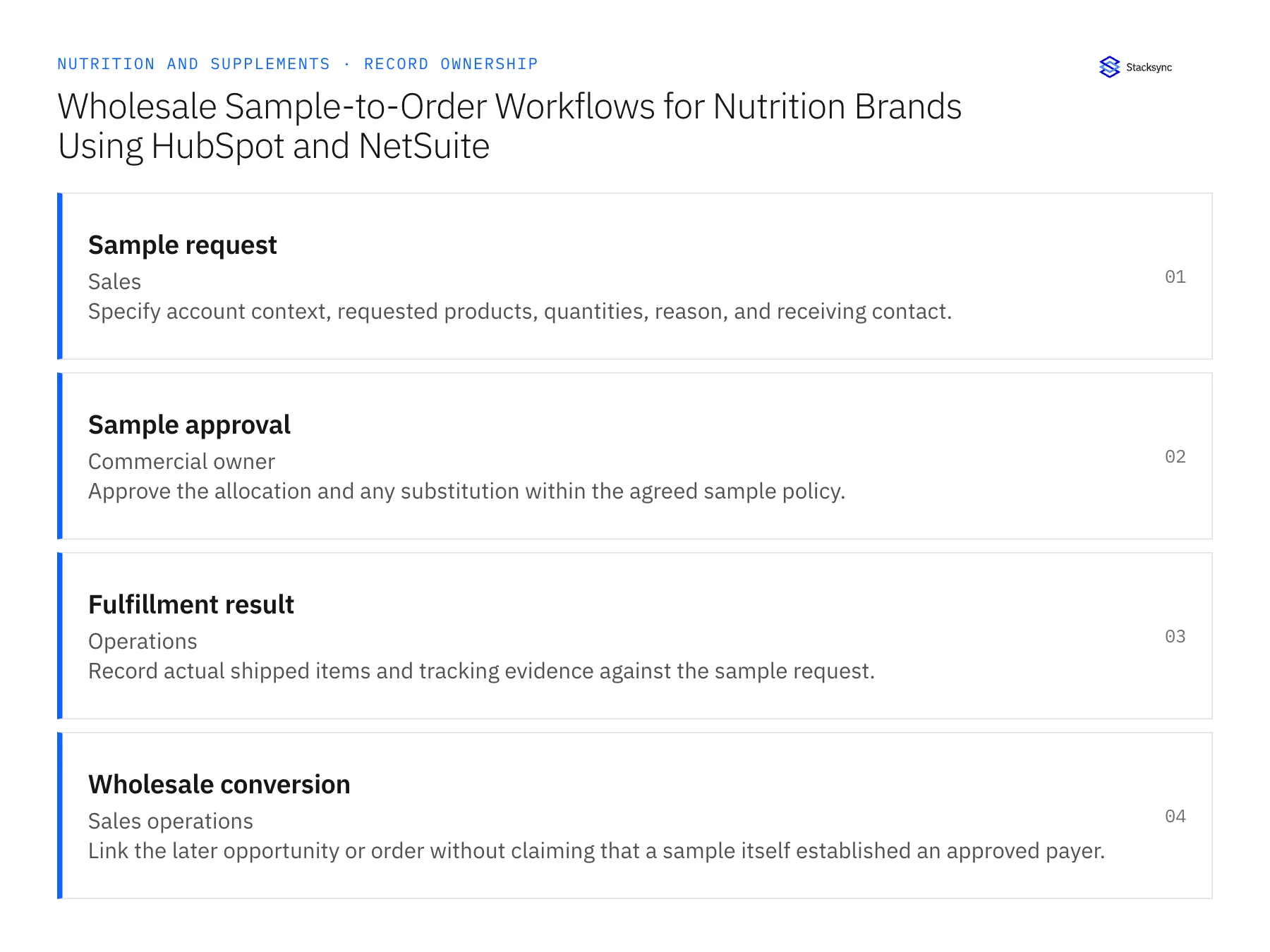
| Record | Owner | Operating rule |
|---|---|---|
| Sample request | Sales | Specify account context, requested products, quantities, reason, and receiving contact. |
| Sample approval | Commercial owner | Approve the allocation and any substitution within the agreed sample policy. |
| Fulfillment result | Operations | Record actual shipped items and tracking evidence against the sample request. |
| Wholesale conversion | Sales operations | Link the later opportunity or order without claiming that a sample itself established an approved payer. |
Work through the process
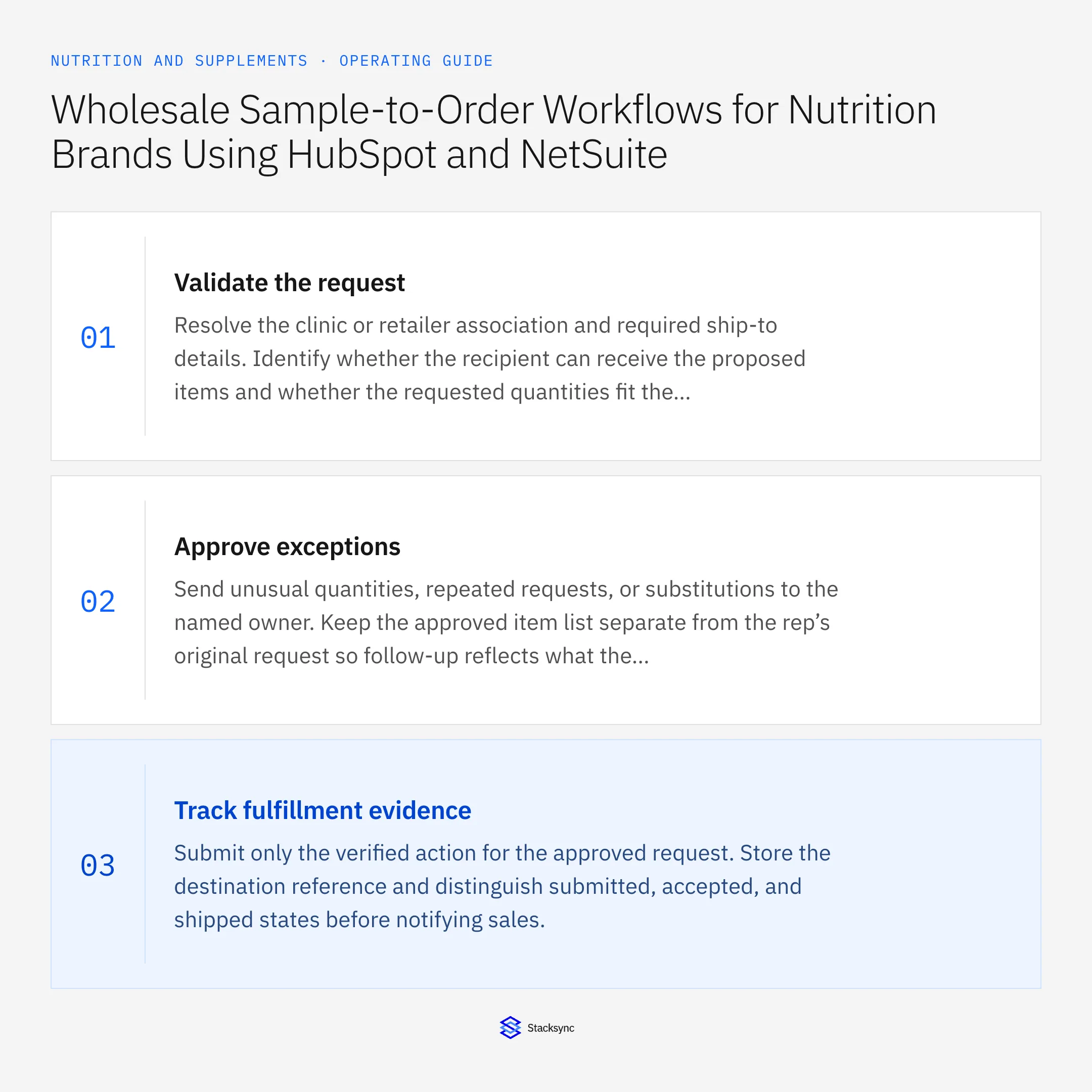
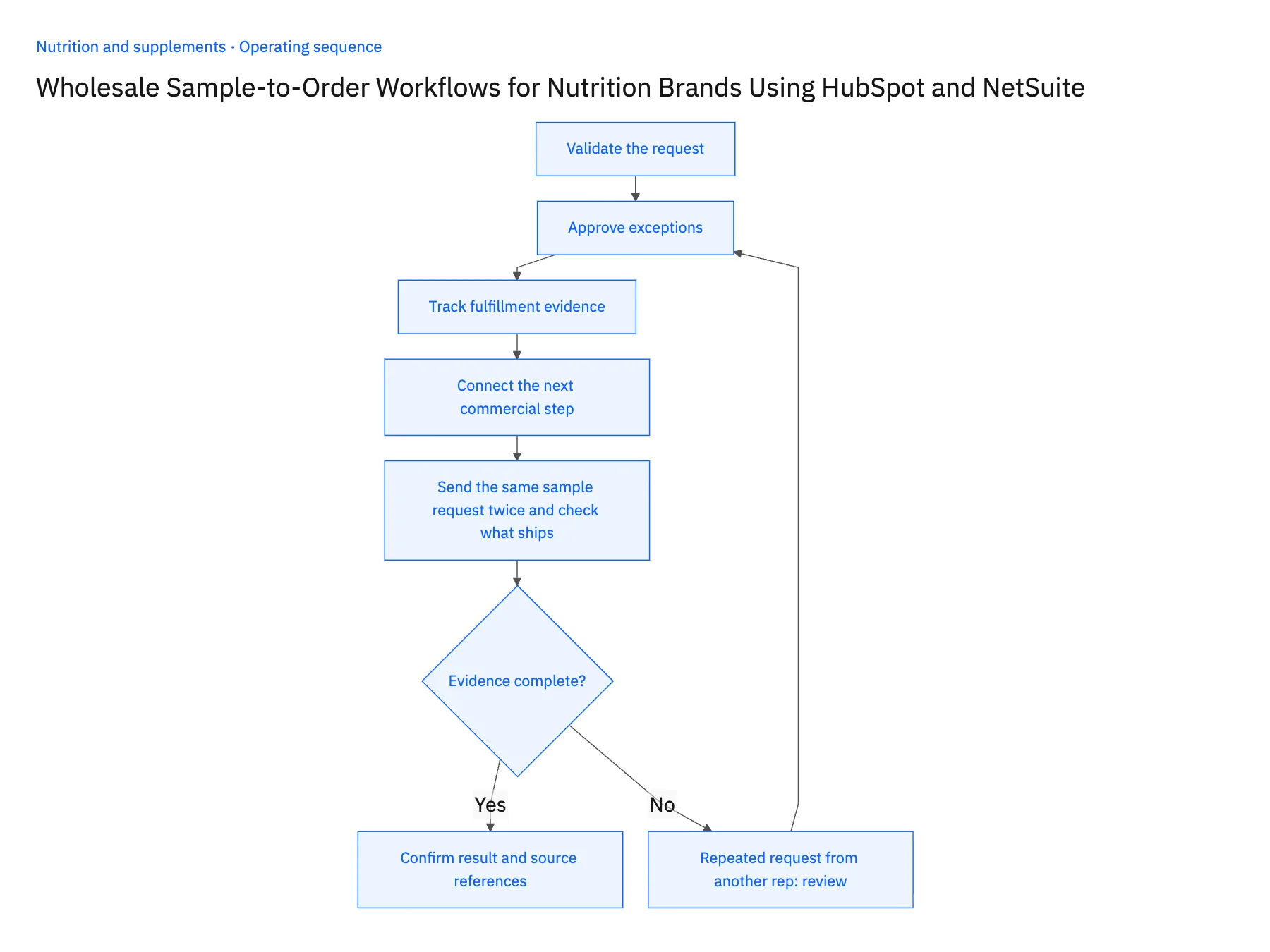
- 01Validate the requestResolve the clinic or retailer association and required ship-to details. Identify whether the recipient can receive the proposed items and whether the requested quantities fit the current sample policy.
- 02Approve exceptionsSend unusual quantities, repeated requests, or substitutions to the named owner. Keep the approved item list separate from the rep’s original request so follow-up reflects what the recipient actually received.
- 03Track fulfillment evidenceSubmit only the verified action for the approved request. Store the destination reference and distinguish submitted, accepted, and shipped states before notifying sales.
- 04Connect the next commercial stepCreate a follow-up based on the shipment outcome and link any resulting opportunity. The first paid order still needs its own legal account, terms, and release checks.
- 05Send the same sample request twice and check what shipsHave two reps submit the same clinic sample request a day apart. In HubSpot, the second request should attach to the first case with the account history visible, and only one approved allocation should reach fulfillment. After shipment, open the sample request in HubSpot and confirm the shipped item list matches what operations recorded in NetSuite, including any approved substitution, with tracking attached. Then check that the clinic still has no active NetSuite customer with terms. Stop the rollout if two shipments leave for the same request, if the rep sees the originally requested flavors instead of the shipped ones, or if the sample created an order-ready payer.
Handle the exceptions explicitly
Repeated request from another rep
Compare the account and request history before approving another allocation.
Requested flavor is unavailable
Seek an approved substitute or revised request rather than choosing automatically.
Recipient never confirms delivery
Preserve shipment evidence and route the follow-up without asserting product receipt or use.
What to verify before expanding
- Sales sees the approved and actually shipped sample items.
- A sample shipment does not bypass wholesale account approval.
- Two reps forwarding the same sample request resolve to the reviewed allocation rather than creating separate sample shipments.
- Shipment confirmation supports follow-up without being labeled recipient receipt, product use, or approval for the first paid order.

Connect this process to the rest of your operation
Explore Stacksync workflows and scope the records and actions against your actual systems. Book a demo with a real sample request example and the exception your team handles most often, for example repeated request from another rep.
- Wholesale Sample Automation for Nutrition Brands
- Supplement Return Workflows: Connect Zendesk Requests to Warehouse and Finance Review
- AI Agents for Nutrition Brands: Assemble Product and Batch-Document Requests
- Missing COAs and Batch Mismatches: Exception Handling for Nutrition Brand Agents
- Automating Quote-to-Cash Between HubSpot and NetSuite
- Syncing Custom Fields From a Legacy NetSuite to HubSpot
The shared architecture guide covers record matching, ownership, and recovery across systems.
Technical references
FAQ
Frequently asked questions










Related articles





