What Does It Mean to Make NetSuite AI-Ready?
Most AI projects in finance stall on the same wall: disconnected systems, one-way integrations, and NetSuite data too stale to act on safely. This post covers what "AI-ready" actually means for NetSuite, whether an agent can safely write back to accounts payable, how Corpay's integration fits, how the AP automation options compare, and how finance teams are connecting agents to NetSuite in practice, plus the September 9 San Francisco event where Corpay, Baker Tilly, and Stacksync are walking through all of it live.
- Author
- Ruben Burdin · Founder & CEO
- Published
- Updated
- Read time
- 11 min read

On September 9, Stacksync is hosting the next San Francisco NetSuite user group with Corpay and Baker Tilly. The theme is blunt: finance that acts, not just reports. That phrase keeps coming up because most AI projects in finance stall at the same wall. The model works, the prompt works, what breaks is everything underneath it: disconnected systems, integrations that only move data one way, and NetSuite data that is too stale or too ungoverned for an agent to act on safely.
This post answers the questions people actually ask before they get anywhere near that wall: what "AI-ready" means for a NetSuite environment, whether an agent can safely write back to accounts payable, how Corpay's integration fits in, how the AP automation options compare, and how finance teams are connecting agents to NetSuite in practice. Then it covers the event itself, who is speaking, what the agenda looks like, and how to get a seat.
If you want the broader mechanics of NetSuite AI agents, from the security model to deployment, we cover that separately in our NetSuite AI agents FAQ. This post is narrower: it is about accounts payable, write-back safety, and what changes once Corpay and a real-time sync layer both sit in the stack.
What does it mean to make NetSuite AI-ready?
Being AI-ready has nothing to do with turning a feature on. It means your NetSuite data, roles, and integrations are in a state where an agent can read accurate information and, where you allow it, take an action, without a human having to double-check the plumbing first.
NetSuite's own AI Connector Service is the clearest official signal of what Oracle means by this: a governed way for external AI platforms to reach NetSuite through the Model Context Protocol (MCP), scoped by role and permission rather than left open to an integration user with full access. That is a starting point, not the whole picture. NetSuite readiness also shows up in narrower places, for example a product record is marked "Ready" for the CPQ AI Assistant only once its AI-facing fields are complete, and "Not Ready" otherwise.
In practice, three things decide whether a NetSuite instance is actually AI-ready: whether the data an agent would read is current (an overnight batch job fails this immediately), whether the roles available to an agent are scoped down to what it needs, and whether every write an agent makes is logged somewhere a human can review. Get those three right and the model you pick stops being the hard part.
Can AI agents safely write back to NetSuite accounts payable?
Yes, but not by default. NetSuite's own integration guidance is explicit that external AI agents should run under a dedicated, least-privilege role with a narrow scope and regular permission review, and that sensitive or high-impact actions should require a human to confirm them before anything posts.
That maps cleanly onto two tiers of AP work. Reading, coding suggestions, exception flags, and draft recommendations are low risk, an agent can handle those on its own. Creating or updating vendor bills, changing approval status, or touching anything tied to a payment run is higher risk, because it moves money or changes a financial record, and it belongs behind an approval gate until the agent has a track record.
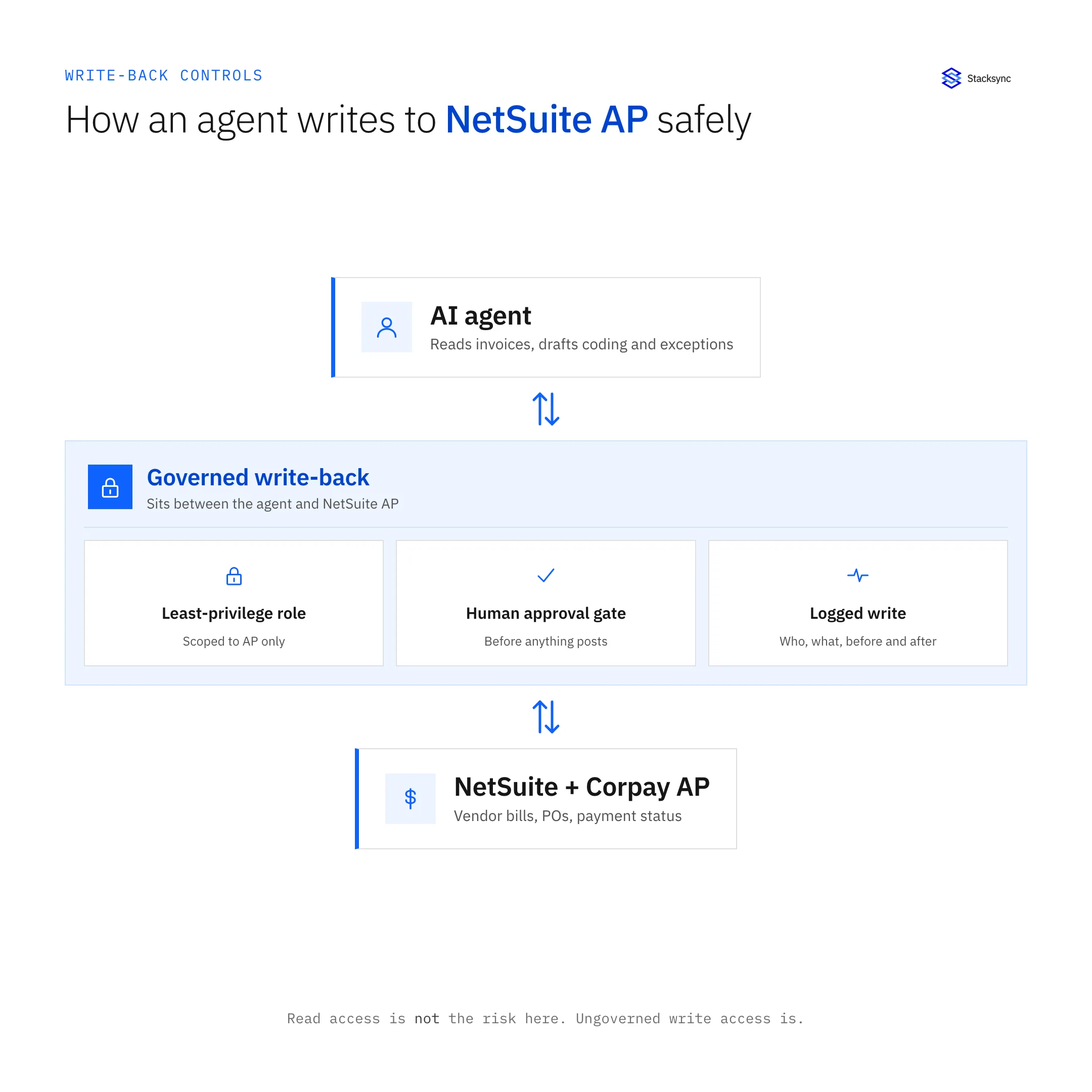
This is the part most AP tools do not solve on their own: they run their own workflow inside their own product, but the moment an agent needs to read NetSuite, write to NetSuite, and stay inside the guardrails you set, someone has to own that path end to end. That is what a real-time, bidirectional sync layer between the agent, NetSuite, and your AP tool is for: scoped roles, a write that is logged the moment it happens, and one shared source of truth so the agent is never acting on data that is hours old.
How does Corpay integrate with NetSuite?
Corpay ships a Built-for-NetSuite connector that runs on NetSuite's SuiteTalk API rather than a side door. It keeps NetSuite as the system of record while syncing AP and payments data close to real time. Corpay's own materials describe pulls roughly every five minutes, and the data that moves includes transactional records (vendors, vendor bills, purchase orders) alongside reference data (chart of accounts, departments, locations).
On top of the sync, Corpay automates the AP workflow itself: invoice collection, coding, approval routing, and payment scheduling against your bank of choice. That is the piece Alex Camperi is presenting at the September 9 event, what is already automated inside a NetSuite AP stack today, not a roadmap slide.
What Corpay's connector does not claim to do is act as the general layer between NetSuite and everything else in your stack: your CRM, your data warehouse, or an AI agent that needs to read across systems that were never built to talk to each other. That is the gap Baker Tilly and Stacksync are speaking to at the same event, from the finance transformation side and the infrastructure side respectively.
What is the best AP automation software for NetSuite?
There is no single best answer, the right pick depends on what you are optimizing for. Tipalti is usually the strongest choice for global supplier payments and multi-currency complexity. Bill.com tends to win on simplicity for US-centric teams that want AP embedded into NetSuite with minimal setup. Corpay leans into payments and spend control built specifically for a NetSuite stack. Payhawk adds procurement and card spend on top of AP.
| Corpay | Tipalti | Bill.com | Where Stacksync fits | |
|---|---|---|---|---|
| Primary focus | AP and spend, built for NetSuite | Global supplier payments | Simple AP/AR for US teams | Real-time sync between NetSuite, the AP tool, and any AI agent |
| NetSuite connection | Built-for-NetSuite SuiteApp on SuiteTalk | Prebuilt NetSuite connector | Prebuilt NetSuite connector | Direct bidirectional sync to NetSuite, event driven |
| Refresh cadence | Near real time (minutes) | Scheduled sync | Scheduled sync | Sub-minute, triggered by the change itself |
| AI agent write-back governance | Its own internal approval workflow | Its own internal approval workflow | Its own internal approval workflow | Shared role scoping and audit trail across every connected system |
| Good for | Payments and spend control inside NetSuite | International suppliers and currency complexity | Straightforward AP with minimal setup | Teams running an agent, an AP tool, and NetSuite together |
Corpay, Tipalti, and Bill.com compete with each other. None of them replace the layer that keeps NetSuite, the AP tool, and an AI agent in sync at the same time.
None of these tools compete with a sync layer, they compete with each other. Whichever one you pick still needs to stay current with NetSuite in real time, and still needs a consistent way to govern what an AI agent is allowed to read and write across both systems. That governance does not live inside any single AP tool, because none of them owns the other side of the sync.

How do finance teams connect AI agents to ERP systems like NetSuite?
The trade-offs between per-app MCP servers and one synced database are covered in AI agent data layer: MCP vs a synced database. For approvals and audit on Stacksync's own agents, see AI agent governance.
There are three patterns in production today. The native path uses NetSuite's AI Connector Service to expose scoped NetSuite data and actions to an external AI platform through MCP. The direct API path has the agent call SuiteTalk REST or SOAP web services, RESTlets, or SuiteScript directly, authenticated with OAuth 2.0 or NetSuite's token-based authentication (TBA). The middleware path puts an integration layer between the agent and NetSuite that owns the sync, the role scoping, and the audit trail, so the agent never touches NetSuite's API limits or credentials directly.
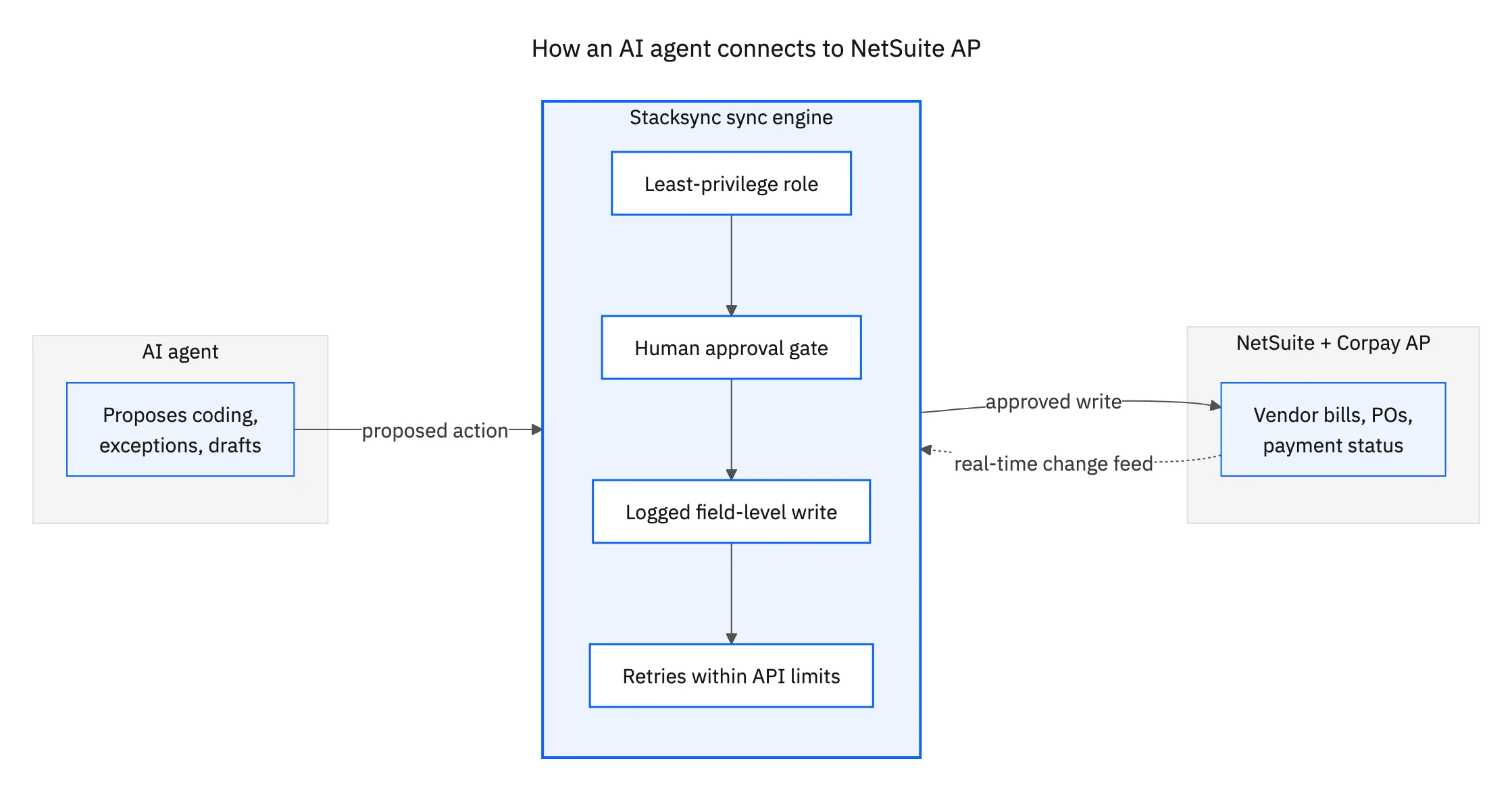
Most finance teams end up on the third pattern once more than one system is involved. NetSuite's own API has real limits, bulk operations top out at 1,000 records per request, and concurrency is capped per account, and an agent that reads from NetSuite, writes to an AP tool, and writes back to NetSuite needs one consistent policy for retries, conflicts, and logging rather than three different ones bolted together.
Join us: make NetSuite AI-ready in San Francisco
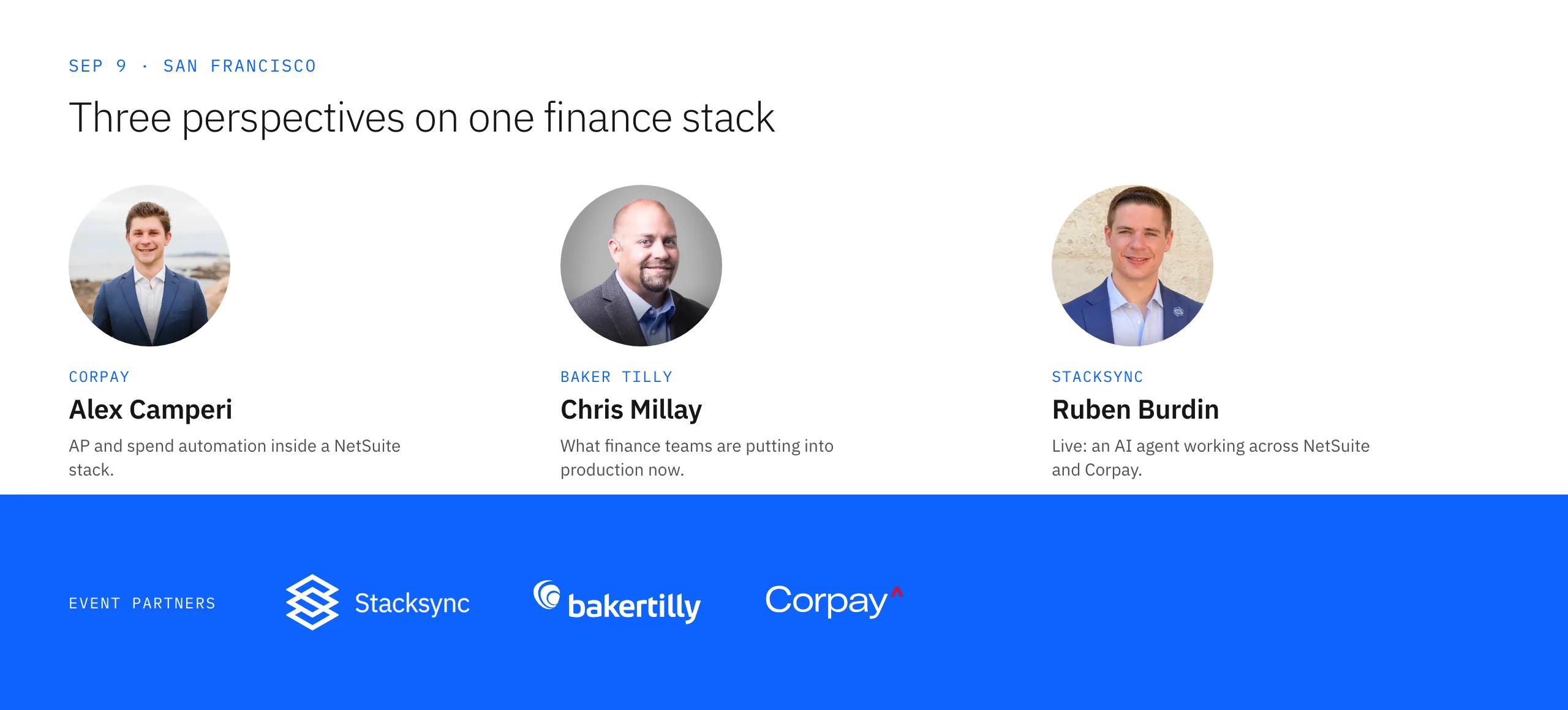
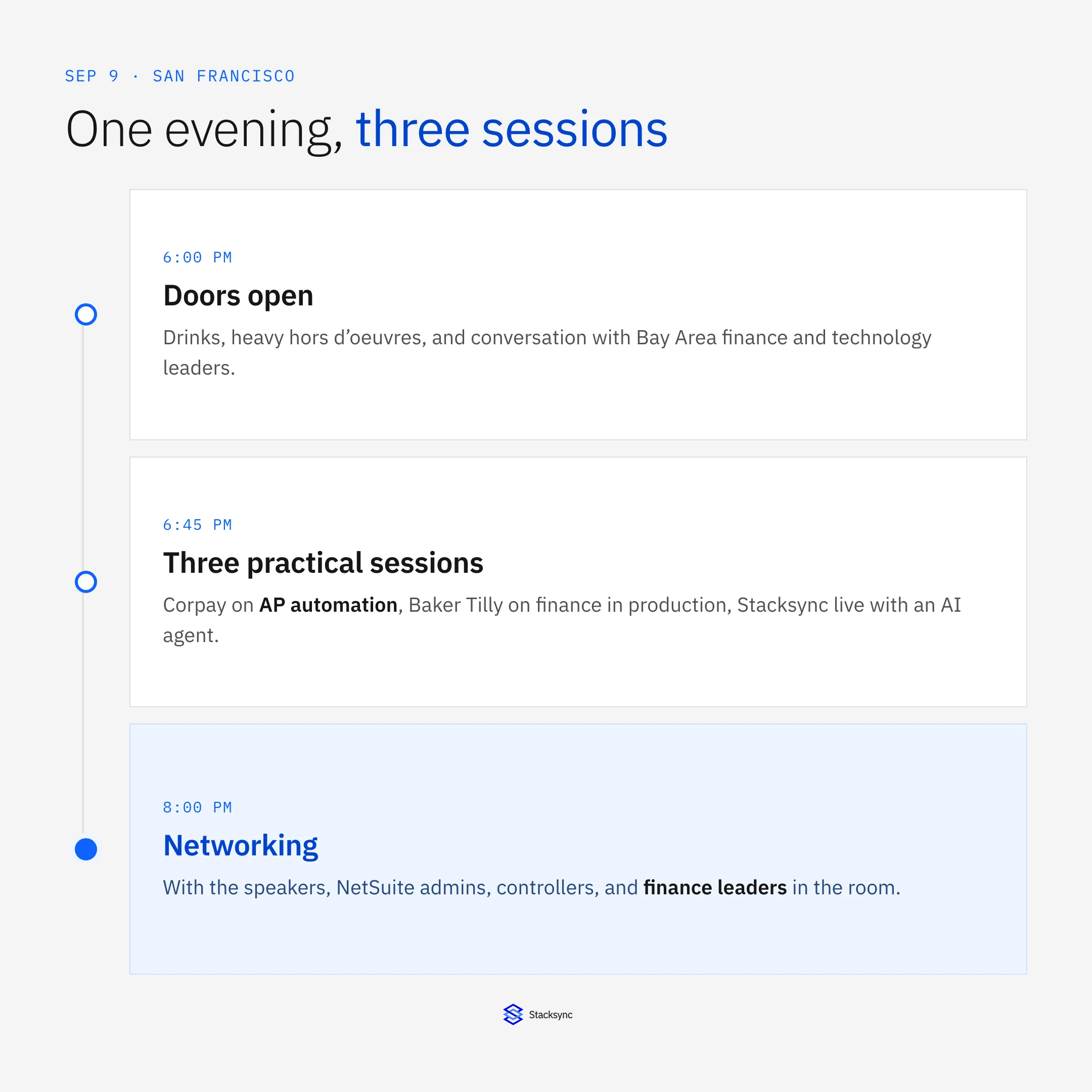
Stacksync, Baker Tilly, and Corpay are hosting the next SF NetSuite user group on September 9, 2026, at 6:00 PM in San Francisco. It follows the same format as our February event: a small room, three practical talks, and time to actually talk to the people building this. Drinks and heavy hors d’oeuvres included, venue details are announced closer to the date.
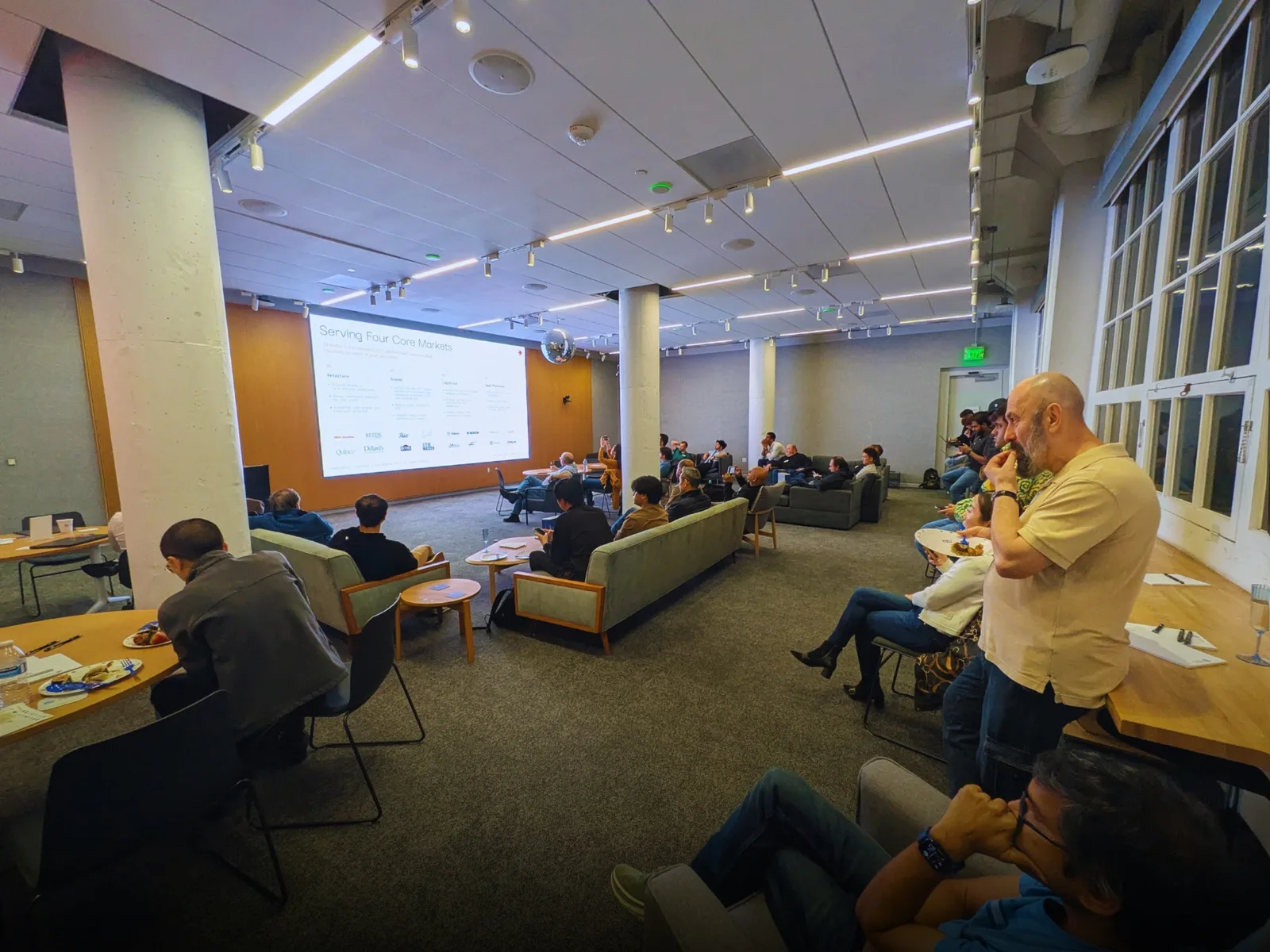
- 016:00 PM, doors openDrinks, heavy hors d’oeuvres, and conversations with Bay Area finance and technology leaders.
- 026:45 PM, three practical sessionsAI initiatives in finance, a Corpay AP automation showcase, and a live agent working across NetSuite and Corpay.
- 038:00 PM, networkingContinue the conversation with the speakers, NetSuite admins, controllers, and finance leaders in the room.
- Alex Camperi, Corpay: AP and spend automation inside a NetSuite stack, what is already live today.
- Chris Millay, Baker Tilly: what finance teams are actually putting into production right now.
- Ruben Burdin, Stacksync: a live AI agent working across NetSuite and Corpay, not a slide.
Seats are limited to keep the room small enough for real conversation. Reserve your spot on Luma, or see the full event page for the agenda and venue updates.

FAQ
Frequently asked questions










Related articles