






















Acumatica–Postgres Sync for Beverage Operations: Match Case and Pallet Records Across Warehouses
A Postgres operations model that keeps a full pallet, a partial pallet, and a mixed pallet as different things, fed from the Acumatica entities the tenant exposes.
- Author
- Ruben Burdin · Founder & CEO
- Published
- Read time
- 5 min read

The operating decision
Build a beverage operations view that preserves warehouse, item, case, and pallet identity while respecting the ERP’s accepted records. Confirm the Acumatica entities available in the tenant, then synchronize the permitted fields into a Postgres model. Keep proposed corrections separate from the accepted source evidence.
Explore the complete beverages integration and automation hub for the systems and processes around this guide.
What this looks like in beverages
Two warehouses describe a beverage shipment differently. One reports full pallets, the other reports cases plus a partial pallet. Operations needs a common comparison, but a pallet is not a universal unit: its case count depends on the product and loading configuration. A fixed conversion applied everywhere would hide the actual discrepancy.
Records, ownership, and update rules
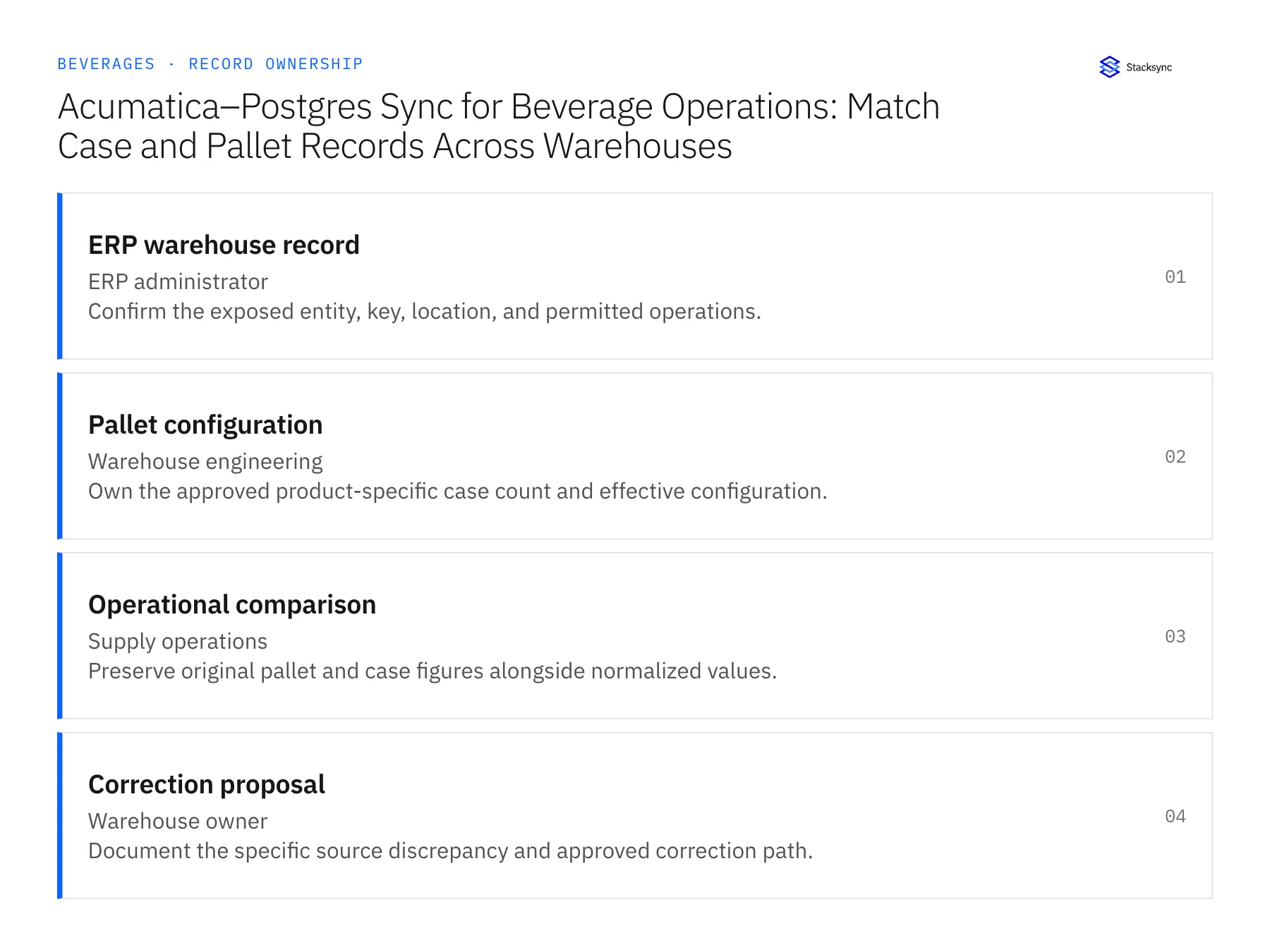
| Record | Owner | Operating rule |
|---|---|---|
| ERP warehouse record | ERP administrator | Confirm the exposed entity, key, location, and permitted operations. |
| Pallet configuration | Warehouse engineering | Own the approved product-specific case count and effective configuration. |
| Operational comparison | Supply operations | Preserve original pallet and case figures alongside normalized values. |
| Correction proposal | Warehouse owner | Document the specific source discrepancy and approved correction path. |
Work through the process
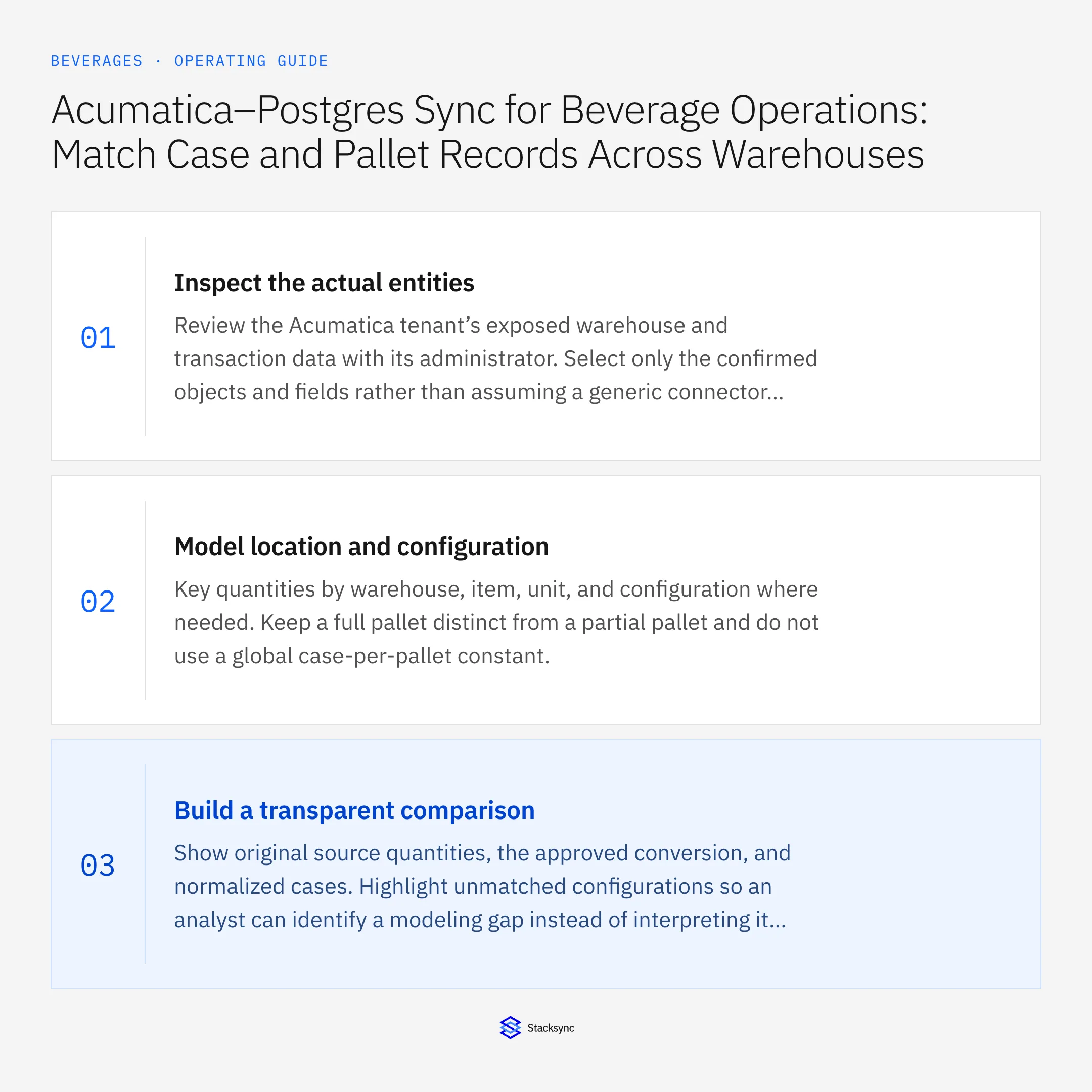
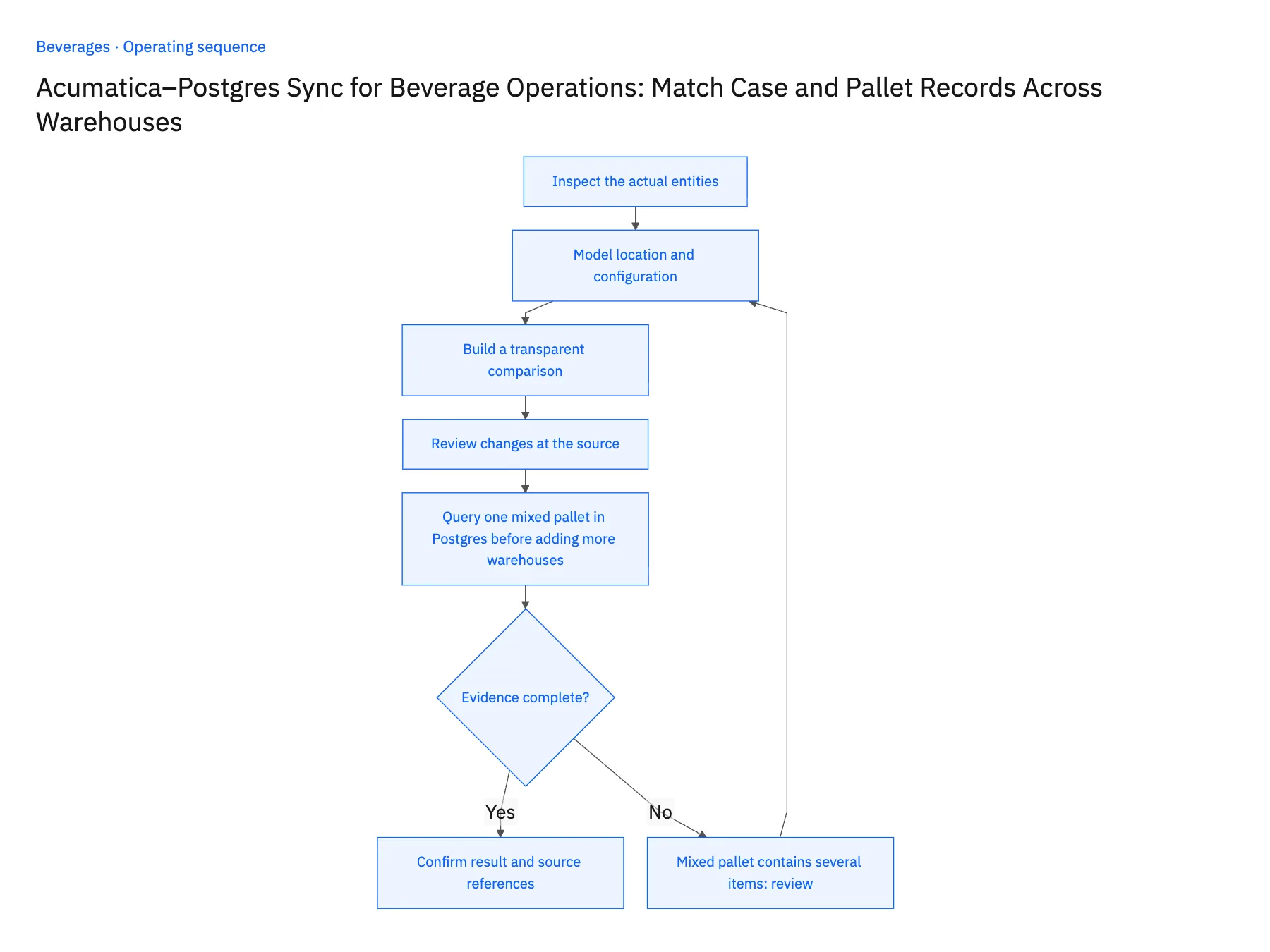
- 01Inspect the actual entitiesReview the Acumatica tenant’s exposed warehouse and transaction data with its administrator. Select only the confirmed objects and fields rather than assuming a generic connector includes every custom pallet attribute.
- 02Model location and configurationKey quantities by warehouse, item, unit, and configuration where needed. Keep a full pallet distinct from a partial pallet and do not use a global case-per-pallet constant.
- 03Build a transparent comparisonShow original source quantities, the approved conversion, and normalized cases. Highlight unmatched configurations so an analyst can identify a modeling gap instead of interpreting it as a shortage.
- 04Review changes at the sourceLet the responsible warehouse or ERP owner decide whether a count or configuration is wrong. After an approved correction, reconcile the accepted result without overwriting the previous evidence.
- 05Query one mixed pallet in Postgres before adding more warehousesPick one shipment that both warehouses handled and query its rows in Postgres. Every normalized case quantity should carry the warehouse key and the conversion factor that produced it, so an analyst can rebuild the number from the Acumatica source. Then find a mixed pallet in the same set. It must appear as separate item lines with their own case counts, not one row with an averaged factor, and a partial pallet must be flagged as partial. Stop the rollout if any row lacks a warehouse key, if a mixed pallet collapses into a single quantity, or if the same pallet shows different totals in Acumatica and Postgres.
Handle the exceptions explicitly
Mixed pallet contains several items
Represent its item-level contents; a single average conversion cannot establish quantities.
Configuration changed this season
Apply the effective version to the relevant shipment and preserve older records.
Warehouse key is missing
Stop the cross-location comparison until the origin can be established.
What to verify before expanding
- Every normalized quantity identifies its warehouse and conversion.
- Partial and mixed pallets remain distinguishable from full single-item pallets.
- A mixed pallet retains item-level case quantities; an average cases-per-pallet factor cannot settle its stock comparison.
- A missing warehouse key blocks the cross-location comparison instead of merging the count into a default warehouse.

Connect this process to the rest of your operation
Explore Stacksync two-way sync and scope the records and actions against your actual systems. Book a demo with a real ERP warehouse record example and the exception your team handles most often, for example mixed pallet contains several items.
- Shopify–NetSuite Integration for Beverage Brands
- Salesforce–NetSuite Integration for Beverage Distributor Accounts
- Shopify–NetSuite Sync for Beverage Brands: Align Bottles, Cases, and Variety Packs
- Beverage Distributor Order Workflows: Check Freight Thresholds and Delivery Windows
- Beverage Returns Workflows: Route Breakage Claims From Support to Finance
- EDI Integration for Third Party Logistics Providers: Building Real-Time Supply Chain Visibility
- Unify Customer and Financial Data in NetSuite | Step-by-Step Guide
The shared architecture guide covers record matching, ownership, and recovery across systems.
Technical references
FAQ
Frequently asked questions










Explore these integrations and topics
- integrationPostgreSQL and Acumatica integration
- connectorAcumatica integrations
- connectorPostgreSQL integrations
- platformTwo-way sync
- platformDatabase synchronization
- platformWarehouse data flows
- Two-way sync guidesUnderstand two-way sync, record matching, field ownership, and production readiness.
- Database synchronization guidesWork through database change capture, application writes, and reliable record reconciliation.
Related articles





