






















Beverage Returns Workflows: Route Breakage Claims From Support to Finance
Support logs the claim in Zendesk, logistics confirms which shipment broke, and finance approves one remedy in NetSuite with the damaged bottles counted, not assumed.
- Author
- Ignacio Malpartida · GTM Engineer
- Published
- Read time
- 5 min read

The operating decision
Route beverage breakage claims using the original order, shipment, reported damaged quantity, and approved remedy. Support gathers the customer’s account, logistics reviews physical evidence, and finance controls the accepted adjustment. Keep reported breakage separate from confirmed damage and distinguish a credit from a replacement shipment.
Explore the complete beverages integration and automation hub for the systems and processes around this guide.
What this looks like in beverages
A distributor reports six broken bottles from a case shipment and asks for a full-case credit. The support ticket includes a photo but no receiving reference. The workflow needs to establish which shipment and pack were affected, ask for missing evidence, and route the amount and remedy to the authorized owner.
Records, ownership, and update rules
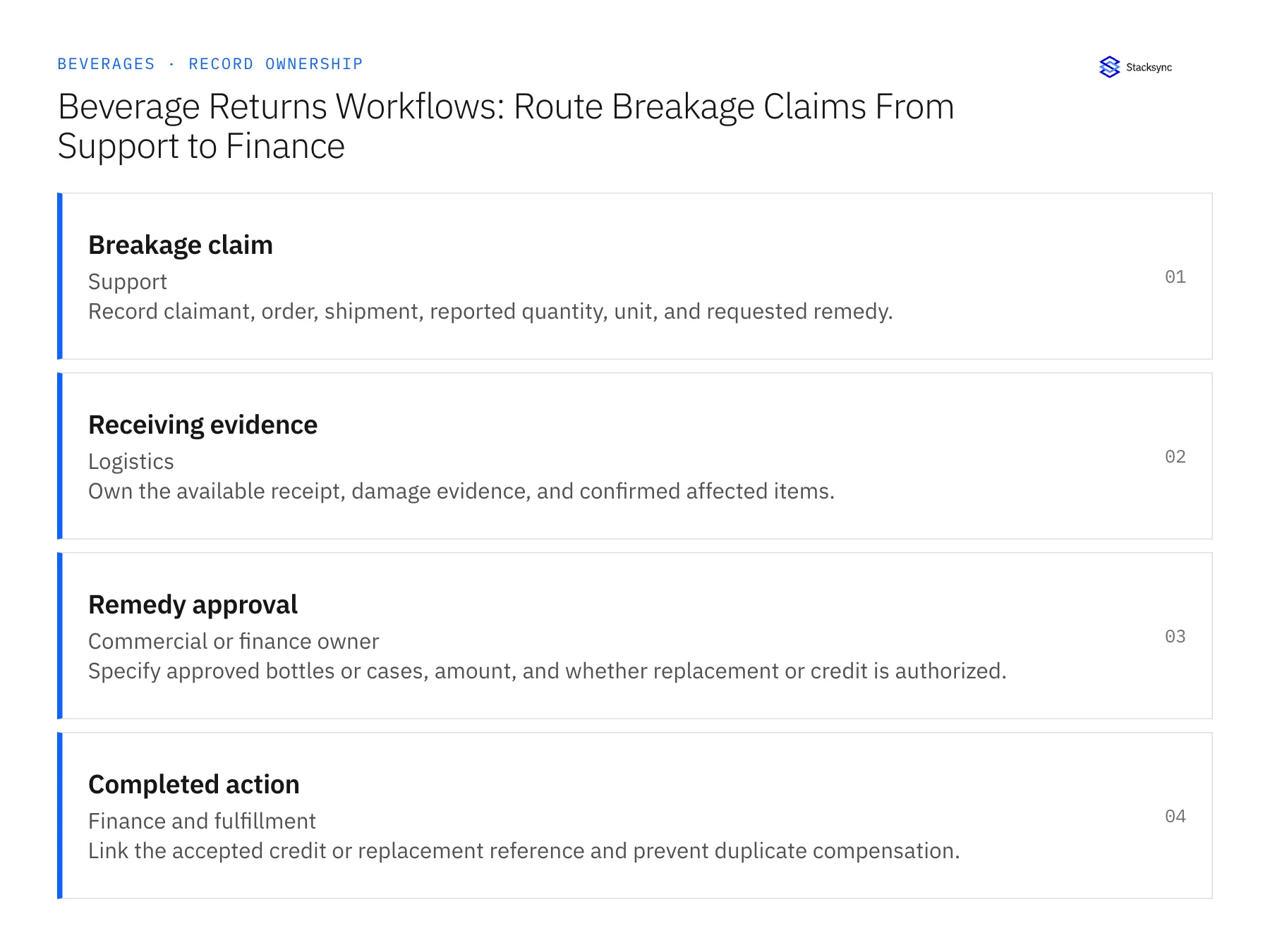
| Record | Owner | Operating rule |
|---|---|---|
| Breakage claim | Support | Record claimant, order, shipment, reported quantity, unit, and requested remedy. |
| Receiving evidence | Logistics | Own the available receipt, damage evidence, and confirmed affected items. |
| Remedy approval | Commercial or finance owner | Specify approved bottles or cases, amount, and whether replacement or credit is authorized. |
| Completed action | Finance and fulfillment | Link the accepted credit or replacement reference and prevent duplicate compensation. |
Work through the process
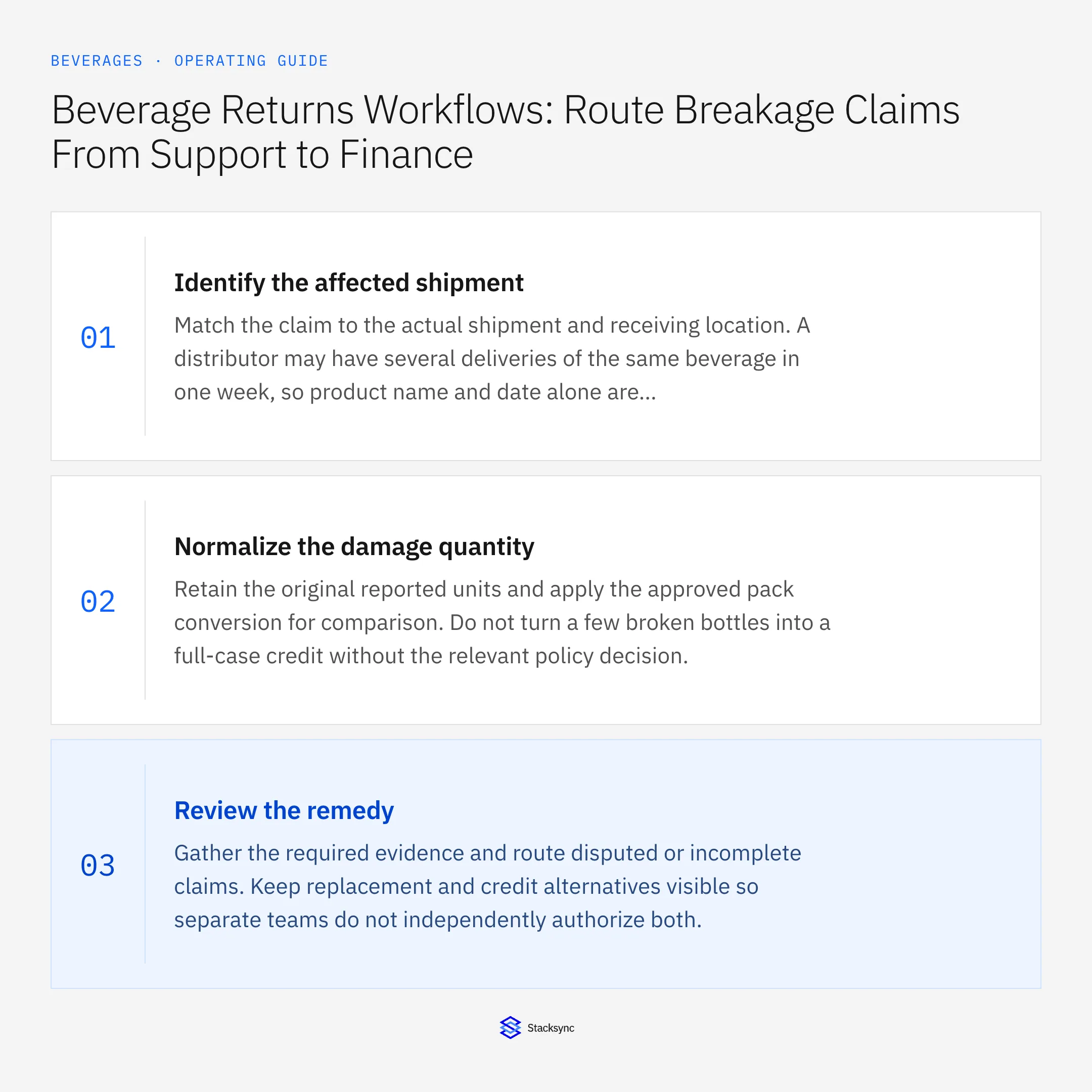
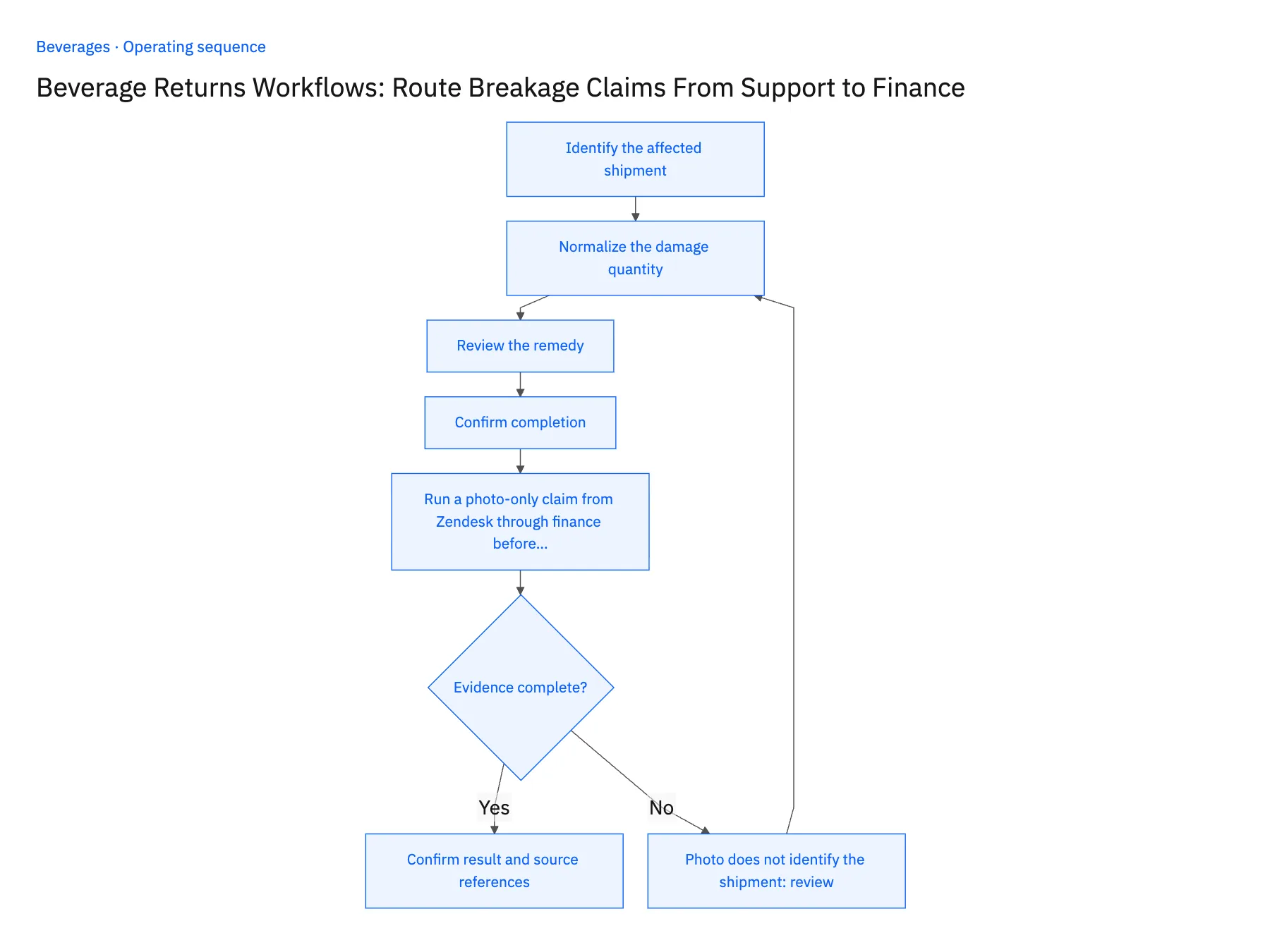
- 01Identify the affected shipmentMatch the claim to the actual shipment and receiving location. A distributor may have several deliveries of the same beverage in one week, so product name and date alone are insufficient.
- 02Normalize the damage quantityRetain the original reported units and apply the approved pack conversion for comparison. Do not turn a few broken bottles into a full-case credit without the relevant policy decision.
- 03Review the remedyGather the required evidence and route disputed or incomplete claims. Keep replacement and credit alternatives visible so separate teams do not independently authorize both.
- 04Confirm completionRead back the accepted financial or fulfillment result and communicate that exact outcome. A requested credit is not a posted credit, and a replacement request is not a shipment.
- 05Run a photo-only claim from Zendesk through finance before go-liveOpen a Zendesk ticket reporting six broken bottles with a photo and no receiving reference. The workflow should ask for the shipment or receipt number and hold the claim as unverified, without attaching the photo to any NetSuite order. Supply the reference, let logistics confirm the damage, and approve a remedy. In NetSuite, the credit memo or replacement order must state six bottles, not one case, and the claim record must show the single remedy chosen. Stop the rollout if the photo was linked to an order by product name, if the remedy shows a case, or if both a credit and a replacement exist for the ticket.
Handle the exceptions explicitly
Photo does not identify the shipment
Ask for the missing receiving reference before treating it as proof for this order.
Replacement was already authorized
Check existing remedy references before approving an additional credit.
Claim includes several products
Split the evidence by affected item and unit while retaining the parent claim.
What to verify before expanding
- The approved remedy states the exact damaged quantity and unit.
- One claim cannot silently produce both a replacement and a full credit.
- A photograph without a reliable shipment reference remains unverified evidence rather than confirmed damage for the selected order.
- An already authorized replacement is visible before finance reviews any additional credit for the same breakage claim.

Connect this process to the rest of your operation
Explore Stacksync workflows and scope the records and actions against your actual systems. Book a demo with a real breakage claim example and the exception your team handles most often, for example photo does not identify the shipment.
- Distributor Delivery-Window Automation for Beverage Brands
- Beverage Distributor Order Workflows: Check Freight Thresholds and Delivery Windows
- AI Agents for Beverage Brands: Investigate Distributor Delivery Claims
- Broken Cases and Disputed Delivery Windows: Exception Handling for Beverage Claim Agents
- Investigate Freight Invoice Disputes Across NetSuite and Postgres
- Reconcile Freight Rates and Dwell Times Before Issuing Credits
The shared architecture guide covers record matching, ownership, and recovery across systems.
Technical references
FAQ
Frequently asked questions










Related articles




