







Connect account and location context
Preserve strategic parent, legal customer, and depot relationships instead of forcing them into a single account record.
Stacksync MCP is here. Give Claude, Cursor, and any MCP client governed access to your syncs, workflows, and connections.
Set up MCP Salesforce
  HubSpot
  NetSuite
  Zendesk
  Microsoft Dynamics 365 Sales
  Dynamics 365 F&O
  Attio
Attio  Pipedrive
  Zoho CRM
  Campfire
  Rillet
  Front
Front  Shopify
  Amazon Seller Central
  SendGrid
 Beverages
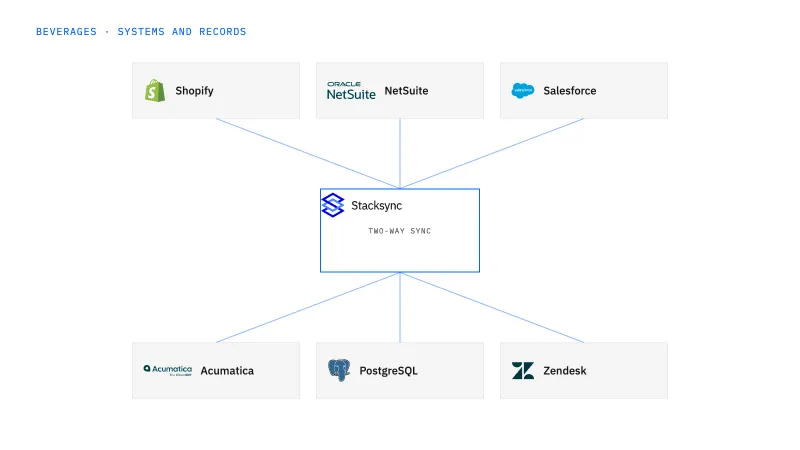
Connect beverage distributor relationships to the correct payer and receiving locations. This fits brands whose account teams work in Salesforce while finance and logistics maintain accepted customer and destination records in NetSuite. Share approved context without making every CRM edit an operational change.
Parent accounts, billing entities, depots, and delivery instructions are mixed together across sales and ERP records.
Explore your process in a demo, or get our shared two-way sync architecture guide.
When this fits
Beverage brands combining production, DTC sales, distributor networks, and retail delivery.
Preserve strategic parent, legal customer, and depot relationships instead of forcing them into a single account record.
Share approved terms and receiving details while routing proposed changes to finance or logistics.
Salesforce accounts and contacts are the shared objects on this pairing, but the legal customer in NetSuite keeps its terms, currency, and account status under finance ownership. The accepted ship-to identifier and delivery instructions for each depot belong to logistics. A rep can propose a new location or address, and the proposal reaches the approver as a location change request rather than an overwrite of the accepted record.
The process, end to end
A distributor opens a new depot under an existing central payer. Sales needs to manage the relationship, finance should preserve the customer structure, and logistics must approve the new receiving details. A useful demo shows the new location without duplicating the payer or rewriting historical shipment destinations.
Scope your implementation
Review current platform pricing alongside the records, volume, and actions in your process. Use your own operating baseline to evaluate the economics.
Explore your process in a demo, or get our shared two-way sync architecture guide.
From foundation to action
Keep shared customer, order, and operational records aligned, with clear field ownership.
Explore two-way sync 02Move approved work between systems, assign exceptions, and confirm the result.
Explore workflows 03Investigate cross-system questions, assemble the evidence, and prepare the next action.
Explore ai agents (genies) 04Connect trading-partner documents to operational records and exception handling.
Explore ediGo deeper
Map each Shopify variant to an approved NetSuite item recipe with an effective date, so a twelve-bottle variety pack never turns into two cases of one flavor.
Sales manages the distributor relationship in Salesforce while NetSuite keeps the payer and every depot as separate records, so a new site never becomes a new customer.
A Postgres operations model that keeps a full pallet, a partial pallet, and a mixed pallet as different things, fed from the Acumatica entities the tenant exposes.
Follow the actual billing structure. Keep location identity explicit even when several depots share one legal payer.
A CRM address edit is treated as a proposal. The edit is recorded as a location change request for logistics to review, and the shipment already released to the carrier keeps its original destination and instructions. Logistics decides whether the change applies to open orders under the approved policy. Historical shipments keep the address they were delivered against, so a later correction cannot erase the evidence of where a truck was sent. Depots with similar names resolve through their stable location identifiers rather than the display name.
Two-way sync is the first layer: it keeps the distributor account in Salesforce and the legal customer and receiving locations in NetSuite pointing at the same payer and ship-to identifiers. Workflows come next, when a new depot or an address correction needs a recorded finance or logistics approval before it reaches an order. Genies fit later, when a distributor disputes a delivery at one of those locations and the evidence needs assembling for review. EDI follows if the same depots receive pallet shipments under partner documents.


