






















Beverage Distributor Order Workflows: Check Freight Thresholds and Delivery Windows
Under-threshold freight and unconfirmed depot windows go to a named approver in Slack, and the order leaves NetSuite for the warehouse only with both decisions attached.
- Author
- Ignacio Malpartida · GTM Engineer
- Published
- Read time
- 5 min read

The operating decision
A distributor-order workflow should validate the accepted commercial terms and receiving window before releasing beverage freight. Keep minimum quantities, freight thresholds, requested dates, and approved exceptions as explicit fields. A salesperson’s requested date should not become a confirmed logistics commitment without the required review.
Explore the complete beverages integration and automation hub for the systems and processes around this guide.
What this looks like in beverages
A distributor orders just below the agreed freight threshold and requests a narrow delivery window at a depot with limited receiving hours. Sales wants to ship immediately. The workflow should route the freight exception and verify the receiving commitment before an order reaches the warehouse or carrier.
Records, ownership, and update rules
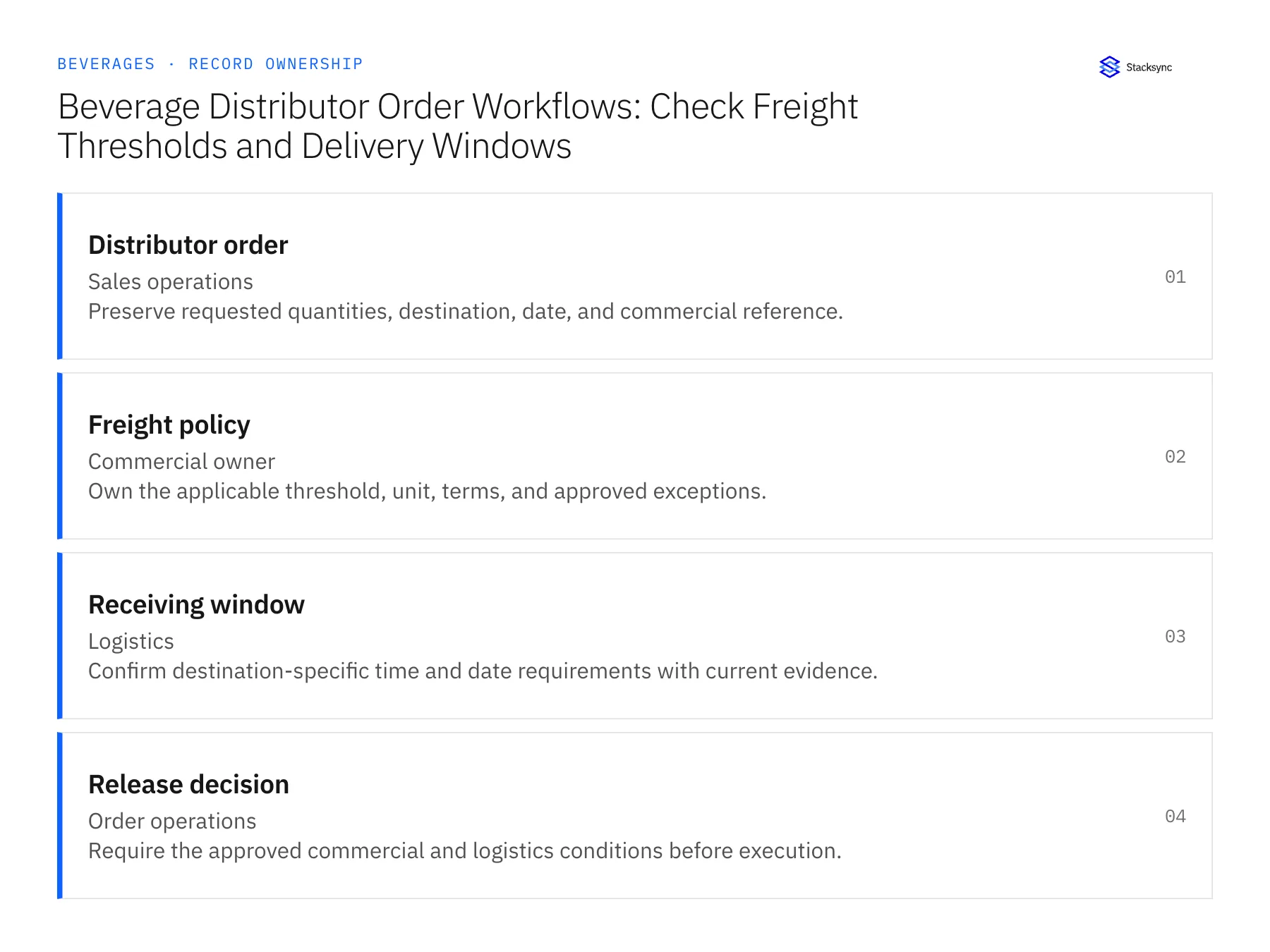
| Record | Owner | Operating rule |
|---|---|---|
| Distributor order | Sales operations | Preserve requested quantities, destination, date, and commercial reference. |
| Freight policy | Commercial owner | Own the applicable threshold, unit, terms, and approved exceptions. |
| Receiving window | Logistics | Confirm destination-specific time and date requirements with current evidence. |
| Release decision | Order operations | Require the approved commercial and logistics conditions before execution. |
Work through the process
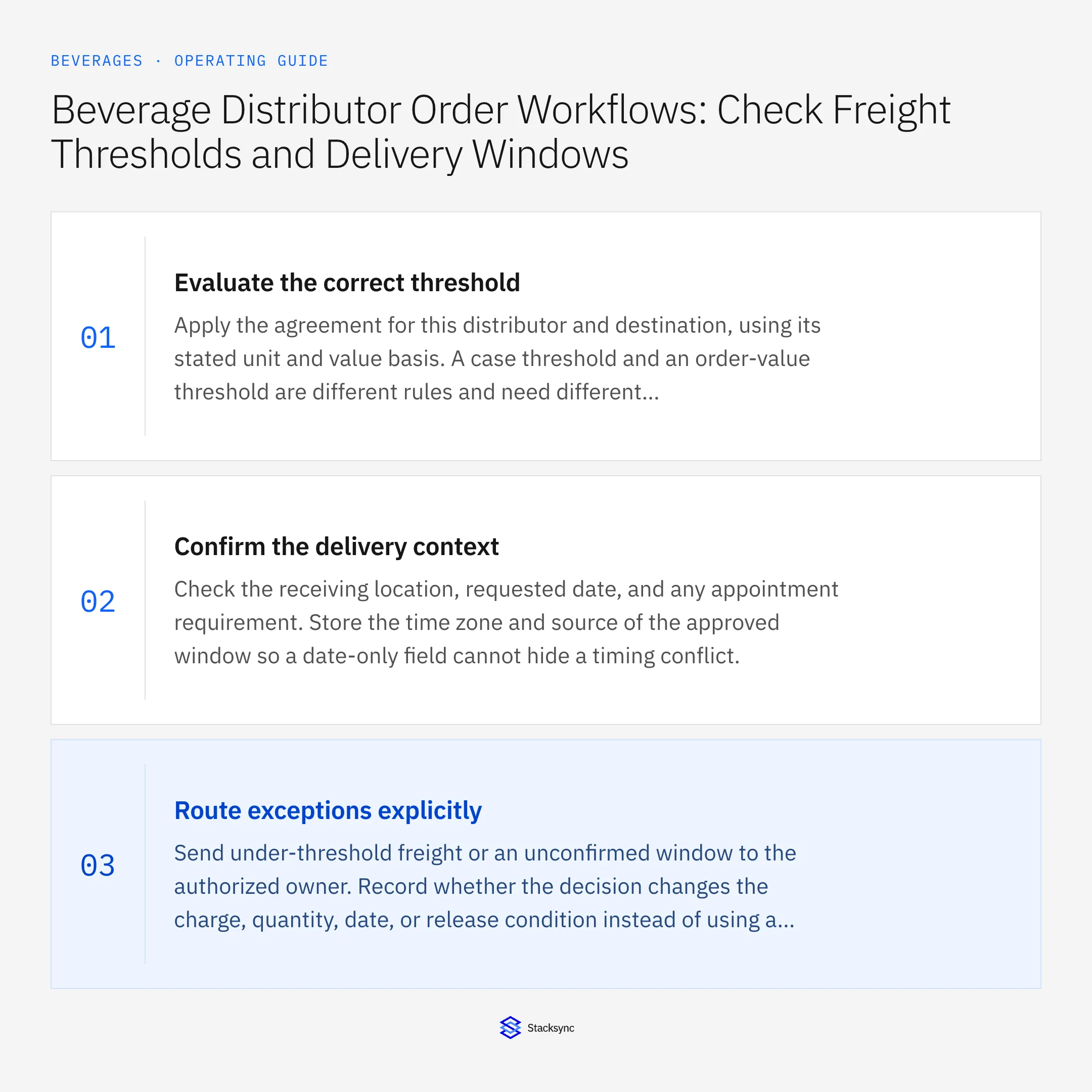
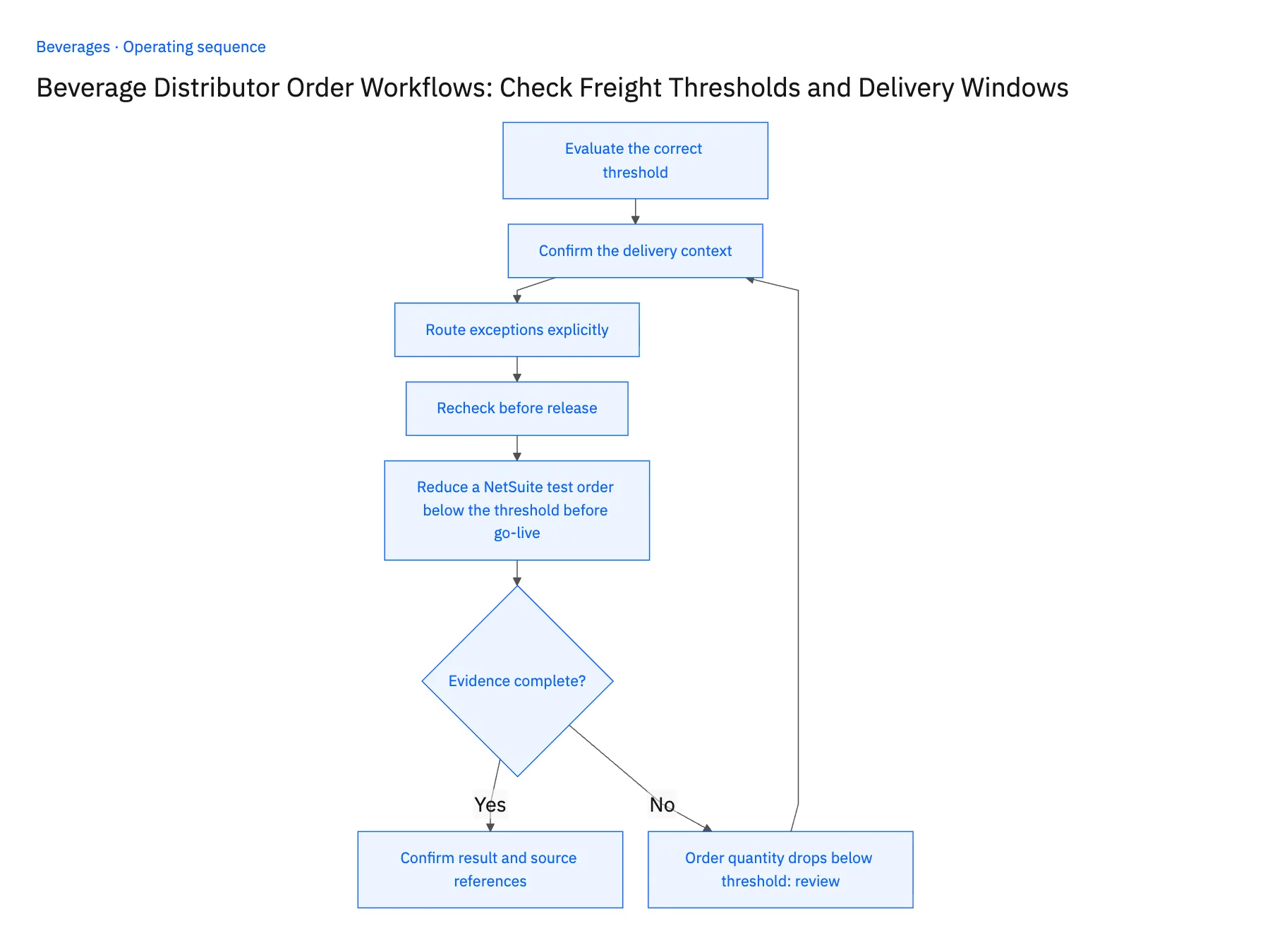
- 01Evaluate the correct thresholdApply the agreement for this distributor and destination, using its stated unit and value basis. A case threshold and an order-value threshold are different rules and need different evidence.
- 02Confirm the delivery contextCheck the receiving location, requested date, and any appointment requirement. Store the time zone and source of the approved window so a date-only field cannot hide a timing conflict.
- 03Route exceptions explicitlySend under-threshold freight or an unconfirmed window to the authorized owner. Record whether the decision changes the charge, quantity, date, or release condition instead of using a vague approved flag.
- 04Recheck before releaseCompare the final order and destination against the approval. A reduced quantity or changed depot can invalidate the earlier decision and should return to review.
- 05Reduce a NetSuite test order below the threshold before go-liveApprove a test distributor order in the workflow, then open the approval record and confirm it names the case quantity or order value it covers, not a bare approved flag. In NetSuite, the released sales order must show the confirmed depot, delivery date, time zone, and the window logistics accepted. Next, reduce the quantity below the freight threshold after approval. The workflow should pull the order back into review and post the new exception to the approver. Stop the rollout if the reduced order releases on the old approval, if the destination or window is blank on the released order, or if the approval cannot say what it covered.
Handle the exceptions explicitly
Order quantity drops below threshold
Reassess freight terms before release instead of inheriting the earlier approval.
Depot changes the window
Route the new requirement to logistics and preserve the previous commitment.
Sales offers free freight
Require the commercial authorization associated with that exception.
What to verify before expanding
- Freight approval identifies the order amount or quantity it covers.
- The released order carries the confirmed destination and delivery window.
- Reducing quantities below the agreed freight threshold reopens the commercial decision before order release.
- A depot window change preserves the earlier commitment and requires logistics acceptance of the revised time zone and window.

Connect this process to the rest of your operation
Explore Stacksync workflows and scope the records and actions against your actual systems. Book a demo with a real distributor order example and the exception your team handles most often, for example order quantity drops below threshold.
- Distributor Delivery-Window Automation for Beverage Brands
- Beverage Returns Workflows: Route Breakage Claims From Support to Finance
- AI Agents for Beverage Brands: Investigate Distributor Delivery Claims
- Broken Cases and Disputed Delivery Windows: Exception Handling for Beverage Claim Agents
- Reconcile Freight Rates and Dwell Times Before Issuing Credits
- Investigate Freight Invoice Disputes Across NetSuite and Postgres
The shared architecture guide covers record matching, ownership, and recovery across systems.
Technical references
FAQ
Frequently asked questions










Related articles






