







Finish-to-purchase handoff
Route approved selections and converted material requirements to procurement with unresolved areas clearly held.
Explore workflows ↗Stacksync MCP is here. Give Claude, Cursor, and any MCP client governed access to your syncs, workflows, and connections.
Set up MCP Salesforce
  HubSpot
  NetSuite
  Zendesk
  Microsoft Dynamics 365 Sales
  Dynamics 365 F&O
  Attio
Attio  Pipedrive
  Zoho CRM
  Campfire
  Rillet
  Front
Front  Shopify
  Amazon Seller Central
  SendGrid
 Commercial flooring and interior installation
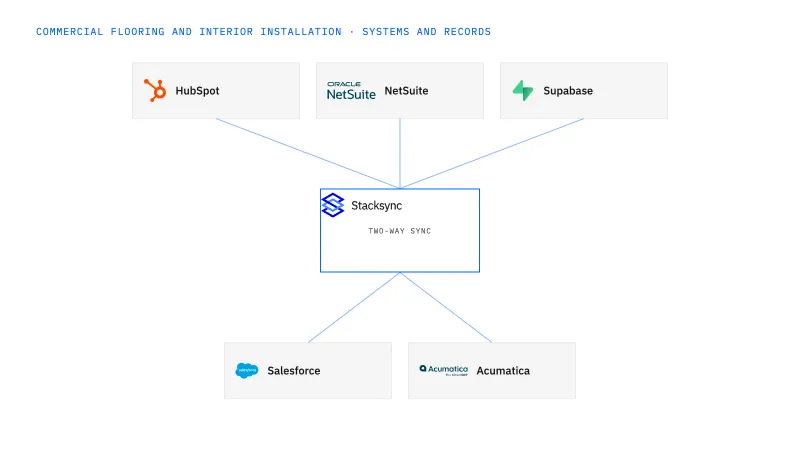
Connect approved finishes, measured quantities, lot allocations and phased installation work.
Takeoffs, supplier packages, warehouse lots and installation phases describe different quantities, leaving purchasing and crews with conflicting readiness views.
Explore your process in a demo, or get our shared two-way sync architecture guide.
The platform, in operating order
Keep shared customer, order, and operational records aligned, with clear field ownership.
Explore two-way sync 02Move approved work between systems, assign exceptions, and confirm the result.
Explore workflows 03Investigate cross-system questions, assemble the evidence, and prepare the next action.
Explore ai agents (genies) 04Connect trading-partner documents to operational records and exception handling.
Explore ediBuilt around your operations
US flooring and interior contractors with 100–1,000 employees that supply materials and install commercial projects.
Route approved selections and converted material requirements to procurement with unresolved areas clearly held.
Explore workflows ↗Combine staging, material condition and phase-specific site release before scheduling confirmation.
Explore workflows ↗Compare approved takeoffs, deliveries, transfers and usable stock by phase.
Explore Genies ↗Your systems and records
| Record | Owner | Operating rule |
|---|---|---|
| Finish revision | Project approval owner | Identify the product, area and accepted selection. |
| Takeoff | Estimating | Retain measurement unit and approved overage assumptions. |
| Lot allocation | Inventory owner | Separate requested quantities from confirmed project commitments. |
| Phase release | Project and field owners | Confirm usable staged material and the accepted site conditions. |
Flooring supplier EDI with box, roll, pallet and area units preserved from purchase line through receipt and invoice.
Evaluate your next process
Connect flooring sales scope to approved quote revisions and project phases.
Give flooring coordinators visibility into usable material, lots and confirmed phase allocations.
Connect approved finishes, purchased material and site release without losing phase-level decisions.
Connect purchase, shipment and invoice documents with consistent product and unit references.
Implementation and operating guides
Keep flooring sales scope, approved quote revisions and installation phases aligned across HubSpot and NetSuite.
Build flooring allocation visibility around lots, units and project phases while keeping reservation actions explicit.
Keep interior-installation sites, general-contractor contacts and billing recipients distinct across Salesforce and Acumatica.
Route approved flooring finishes and takeoff revisions into purchasing with explicit units, quantities and substitution rules.
Coordinate flooring installation release using material condition, phase staging and explicit site-readiness evidence.
Use a Genie to assemble flooring shortage evidence by phase, unit and lot before a buyer decides what to order.
Escalate flooring shortage cases where the quantity is calculable but the operational decision still needs evidence.
Map flooring supplier EDI with explicit product units, package hierarchy and partial-delivery references.
No. Check usable quantity, location, approved allocation and any lot or finish requirements for that phase.
Use the approved estimating basis. A Genie can flag a missing or conflicting assumption but should not invent one.
It is the same shared two-way sync architecture guide, presented with flooring-specific context for applying the concepts.
Bring one real process
Bring the systems, record types, and exceptions your team handles today. We’ll scope the connections and actions, then walk through the path to a confirmed result.
Explore your process in a demo, or get our shared two-way sync architecture guide.


