







Show usable material by phase
Keep condition, location and approved allocation visible so coordinators can evaluate the actual installation requirement.
Stacksync MCP is here. Give Claude, Cursor, and any MCP client governed access to your syncs, workflows, and connections.
Set up MCP Salesforce
  HubSpot
  NetSuite
  Zendesk
  Microsoft Dynamics 365 Sales
  Dynamics 365 F&O
  Attio
Attio  Pipedrive
  Zoho CRM
  Campfire
  Rillet
  Front
Front  Shopify
  Amazon Seller Central
  SendGrid
 Commercial flooring and interior installation
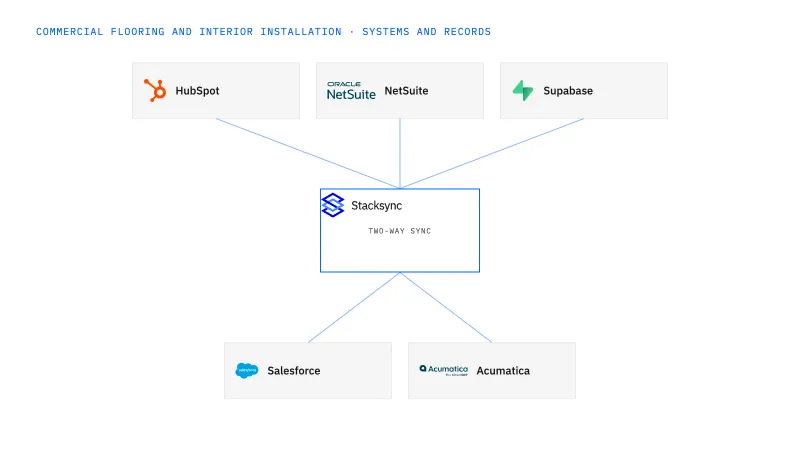
Connect NetSuite-backed material context to a Supabase planning app for flooring operations. Show item, unit, lot, location and confirmed project allocation, while collecting requests through a defined review path. Two-way sync supports record alignment; actual reservations require verified inventory actions and controls.
Enough total stock can still mean the wrong lot, damaged boxes or material committed to another project.
Explore your process in a demo, or get our shared two-way sync architecture guide.
When this fits
US flooring and interior contractors with 100–1,000 employees that supply materials and install commercial projects.
Keep condition, location and approved allocation visible so coordinators can evaluate the actual installation requirement.
Return the inventory owner's accepted result instead of treating an editable board row as a guaranteed reservation.
The app needs explicit grants and row policies in addition to its database connection; client users do not receive integration credentials.
The process, end to end
a flooring contractor has enough boxes overall, but the preferred lot is shared by two active projects. The app exposes the conflict and routes a reviewed allocation request before either coordinator promises installation.
Scope your implementation
Review current platform pricing alongside the records, volume, and actions in your process. Use your own operating baseline to evaluate the economics.
Explore your process in a demo, or get our shared two-way sync architecture guide.
From foundation to action
Keep shared customer, order, and operational records aligned, with clear field ownership.
Explore two-way sync 02Move approved work between systems, assign exceptions, and confirm the result.
Explore workflows 03Investigate cross-system questions, assemble the evidence, and prepare the next action.
Explore ai agents (genies) 04Connect trading-partner documents to operational records and exception handling.
Explore ediGo deeper
Keep flooring sales scope, approved quote revisions and installation phases aligned across HubSpot and NetSuite.
Build flooring allocation visibility around lots, units and project phases while keeping reservation actions explicit.
Keep interior-installation sites, general-contractor contacts and billing recipients distinct across Salesforce and Acumatica.
Explore all commercial flooring and interior installation integration and automation guides ↗
Only through a verified inventory action and approved ownership rule. Visibility alone does not reserve stock.
Apply the actual material and specification requirements; do not impose one rule on every flooring product.
Yes. Establish reliable stock and allocation context before adding controlled change requests.
Two-way sync is the first step: it keeps NetSuite item, lot, location and confirmed allocation records aligned with the Supabase planning app. Workflows come next, routing each allocation request to the inventory owner and returning the accepted or rejected result to the board. Genies follow when a coordinator needs a shortage explained by phase, with every quantity traced to its source and unit. EDI is the final step, when supplier shipment and invoice units need to land against the same NetSuite records.


