






















Check Solar Installation Readiness Across Salesforce and NetSuite
An installation readiness check compares the Salesforce schedule with equipment, permit, and crew evidence.
- Author
- Ignacio Malpartida · GTM Engineer
- Published
- Updated
- Read time
- 8 min read

Review the next two weeks as a set of dependencies
An installation readiness check compares the Salesforce schedule with equipment, permit, and crew evidence. Every morning, review projects scheduled within the next two weeks and create tasks for anything that could block the planned installation. Readiness depends on the combination of required conditions, not the presence of a date on a calendar.
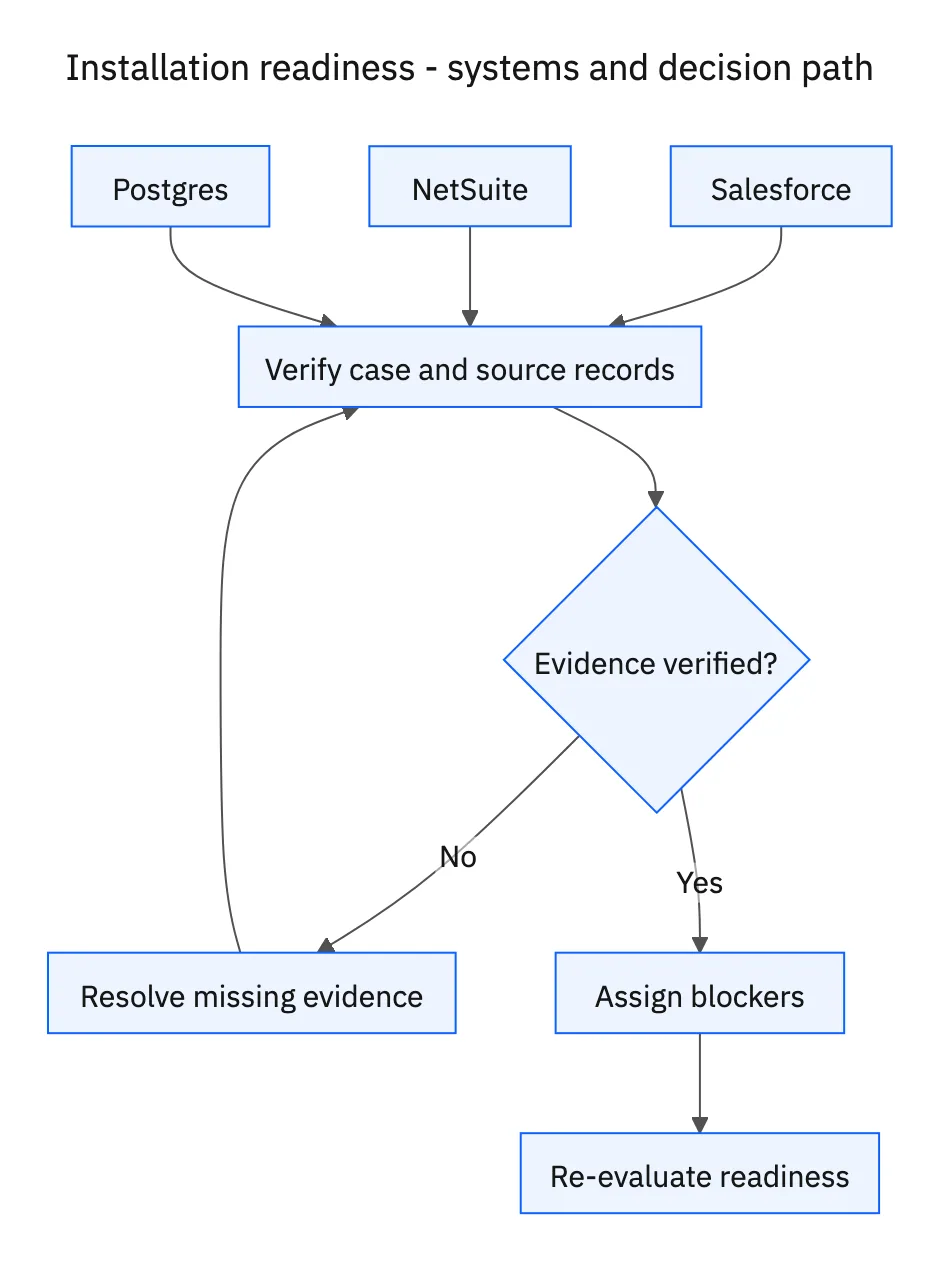
Use the project’s approved scope and required equipment list. Link Salesforce projects to NetSuite demand or allocation records and the corresponding permit and crew records in Postgres. Missing relationships should be surfaced as evidence gaps, because the wrong project’s inventory or permit can make an unready installation appear ready.
Systems and prerequisites
This is a workflow design to configure with Stacksync Genies and your existing systems. Connecting an application does not by itself establish the permissions, record mappings, approval routing, or operational process described here. Before enabling the job, confirm which records the Genie can read, which actions it can take, and who receives clarification or approval requests.
| System or owner | Evidence and responsibility |
|---|---|
| Salesforce | Installations scheduled in the next two weeks, project scope, dates, and responsible owners. |
| NetSuite | Equipment stock, existing allocations, and incoming purchase orders. |
| Postgres | Project-linked permit status and crew availability records. |
Required context for this workflow design.
Check equipment that is actually available to the project
Inspect the exact equipment, required quantities, location, current allocation, and incoming purchase orders. On-hand stock committed to another installation does not cover this project. For inbound equipment, compare expected receipt with the scheduled work and the organization’s receiving and transport allowances. An open purchase order does not prove the equipment will be on site in time.
Read required permit status and crew availability from the operational records. Do not infer a permit from an uploaded filename or a previous project at the same location. Do not infer crew capacity from a roster that lacks the relevant scheduled assignment. The review should identify what the authoritative record confirms and what still requires an owner’s action.
Create specific tasks and refresh them each morning
For each blocker, identify the project, requirement, evidence, responsible owner, and action needed. Equipment gaps belong with the supply or project owner, permit gaps with the responsible permitting owner, and crew conflicts with scheduling. Use the organization’s assignment and due-date rules rather than inventing staff responsibilities.
Update existing unresolved tasks on repeat runs and close or resolve them only when the evidence supports that change. Never mark a project ready when required equipment is allocated elsewhere or a required permit is missing. This administrative check supports project coordination; it does not replace technical, safety, or authority decisions for the installation.
A five-step operating sequence
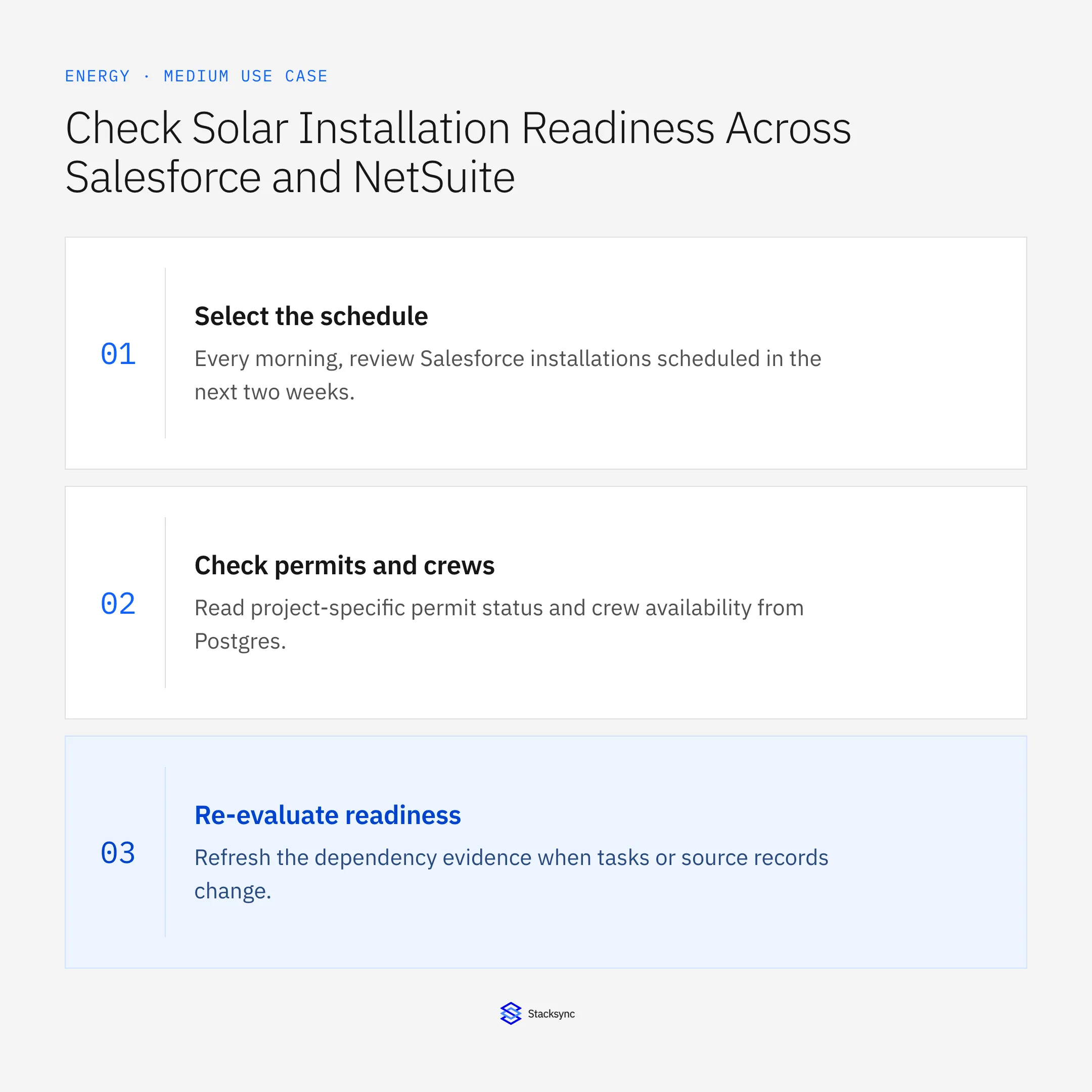
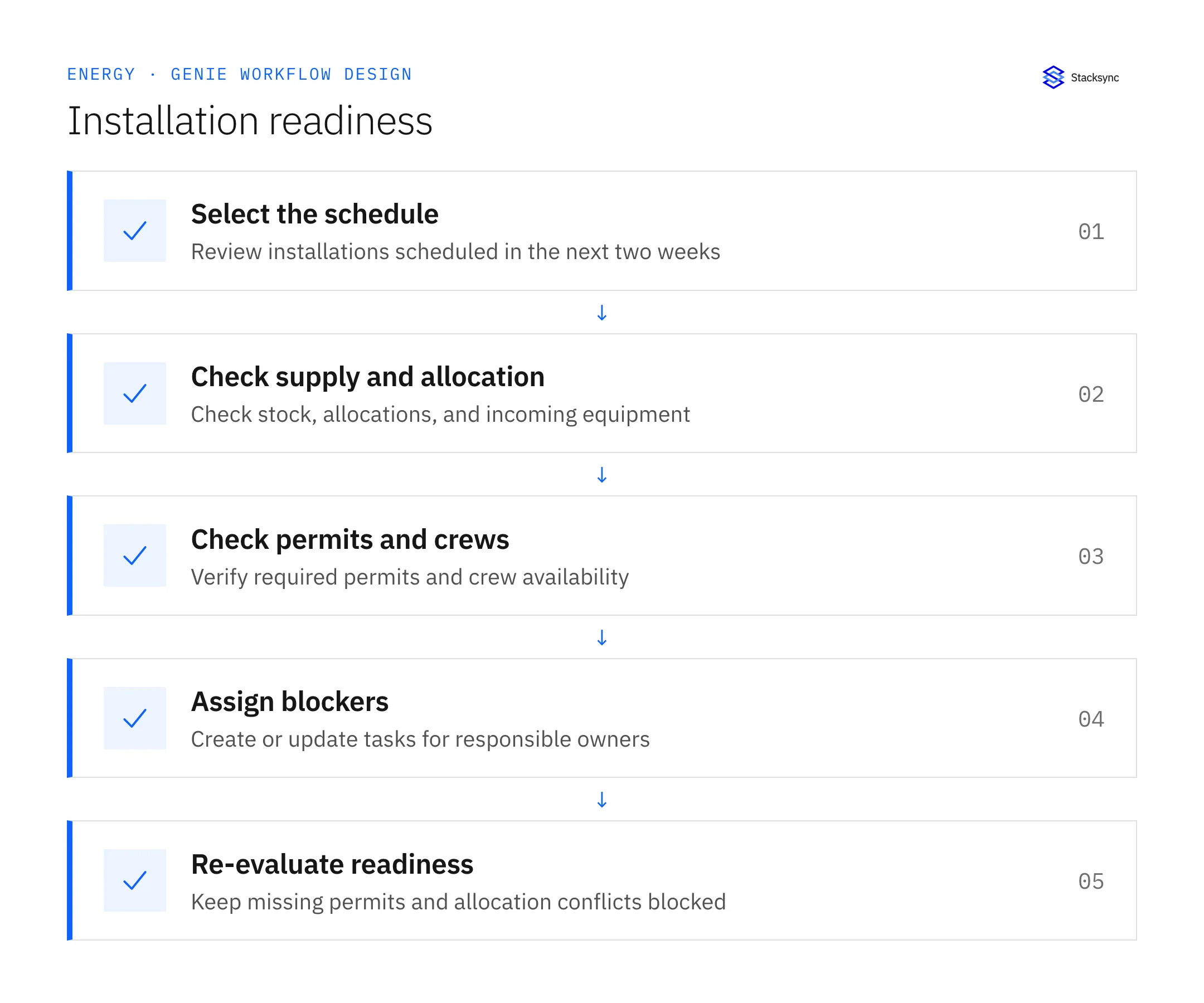
- 01Select the scheduleEvery morning, review Salesforce installations scheduled in the next two weeks. Match project identifiers to the operational equipment, permit, and crew records. Missing links should be visible evidence gaps rather than silently skipped prerequisites.
- 02Check supply and allocationCompare required equipment with usable NetSuite stock, existing allocations, and incoming purchase orders. Account for receiving and transport timing under the operation’s planning rules. Equipment committed elsewhere does not make the current project ready.
- 03Check permits and crewsRead project-specific permit status and crew availability from Postgres. Use the authoritative definitions for required approvals and scheduled capacity. A submitted permit or a general crew roster does not necessarily satisfy the actual installation prerequisite.
- 04Assign blockersCreate or refresh tasks for the responsible equipment, permitting, and scheduling owners. State the project, missing condition, source evidence, and needed action. Use existing tasks on repeated reviews so owners receive updated evidence instead of duplicate work.
- 05Re-evaluate readinessRefresh the dependency evidence when tasks or source records change. Never mark ready while equipment is allocated elsewhere or a required permit is missing. The administrative result supports coordination and does not replace technical or safety release authority.
Illustrative workflow example
A project scheduled next Tuesday needs six units. NetSuite holds six, but all are allocated to another project. The check creates an equipment-allocation task and keeps readiness blocked despite the positive on-hand quantity.
This example uses fictional records to show the decision logic. It is not a customer case study or a claim of measured results. In a live case, retain the actual record IDs and evidence behind each statement, and replace all illustrative quantities or timing assumptions with the approved operational inputs.
What the handoff should contain
A project readiness matrix for the next two weeks with equipment, allocation, inbound timing, permit, and crew evidence plus one owned task per unresolved blocker.
Keep the evidence reference, observation time, current owner, and outstanding decision with the case. A colleague taking over should be able to distinguish a proposal from a confirmed result without reading every previous message. If a source value changes while the case is waiting, recheck the affected decision before proceeding.
Approval and completion checklist
- Review Salesforce installations scheduled within the next two weeks every morning.
- Check equipment allocations and incoming supply, not only gross stock.
- Check required permits and crew availability in project-linked Postgres records.
- Create owner tasks; never mark ready with equipment allocated elsewhere or a missing required permit.
Validate the job before enabling it
Start with a small reviewed set of cases from the systems above. Include a complete case, an ambiguous match, a missing source record, and an interrupted action where the result is uncertain. Use a draft or test environment for validation and compare the output with the source records before allowing the configured production actions.
For this job, the most important checks are review Salesforce installations scheduled within the next two weeks every morning. Create owner tasks; never mark ready with equipment allocated elsewhere or a missing required permit. Record the expected result before the trial, then compare both the proposed action and the final evidence. A fluent message is not a passing result if it skips one of these conditions.
- Scheduled projects with all required evidence checked
- Blockers with a responsible owner and current task
- Ready statuses invalidated by missing permits or conflicting allocations
Use these as operating measures, not promised performance improvements. Establish the current baseline and review exceptions with the team that owns the process. Investigate an increase in incorrect matches, unauthorized actions, or premature closure before expanding the job’s scope.

Give your Genie a job description
Copy the job description below. It preserves the scope and decision boundaries of this use case. Configure the referenced systems, record relationships, policies, and approval owners in your workspace before enabling the job.
Paste this into “Give your Genie a job description.” Explore Stacksync Genies.
Apply this in solar installation and O&M services: proposed equipment swap and technical review
Equipment changes can invalidate an earlier solar-readiness decision, while project closeout requires evidence from the completed installation. The linked guides handle those adjacent transitions: reapprove the changed scope and assemble the final serial-number and handover packet.
| Record to reconcile | Responsible owner | Rule to preserve |
|---|---|---|
| Proposed equipment swap | Procurement or project manager | Identify original requirement, alternative and reason for the change. |
| Technical review | Qualified technical owner | Record the accepted specification decision and any conditions. |
| Commercial revision | Account and project owners | Capture price, schedule and scope effects for customer review. |
An exception to plan for: Technical approval includes conditions. Keep those conditions attached to the handoff and verify the responsible team accepts them. Acceptance check for the pilot: original and proposed equipment remain distinguishable.
The solar installation and O&M services hub connects the broader operating context. These guides develop the specific record mappings and decisions for this application:
Implementation references
These first-party references document the underlying records and interfaces. The cross-system sequence, approvals, and completion rules in this article are a proposed operational configuration; validate them against your connected workspace before enabling it.

FAQ
Frequently asked questions










Explore these integrations and topics
Related articles





