Human-in-the-Loop Automation: When to Escalate a Workflow to a Person
Automation is not all-or-nothing. The reliable pattern is tiered: let the workflow auto-resolve the safe cases, flag the ambiguous ones for review in Slack, and escalate the critical ones to a person by opening a ticket. This guide shows how to design those tiers, and why the data underneath decides whether you escalate the right things.
- Author
- Ruben Burdin · Founder & CEO
- Published
- Updated
- Read time
- 10 min read

There is a quiet assumption behind a lot of automation projects: that the goal is to remove the human entirely. Every case handled by a bot, nobody in the loop, done. In practice the best automations are built the opposite way. They handle the routine work on their own and they know exactly when to stop and hand a case to a person.
That handoff is the part teams tend to design last, and it is the part that decides whether people trust the system. Automate too aggressively and a workflow resolves something it never should have touched. Automate too timidly and a person still checks every case by hand, so nothing was really automated. The reliable middle is a tiered design: auto-resolve the safe cases, flag the ambiguous ones for a quick human review, and escalate the critical ones to a named person to act on.
This guide is about designing that handoff well: how to decide which cases a workflow should escalate, where each tier should go, and why the data underneath the rules is what makes the whole thing trustworthy. The examples use ordinary operational workflows, the kind that read from a CRM, ERP, or database and occasionally need a person.
The two ways automation goes wrong
Most automation regret comes from one of two directions. The first is over-automation: a workflow takes an action that turned out to need judgment, and now there is a wrong refund, a mis-sent notice, or a record changed that should have been questioned. The second is under-automation: to avoid that risk, a person is left reviewing every single case, and the automation has quietly become a very expensive notification system.
The fix is not to pick a point on that line and hope. It is to split the work by risk. Some cases are genuinely safe to resolve automatically, some are worth a five-second human glance, and a small number are important enough that a person should own them end to end. Once you accept that a single workflow can contain all three, the design gets much simpler.
| Approach | What it optimizes for | Where it fails |
|---|---|---|
| Automate everything | Speed and zero human time | Acts on cases that needed judgment |
| Review everything | Safety and control | No real time saved; people rubber-stamp |
| Tiered handoff | Speed on the routine, judgment on the risky | Needs clear severity rules and current data |
The tiered approach keeps the speed of automation on the routine work and the safety of a human on the risky work.
What a clean handoff looks like: three tiers
A workflow that hands off well sorts every case into one of three tiers before it does anything irreversible. The tiers are defined by how much a mistake would cost, not by how hard the case is to detect.
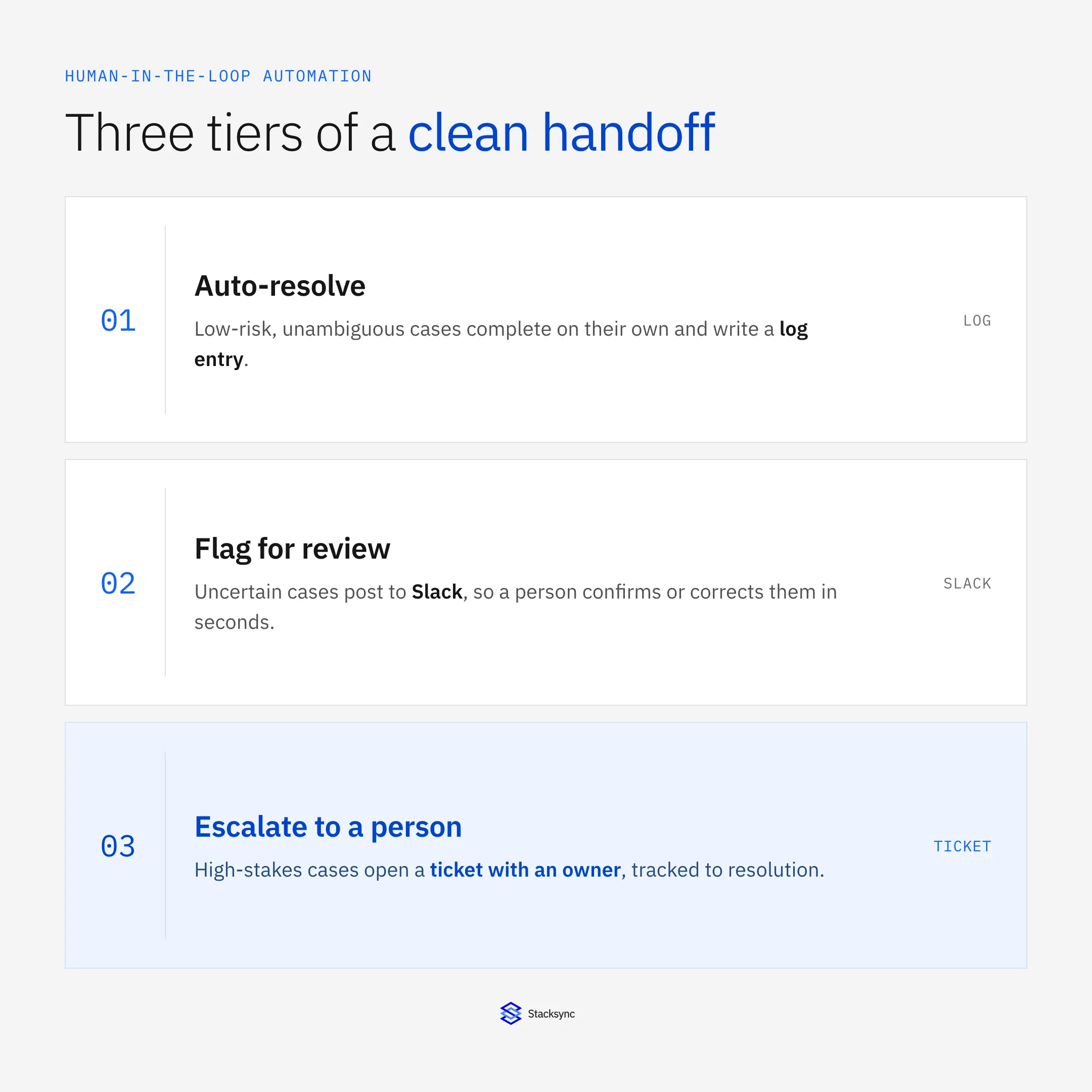
- 01Tier 1: auto-resolveThe case is unambiguous and low-risk. The workflow completes it and writes a log entry. No human is involved, but there is a record if anyone wants to check.
- 02Tier 2: flag for reviewThe case is plausible but not certain. The workflow posts it to a review channel like Slack with the relevant context, so a person can confirm or correct it in seconds without opening five tabs.
- 03Tier 3: escalate to a personThe case is high-stakes or irreversible. The workflow opens a ticket in a support tool such as Zendesk, assigned to an owner, so it is tracked to resolution rather than lost in a channel.
The important idea is that the ticket in Tier 3 is an output, not a sync. The workflow is driven by your systems of record; the ticket is just how a human is told there is a decision to make, with the account, the amount, and the reason already attached. Nobody is two-way syncing the helpdesk with the CRM to make this work.
The trigger is the data; the handoff is the ticket
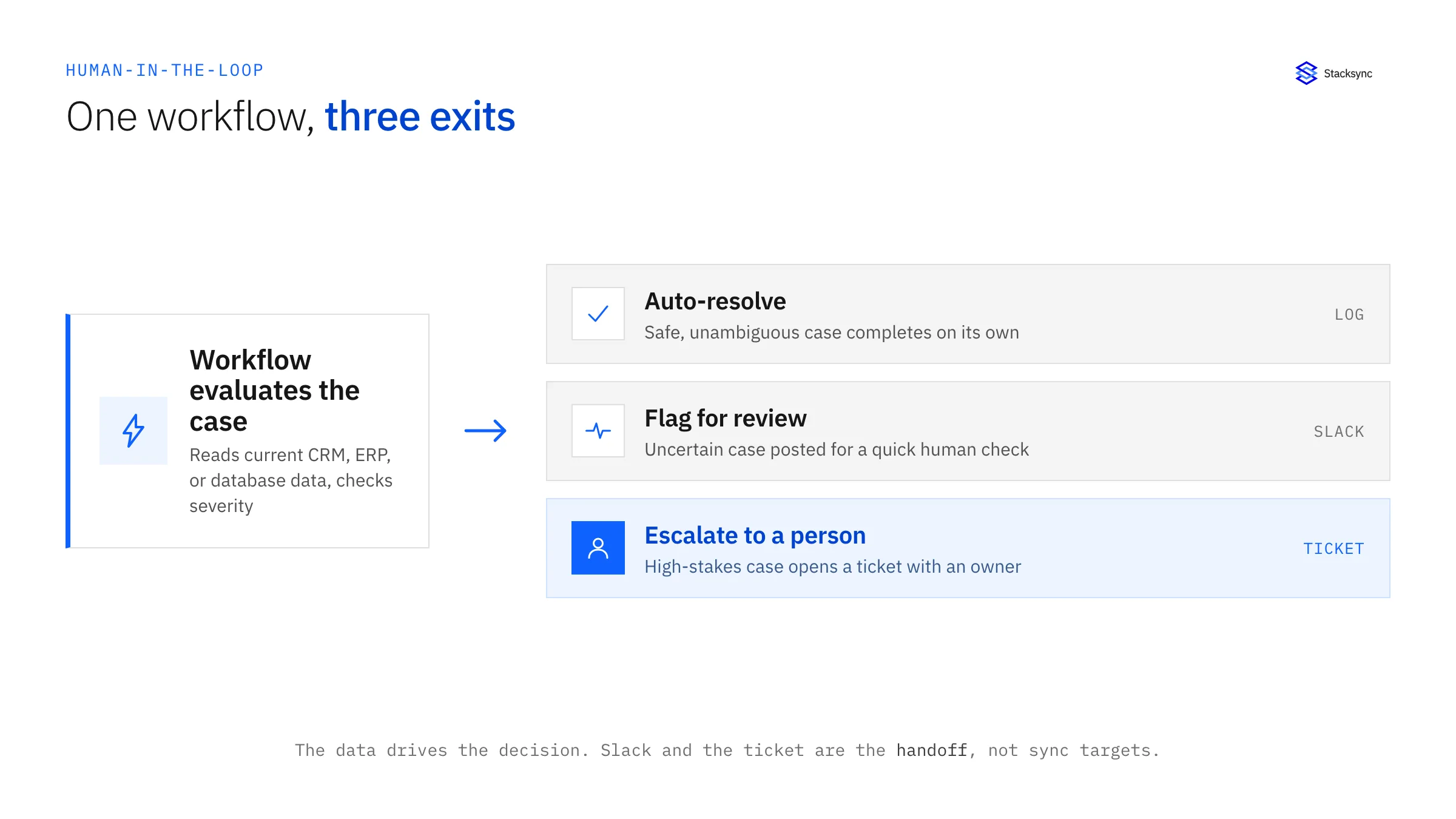
Walk through a concrete shape. A workflow watches a set of records for a condition. When the condition trips, it checks the severity signal, and only then decides the tier. A safe result is logged, an uncertain one is posted to Slack, and a critical one becomes a ticket assigned to a person. The systems of record feed the logic the whole way through; the alert tools sit only at the end.
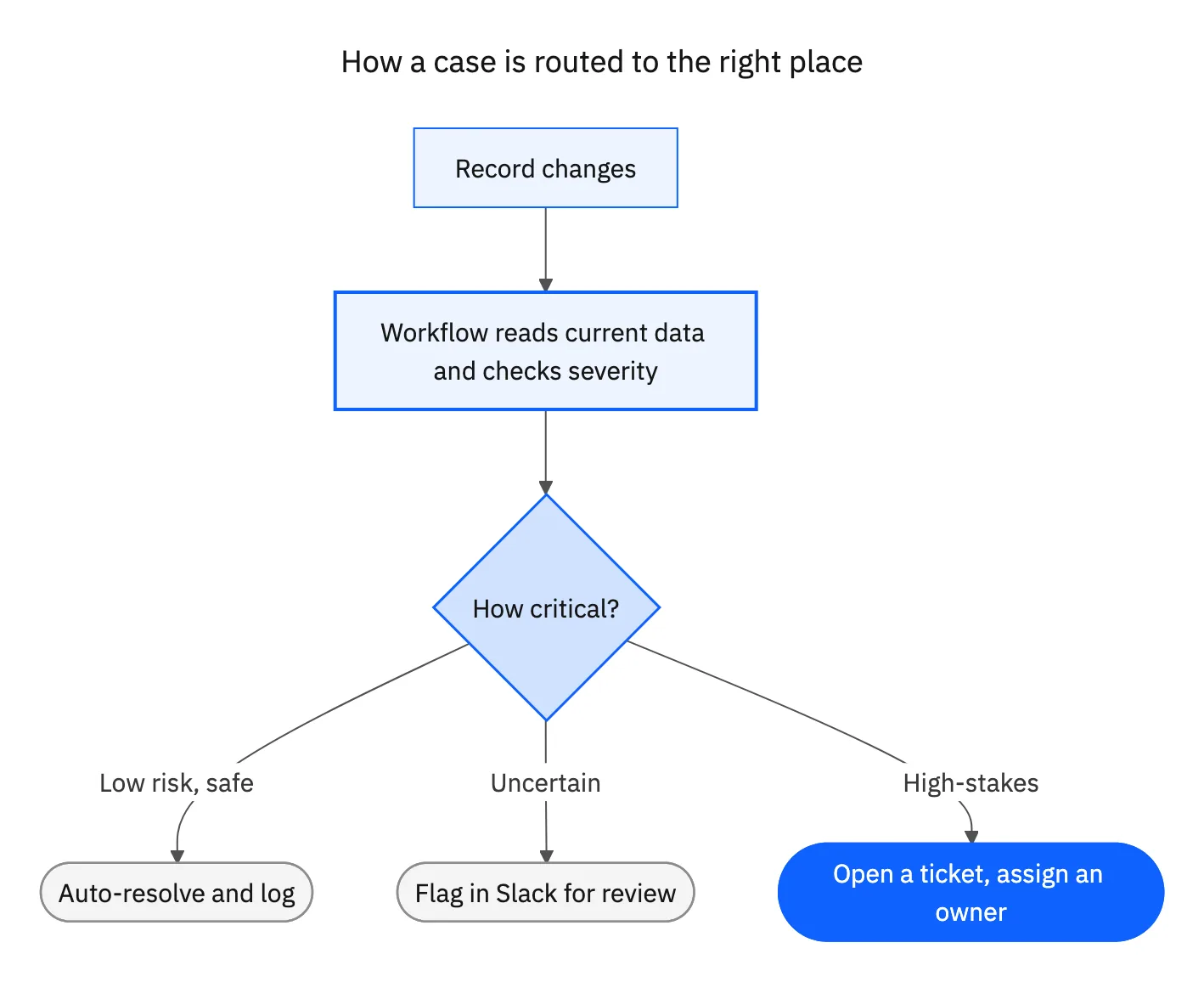
Framing it this way keeps the architecture honest. You are not integrating Slack or Zendesk into your data model. You are running logic on trustworthy data and using a channel or a ticket as the human interface. That distinction matters because it means the hard part is not the alert. The hard part is making sure the data the rules run on is current enough that the tier decision is correct.
Why the data layer decides whether this works
A tiered workflow is only as good as the data it evaluates. If the rules read from a nightly export or a copy that lags the source by hours, the severity decision is made on a version of reality that has already moved on.
That produces the two worst outcomes for a human-in-the-loop system. It raises false alarms, where a case looks critical because a record has not caught up yet, so a person is pulled in for nothing. And it produces misses, where a genuinely critical case never trips the threshold because the change that would have flagged it has not landed. A few of either and the team stops trusting the alerts. Once people ignore the flags, you have the cost of automation and none of the benefit.
The way to avoid it is to run the rules on data kept current in real time. When the CRM, the ERP, and the operational database are consistent within seconds through two-way sync, the tier decision reflects the actual current state, and every escalation a person receives is a real one. This is the same reason automated reconciliation only works on live data, and it is why the workflow and the sync should live on the same layer.
Designing your escalation rules
You do not need a complex model to get this right. A short, explicit set of rules that the owning team agrees on beats a clever one nobody understands.
- 01Name the outcome you are protectingDecide what a mistake actually costs here: money, a customer relationship, a compliance obligation. That is what your tiers are protecting.
- 02Pick one or two severity signalsChoose measurable signals that track that risk, such as an amount, a match confidence, or a failed validation on a high-value account.
- 03Set the lines and the channel per tierDraw the thresholds and map each tier to a destination: a log for auto-resolve, Slack for review, a ticket with an owner for escalation.
- 04Attach context to every handoffInclude the record, the reason, and the values that tripped the rule, so the human acts immediately instead of investigating.
- 05Keep an audit trail and tuneLog every decision and revisit the thresholds. If most tickets are not actionable, the line is too low; if people keep catching things the workflow missed, it is too high.
| Tier | Trigger | Destination | Who acts |
|---|---|---|---|
| Auto-resolve | Low-risk, unambiguous | Log entry | No one; recorded |
| Flag for review | Plausible but uncertain | Slack channel | A reviewer, in seconds |
| Escalate | High-stakes or irreversible | Ticket with an owner | A named person, tracked |
A three-tier escalation map. The destination and owner change with the cost of being wrong.

Apply this in industrial equipment and machinery: customer request and resolved machine
An equipment aftermarket request shows where evidence gathering should stop and a specialist should decide. A Genie can assemble serial, part, and supersession context, but conflicting compatibility evidence or an unapproved substitution should reach the responsible reviewer before a replacement is promised.
| Record to reconcile | Responsible owner | Rule to preserve |
|---|---|---|
| Customer request | Service operations | Retain the message, supplied images or references and the requested remedy under one case. |
| Resolved machine | Installed-base owner | Link the manufacturer serial and current approved configuration using reviewed identity evidence. |
| Part proposal | Service engineering | Show the candidate item, applicable supersession or kit rule and supporting source. |
An exception to plan for: The machine has an undocumented retrofit. Ask service engineering to establish the current configuration before finalizing compatibility. Acceptance check for the pilot: the proposal identifies the machine evidence supporting its part selection.
The industrial equipment and machinery hub connects the broader operating context. These guides develop the specific record mappings and decisions for this application:
Bringing it together
Human-in-the-loop automation is not a compromise between automated and manual. It is a design where the workflow does the routine work at machine speed and routes the small number of high-stakes cases to a person, with the context already attached. Auto-resolve the safe cases, flag the uncertain ones in Slack, and open a ticket for the critical ones.
The same tiers apply when the actor is an AI agent instead of a rule: hold its writes at an approval step, and log who approved what. The AI agent governance page shows how that works for Stacksync AI Copilot and Genies, with a worked NetSuite example.
The alert tools are the interface, not the integration. The real dependency is the data: run the rules on systems kept consistent in real time and every escalation is a true one. To keep the data your rules depend on current across your stack, see how two-way sync works or book a demo. For a worked example of the same pattern in finance, read automated invoice reconciliation.

FAQ
Frequently asked questions










Related articles