






















Build a Daily Shopify Delivery-Risk Report in Slack
A daily delivery-risk report compares unfulfilled Shopify demand with usable NetSuite supply and the delivery promises recorded for each order.
- Author
- Ignacio Malpartida · GTM Engineer
- Published
- Updated
- Read time
- 8 min read

Define delivery risk before scheduling the report
A daily delivery-risk report compares unfulfilled Shopify demand with usable NetSuite supply and the delivery promises recorded for each order. HubSpot adds customer commitments that may change how the team prioritizes an exception. The deliverable is an XLSX workbook in Slack, with enough evidence for operations to act without repeating the investigation.
Agree the morning run time, business timezone, Slack channel, and authoritative promise field during setup. A fulfillment date, purchase-order arrival date, and customer delivery promise describe different events. If the promise is absent, classify the order as missing a promise rather than inventing one from a standard service level.
Systems and prerequisites
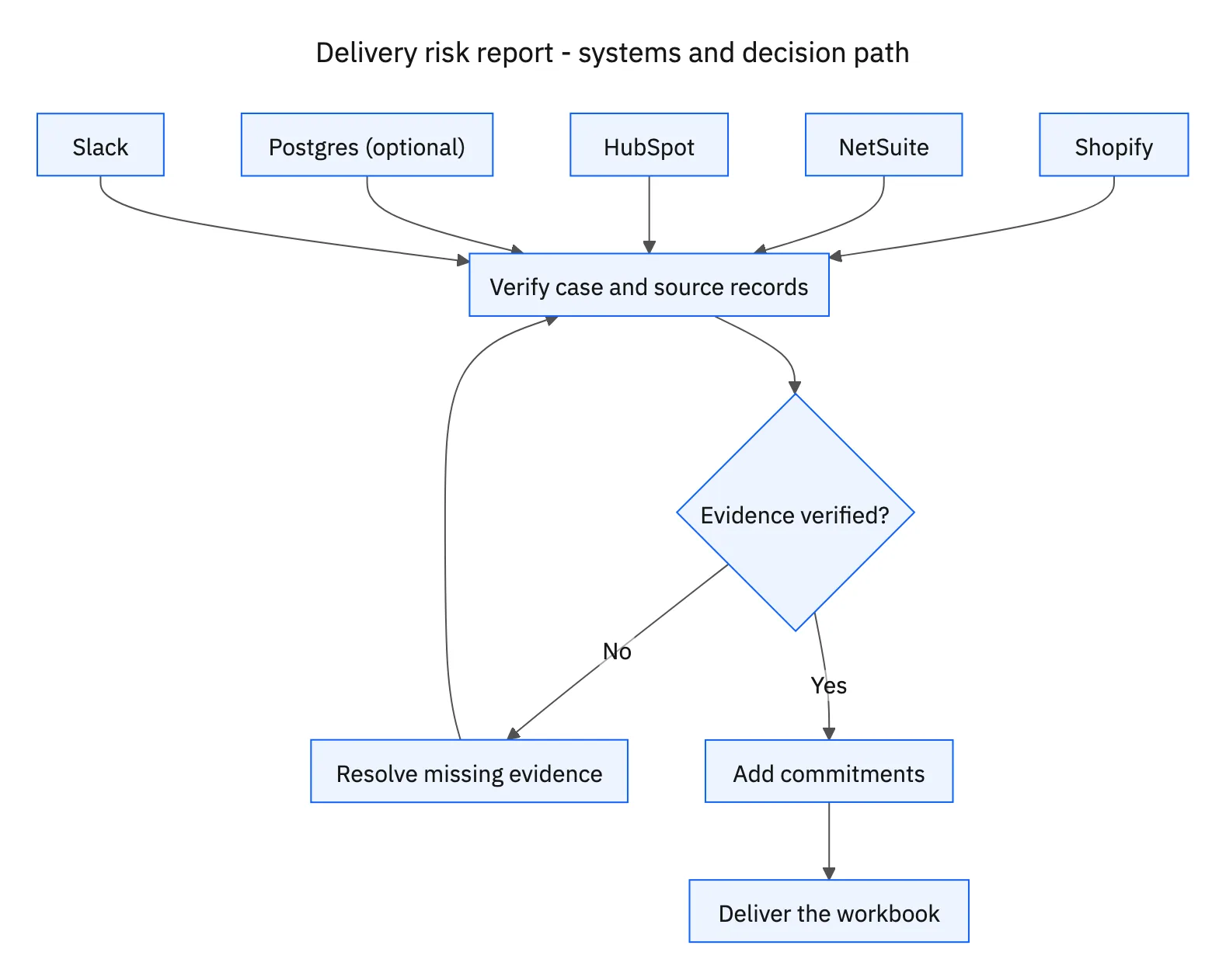
This is a workflow design to configure with Stacksync Genies and your existing systems. Connecting an application does not by itself establish the permissions, record mappings, approval routing, or operational process described here. Before enabling the job, confirm which records the Genie can read, which actions it can take, and who receives clarification or approval requests.
| System or owner | Evidence and responsibility |
|---|---|
| Shopify | Unfulfilled order lines and recorded promised delivery dates. |
| NetSuite | Usable inventory, commitments, incoming purchase-order quantities and dates. |
| HubSpot | Account-specific commitments and customer context. |
| Postgres (optional) | Synced Shopify and NetSuite data for joins, with source IDs and freshness timestamps. |
| Slack | The XLSX report and a short summary in the chosen internal channel. |
Required context for this workflow design.
Evaluate demand against dated, usable supply
Work at order-line level so a single unavailable item does not hide behind the rest of an order. Compare outstanding quantity with inventory available to that demand. NetSuite commitments and stock status matter: units reserved for another order or held for inspection cannot be treated as freely usable. For inbound supply, retain the purchase-order line, remaining quantity, destination, and expected receipt date.
Use configured handling and transit assumptions to estimate whether supply can become a delivery before the promise. Label that output as a planning estimate. An expected receipt on the promised delivery date usually leaves no time for receiving, picking, and transport; a purchase order existing is not enough to classify the demand as covered.
Publish a workbook that survives a handoff
Use separate sheets for at-risk order lines, missing or stale evidence, and run assumptions. Include order and line IDs, SKU, outstanding quantity, promise, usable stock, inbound supply, projected gap, HubSpot commitment reference, source timestamps, and a suggested owner. Keep dates sortable, quantities numeric, and source references readable.
Post the XLSX file with a short summary showing risk count and evidence gaps. A failed source read should be visible as an incomplete report, not an empty “all clear.” This job identifies risk and reports it. Changing orders or messaging customers belongs to a separately authorized recovery workflow.
A five-step operating sequence
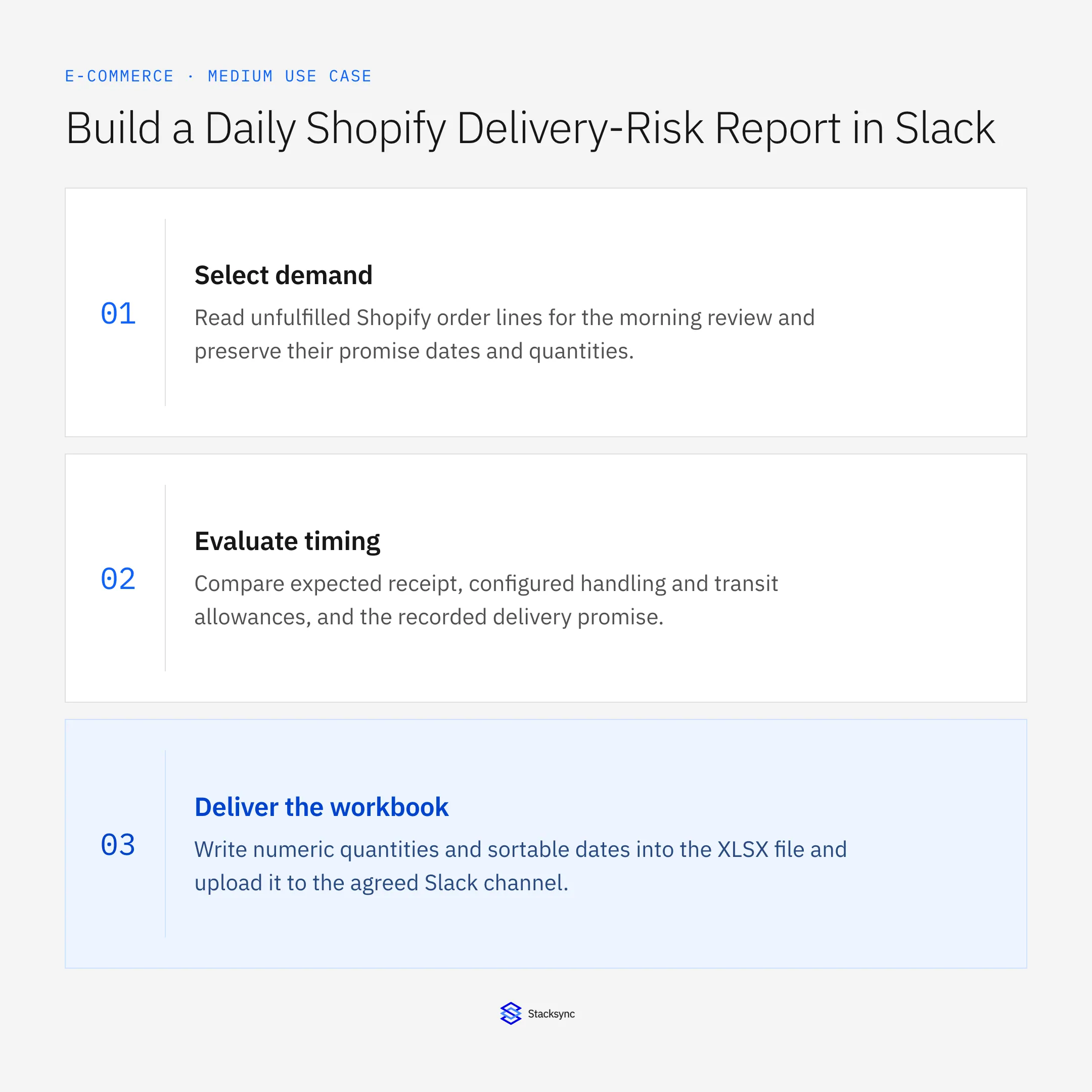
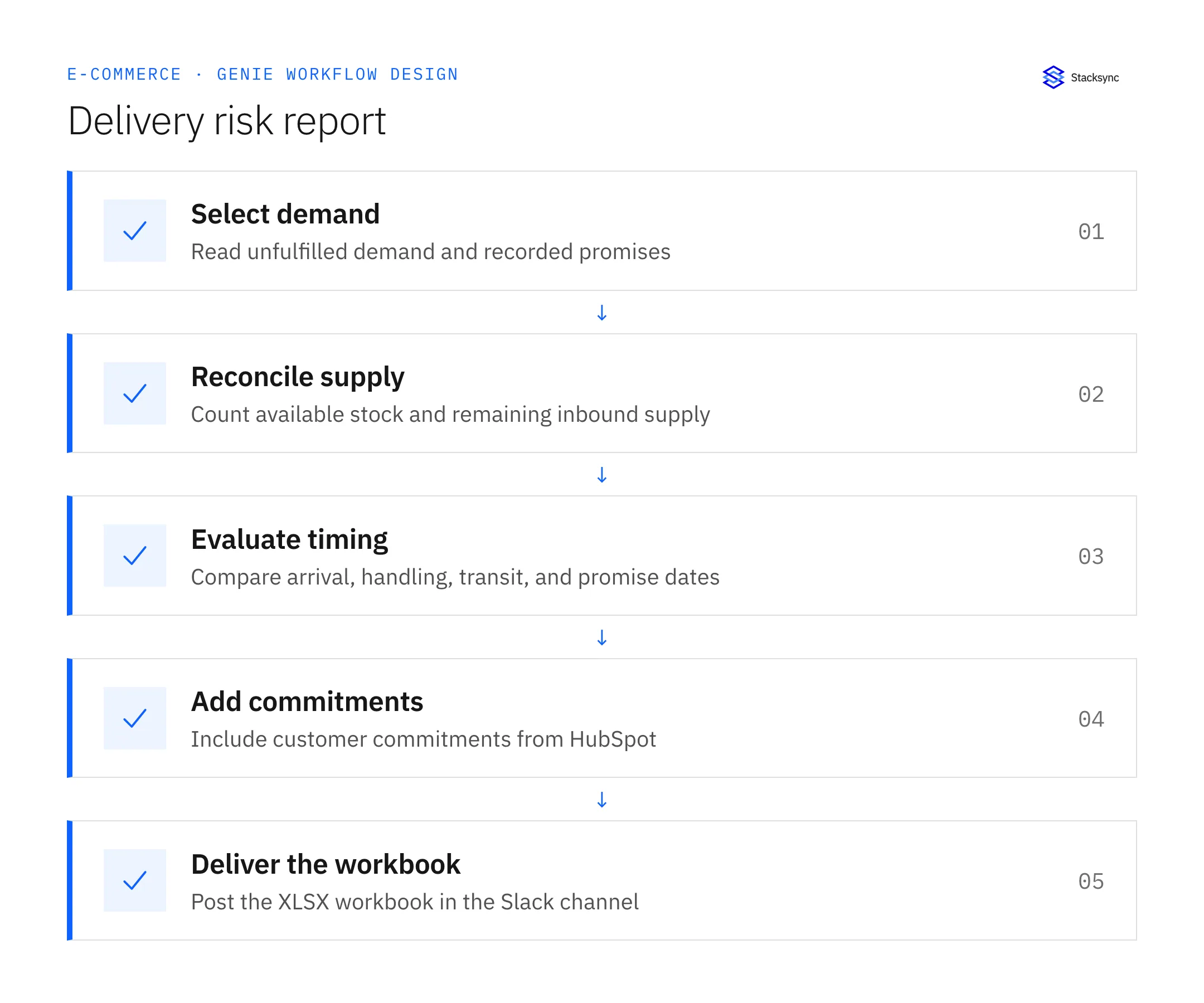
- 01Select demandRead unfulfilled Shopify order lines for the morning review and preserve their promise dates and quantities. Include an evidence-gap category for missing promises. Excluding those orders silently would make the report appear more complete than the source data allows.
- 02Reconcile supplyCompare usable NetSuite stock with outstanding inbound supply by item and location. Account for commitments and partial receipts. Apply existing allocation rules so several orders do not each claim the full quantity of the same incoming purchase order.
- 03Evaluate timingCompare expected receipt, configured handling and transit allowances, and the recorded delivery promise. State the assumptions beside the estimate. Classify unknown receipt dates separately from confirmed late supply so the team can assign the right follow-up.
- 04Add commitmentsRead the relevant HubSpot customer commitments and include their source references. Where commitment dates conflict with order records, show the conflict for an owner to resolve. Do not silently adopt whichever date produces a lower risk count.
- 05Deliver the workbookWrite numeric quantities and sortable dates into the XLSX file and upload it to the agreed Slack channel. Include incomplete-source notices in the summary. A run with unavailable source data should not be presented as a clean report with zero risks.
Illustrative workflow example
An order needs six units by Friday. Two are available and four are expected Thursday. The configured receiving and transit allowance is two days. The workbook flags a four-unit timing gap, attaches the inbound reference, and includes the customer launch commitment found in HubSpot.
This example uses fictional records to show the decision logic. It is not a customer case study or a claim of measured results. In a live case, retain the actual record IDs and evidence behind each statement, and replace all illustrative quantities or timing assumptions with the approved operational inputs.
What the handoff should contain
An XLSX workbook with At-risk orders, Evidence gaps, and Run assumptions sheets, delivered to the configured Slack channel with counts and a source-freshness summary.
Keep the evidence reference, observation time, current owner, and outstanding decision with the case. A colleague taking over should be able to distinguish a proposal from a confirmed result without reading every previous message. If a source value changes while the case is waiting, recheck the affected decision before proceeding.
Approval and completion checklist
- Run every morning in the agreed business timezone and publish an XLSX file to Slack.
- Check HubSpot commitments alongside the recorded Shopify promise.
- Use available rather than merely on-hand stock and avoid double-counting inbound supply.
- Flag missing dates or stale sync data; reporting does not authorize order changes.
Validate the job before enabling it
Start with a small reviewed set of cases from the systems above. Include a complete case, an ambiguous match, a missing source record, and an interrupted action where the result is uncertain. Use a draft or test environment for validation and compare the output with the source records before allowing the configured production actions.
For this job, the most important checks are run every morning in the agreed business timezone and publish an XLSX file to Slack. Flag missing dates or stale sync data; reporting does not authorize order changes. Record the expected result before the trial, then compare both the proposed action and the final evidence. A fluent message is not a passing result if it skips one of these conditions.
- Morning reports delivered with the expected XLSX attachment
- Risk rows containing promise, supply, and freshness evidence
- Orders omitted or duplicated by source joins
Use these as operating measures, not promised performance improvements. Establish the current baseline and review exceptions with the team that owns the process. Investigate an increase in incorrect matches, unauthorized actions, or premature closure before expanding the job’s scope.

Give your Genie a job description
Copy the job description below. It preserves the scope and decision boundaries of this use case. Configure the referenced systems, record relationships, policies, and approval owners in your workspace before enabling the job.
Paste this into “Give your Genie a job description.” Explore Stacksync Genies.
Apply this in building products manufacturing: project order and delivery release
Building-product delivery risk often depends on a staged jobsite release rather than a single shipping date. Extend the order-status review with the approved project phase and receiving readiness so an open order is not automatically interpreted as permission to ship every line.
| Record to reconcile | Responsible owner | Rule to preserve |
|---|---|---|
| Project order | Order management | Maintain the accepted overall product and quantity scope as the parent commitment. |
| Delivery release | Logistics | Identify the stage, quantity, destination and accepted delivery window separately. |
| Readiness evidence | Warehouse and planning | Show eligible stock and required preparation for the specific release. |
An exception to plan for: The customer requests more than the remaining balance. Route the excess as a commercial change rather than hiding it inside a delivery-stage edit. Acceptance check for the pilot: each shipment traces to one accepted delivery release and parent order.
The building products manufacturing hub connects the broader operating context. These guides develop the specific record mappings and decisions for this application:
Implementation references
These first-party references document the underlying records and interfaces. The cross-system sequence, approvals, and completion rules in this article are a proposed operational configuration; validate them against your connected workspace before enabling it.

FAQ
Frequently asked questions










Explore these integrations and topics
- connectorShopify integrations
- connectorSlack integrations
- connectorNetSuite integrations
- connectorHubSpot integrations
- connectorPostgreSQL integrations
- platformAI agent operations
- AI agent operations guidesExplore practical Genies workflows across industries, with source evidence, human approvals, and confirmed outcomes.
Related articles





