






















Manage Shopify Exchanges Through Zendesk and NetSuite
A Shopify exchange workflow should verify the original purchase, establish policy eligibility, and offer replacements that NetSuite currently shows as available.
- Author
- Ignacio Malpartida · GTM Engineer
- Published
- Updated
- Read time
- 8 min read

Make the ticket the home of the exchange
A Shopify exchange workflow should verify the original purchase, establish policy eligibility, and offer replacements that NetSuite currently shows as available. Customer selection and merchant approval are separate steps. Neither a request for a different size nor the presence of stock authorizes creation of the return and replacement.
Keep the interaction in Zendesk. The ticket should contain the requested item, quantity, reason, original order reference, alternatives, customer choice, and the approval evidence. Use internal notes for staff decisions and the configured customer-facing ticket surface for the conversation. Do not start a separate email exchange that disconnects consent from the case.
Systems and prerequisites
This is a workflow design to configure with Stacksync Genies and your existing systems. Connecting an application does not by itself establish the permissions, record mappings, approval routing, or operational process described here. Before enabling the job, confirm which records the Genie can read, which actions it can take, and who receives clarification or approval requests.
| System or owner | Evidence and responsibility |
|---|---|
| Zendesk | Exchange request, customer choice, internal approval, and resulting order references. |
| Shopify | Original purchase, return and refund history, and approved return/replacement records. |
| NetSuite | Replacement variant availability by location. |
| Return policy | The merchant’s current eligibility rules and any approved exception. |
Required context for this workflow design.
Assemble an exchange proposal with a clear scope
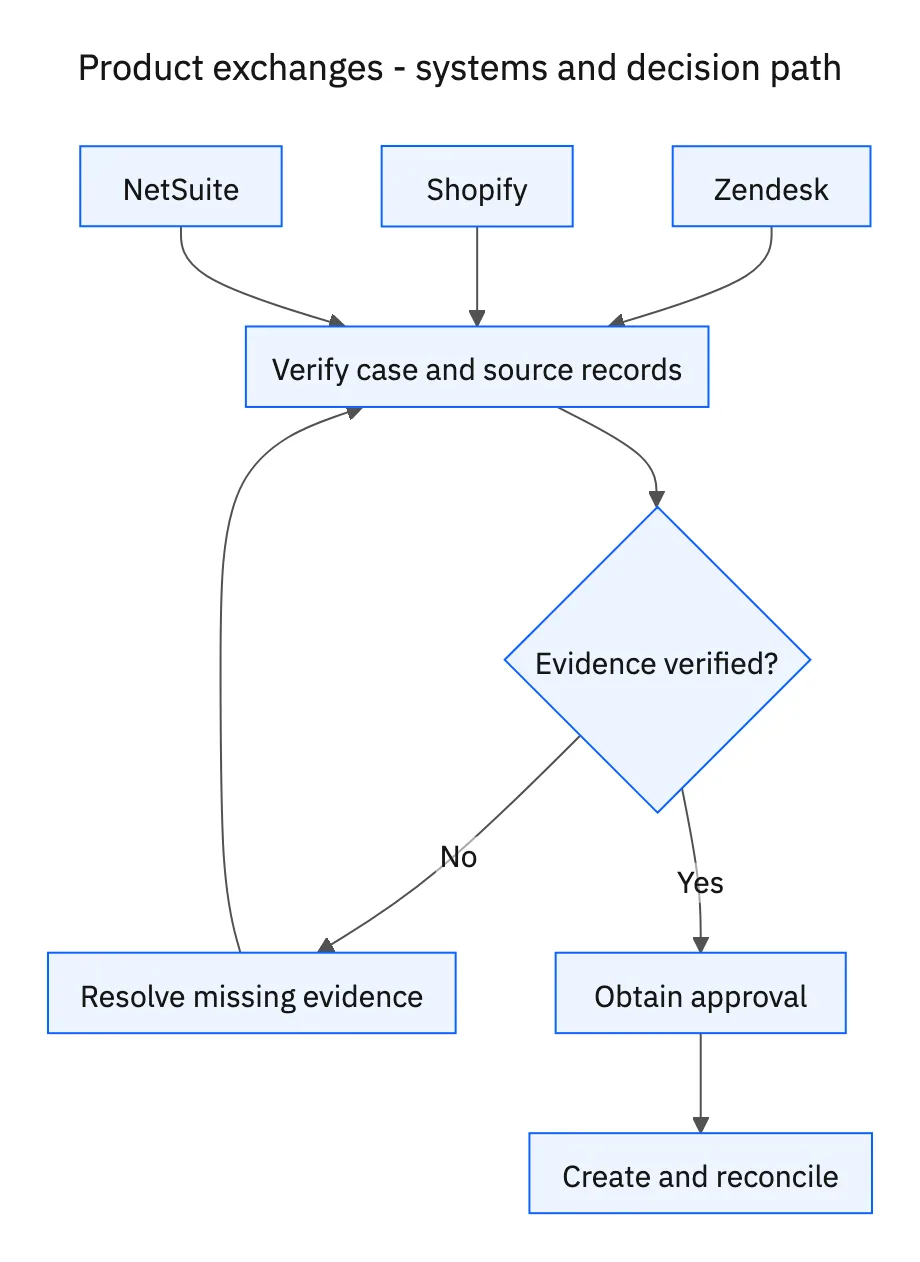
Read the current return policy rather than inserting a generic thirty-day rule. Check the purchase date, item eligibility, relevant condition requirements, and prior return or refund activity for the requested units. A partial refund on another line should not automatically invalidate the whole order; a completed refund for these units needs explicit treatment before a replacement is proposed.
Look up the exact replacement variants in NetSuite. A product being in stock does not mean the requested size and color are available. Present only the eligible variants supported by the stock check, with any unresolved shipping or price difference identified for review. Wait for the customer to choose. An available alternative is an option, not implied consent.
Recheck, approve, create, and reconcile
When the customer responds, confirm that the selection is unambiguous and recheck stock. Submit the specific original items, replacement variant, quantities, and any costs for merchant approval. The approval must cover both the return and replacement. If the customer changes their choice afterward, the proposal has changed and requires a fresh decision.
Before creating records, search for an existing return or replacement linked to the same ticket and order lines. After creation, read back the resulting IDs and update Zendesk with the confirmed details. A successful return write followed by a replacement failure is a partial result; resume the missing operation after checking its outcome, rather than creating the return again.
A five-step operating sequence
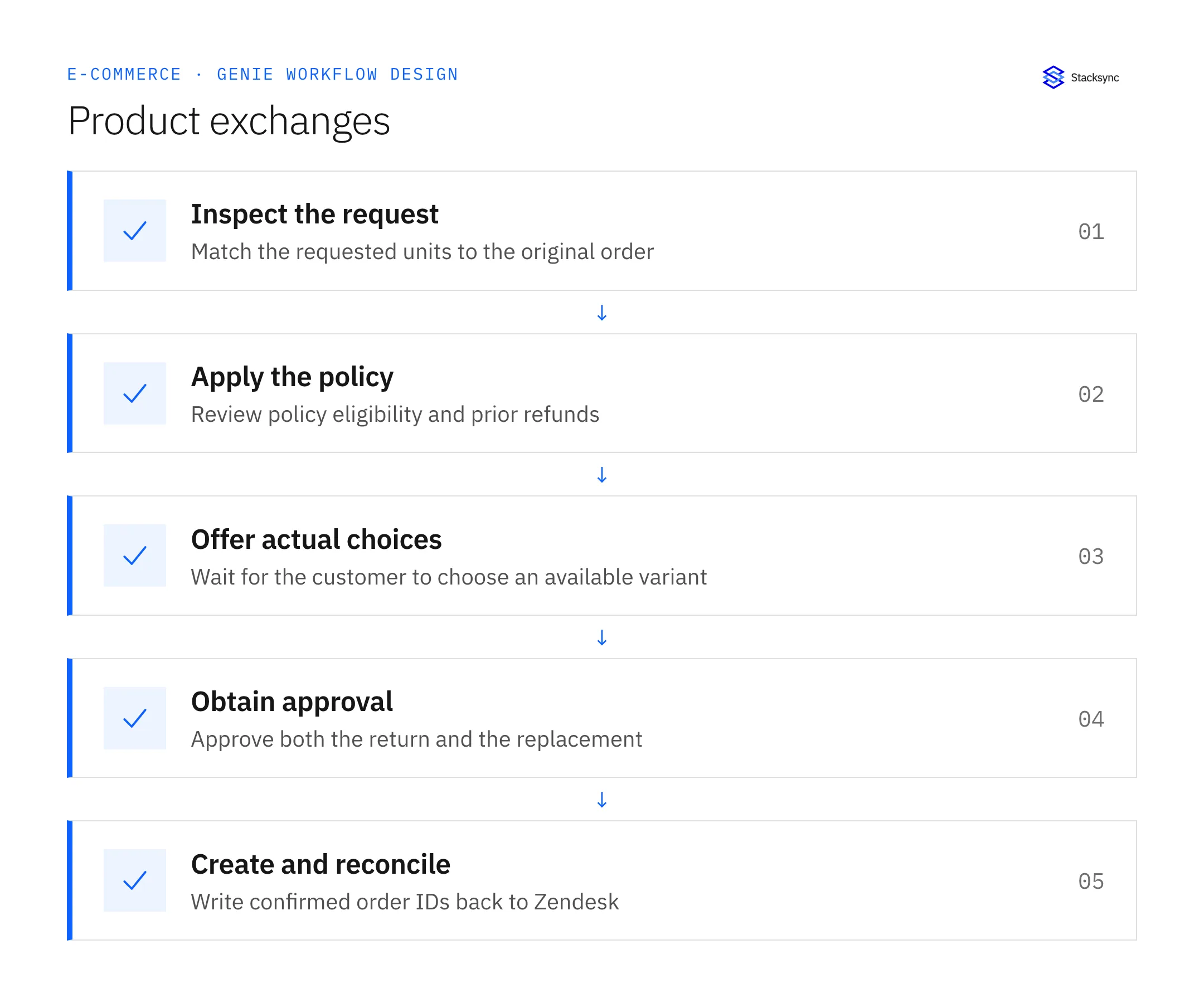
- 01Inspect the requestMatch the ticket to the original Shopify order and the exact units requested for exchange. Read previous ticket actions as well as order history so a request already handled by another agent does not restart the return process.
- 02Apply the policyCompare the request with the merchant’s actual eligibility rules and prior refunds. Document the relevant policy clause and any unresolved exception. Do not substitute a generic return window or assume a refund on another line resolves this item.
- 03Offer actual choicesRead NetSuite availability for eligible replacement variants and present the supported sizes or colors in Zendesk. Wait for a specific customer choice. Make clear which option they selected before preparing records that would change their order.
- 04Obtain approvalRecheck the selected variant and prepare the return-and-replacement proposal for merchant approval. Include quantity and cost changes. If the selection changes after approval, obtain a decision on the revised proposal rather than carrying the old approval forward.
- 05Create and reconcileSearch for prior results, create only the approved missing records, and read back the resulting IDs. Update the original Zendesk ticket with confirmed order details. Keep partial success visible if one record is created while another step fails.
Illustrative workflow example
A customer requests a medium blue jacket in place of a small blue jacket. Medium blue is unavailable, while medium black is available. The ticket offers medium black, waits for the customer to select it, then obtains merchant approval before creating either record.
This example uses fictional records to show the decision logic. It is not a customer case study or a claim of measured results. In a live case, retain the actual record IDs and evidence behind each statement, and replace all illustrative quantities or timing assumptions with the approved operational inputs.
What the handoff should contain
A Zendesk exchange proposal containing original order lines, policy evidence, prior remedies, customer-selected variant, merchant approval, and confirmed return and replacement IDs.
Keep the evidence reference, observation time, current owner, and outstanding decision with the case. A colleague taking over should be able to distinguish a proposal from a confirmed result without reading every previous message. If a source value changes while the case is waiting, recheck the affected decision before proceeding.
Approval and completion checklist
- Evaluate the merchant’s policy and prior refunds at item and quantity level.
- Offer verified sizes or colors and wait for customer choice in Zendesk.
- Require merchant approval before creating either return or replacement.
- Recheck availability and existing records immediately before creation.
Validate the job before enabling it
Start with a small reviewed set of cases from the systems above. Include a complete case, an ambiguous match, a missing source record, and an interrupted action where the result is uncertain. Use a draft or test environment for validation and compare the output with the source records before allowing the configured production actions.
For this job, the most important checks are evaluate the merchant’s policy and prior refunds at item and quantity level. Recheck availability and existing records immediately before creation. Record the expected result before the trial, then compare both the proposed action and the final evidence. A fluent message is not a passing result if it skips one of these conditions.
- Exchanges created with both choice and approval recorded
- Duplicate return or replacement count
- Exceptions caused by stock changes after customer selection
Use these as operating measures, not promised performance improvements. Establish the current baseline and review exceptions with the team that owns the process. Investigate an increase in incorrect matches, unauthorized actions, or premature closure before expanding the job’s scope.

Give your Genie a job description
Copy the job description below. It preserves the scope and decision boundaries of this use case. Configure the referenced systems, record relationships, policies, and approval owners in your workspace before enabling the job.
Paste this into “Give your Genie a job description.” Explore Stacksync Genies.
Apply this in personal care: return ticket and purchased configuration
Personal-care exchanges add shade, size, and gift-set history to the same Shopify, support, and ERP handoff. Recover the purchased configuration before deciding a partial-set remedy, and keep warehouse disposition separate from support closure and financial completion.
| Record to reconcile | Responsible owner | Rule to preserve |
|---|---|---|
| Return ticket | Support | Retain original order and line, reported issue, requested shade, and proposed remedy. |
| Purchased configuration | Order operations | Recover the historical set and component relationship used for the sale. |
| Warehouse disposition | Authorized receiving owner | Own the observed item, condition, and approved disposition. |
An exception to plan for: Returned shade differs from the order. Route the mismatch for review rather than updating the original sale to fit the return. Acceptance check for the pilot: partial-set returns preserve the original component relationship.
The personal care hub connects the broader operating context. These guides develop the specific record mappings and decisions for this application:
Implementation references
These first-party references document the underlying records and interfaces. The cross-system sequence, approvals, and completion rules in this article are a proposed operational configuration; validate them against your connected workspace before enabling it.

FAQ
Frequently asked questions










Related articles





