






















AI agents for building-products dealer orders: prepare product and delivery drafts
What a dealer-order Genie should hand customer service: matched variants, side-by-side units, quote differences and delivery-stage questions, with commitments left to their owners.
- Author
- Ignacio Malpartida · GTM Engineer
- Published
- Read time
- 4 min read

The operating decision
A building-products order-intake Genie should read dealer requests, match the accepted product variants and units, and prepare a reviewable order or revision draft. Preserve project, destination and delivery-stage context alongside the customer PO. The Genie should expose missing dimensions, conflicting finishes and unclear pack quantities before order management accepts demand. Its useful output is a complete handoff with evidence, while manufacturing, pricing and delivery commitments remain with their authorized owners.
Explore the complete building products manufacturing integration and automation hub for the systems and processes around this guide.
What this looks like in building products manufacturing
A manufacturer receives dealer orders as emailed spreadsheets and marked-up PDFs. One request refers to a prior quote but changes the finish on several lines and asks for phased deliveries. An employee currently compares the quote, catalog and ERP manually. A Genie can assemble the request, find the approved product references and show the differences. The reviewer should see the original dealer quantity and unit, the proposed item, the relevant quote revision and any unresolved delivery question in one coherent packet.
Records, ownership, and update rules
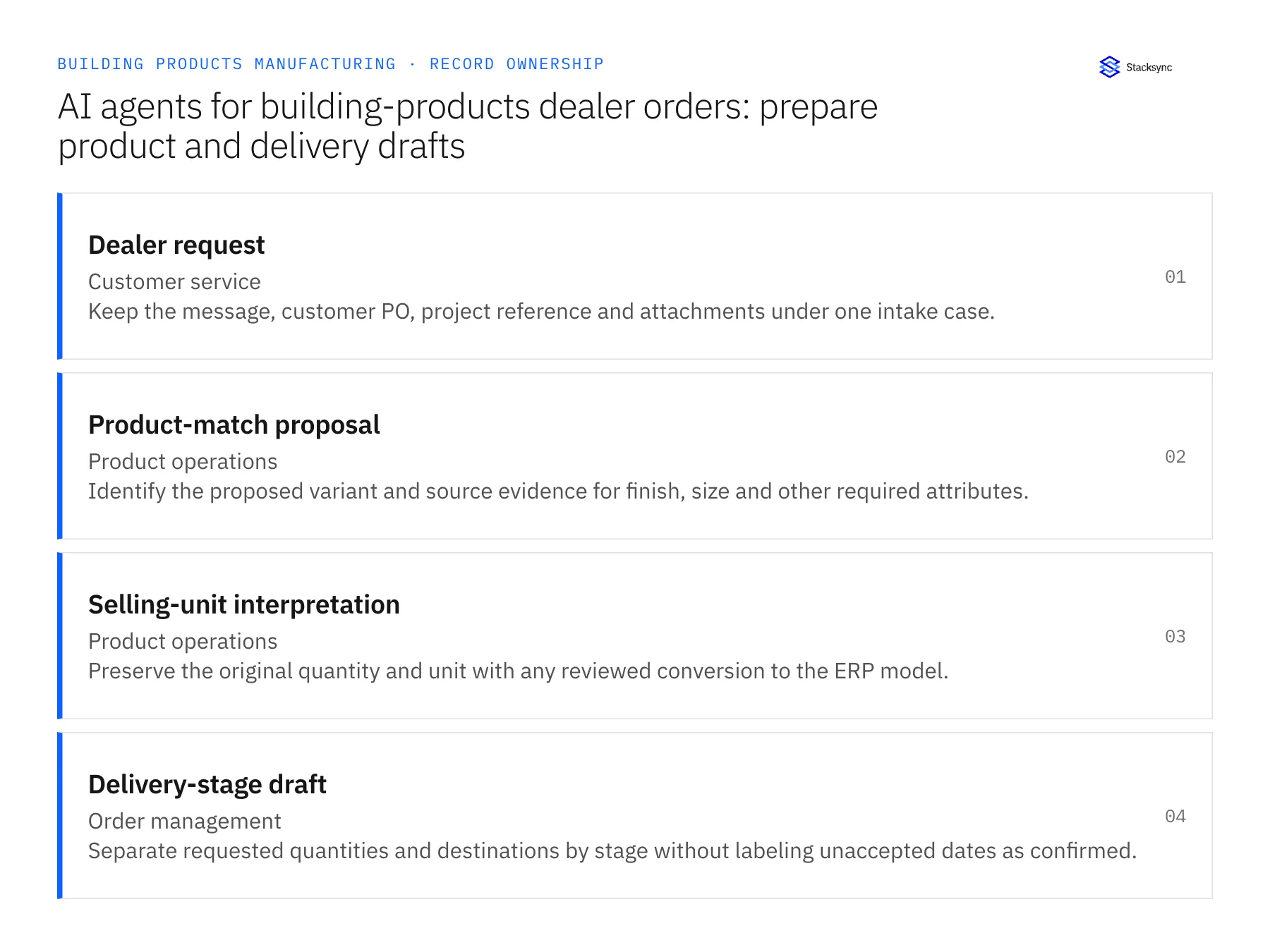
| Record | Owner | Operating rule |
|---|---|---|
| Dealer request | Customer service | Keep the message, customer PO, project reference and attachments under one intake case. |
| Product-match proposal | Product operations | Identify the proposed variant and source evidence for finish, size and other required attributes. |
| Selling-unit interpretation | Product operations | Preserve the original quantity and unit with any reviewed conversion to the ERP model. |
| Delivery-stage draft | Order management | Separate requested quantities and destinations by stage without labeling unaccepted dates as confirmed. |
Work through the process
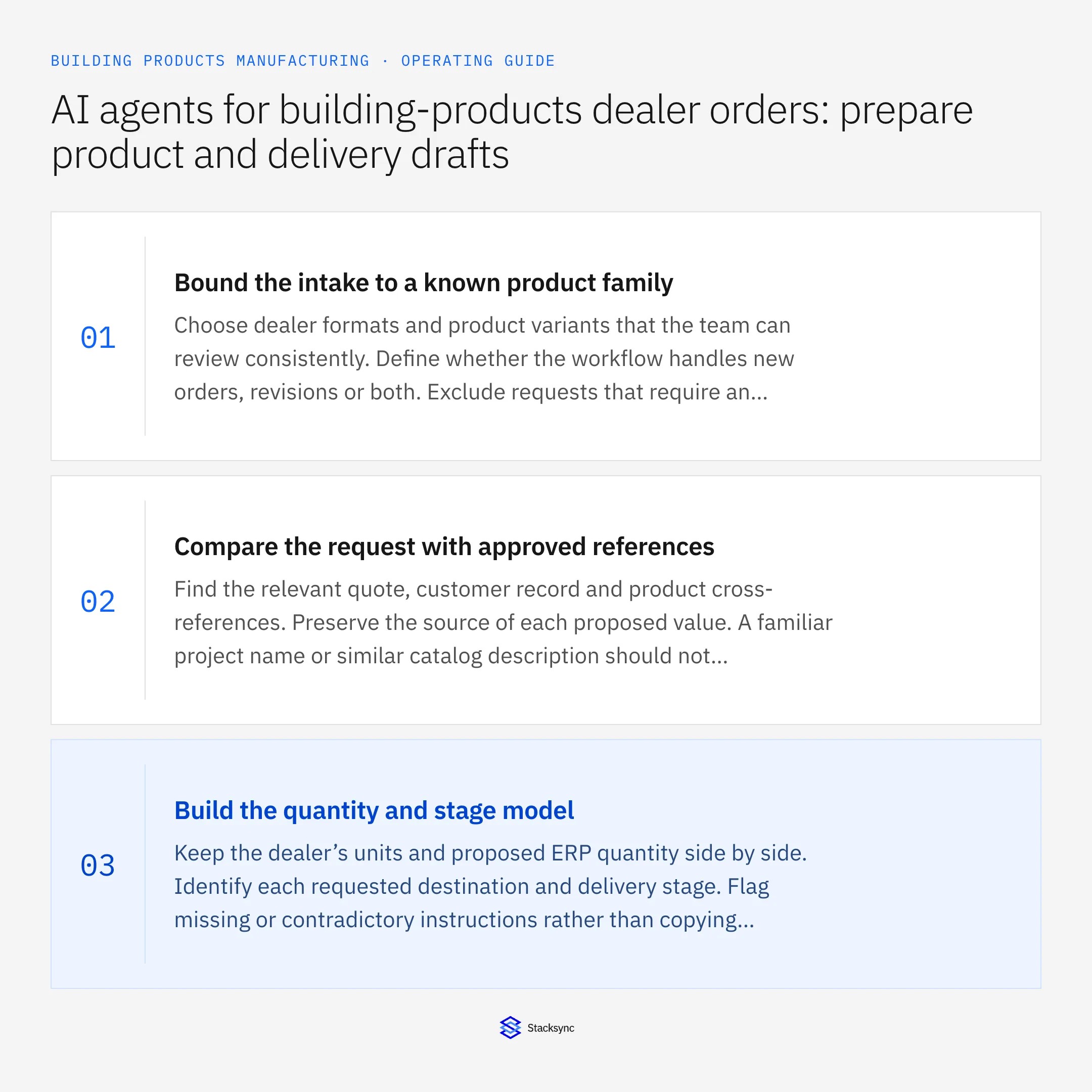
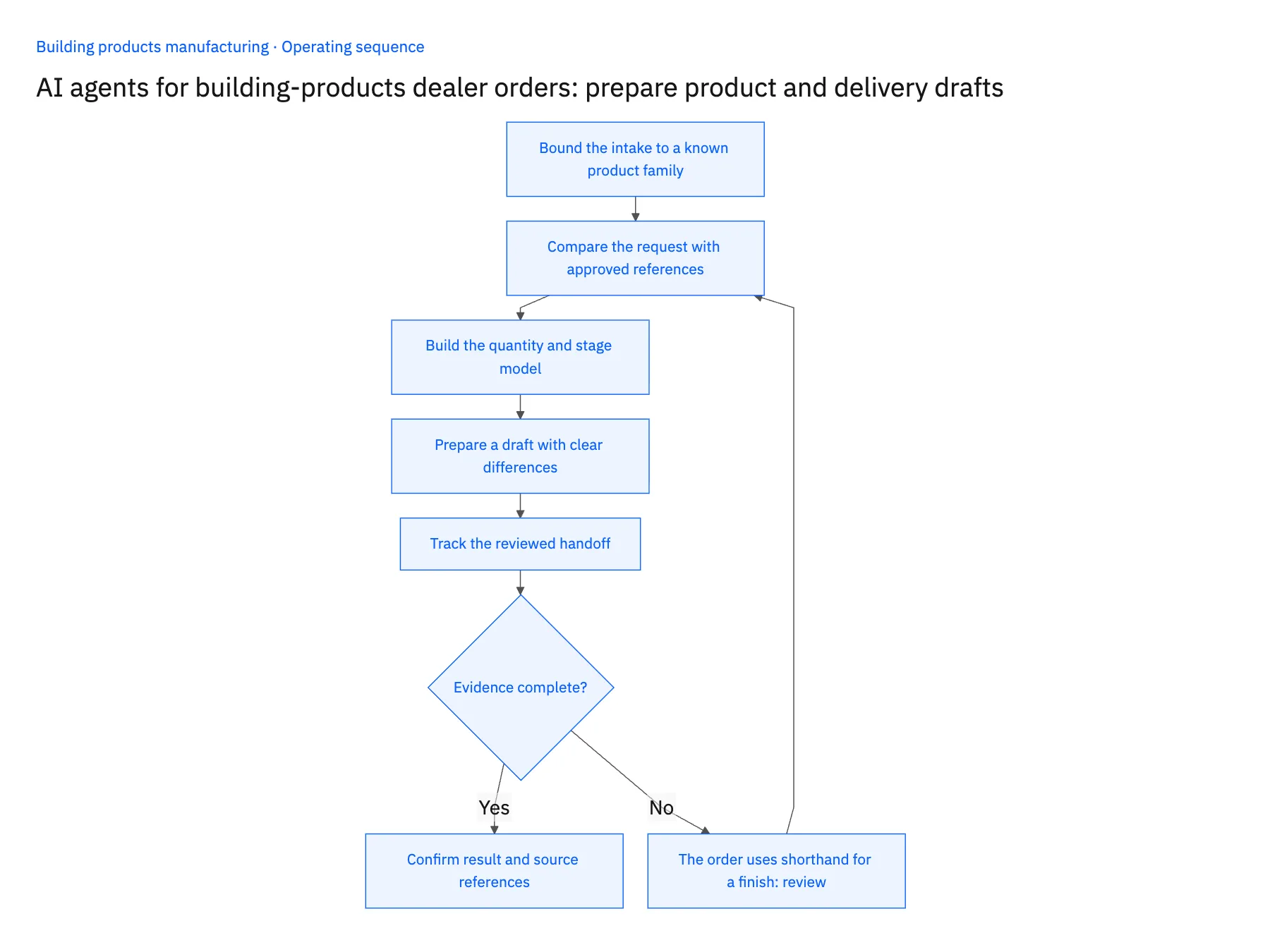
- 01Bound the intake to a known product familyChoose dealer formats and product variants that the team can review consistently. Define whether the workflow handles new orders, revisions or both. Exclude requests that require an undefined custom engineering process until that handoff is explicitly designed.
- 02Compare the request with approved referencesFind the relevant quote, customer record and product cross-references. Preserve the source of each proposed value. A familiar project name or similar catalog description should not substitute for the exact product and commercial identity.
- 03Build the quantity and stage modelKeep the dealer’s units and proposed ERP quantity side by side. Identify each requested destination and delivery stage. Flag missing or contradictory instructions rather than copying one header date into every line automatically.
- 04Prepare a draft with clear differencesShow where the request matches the accepted quote and where finish, quantity, price or delivery scope changed. Route each consequential difference to the owner who can approve it. An accurate extraction does not make changed commercial terms accepted.
- 05Track the reviewed handoffRecord the approved draft version and existing-order duplicate check. Apply it only through a confirmed operation or deliver it to order management’s approved process. Keep the accepted order reference and unresolved lines on the intake case for follow-up.
Handle the exceptions explicitly
The order uses shorthand for a finish
Present the approved cross-reference if one exists; otherwise ask product operations to confirm the intended variant.
A project has several ship-to locations
Keep the requested line or stage relationships explicit and request clarification where the source does not assign them.
The dealer forwards a revised attachment
Compare it with the open case and accepted order rather than starting an unrelated new transaction.
What to verify before expanding
- Every proposed variant and converted quantity has traceable supporting evidence.
- Different delivery stages retain their own requested scope.
- A revised attachment is compared with the existing order or draft.
- Unapproved quote differences remain visible and cannot become an accepted commitment silently.

Connect this process to the rest of your operation
Explore Stacksync AI agents (Genies) and scope the records and actions against your actual systems. Book a demo with a real dealer request example and the exception your team handles most often, for example the order uses shorthand for a finish.
- AI dealer-order intake for building-products manufacturers
- Building-products AI order exceptions: dimensions, finishes and selling units
- Building-products retailer EDI: validate packaging and order revisions before acceptance
- Building-products manufacturers: connect Salesforce dealer quotes to Acumatica orders
- EDI Integration for Ecommerce: Scale Without Chargebacks
- Build a Daily Shopify Delivery-Risk Report in Slack
The shared architecture guide covers record matching, ownership, and recovery across systems.
Technical references
FAQ
Frequently asked questions










Related articles





