Zero-ETL Is Not Two-Way Sync: Aurora PostgreSQL and NetSuite
Aurora PostgreSQL zero-ETL lands data in Amazon Redshift within seconds, in one direction, and AWS DMS bidirectional replication is two independent one-way tasks with loopback prevention. Neither writes back into NetSuite. This guide covers what two-way sync between an Aurora cluster and NetSuite actually has to solve, what each side contributes to the problem, and how the five solution categories compare.
- Author
- Ruben Burdin · Founder & CEO
- Published
- Read time
- 11 min read

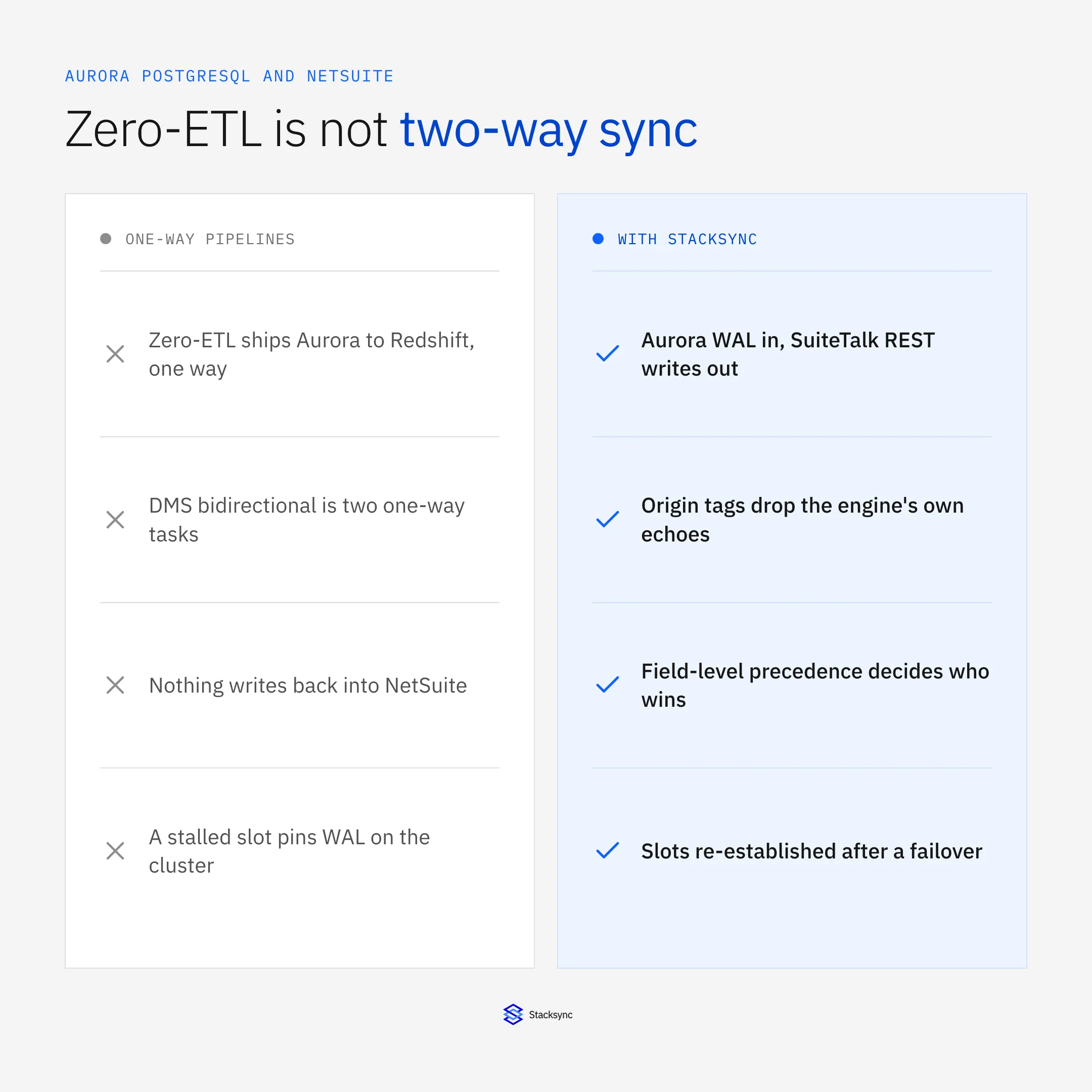
Search for two-way sync between AWS Aurora PostgreSQL and NetSuite and the first two answers you get are zero-ETL and AWS DMS. Neither one is a two-way sync. Aurora PostgreSQL zero-ETL is a managed one-way replica into Amazon Redshift or Amazon SageMaker Lakehouse, and what DMS calls bidirectional replication is two independent one-way tasks with loopback prevention. Both are useful. Neither will put a credit hold set in NetSuite back on the customer row in your application database.
This is an evaluation guide rather than a tutorial. It covers what the Aurora cluster contributes to the problem, what NetSuite contributes, and how the five categories of solution compare on the three things that never go away: loop prevention, conflict policy and the replication slot lifecycle. The AWS Aurora PostgreSQL connector page has the short version.
If you are on RDS for PostgreSQL rather than an Aurora cluster, the sibling write-up is two-way sync between Amazon RDS and NetSuite, which covers the EBS-backed surface instead. If you are still choosing a platform, start from the enterprise iPaaS guide for Aurora PostgreSQL; if the other side is a CRM, read how to sync Aurora PostgreSQL with Salesforce. The Aurora origin story explains the shared storage layer underneath all of it.
Zero-ETL is not two-way sync, and neither is DMS bidirectional replication
Zero-ETL moves data in one direction only. Aurora PostgreSQL zero-ETL integrations target Amazon Redshift, generally available since October 2024, and Amazon SageMaker Lakehouse since October 2025, and AWS describes the data as available in the target within seconds of the write. There is no documented write-back path. It is a managed low-latency analytics replica of the cluster, not a link between two systems that both accept writes.
That matters because zero-ETL is very good at the job it does. If the question is how to run analytics on live Aurora data without operating a pipeline, zero-ETL is the right answer. If the question is how a fulfilment status reaches the sales order in the ERP, a one-way analytics replica cannot help, however fast it is.
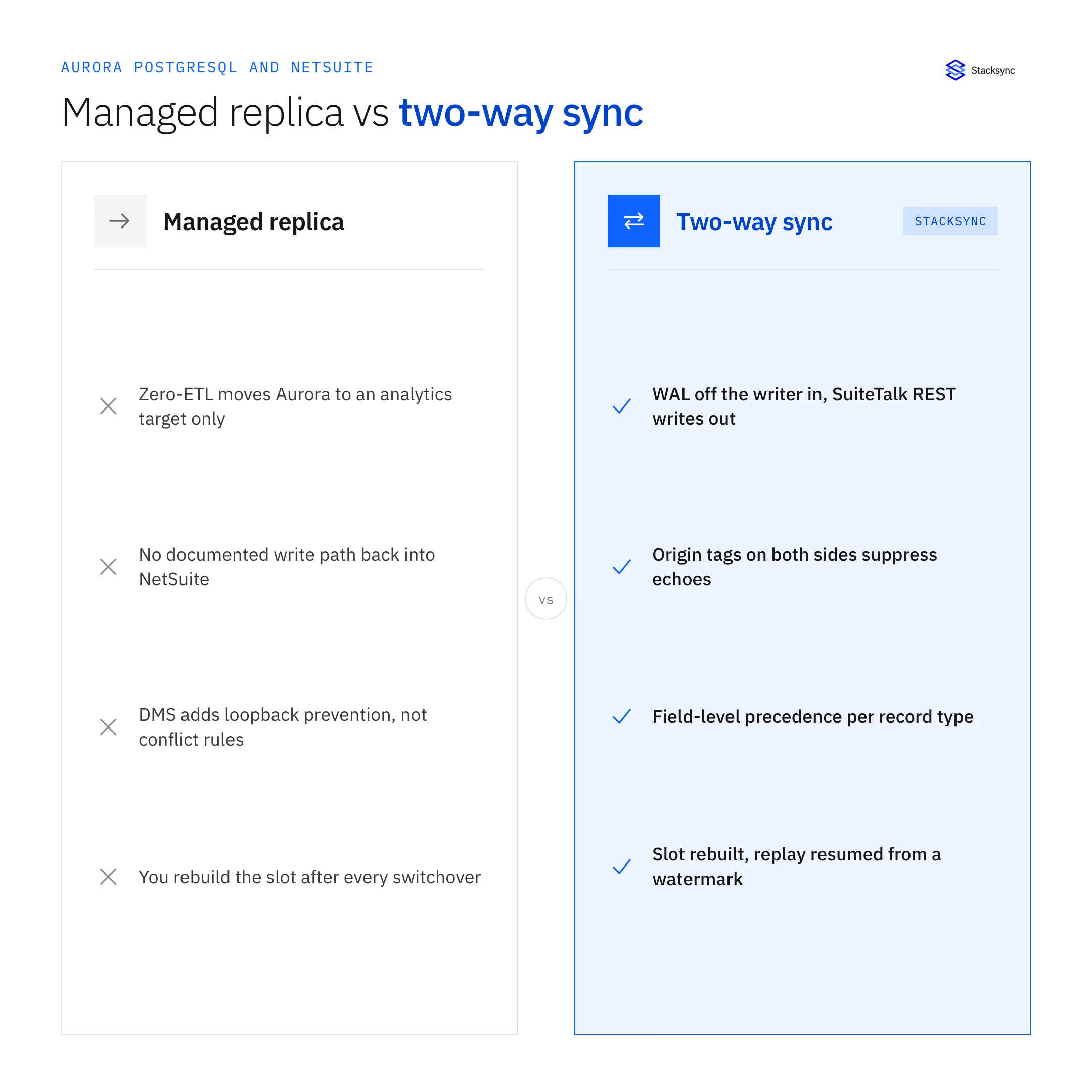
AWS DMS gets closer without arriving. It does support what it calls bidirectional replication, and the design is worth reading carefully: two independent one-way tasks, A to B and B to A, with loopback prevention so a change replicated in one direction is not sent back the other way. AWS is unusually direct about what that does and does not give you.
"Bidirectional replication in AWS DMS isn't intended as a full multi-master solution including a primary node, conflict resolution, and so on."
Two more constraints matter. DMS reads Aurora PostgreSQL through one of two logical decoding plugins: test_decoding, or pglogical when it has been set up on the source. pglogical filters unwanted tables at the slot level, so less write-ahead log volume, CPU and network traffic leave the cluster; test_decoding filters inside DMS and adds latency on long transactions. Separately, CDC from a PostgreSQL source requires primary keys, and PostgreSQL sources do not support a custom CDC start time, because there is no mapping from a wall-clock timestamp to a log sequence number.
And DMS does not speak NetSuite. Its targets are databases, warehouses and streams, so the ERP half is still a custom build: SuiteTalk REST calls, an auth flow, dependency ordering, retries, echo suppression and a reconciliation report, all of it yours to own.
What the Aurora cluster contributes to the problem
Aurora's contribution is the writer. Logical replication is enabled with rds.logical_replication, a DB cluster parameter that defaults to 0, and since you cannot edit a default parameter group, step one is a custom cluster parameter group. Set it to 1, reboot the writer instance, and wal_level then reads logical. You never set wal_level yourself.
Two consequences follow immediately. Turning the flag on increases WAL generation even if no replication slot is ever created, which shows up on the bill as higher VolumeWriteIOPS. And slots live on the publisher, which on Aurora means the writer instance and only the writer instance. AWS puts it plainly: PostgreSQL 16 added support for logical decoding from read replicas, and that feature is not supported on Aurora PostgreSQL. Change capture cannot be moved onto a reader, so it shares the writer with production traffic. A write-through WAL cache, added in Aurora PostgreSQL 14.5, 13.8, 12.12 and 11.17, cuts its disk I/O without removing that cost.
Then four ordinary cluster events each leave your slot in a different state than you left it.
- Failover. The cluster endpoint is one DNS name that always resolves to the current primary, and Aurora repoints it when the primary changes. Aurora DNS zones use a 5 second TTL, failover is typically restored in under 60 seconds and often under 30, and AWS names DNS propagation as the largest contributor. RDS Proxy can cut failover time by up to 66%.
- Blue/Green deployments. Each database needs a logical replication slot for the green environment, and AWS's documented guidance is to drop your own self-managed slots and subscriptions before the switchover and recreate them afterwards. Your CDC slot is not carried through.
- Major version upgrades. Aurora requires every logical replication slot to be dropped, including inactive ones, before the upgrade will proceed.
- A consumer that stops. An inactive slot keeps retaining WAL, which can eventually lead to insufficient storage, and it blocks autovacuum on the catalog tables.
OldestReplicationSlotLag,ReplicationSlotDiskUsage,TransactionLogsDiskUsageandFreeStorageSpacein CloudWatch are the metrics to alarm on.
Treat that list as a design requirement. Slot survival across an Aurora failover is not a documented, solved behaviour, so anything you run in production has to assume the slot can disappear, rebuild it, and resume from a durable watermark it stored itself.
One cost note on Aurora Serverless v2. Scale-to-zero (the 0 to 256 ACU range on Aurora PostgreSQL 16.3, 15.7, 14.12 and 13.15 and later, where 1 ACU is roughly 2 GiB of memory) pauses after an idle interval you set from 300 to 86,400 seconds. Logical replication changes that budget: the writer and the readers in failover tiers 0 and 1 do not auto-pause, because Aurora keeps a minimal amount of activity going to health-check the replication connection. The sync does not break. The scale-to-zero saving you planned for goes away.
What NetSuite contributes to the problem
NetSuite has no write-ahead log and no native change-data-capture feed of any kind. The standard way to find what changed is scheduled polling: a SuiteQL query or a saved search filtered on lastmodifieddate. For genuine push you need a SuiteScript User Event script making an outbound HTTPS call, or NetSuite's Event Subscriptions feature, which is trigger-based notification rather than a log you can rewind and replay.
lastmodifieddate is a full datetime with sub-second precision, which is good news and a trap in the same sentence. Polling windows are built as >= and < comparisons against it, and the boundary is exactly where records go missing or arrive twice. Account time zone and data centre handling differ from your job's clock, so a window that looks airtight in one region drops or duplicates records around midnight and at daylight-saving transitions. Overlap the windows and make the write idempotent instead.
Then there is governance, where most integrations actually fail. NetSuite meters concurrent requests from a single unified pool shared across SuiteTalk SOAP, SuiteTalk REST and RESTlets, so your sync competes with every other integration in the account. Base limits are 5 concurrent requests on Standard, 15 on Premium, 20 on Enterprise and 20 on Ultimate, with each SuiteCloud Plus licence adding 10; development and partner accounts are fixed at 5. Cross the line and REST returns HTTP 429 while SOAP and SuiteScript raise SSS_REQUEST_LIMIT_EXCEEDED. A backfill that ignores the pool takes the account's other integrations with it.
The last NetSuite input is a clock. 2025.2 is the last release with full SOAP feature parity, from 2026.1 new integrations are expected to use REST with OAuth 2.0, from 2027.1 no new SOAP or token-based authentication integrations can be created, and in 2028.2 the SOAP endpoints are switched off entirely. Anything you scope today on SuiteTalk SOAP has a published end date, and that belongs in the build-versus-buy arithmetic.
What actually happens to one record
Both directions are easier to hold in your head as the states one record passes through than as a set of jobs and schedules. Take a sales order that exists as a row in Aurora and as a transaction in NetSuite.
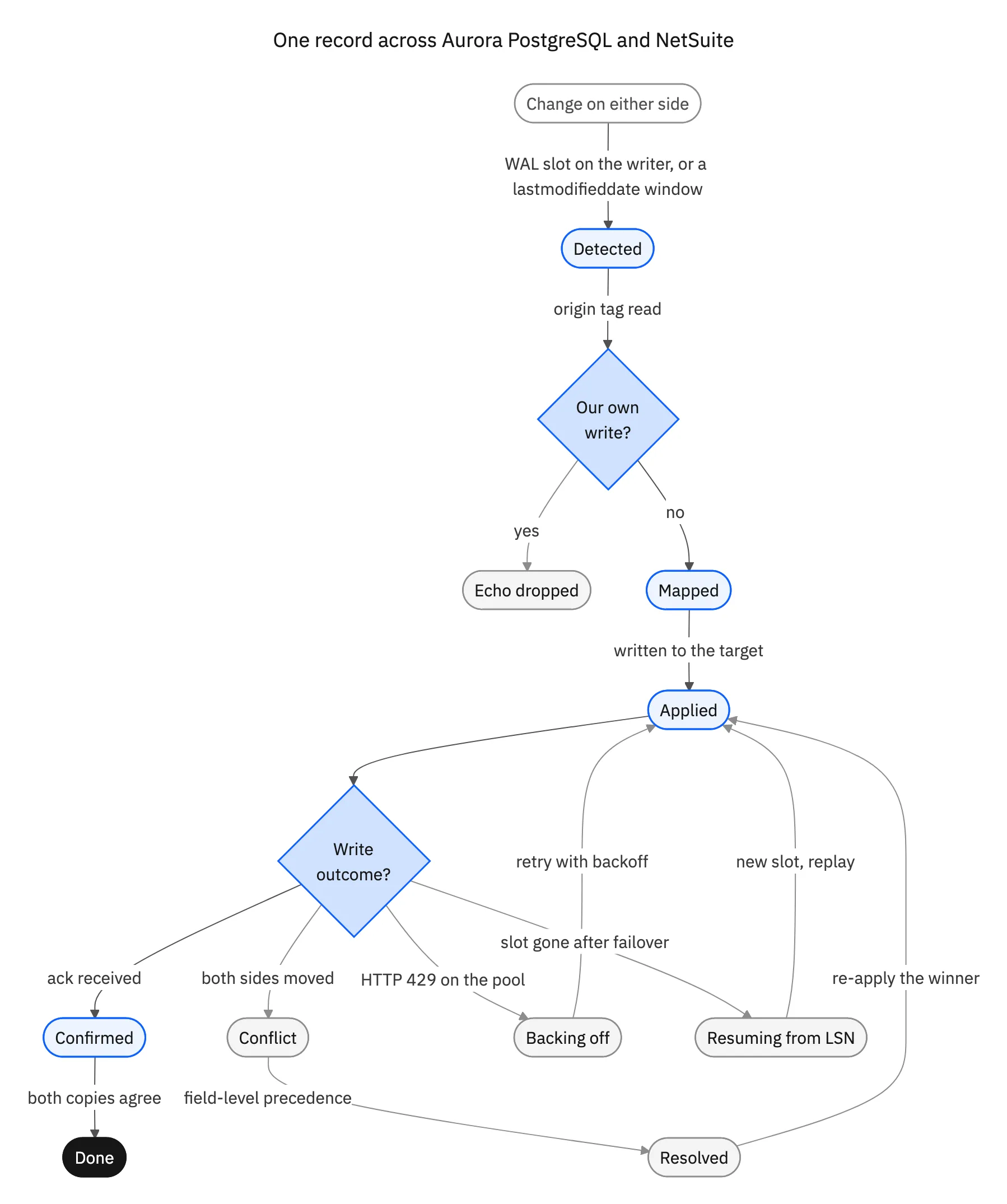
Going out of Aurora, a commit lands in the write-ahead log, the change is decoded off a slot on the writer, the row is mapped to a NetSuite record type and field set, and the write goes out over SuiteTalk REST inside the sync's share of the concurrency pool. Dependencies have to be ordered, because a sales order line referring to a customer that does not exist yet is a validation error, not a transient failure to retry. That write then bumps lastmodifieddate, which the inbound poll sees on its next pass and has to recognise as the sync's own echo rather than a user edit.
Coming the other way, a change found by a lastmodifieddate window or pushed by a User Event script is applied as an INSERT ... ON CONFLICT DO UPDATE keyed on the NetSuite internal id, so a retry updates rather than duplicates. That write lands in the Aurora WAL and comes straight back out of the slot, indistinguishable from a user edit unless the engine tagged its own origin. Without the tag the record bounces between the two systems until somebody notices the API bill.
Three states carry the whole argument. Conflict is the same field moving on both sides inside one window, and the honest answer is not last writer wins, which makes the outcome depend on which job ran last; it is field-level precedence agreed once per record type. Backing off treats a 429 from the NetSuite pool as a normal event to absorb, not an incident to page on. Resuming accepts that the slot can vanish underneath you, and that the durable watermark is what makes the restart safe. Bi-directional sync explained works through the same three states on other pairs.

The five ways teams build this, and what each is genuinely good at
There are five recognisable shapes, and each is the right answer to some question. The useful question is which one owns the loop prevention, the conflict policy and the slot lifecycle, because those three exist whether or not anybody has been assigned to them.
- AWS-native: DMS, Glue and custom Lambda functions. Best when both endpoints are databases or AWS services and one direction is enough. IAM-native, VPC-native, cheap at rest. It does not speak NetSuite, so the ERP half is a custom build you own permanently.
- A generic iPaaS with a JDBC PostgreSQL connector. Best for orchestration across many applications, approvals and human-in-the-loop steps. Two-way sync is usually assembled as two scheduled flows plus a mapping table, and the connector polls rather than reading the WAL, which is fine at low volume and expensive at high change rates.
- Self-managed logical replication tooling: pglogical, SymmetricDS. Best when both endpoints are relational databases you control. SymmetricDS is a real bidirectional engine with conflict handlers. Neither knows anything about a SaaS ERP, so NetSuite still needs a custom adapter, and you own the slot lifecycle across every failover and upgrade.
- Custom code. Best when the scope is genuinely small and one named person owns it. It also consumes the most engineering time over three years, because the interesting work is never the first sync. It is the echo suppression, the ordering, the backoff, the replay and the reconciliation report.
- A managed real-time two-way sync platform. Best when both sides accept writes, the pair is a database and a SaaS system rather than two databases, and you would rather configure the ownership rules than build the engine that enforces them. The trade is less control over the internals.
| DMS plus Lambda | Generic iPaaS | pglogical / SymmetricDS | Custom code | Stacksync | |
|---|---|---|---|---|---|
| Aurora change capture | Logical slot on the writer | Usually JDBC polling | Logical slot on the writer | Yours to build | Logical slot on the writer |
| Writes into NetSuite | No NetSuite target | Prebuilt connector | No NetSuite target | SuiteTalk REST you write | SuiteTalk REST, managed |
| Loop prevention | Loopback between tasks | Your mapping table | Origin filtering, per tool | Yours to build | Origin tags on both sides |
| Conflict resolution | Explicitly out of scope | Last writer wins, typically | Handlers you code | Yours to define | Field-level precedence |
| Slot lifecycle at failover | You rebuild the task | Not applicable | You rebuild the slot | Yours to handle | Rebuilt, resumed from a watermark |
| NetSuite concurrency pool | Not applicable | Shared, often unmanaged | Not applicable | Yours to handle | Pool-aware, backs off on 429 |
| Latency | Seconds, one way | Bound to the schedule | Seconds, database to database | Whatever you build | Real time, both directions |
| Who operates it | Your team | Your team | Your team | Your team | Managed |
| Genuinely best at | AWS to AWS, one way | Multi-app orchestration | Database to database | One small scope | Database and SaaS, both writing |
Five real options. The three rows that decide the project are loop prevention, conflict resolution and the slot lifecycle.
The row almost nobody costs correctly is the slot lifecycle. It is invisible on day one and it is what pages someone in month eight, because a slot orphaned by a switchover keeps retaining WAL on a cluster whose storage quietly grows in 10 GiB segments up to 128 TiB. On why scheduled pipelines and live sync are different products rather than different settings, see real-time sync versus batch ETL.
How to choose, and what to ask before you sign anything
Start by writing down every field that will sync and putting exactly one owner's name next to it. That list is your conflict policy, and producing it usually turns a twelve-object plan into a four-object plan, which is the largest cost saving available on this project. If you cannot name an owner for a field, it should not be bidirectional yet. Then take these seven questions to whoever is proposing to build or sell you the thing.
- 01Where does change capture read from, and does it hold a logical replication slot on the Aurora writer? If the answer is polling, ask what that query costs against a table with 200 million rows.
- 02What happens to that slot when the cluster fails over, when a Blue/Green switchover completes, and during a major version upgrade? A good answer names a stored watermark.
- 03Does it alarm on
OldestReplicationSlotLagandReplicationSlotDiskUsage, or is that monitoring mine to build? - 04How does it recognise its own writes on both sides, given that a NetSuite write bumps
lastmodifieddateand an Aurora write lands in the WAL a moment later? - 05How is a conflict resolved, per field or per record, and where is that rule written down somewhere an auditor can read it?
- 06How does it stay inside the NetSuite concurrency pool during an initial backfill, and what does it do on an HTTP 429?
- 07Is it built on SuiteTalk REST with OAuth 2.0, given that the SOAP endpoints are switched off in 2028.2?
If the answer to most of those is that you build it, the honest total cost is the engine and not the connector. To see Aurora PostgreSQL and NetSuite kept in step in both directions, look at the Aurora PostgreSQL and NetSuite integration, read how the two-way sync engine handles ownership, echoes and retries, or book a demo and bring the object you expect to be difficult. The same engine covers NetSuite against the rest of your stack, so the ERP side is modelled once.

FAQ
Frequently asked questions










Explore these integrations and topics
- connectorNetSuite integrations
- connectorPostgreSQL integrations
- platformTwo-way sync
- platformDatabase synchronization
- Two-way sync guidesUnderstand two-way sync, record matching, field ownership, and production readiness.
- Database synchronization guidesWork through database change capture, application writes, and reliable record reconciliation.
Related articles