






















Identify At-Risk Orders Using Inventory and Incoming Purchase Orders
An order is at risk when the available evidence does not support fulfilling its outstanding quantities in time to meet the recorded delivery promise.
- Author
- Ignacio Malpartida · GTM Engineer
- Published
- Updated
- Read time
- 7 min read

Stock coverage and date coverage are different
An order is at risk when the available evidence does not support fulfilling its outstanding quantities in time to meet the recorded delivery promise. A matching purchase order may cover quantity while still missing the date. Conversely, sufficient total warehouse stock can be unusable because it is committed, quarantined, or at the wrong location.
Evaluate each line against both dimensions. Record where the supply comes from and when it can become usable for this order. An unexplained “covered” flag gives the morning operations team no way to challenge an unreliable assumption.
Evidence needed to resolve the exception
Use this exception guide when reviewing a proposed Genie workflow or investigating a case that cannot proceed confidently. The tables describe operational decisions to configure in your environment. They are not claims that a connected application automatically supplies your organization’s policies, identity mappings, or approval process.
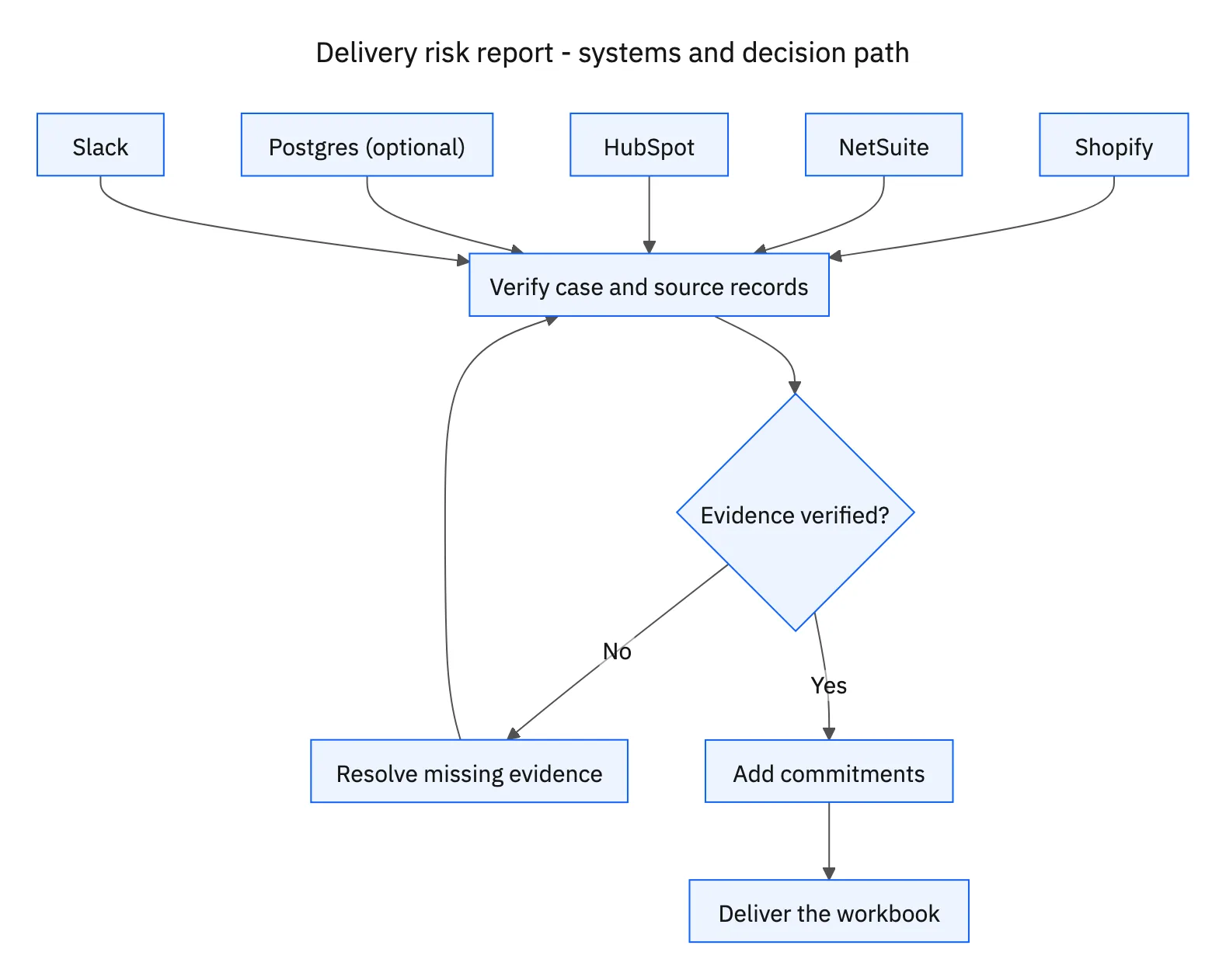
| System or owner | Evidence and responsibility |
|---|---|
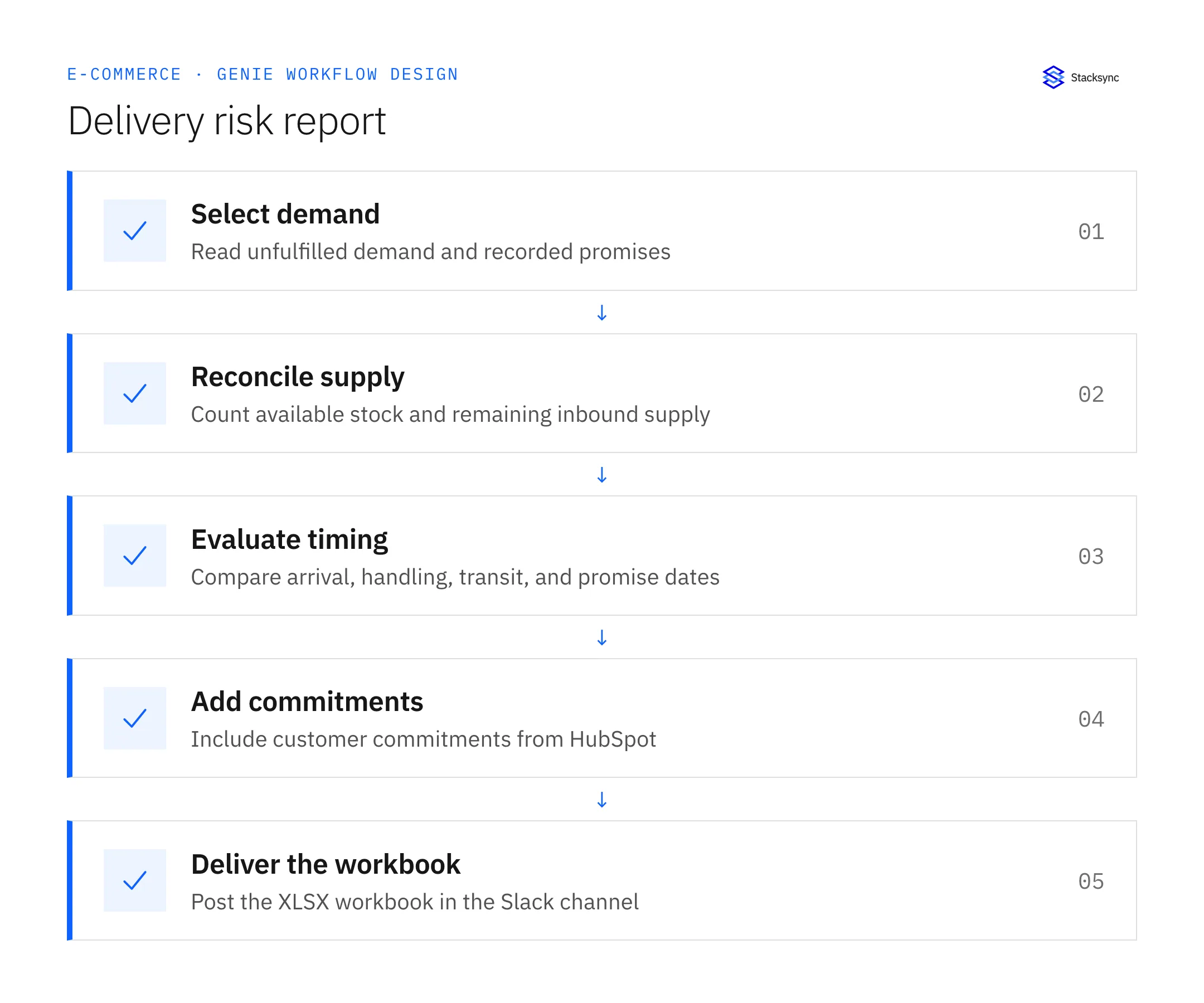
| Shopify | Unfulfilled order lines and recorded promised delivery dates. |
| NetSuite | Usable inventory, commitments, incoming purchase-order quantities and dates. |
| HubSpot | Account-specific commitments and customer context. |
| Postgres (optional) | Synced Shopify and NetSuite data for joins, with source IDs and freshness timestamps. |
| Slack | The XLSX report and a short summary in the chosen internal channel. |
Required context for this workflow design.
Avoid counting the same supply twice
Deduplicate purchase-order lines and link partial receipts to their remaining inbound quantity. If a receipt has already increased inventory, counting the original full purchase order again inflates supply. Where several orders compete for one inbound batch, apply the operation’s existing allocation priority. Do not show that same batch as sufficient for every competing order.
Postgres can make these comparisons easier when Shopify and NetSuite are synced there. Preserve the source order, line, SKU, and location identifiers and record freshness separately for each source. Similar product names are not a dependable join key. A join that multiplies order lines can create a convincing but incorrect shortage total.
Expose uncertainty instead of manufacturing certainty
Separate confirmed shortages from late inbound supply, missing promises, and stale records. Where a HubSpot commitment conflicts with the order promise, show both references and route the difference to an owner. Do not silently replace the contractual or operational promise with whichever date is later.
Consider an inbound purchase order expected on Thursday, two days of handling and transit, and a Friday delivery promise. Under those stated planning assumptions, the supply is late even if quantity is sufficient. If the inbound date is missing, report an unknown rather than calculating a convenient date. The XLSX report should let the reader filter confirmed risks independently from cases that first need better data.
Decision table for common exceptions
Use the condition in the first column to choose the next action. The final column describes the boundary that must remain true while the case is unresolved. Apply the organization’s actual policy and source records to the live case; do not treat an illustrative condition as proof that the condition exists.
| Observed condition | Next action | Required boundary |
|---|---|---|
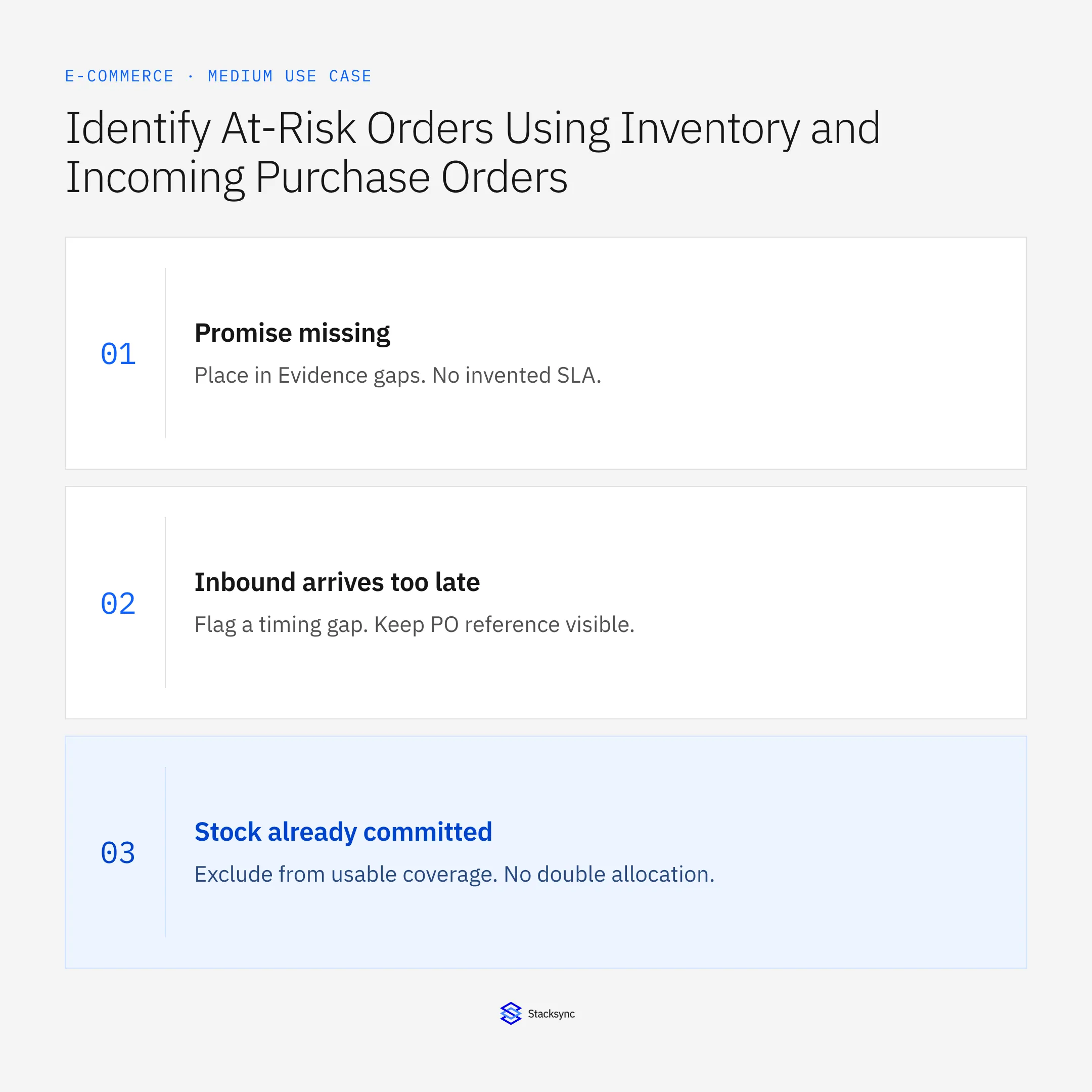
| Promise missing | Place in Evidence gaps | No invented SLA |
| Inbound arrives too late | Flag a timing gap | Keep PO reference visible |
| Stock already committed | Exclude from usable coverage | No double allocation |
| Source read fails | Publish incomplete status or failure notice | No false all-clear |
Exception decisions for delivery risk report.
Illustrative exception and recovery
The same purchase order appears as both an open line and a partially received inbound record. Counting both full quantities would show false coverage. Reconcile received and remaining units first, then allocate the remaining supply once.
This example uses fictional records to show the decision logic. It is not a customer case study or a claim of measured results. In a live case, retain the actual record IDs and evidence behind each statement, and replace all illustrative quantities or timing assumptions with the approved operational inputs.
What to record before resuming
An XLSX workbook with At-risk orders, Evidence gaps, and Run assumptions sheets, delivered to the configured Slack channel with counts and a source-freshness summary.
Preserve the original finding and the evidence that resolves it. Record which person or system supplied the clarification, which proposal it applies to, and the action now permitted. Do not erase the uncertainty from the history: a later reviewer needs to understand why the case paused and why it resumed.
Boundaries that remain in force
- Run every morning in the agreed business timezone and publish an XLSX file to Slack.
- Check HubSpot commitments alongside the recorded Shopify promise.
- Use available rather than merely on-hand stock and avoid double-counting inbound supply.
- Flag missing dates or stale sync data; reporting does not authorize order changes.
Review the case before restarting
First verify that the new evidence resolves the original blocker rather than a different issue. Then check whether the case, source records, or proposed action changed during the wait. A response attached to the right ticket can still be insufficient if it refers to an earlier proposal or leaves a required quantity, identity, or approval unresolved.
Run the relevant row from the decision table as a review scenario. Confirm that the job stops at the required boundary, asks for the specified information or decision, and resumes from the confirmed state. If a write or message may already have succeeded, inspect its destination before repeating it; if this job only prepares a draft or report, verify that it stays within that output scope.
- Morning reports delivered with the expected XLSX attachment
- Risk rows containing promise, supply, and freshness evidence
- Orders omitted or duplicated by source joins
Track unresolved cases by their actual blocker and owner. A case waiting for clarification needs a different next action from one waiting for a confirmed result. Review the evidence when the state changes, and keep any still-unresolved completion condition visible instead of treating a successful intermediate step as the end of the work.

Give your Genie a job description
Copy the job description below. It preserves the scope and decision boundaries of this use case. Configure the referenced systems, record relationships, policies, and approval owners in your workspace before enabling the job.
Paste this into “Give your Genie a job description.” Explore Stacksync Genies.
Apply this in packaged food and snacks: co-packer notice and netSuite item receipt
Food-brand availability reviews depend on whether an incoming co-packer delivery is merely reported, physically received, accepted, or held. The receipt guides make those states explicit before the order-risk process treats finished goods as dependable supply.
| Record to reconcile | Responsible owner | Rule to preserve |
|---|---|---|
| Co-packer notice | Supply operations | Retain the supplier document, product code, quantity, unit, and document revision. |
| NetSuite item receipt | Receiving | Own the accepted ERP receipt reference and posted quantities. |
| Reconciliation row | Operations analyst | Compare expected, physically received, accepted, and held quantities without overwriting their sources. |
An exception to plan for: Supplier revises its notice. Version the document and compare the revision with the accepted receipt before changing the case. Acceptance check for the pilot: supplier, received, accepted, and held quantities remain distinguishable.
The packaged food and snacks hub connects the broader operating context. These guides develop the specific record mappings and decisions for this application:
Implementation references
These first-party references document the underlying records and interfaces. The cross-system sequence, approvals, and completion rules in this article are a proposed operational configuration; validate them against your connected workspace before enabling it.

FAQ
Frequently asked questions










Explore these integrations and topics
- connectorShopify integrations
- connectorSlack integrations
- connectorNetSuite integrations
- connectorHubSpot integrations
- connectorPostgreSQL integrations
- platformAI agent operations
- AI agent operations guidesExplore practical Genies workflows across industries, with source evidence, human approvals, and confirmed outcomes.
Related articles





