






















Equipment aftermarket: connect Salesforce parts quotes to Acumatica order status
When two employees quote the same urgent component, a shared request reference across Salesforce and Acumatica keeps one accepted order and its compatibility evidence.
- Author
- Ruben Burdin · Founder & CEO
- Published
- Read time
- 4 min read

The operating decision
An equipment aftermarket integration should connect a Salesforce parts request to the approved item, compatible asset and Acumatica order, then return accepted availability and shipment progress. Two-way sync must preserve the difference between a quote, an accepted order and a service recommendation. The account owner can request a date or expedite; inventory and order management determine what can be fulfilled. Confirm the exact supported records and actions before enabling transactional updates.
Explore the complete industrial equipment and machinery integration and automation hub for the systems and processes around this guide.
What this looks like in industrial equipment and machinery
An equipment manufacturer sells replacement parts through its service desk and regional account managers. A customer asks two employees for the same urgent component, and each opens a quote. The replacement is compatible only with machines that received a specific retrofit. Without a shared asset and request reference, the business can quote an unsuitable part or create two orders when the customer accepts. The handoff should retain the service request, approved compatibility decision and single accepted commercial outcome while making operational status visible to both employees.
Records, ownership, and update rules
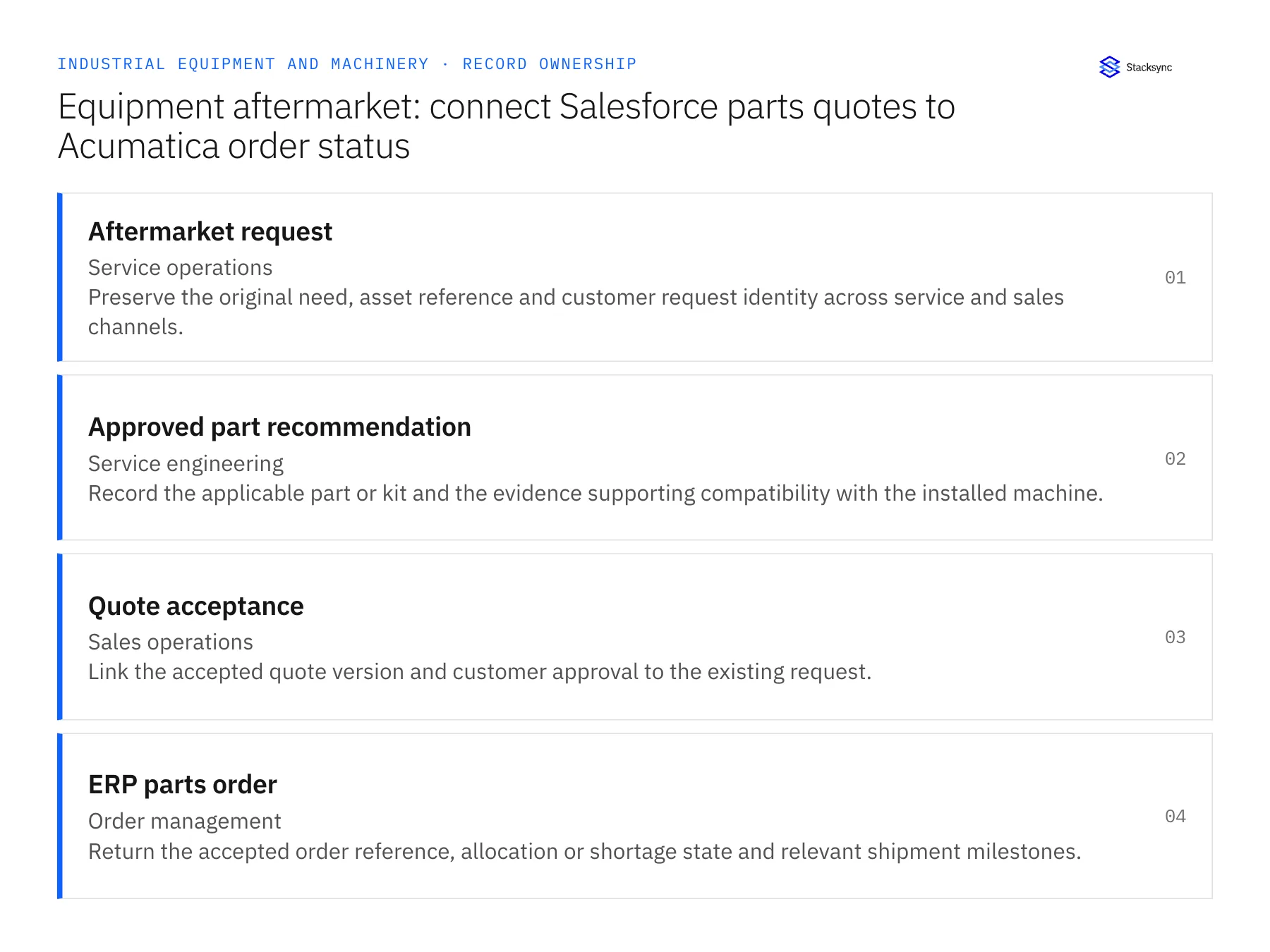
| Record | Owner | Operating rule |
|---|---|---|
| Aftermarket request | Service operations | Preserve the original need, asset reference and customer request identity across service and sales channels. |
| Approved part recommendation | Service engineering | Record the applicable part or kit and the evidence supporting compatibility with the installed machine. |
| Quote acceptance | Sales operations | Link the accepted quote version and customer approval to the existing request. |
| ERP parts order | Order management | Return the accepted order reference, allocation or shortage state and relevant shipment milestones. |
Work through the process
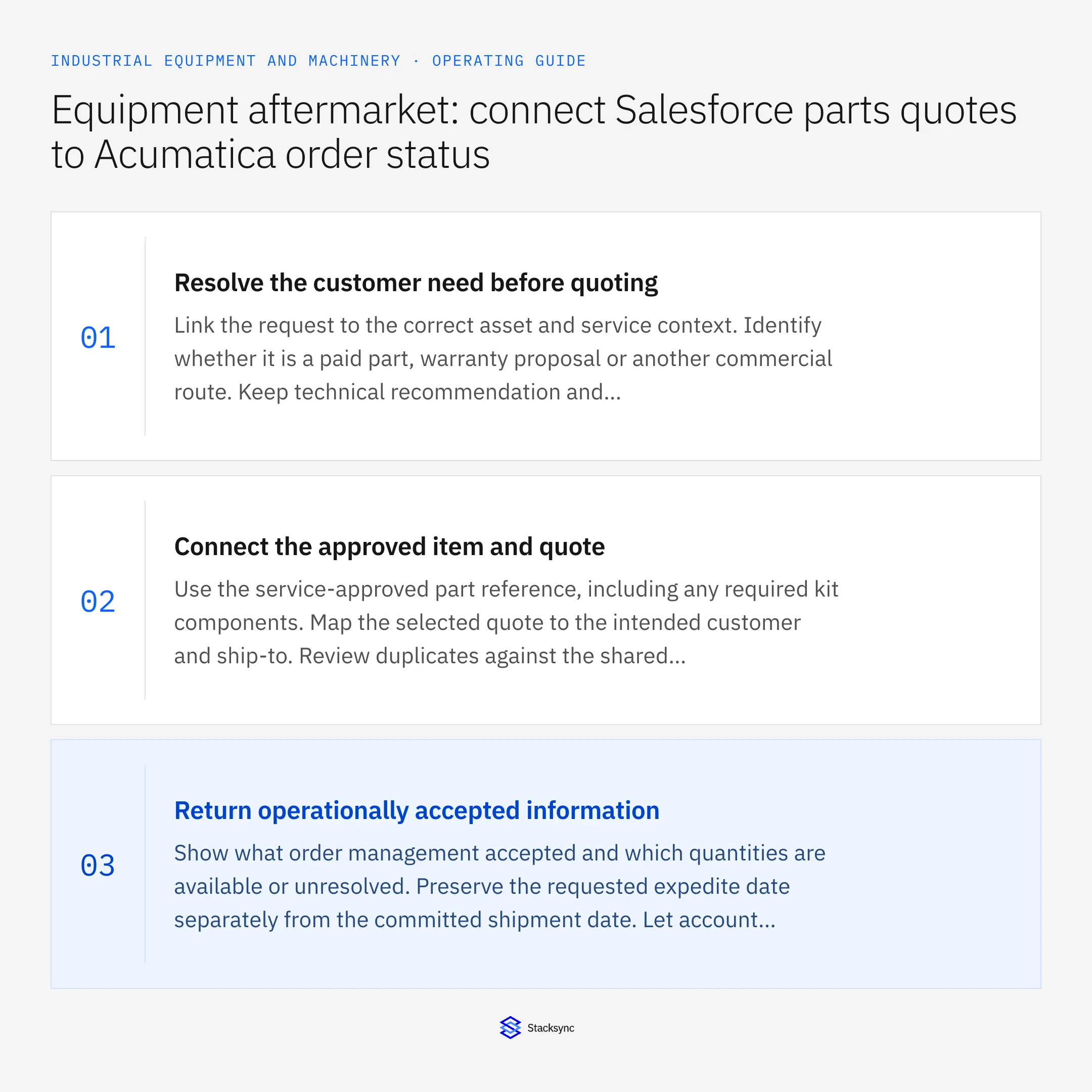
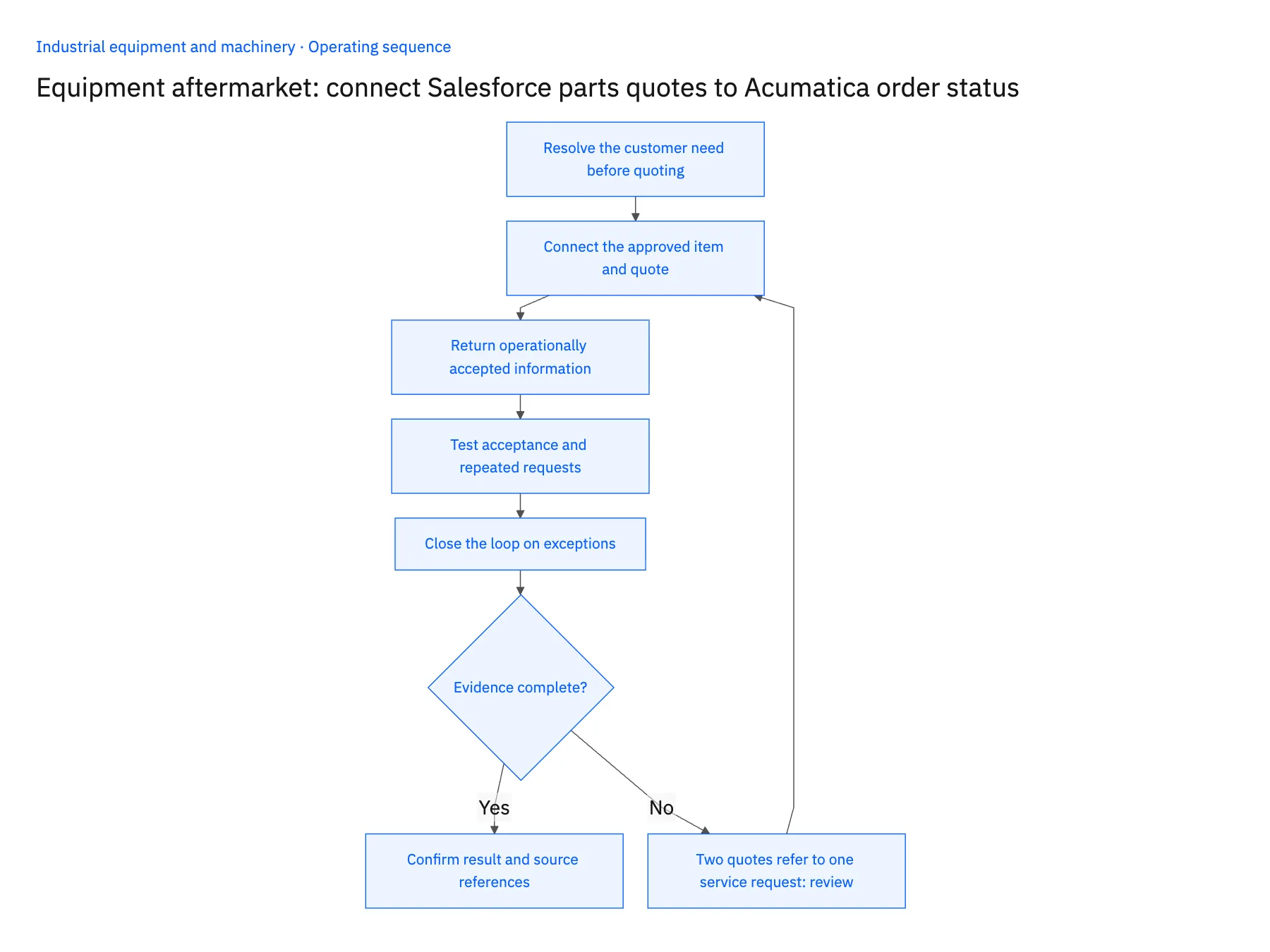
- 01Resolve the customer need before quotingLink the request to the correct asset and service context. Identify whether it is a paid part, warranty proposal or another commercial route. Keep technical recommendation and commercial acceptance distinct so a helpful diagnosis does not become an unauthorized no-charge order.
- 02Connect the approved item and quoteUse the service-approved part reference, including any required kit components. Map the selected quote to the intended customer and ship-to. Review duplicates against the shared request rather than relying only on quote titles or email subjects.
- 03Return operationally accepted informationShow what order management accepted and which quantities are available or unresolved. Preserve the requested expedite date separately from the committed shipment date. Let account managers explain the current state without editing inventory or allocation decisions directly.
- 04Test acceptance and repeated requestsAccept one quote, then replay the handoff and submit a related duplicate request. Verify that the existing order reference is reused or surfaced for review. Test the exact Acumatica endpoint entities and actions used by the parts-order workflow.
- 05Close the loop on exceptionsAssign ownership for incompatible items, shortages and unconfirmed customer acceptance. Keep the sales record linked to the operational case until the approved remedy is complete. Do not hide a rejected order behind a quote marked successful.
Handle the exceptions explicitly
Two quotes refer to one service request
Ask the commercial owner which version was accepted and link the others as superseded or declined.
The approved part is unavailable
Present permitted alternatives or dates for review. Do not replace it with an available but unverified component.
The request changes to warranty coverage
Route the financial decision separately and preserve the existing quote history rather than silently zeroing its price.
What to verify before expanding
- A parts order traces back to one accepted request and quote version.
- Compatibility evidence remains available from the commercial handoff.
- Requested and accepted expedite dates remain distinct.
- Repeated acceptance cannot create two orders for the same approved transaction.

Connect this process to the rest of your operation
Explore Stacksync two-way sync and scope the records and actions against your actual systems. Book a demo with a real aftermarket request example and the exception your team handles most often, for example two quotes refer to one service request.
- Salesforce and NetSuite two-way sync for equipment manufacturers
- Salesforce and Acumatica two-way sync for equipment aftermarket teams
- Equipment manufacturers: connect Salesforce configurations to NetSuite orders
- Equipment commissioning readiness: connect sales promises, site prerequisites and service dispatch
- Equipment warranty RMAs: coordinate replacement, return and credit decisions
- Salesforce ERP Integration: Best Real-Time Sync Solutions in 2026
- Human-in-the-Loop Automation: When to Escalate a Workflow to a Person
The shared architecture guide covers record matching, ownership, and recovery across systems.
Technical references
FAQ
Frequently asked questions










Related articles






