Salesforce ERP Integration: Best Real-Time Sync Solutions in 2026
Compare the best ERP integrations with Salesforce, NetSuite, SAP, Dynamics 365, and FinancialForce, and see how real-time bi-directional sync changes the tradeoffs.
- Author
- Ruben Burdin · Founder & CEO
- Published
- Updated
- Read time
- 9 min read

Salesforce ERP integration is no longer optional , it is a fundamental requirement for operational efficiency and competitive advantage. When sales, finance, and operations teams work from disconnected disconnected systems, the consequences are severe: inaccurate forecasting, poor customer service, delayed cash flow, and significant manual overhead. The core technical challenge of erp integration with salesforce is not just connecting these systems, but ensuring data flows between them in real-time, with absolute consistency.
Traditional integration methods, such as nightly batch jobs, custom-coded scripts, or generic iPaaS platforms, often fail to meet the demands of modern business operations. They introduce unacceptable latency, are brittle and prone to failure, and consume valuable engineering resources that could be focused on innovation. To truly unify your go-to-market and back-office functions, you need a data integration solution designed specifically for real-time, bi-directional synchronization.
The Technical Challenge of Integrating Salesforce and ERP Systems
Synchronizing complex systems like Salesforce and an ERP (such as NetSuite, SAP, or Microsoft Dynamics 365) presents significant technical hurdles. A surface-level connection is insufficient; a reliable solution must address the underlying complexities of enterprise data.
- Data Latency and Inconsistency: When data is not synchronized in real-time, teams operate on outdated information. A sales representative might sell a product that is out of stock, or the finance team might build forecasts on a sales pipeline that is hours or even days old. This latency creates a fundamental disconnect between business functions [1].
- Bi-Directional Complexity: True bi-directional sync is more than just running two one-way data flows. It requires sophisticated conflict resolution logic to handle simultaneous updates to the same record in both systems. Without it, data corruption is inevitable.
- API and Object Model Differences: Salesforce and various ERPs use different API protocols (e.g., REST, SOAP), enforce different rate limits, and have unique object models. A custom integration must account for every nuance, including pagination, error handling, and the mapping of complex record associations (e.g., accounts to orders to line items). This creates a significant and ongoing maintenance burden.
- Scalability and Reliability: As your business grows, so does your data volume. Batch processes that worked for 10,000 records will fail with 1,000,000. An effective integration solution must scale without extra engineering work and include automated reliability features like retries and issue alerting to ensure business-critical data flows are never interrupted.
Evaluating Common ERPs for Salesforce Integration
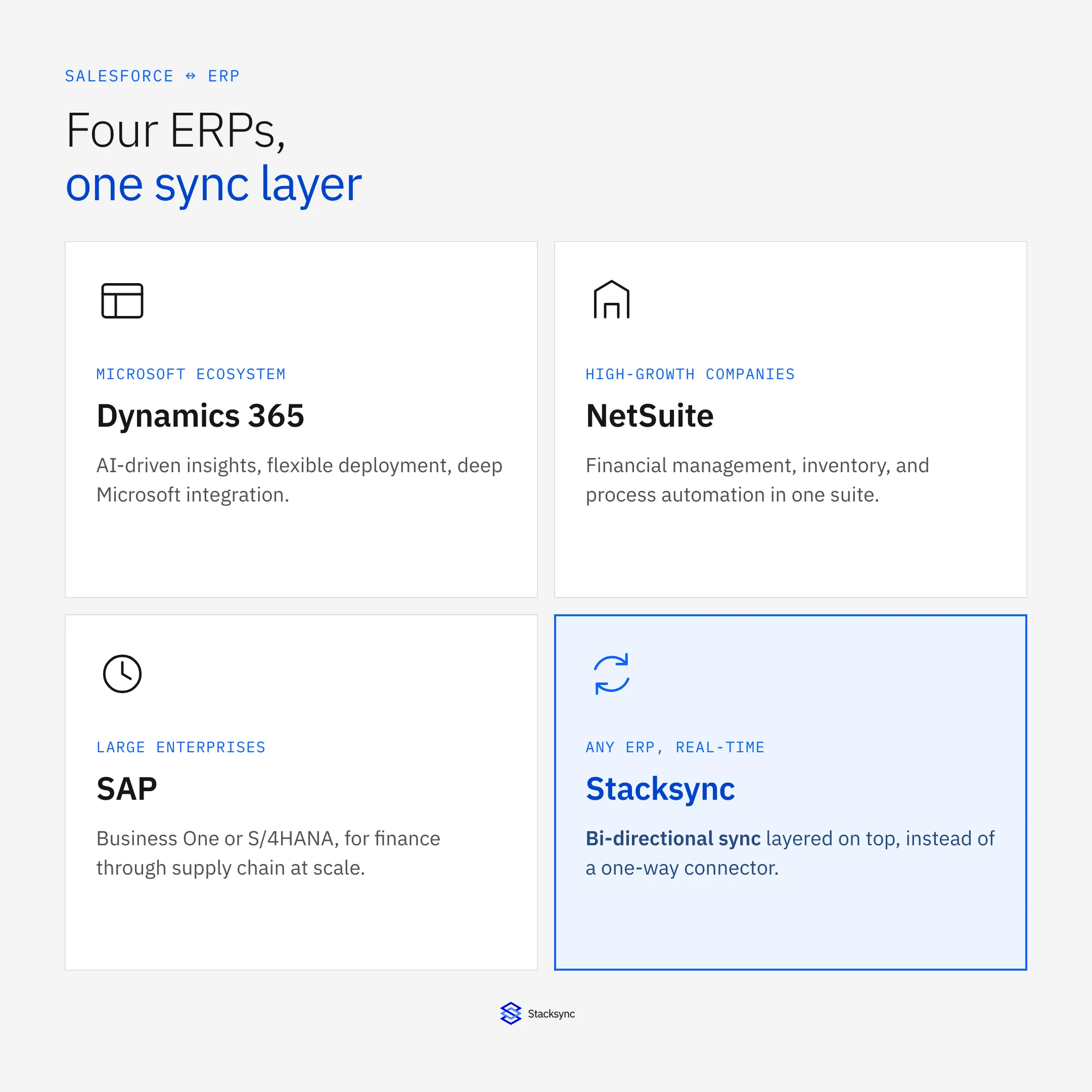
The choice of ERP has a significant impact on your salesforce erp integration strategy. While many ERPs can connect with Salesforce, the method and complexity vary. Leading platforms are increasingly API-driven, with REST APIs being the modern standard for SaaS connections , and the quality of available salesforce erp connectors differs significantly across vendors [2].
Here is a brief overview of top ERP solutions frequently integrated with Salesforce:
| ERP System | Key Features and Strengths | Common Integration Method |
|---|---|---|
| Microsoft Dynamics 365 | Deep integration with the Microsoft ecosystem, AI-driven insights, and flexible deployment options. Combines CRM and ERP capabilities without manual reconciliation. | Third-party connectors, custom API development. |
| NetSuite ERP | Solid financial management, inventory tracking, and business process automation. A popular choice for high-growth companies. | Third-party integration platforms, native connectors. |
| SAP (Business One / S/4HANA) | Enterprise-grade capabilities for large, complex organizations, supporting everything from finance to supply chain management. | Specialized connectors, iPaaS platforms. |
| FinancialForce | A native ERP solution built on the Salesforce platform, offering built-in integration and a unified data model. | Native, on-platform connection. |
Common ERP platforms integrated with Salesforce and how teams typically connect them.
Regardless of the ERP, the challenge remains: selecting the right integration approach to bridge the gap with Salesforce effectively.
Comparing Data Integration Approaches
Enterprises typically consider four primary approaches for CRM-ERP integration, each with distinct technical trade-offs.
- 01Custom Code / In-House Builds: Writing custom scripts using Salesforce's and the ERP's APIs offers maximum flexibility but is the most resource-intensive path. It requires specialized developers to build and, more importantly, maintain the integration. This "dirty API plumbing" is brittle, lacks built-in monitoring, and often fails silently as APIs and business requirements change.
- 02General-Purpose iPaaS: Platforms like MuleSoft or Workato offer a wide array of connectors and workflow automation tools. While powerful, they are often not optimized for high-performance, bi-directional data synchronization. Many rely on frequent polling, which is not truly real-time and can strain API limits. Configuring them for stateful, two-way sync with proper conflict resolution can be as complex as a custom build.
- 03Point-to-Point Connectors: These are simple salesforce erp connectors designed to sync specific objects between two systems (e.g., Salesforce Accounts to NetSuite Customers). While easy to set up, they do not scale. As you add more sync requirements, you create a tangled web of individual connectors with no centralized management, monitoring, or governance.
- 04built specifically Real-Time Sync Platforms: A modern approach involves using a platform engineered specifically for real-time, bi-directional data synchronization. These solutions are designed to handle the complexities of stateful integration out of the box, providing a reliable and scalable data fabric between operational systems.
Stacksync: A built specifically Solution for Real-Time Salesforce-ERP Sync
For organizations that cannot compromise on data integrity or speed, a built specifically platform is the only viable solution. Stacksync is engineered to provide true, real-time, and two-way synchronization for enterprise data as data volume grows, directly addressing the limitations of other approaches. It removes the need for engineering teams to manage infrastructure and complex API work, allowing them to focus on building competitive advantages [5].
Stacksync is not a generic iPaaS; it is a specialized data integration platform focused on business-critical sync use cases.
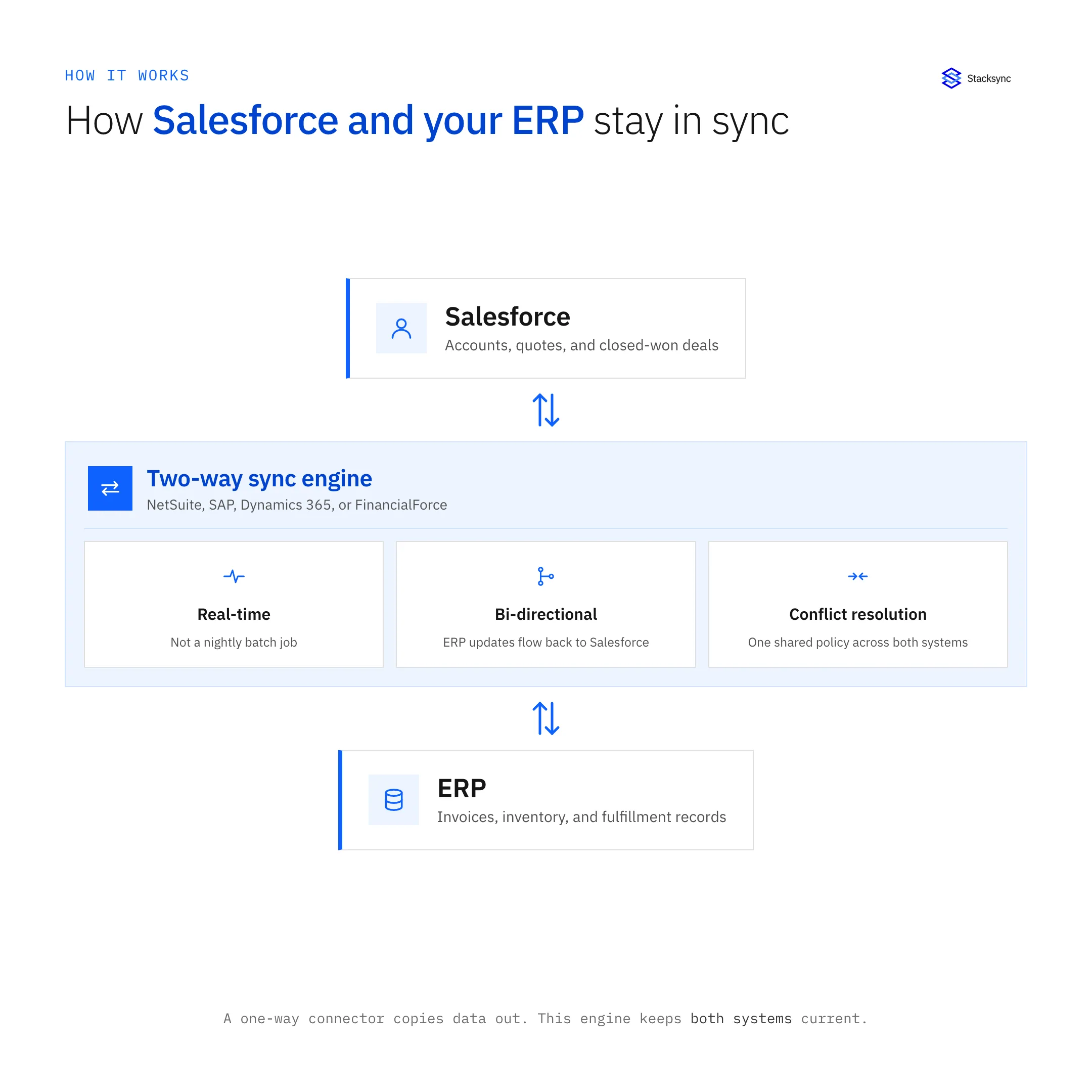
- True Bi-Directional, Real-Time Sync: Stacksync provides synchronization with latency measured in milliseconds, not minutes or hours [6]. It was built from the ground up for bi-directional data flows, with automatic conflict resolution to guarantee data consistency across Salesforce, ERPs, and databases.
- Automated Reliability and Scalability: The platform eliminates the brittleness of custom code. It features smart API rate limit management, ultra-efficient event queues to handle high-volume data, and an issue management dashboard for transparent monitoring [7]. It scales from thousands to millions of records without performance degradation.
- straightforward Configuration and Management: With a no-code setup, teams can configure and deploy complex integrations in minutes, not months. For advanced control, Stacksync also offers pro-code options, version control, and API management, providing the flexibility technical teams require [8].
- Database-Centric Architecture: A key differentiator is the ability to sync CRM and ERP data directly with an existing operational database like PostgreSQL or MySQL. This allows developers to access and manipulate enterprise data using familiar SQL, with Stacksync handling the real-time propagation of changes back to the source systems [5].
Technical and Operational Benefits of a Real-Time Integration Strategy
Adopting a real-time sync strategy with a platform like Stacksync delivers tangible technical and operational benefits.
- Guaranteed Data Consistency: By keep every system in sync, you establish a single source of truth across the organization. This eradicates errors from manual data entry and ensures all teams are making decisions based on the same, accurate information.
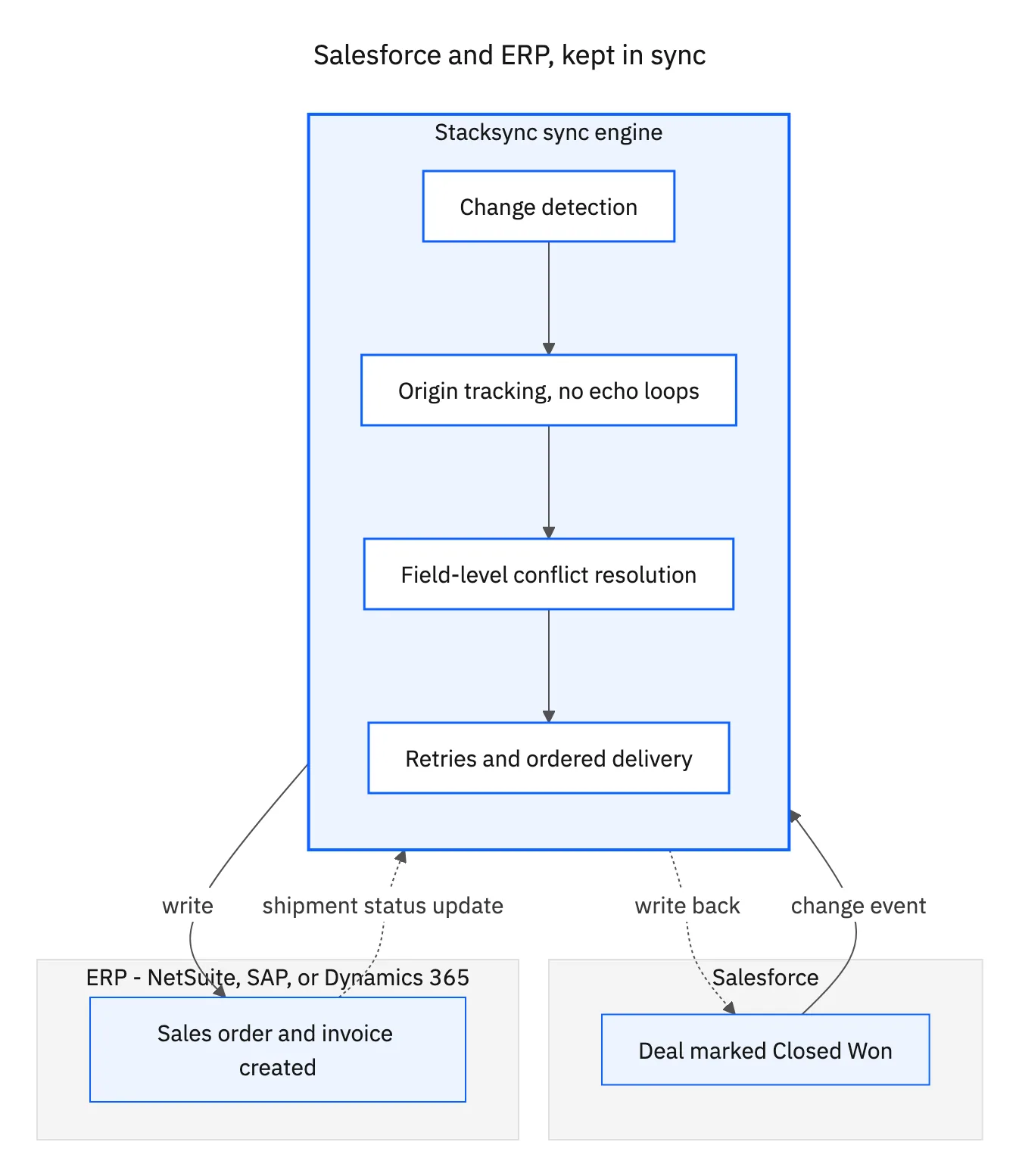
- Enhanced Operational Efficiency: Real-time data flow automates critical business processes. Sales teams gain immediate visibility into inventory levels and order fulfillment status directly within Salesforce, while finance can automate invoice generation the moment a deal is closed [1].
- freed and Focused Engineering Teams: Stacksync abstracts away the complexity of API management, error handling, and infrastructure maintenance. This frees your engineering team from low-level plumbing and allows them to focus on high-value initiatives that drive business growth.
- Enterprise-Ready Security: The platform is built with enterprise security at its core, offering SOC 2 and GDPR compliance, advanced encryption, and secure connectivity options to protect sensitive data in transit.

Best Practices for Salesforce-ERP Integration
To ensure a successful integration project, follow these technical best practices:
- 01Establish Clear Data Ownership: Before starting, map out your data model and define which system serves as the master record for specific data entities. This will inform your conflict resolution rules.
- 02Prioritize Data Quality: A successful integration relies on clean data. Use a platform that supports data validation and cleansing as part of the workflow to prevent the propagation of bad data [2].
- 03Implement reliable Monitoring and Alerting: Do not assume your integration will always work perfectly. Choose a solution with a dedicated dashboard for monitoring sync health and configurable alerts for immediate error detection and resolution [2].
- 04Start with a Core Use Case: Begin by integrating the most critical objects, such as Accounts, Contacts, and Orders. Once you have established a stable, high-value connection, expand to other processes.
Ultimately, the gap between your sales and operational data is a significant business risk. The best erp integrations with salesforce in 2026 go beyond simple point-to-point connectors , they demand a reliable, reliable, real-time platform built for bi-directional sync. By replacing brittle custom code and slow batch processes with built specifically salesforce erp integration, you can help your teams with consistent, up-to-the-minute data and drive sustainable growth.
Apply this in industrial equipment and machinery: aftermarket request and approved part recommendation
Equipment aftermarket teams provide a specific Salesforce-to-ERP evaluation case: a parts quote must remain connected to the accepted Acumatica order and its status. Compare identity, field ownership, and exception handling rather than treating every available API field as an approved operational write.
| Record to reconcile | Responsible owner | Rule to preserve |
|---|---|---|
| Aftermarket request | Service operations | Preserve the original need, asset reference and customer request identity across service and sales channels. |
| Approved part recommendation | Service engineering | Record the applicable part or kit and the evidence supporting compatibility with the installed machine. |
| Quote acceptance | Sales operations | Link the accepted quote version and customer approval to the existing request. |
An exception to plan for: Two quotes refer to one service request. Ask the commercial owner which version was accepted and link the others as superseded or declined. Acceptance check for the pilot: A parts order traces back to one accepted request and quote version.
The industrial equipment and machinery hub connects the broader operating context. These guides develop the specific record mappings and decisions for this application:

FAQ
Frequently asked questions










Related articles