






















Equipment manufacturers: connect NetSuite and Postgres machine serial history
Keep the manufacturer's serial stable across owner changes and customer asset tags, with a retrofit history that explains the installed configuration.
- Author
- Ruben Burdin · Founder & CEO
- Published
- Read time
- 4 min read

The operating decision
An equipment manufacturer’s NetSuite–Postgres model should connect each machine serial to its build, shipment, installed configuration and approved service changes. Keep customer asset labels separate from the manufacturer’s identity. Two-way sync can support the permitted exchange of selected records while service engineering owns interpretation of compatibility. A complete serial history helps people assemble a service response, but it must not turn an inferred asset match into permission to ship a replacement part.
Explore the complete industrial equipment and machinery integration and automation hub for the systems and processes around this guide.
What this looks like in industrial equipment and machinery
A machinery business tracks field modifications in a Postgres service application and shipments in NetSuite. A customer reports a failed assembly using a plant asset tag. The original machine was sold to another owner and later received a retrofit. Looking up only the original shipment gives the service desk an outdated configuration. The integration needs durable serial identity, ownership history and a record of the retrofit’s accepted scope so the service team can determine what is actually installed before preparing a part request.
Records, ownership, and update rules
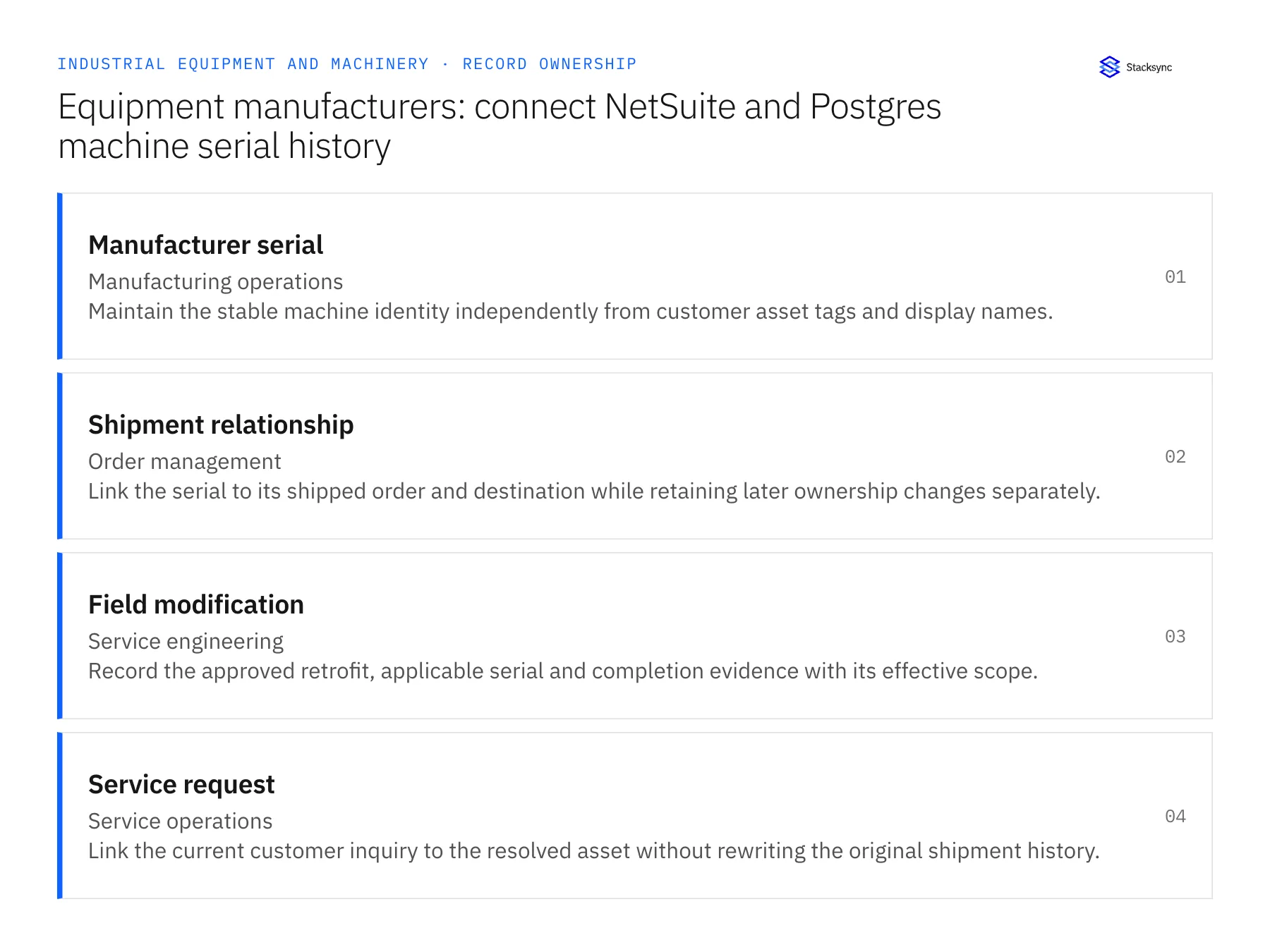
| Record | Owner | Operating rule |
|---|---|---|
| Manufacturer serial | Manufacturing operations | Maintain the stable machine identity independently from customer asset tags and display names. |
| Shipment relationship | Order management | Link the serial to its shipped order and destination while retaining later ownership changes separately. |
| Field modification | Service engineering | Record the approved retrofit, applicable serial and completion evidence with its effective scope. |
| Service request | Service operations | Link the current customer inquiry to the resolved asset without rewriting the original shipment history. |
Work through the process
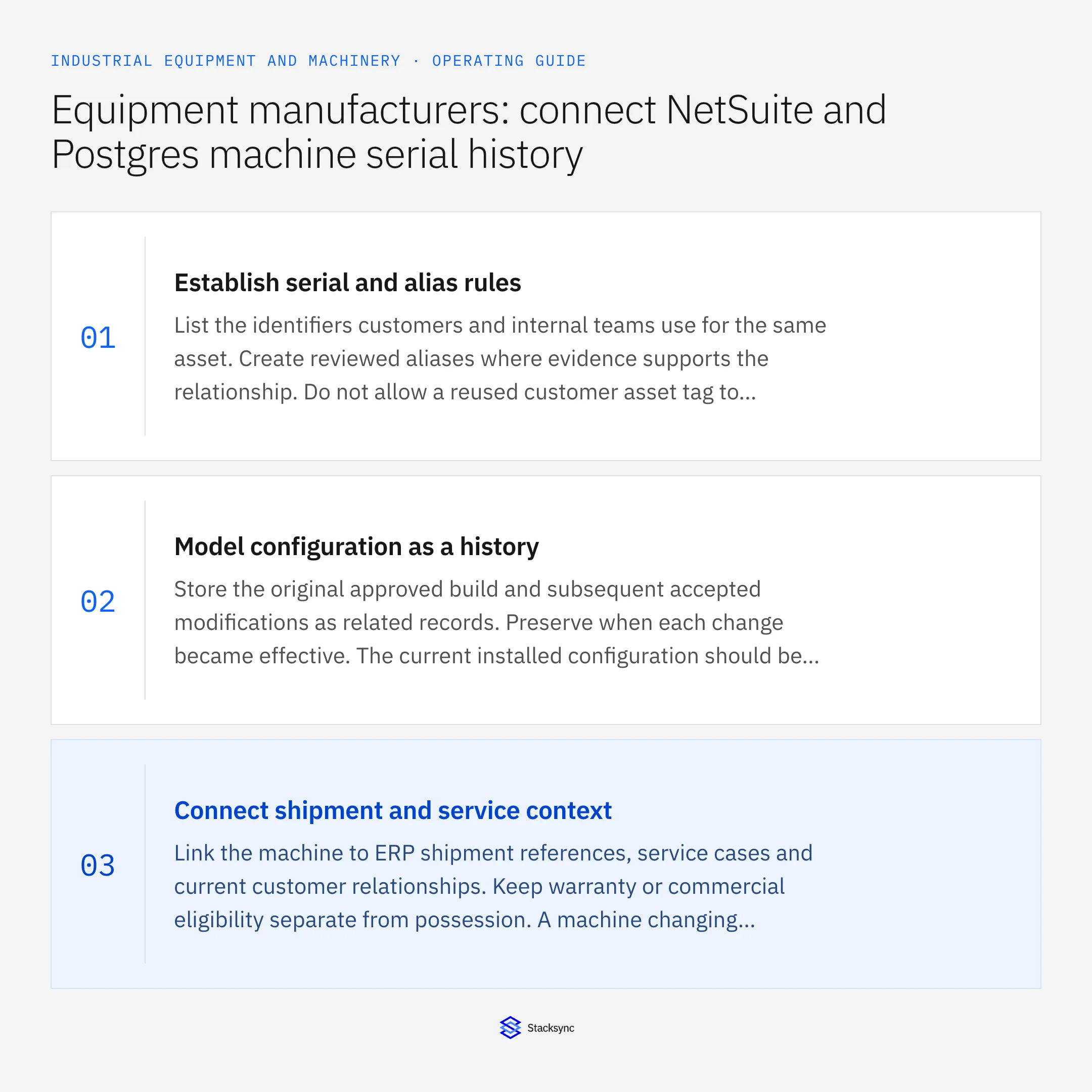
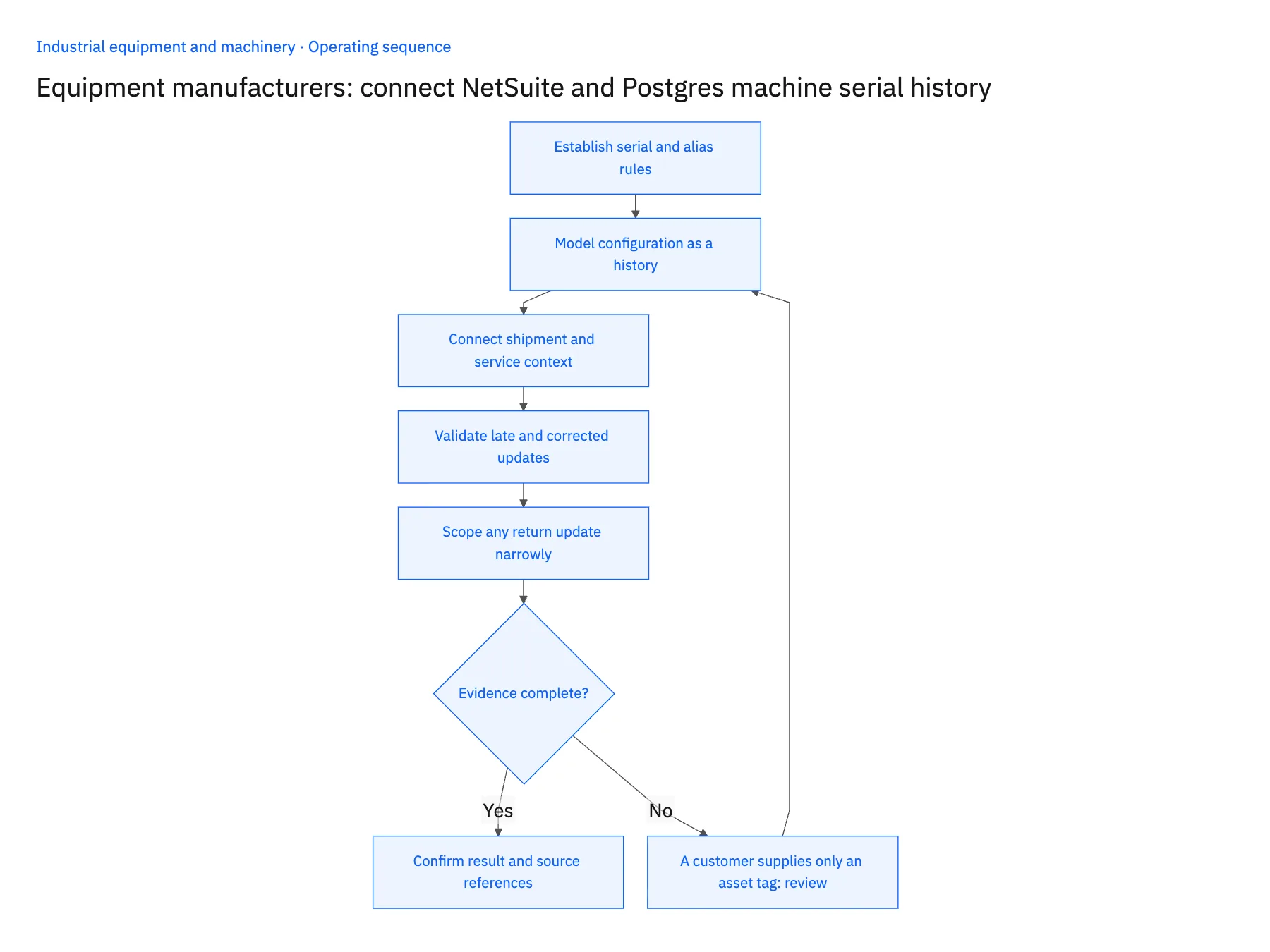
- 01Establish serial and alias rulesList the identifiers customers and internal teams use for the same asset. Create reviewed aliases where evidence supports the relationship. Do not allow a reused customer asset tag to merge two machines or erase a transfer between owners.
- 02Model configuration as a historyStore the original approved build and subsequent accepted modifications as related records. Preserve when each change became effective. The current installed configuration should be explainable from that history rather than a mutable text field with no supporting events.
- 03Connect shipment and service contextLink the machine to ERP shipment references, service cases and current customer relationships. Keep warranty or commercial eligibility separate from possession. A machine changing owners does not automatically establish that every original commercial term transferred.
- 04Validate late and corrected updatesTest a retrofit recorded after a service request and a corrected serial reference. Confirm that the application points the request to the right asset while retaining the correction history. Reconcile repeated events so a retrofit is not applied twice.
- 05Scope any return update narrowlyIf service needs to update an ERP field, confirm the operation and owner. Preserve the accepted destination response. The operational history can remain valuable even when certain financial or asset transactions require a separate approved process.
Handle the exceptions explicitly
A customer supplies only an asset tag
Use approved alias evidence or request a nameplate or shipment reference. Preserve uncertainty until the asset is resolved.
A retrofit is proposed but not installed
Keep proposal and completed modification states separate; only accepted installation evidence changes the current configuration.
A serial was entered incorrectly in an old case
Correct the relationship through the review process and preserve why it changed. Do not silently rewrite unrelated history.
What to verify before expanding
- The asset remains identifiable after a customer or location change.
- A service user can trace the current configuration to approved modifications.
- A proposed retrofit cannot appear as an installed component.
- Repeated update delivery preserves one effective modification record.

Connect this process to the rest of your operation
Explore Stacksync two-way sync and scope the records and actions against your actual systems. Book a demo with a real manufacturer serial example and the exception your team handles most often, for example A customer supplies only an asset tag.
- Salesforce and NetSuite two-way sync for equipment manufacturers
- Salesforce and Acumatica two-way sync for equipment aftermarket teams
- Equipment aftermarket: connect Salesforce parts quotes to Acumatica order status
- Equipment commissioning readiness: connect sales promises, site prerequisites and service dispatch
- Equipment warranty RMAs: coordinate replacement, return and credit decisions
- Salesforce ERP Integration: Best Real-Time Sync Solutions in 2026
- Bi-Directional Sync for Salesforce and Beyond: Ensuring Operational Efficiency
The shared architecture guide covers record matching, ownership, and recovery across systems.
Technical references
FAQ
Frequently asked questions










Related articles






