






















Truck Stock and Service Parts: Connect a Supabase Field App With NetSuite Item and Location Records
Give field teams current parts context while keeping truck-stock adjustments and reservations under inventory control.
- Author
- Ruben Burdin · Founder & CEO
- Published
- Read time
- 5 min read

The operating decision
A Supabase field app can use NetSuite item and location context to help MEP technicians identify service parts and report usage. Model the item, truck or stocking location, job and usage event separately. Treat the app's reported consumption as evidence until the inventory process accepts it. Two-way sync does not make a displayed balance an atomic reservation, and object-specific NetSuite support must be verified before enabling adjustments, transfers or other inventory actions.
Explore the complete commercial HVAC, plumbing and electrical contractors integration and automation hub for the systems and processes around this guide.
What this looks like in commercial HVAC, plumbing and electrical contractors
An HVAC technician finds two control boards listed for a truck, uses one on an emergency call and returns another damaged part to the warehouse. The field app has intermittent connectivity, so the usage report arrives after dispatch has looked at the earlier balance. The design must preserve the technician's usage event, distinguish usable from damaged stock, and show whether inventory accepted the update. A simple editable quantity field would hide those differences.
Records, ownership, and update rules
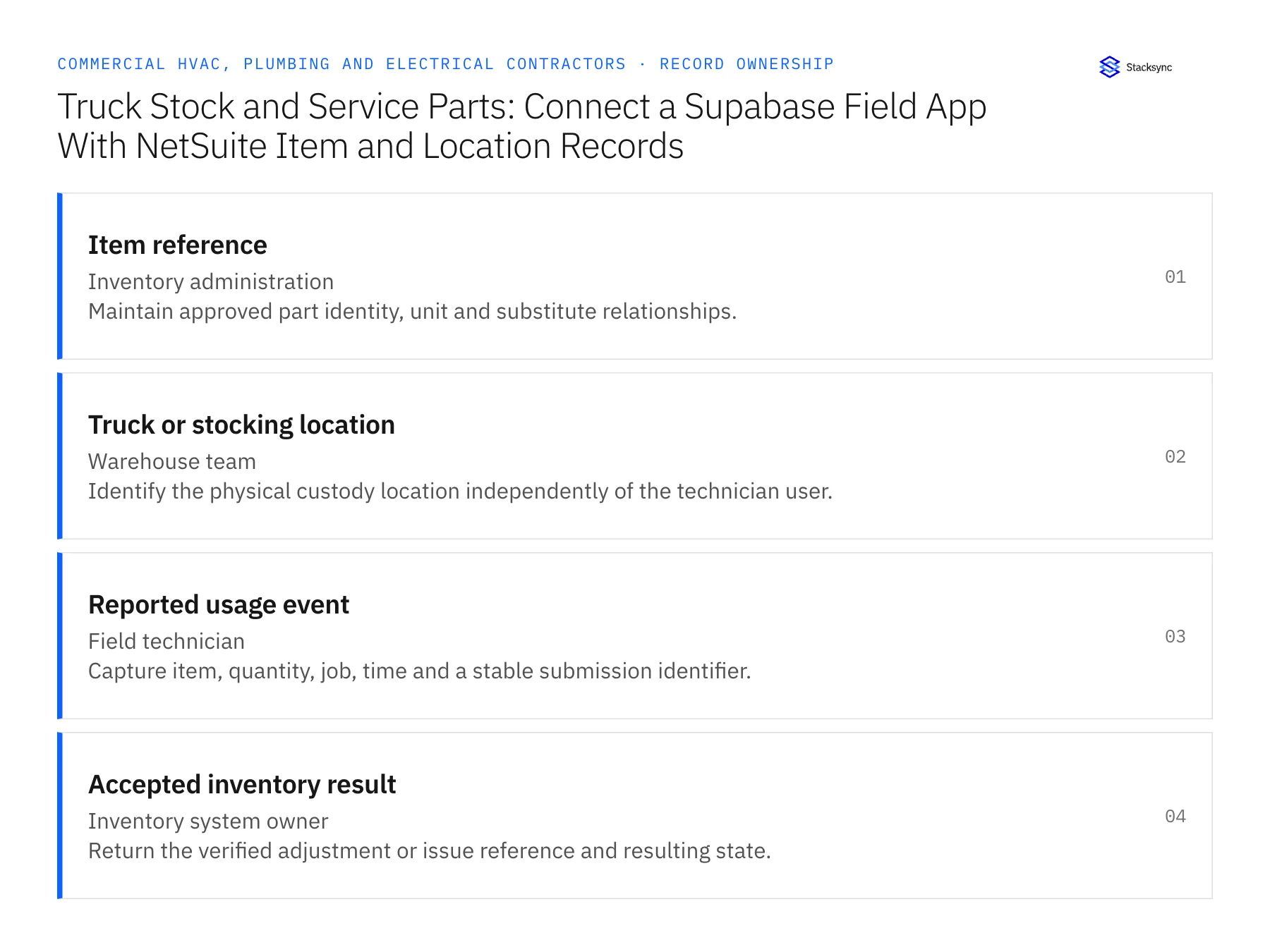
| Record | Owner | Operating rule |
|---|---|---|
| Item reference | Inventory administration | Maintain approved part identity, unit and substitute relationships. |
| Truck or stocking location | Warehouse team | Identify the physical custody location independently of the technician user. |
| Reported usage event | Field technician | Capture item, quantity, job, time and a stable submission identifier. |
| Accepted inventory result | Inventory system owner | Return the verified adjustment or issue reference and resulting state. |
Work through the process
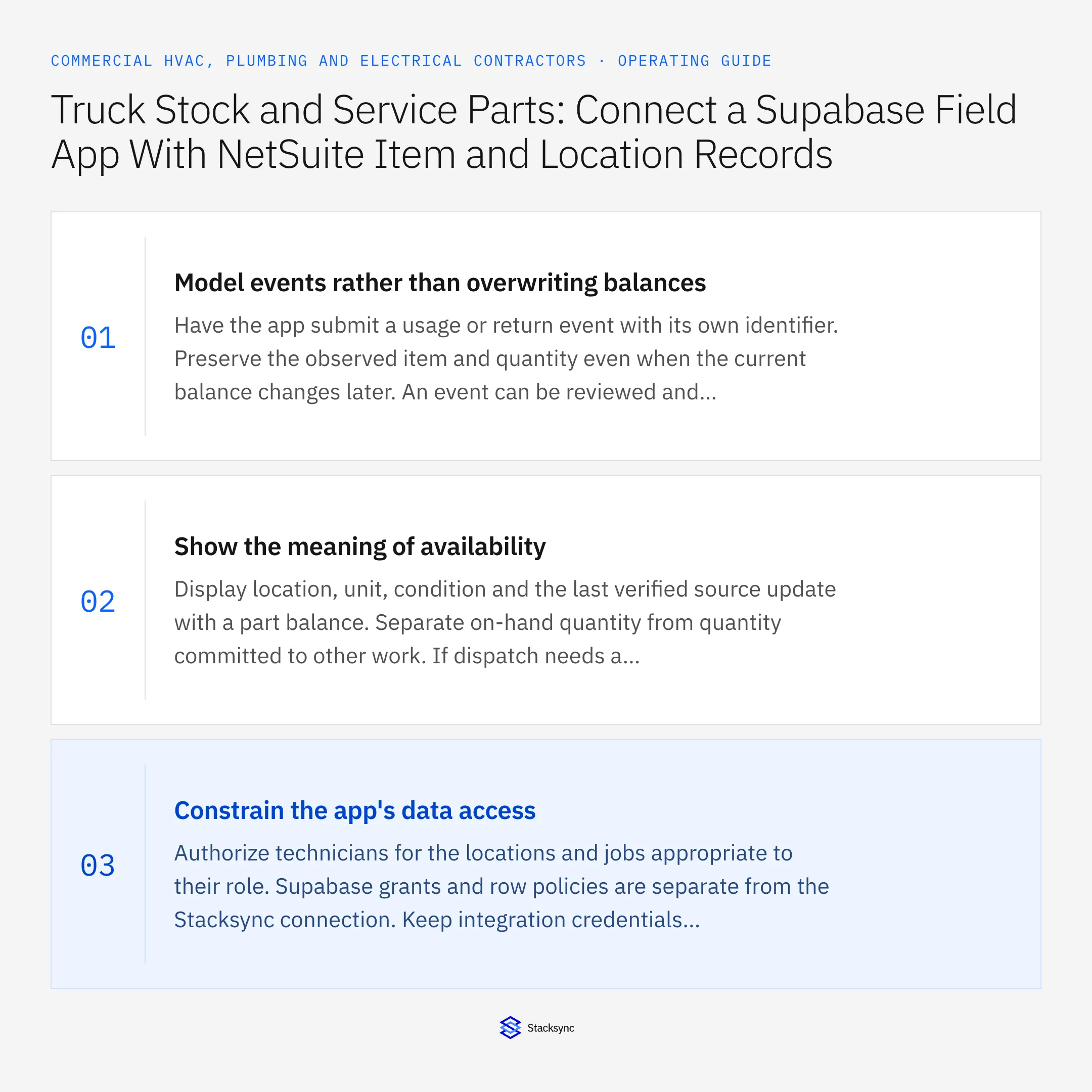
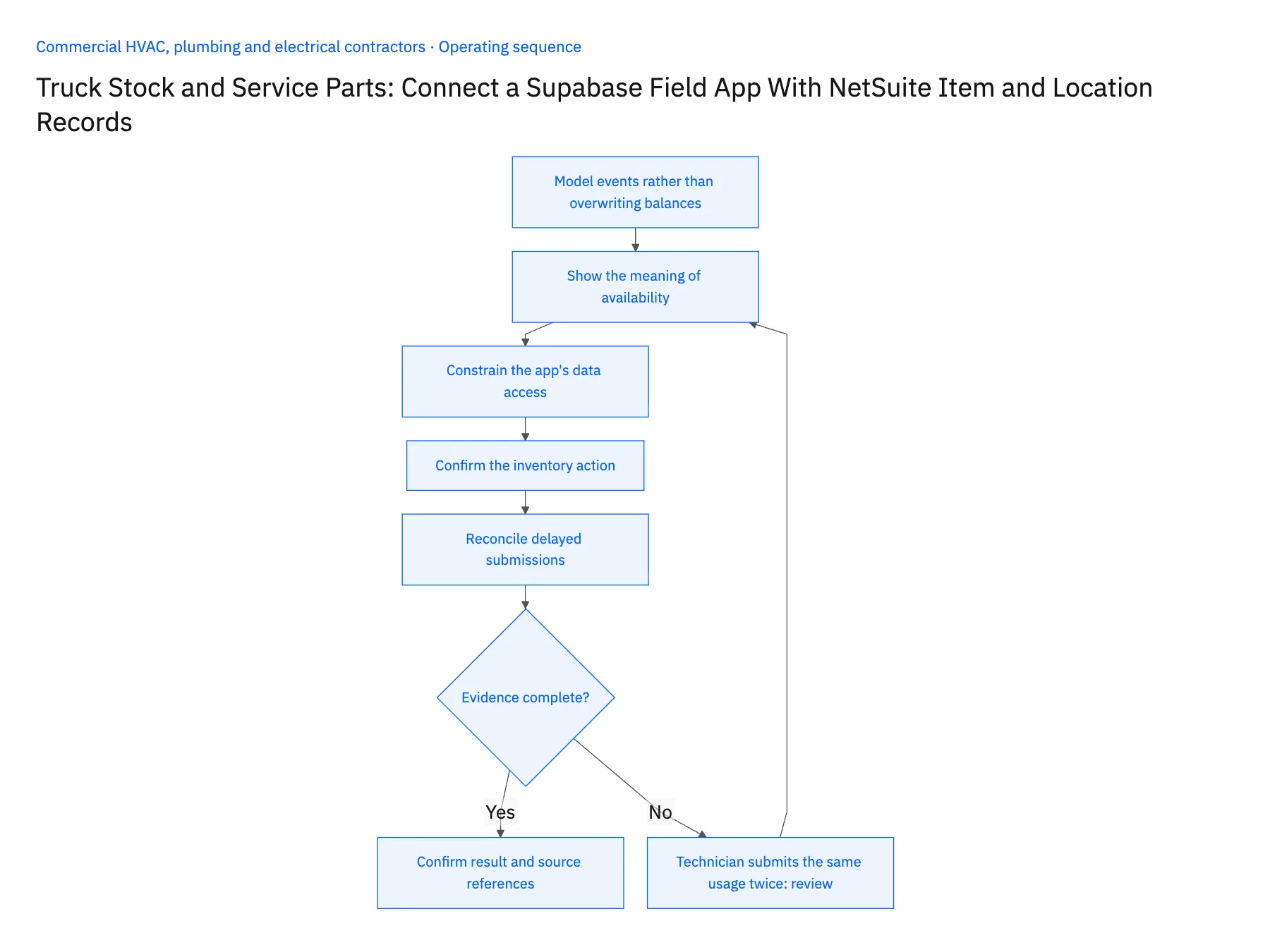
- 01Model events rather than overwriting balancesHave the app submit a usage or return event with its own identifier. Preserve the observed item and quantity even when the current balance changes later. An event can be reviewed and reconciled; overwriting a balance can obscure whether the technician reported consumption, corrected a count or returned material.
- 02Show the meaning of availabilityDisplay location, unit, condition and the last verified source update with a part balance. Separate on-hand quantity from quantity committed to other work. If dispatch needs a reservation, route that request to the supported inventory process rather than interpreting a synchronized number as a guaranteed allocation.
- 03Constrain the app's data accessAuthorize technicians for the locations and jobs appropriate to their role. Supabase grants and row policies are separate from the Stacksync connection. Keep integration credentials server-side and test that a technician cannot change another branch's inventory context or access unrelated customer records.
- 04Confirm the inventory actionReview the exact NetSuite record operation required for usage, return or transfer. Some object writes have different support from ordinary customer or project updates. If the operation is not verified, use the app to submit a reviewable inventory task and return the resulting reference after the owning team completes it.
- 05Reconcile delayed submissionsGive each offline submission a stable event ID so reconnecting cannot duplicate consumption. Detect a report that exceeds the available quantity or conflicts with a later count. Send the event and supporting job evidence to the inventory owner rather than dropping it or automatically forcing the balance negative.
Handle the exceptions explicitly
Technician submits the same usage twice
Recognize the event identifier and return the previous result without another inventory action.
Part is damaged on return
Record condition separately and keep it out of usable-stock visibility until warehouse review.
Truck changes assigned technician
Keep the location identity stable and update user access through the app's authorization process.
What to verify before expanding
- One usage event produces at most one accepted inventory result.
- The app distinguishes reported usage from posted inventory change.
- A technician cannot edit another branch's records.
- Delayed reports remain visible until accepted or resolved.

Connect this process to the rest of your operation
Explore Stacksync two-way sync and scope the records and actions against your actual systems. Book a demo with a real item reference example and the exception your team handles most often, for example technician submits the same usage twice.
- Salesforce–NetSuite Two-Way Sync for Commercial MEP Contractors
- HubSpot–Acumatica Two-Way Sync for MEP Service Contracts
- HVAC, Plumbing, and Electrical Customer Sites: Align Salesforce Accounts With NetSuite Billing Hierarchies
- Emergency MEP Service Calls: Route Dispatch, Rate Approval, and Billable Work
- Service Agreement Renewals for MEP Contractors: Coordinate Price Review and Customer Approval
- NetSuite Field Service Management: Boost Efficiency & Accuracy
- Workflow Automation Tools: The Complete 2026 Guide
The shared architecture guide covers record matching, ownership, and recovery across systems.
Technical references
FAQ
Frequently asked questions










Related articles





