






















Emergency MEP Service Calls: Route Dispatch, Rate Approval, and Billable Work
Coordinate emergency HVAC, electrical and plumbing callouts without losing authorization, rate and visit evidence.
- Author
- Ignacio Malpartida · GTM Engineer
- Published
- Read time
- 5 min read

The operating decision
An emergency MEP service workflow should connect the request, dispatch decision, commercial authorization and performed work while keeping each state explicit. Capture who requested help, the affected site, the approved rate or spending limit, and the person responsible for resolving exceptions. Dispatch may need to act before every commercial detail is available, but the workflow should preserve that decision and route missing evidence promptly rather than treating urgency as blanket billing approval.
Explore the complete commercial HVAC, plumbing and electrical contractors integration and automation hub for the systems and processes around this guide.
What this looks like in commercial HVAC, plumbing and electrical contractors
A plumbing contractor receives a late-night call from a commercial tenant. The tenant can grant site access but is not the building owner's authorized purchaser. Dispatch sends a technician under the company's emergency policy, while the account manager seeks approval for additional work. The technician completes stabilization and recommends a larger repair. The workflow must distinguish the first authorized response from the later repair scope so finance does not bill both under an assumed approval.
Records, ownership, and update rules
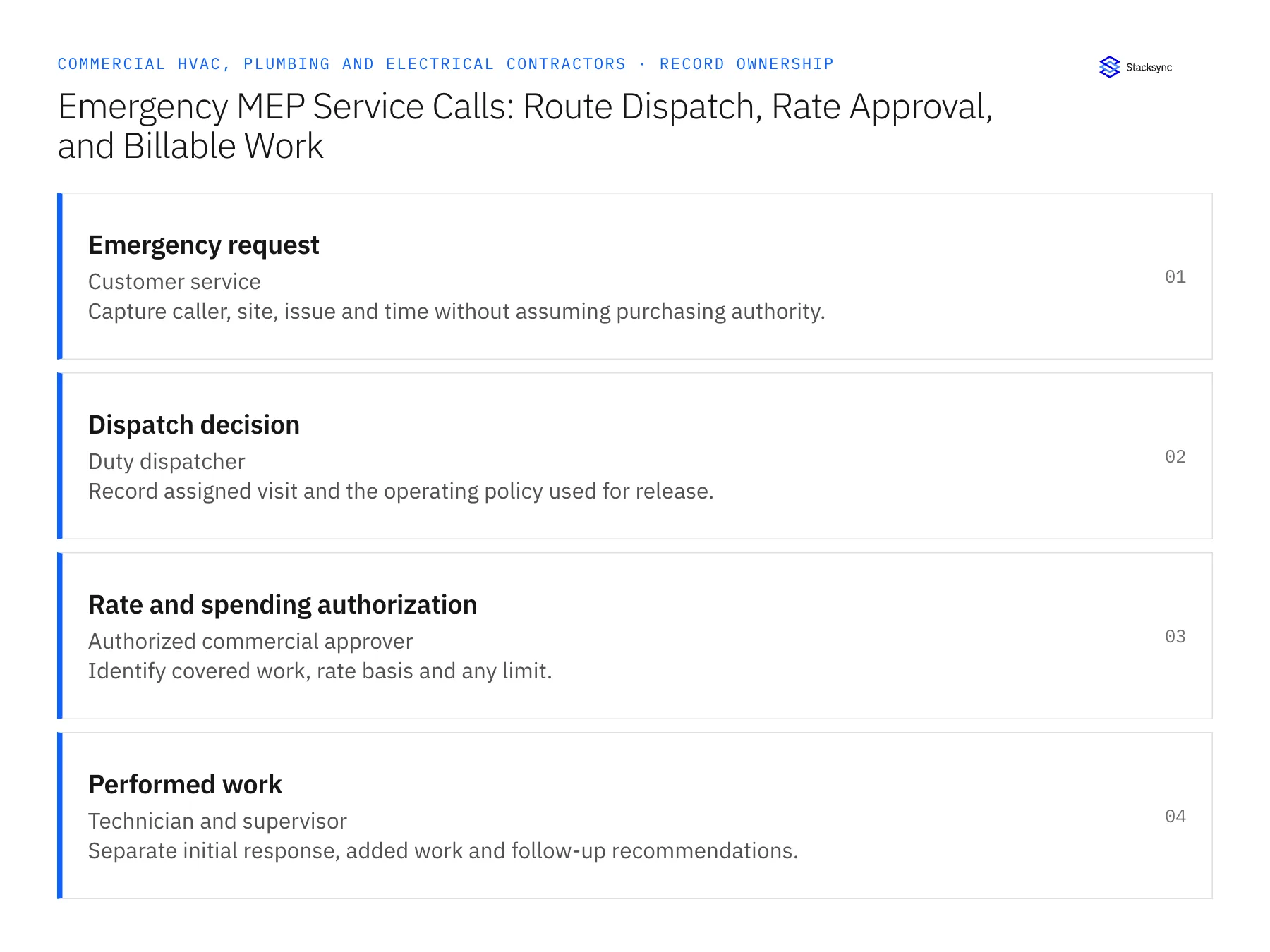
| Record | Owner | Operating rule |
|---|---|---|
| Emergency request | Customer service | Capture caller, site, issue and time without assuming purchasing authority. |
| Dispatch decision | Duty dispatcher | Record assigned visit and the operating policy used for release. |
| Rate and spending authorization | Authorized commercial approver | Identify covered work, rate basis and any limit. |
| Performed work | Technician and supervisor | Separate initial response, added work and follow-up recommendations. |
Work through the process
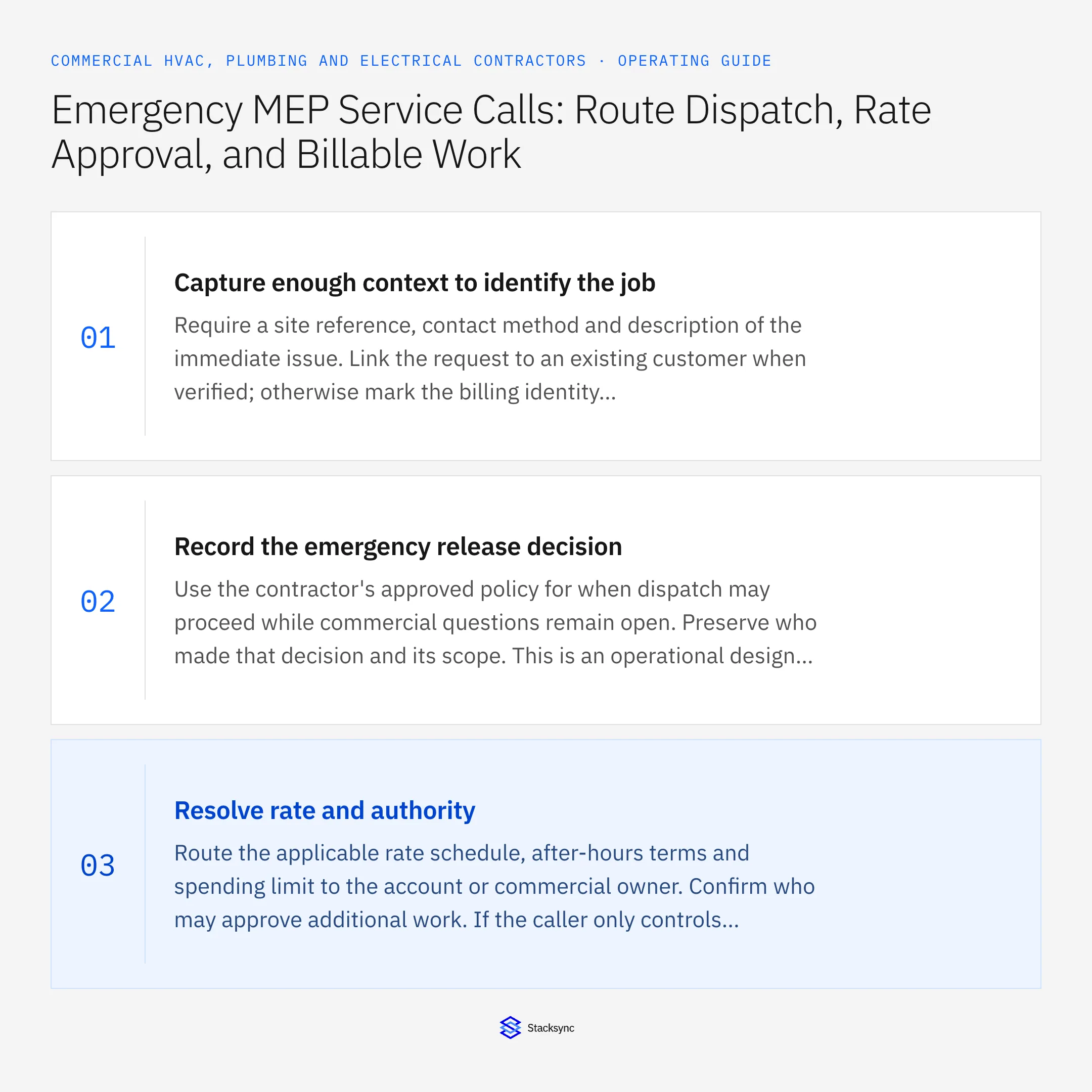
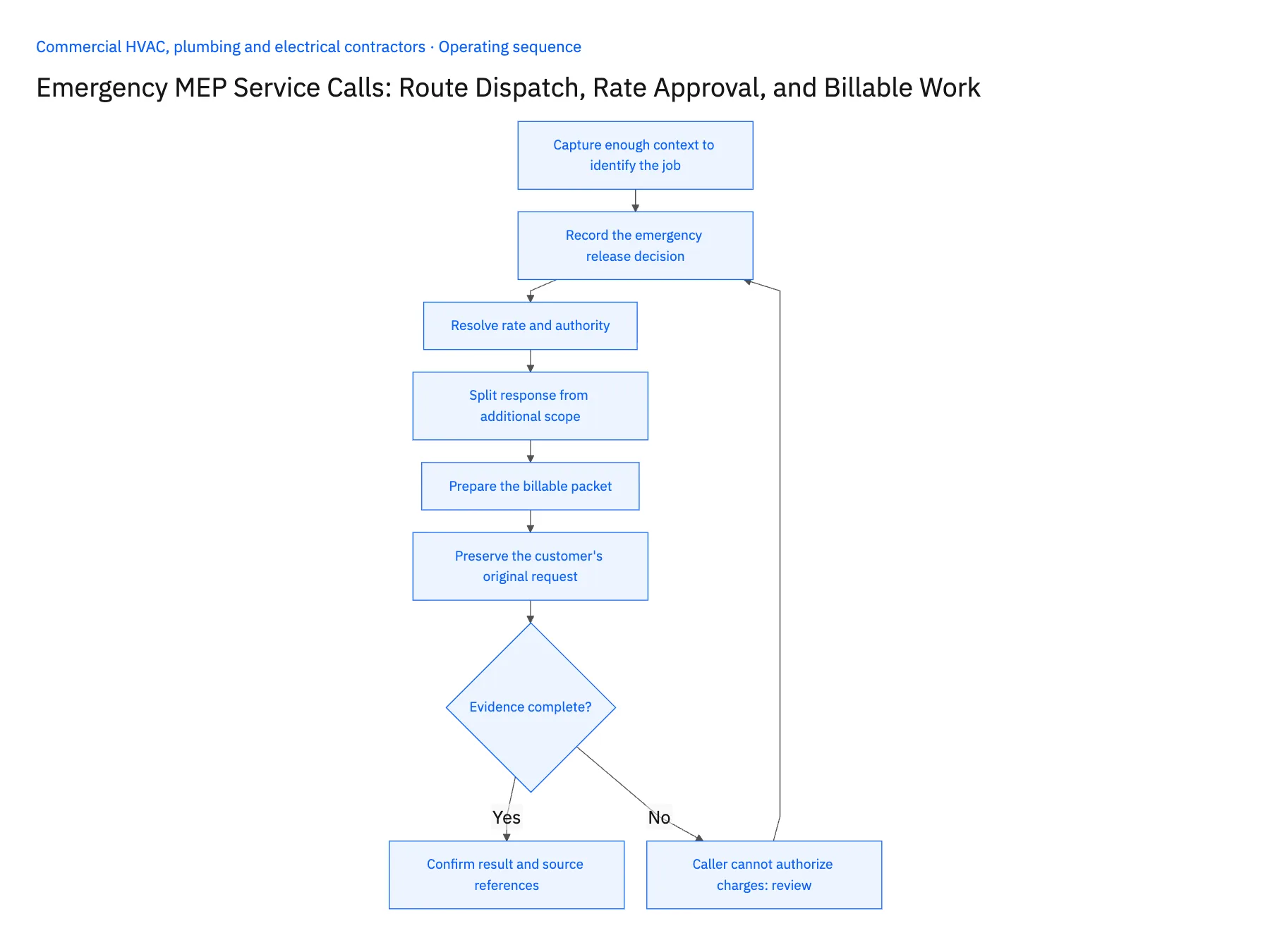
- 01Capture enough context to identify the jobRequire a site reference, contact method and description of the immediate issue. Link the request to an existing customer when verified; otherwise mark the billing identity unresolved. A rapid intake form should reduce missing essentials without requiring dispatch to invent a payer.
- 02Record the emergency release decisionUse the contractor's approved policy for when dispatch may proceed while commercial questions remain open. Preserve who made that decision and its scope. This is an operational design choice, not a claim that every emergency permits work without customer authorization.
- 03Resolve rate and authorityRoute the applicable rate schedule, after-hours terms and spending limit to the account or commercial owner. Confirm who may approve additional work. If the caller only controls access, keep that role separate from the purchasing approver so a signed arrival record is not mistaken for financial authority.
- 04Split response from additional scopeHave the technician report what was performed under the initial authorization and what requires a separate decision. Link photos, time and materials to the relevant visit or scope line. A recommended equipment replacement should remain a proposal until the necessary review and approval are complete.
- 05Prepare the billable packetAssemble the authorized rate basis, performed work and customer evidence for finance. Route any missing approval or excess amount as a specific exception. Confirm the resulting billing handoff once, using the visit reference to prevent duplicate tasks when dispatch or technician status changes repeatedly.
- 06Preserve the customer's original requestKeep the caller's description separate from the technician's eventual diagnosis and performed work. The request explains why the crew was dispatched, while the closeout explains what actually happened. Neither should replace the other in the record. This distinction helps the account owner review a disputed emergency charge without assuming the caller accurately identified the fault or that every requested task was performed during the first visit.
Handle the exceptions explicitly
Caller cannot authorize charges
Continue only under the applicable operating policy and route the commercial decision to the proper owner.
Work exceeds the spending limit
Separate the excess scope and request the required approval before treating it as billable.
Technician returns the next day
Create a linked follow-up visit so hours and authorization do not blend with the original callout.
What to verify before expanding
- Site-access permission is distinct from purchasing authority.
- The emergency-release decision has an owner and scope.
- Additional work retains its own approval reference.
- Repeated closeout updates do not duplicate the billing handoff.

Connect this process to the rest of your operation
Explore Stacksync workflows and scope the records and actions against your actual systems. Book a demo with a real emergency request example and the exception your team handles most often, for example caller cannot authorize charges.
- Emergency MEP Service-to-Billing Workflows
- Service Agreement Renewals for MEP Contractors: Coordinate Price Review and Customer Approval
- Genies for Commercial MEP Service Closeout: Turn Technician Notes Into an Invoice-Ready Packet
- MEP Service Closeout Exceptions: Warranty Work, Callbacks, Missing Parts, and Customer Sign-Off
- Workflow Automation Tools: The Complete 2026 Guide
- Coordinate Equipment Repairs Across Service, Inventory, and Scheduling
The shared architecture guide covers record matching, ownership, and recovery across systems.
Technical references
FAQ
Frequently asked questions










Related articles




