






















Metal fabrication: connect Salesforce quotes to Acumatica job-ready orders
A fabricator's Salesforce win should reach Acumatica as one order line carrying the chosen quantity break and drawing revision, with job readiness reported back separately.
- Author
- Ruben Burdin · Founder & CEO
- Published
- Read time
- 4 min read

The operating decision
For a metal fabricator, a Salesforce–Acumatica order handoff must carry the approved part revision, material specification and quantity break, not merely the opportunity amount. Use two-way sync to connect the commercial record to an accepted ERP order and return readiness to sales. Keep the estimate, customer approval and production release distinct. The estimator’s assumptions should remain visible until the responsible owners confirm that the job can be executed under the quoted conditions.
Explore the complete metal fabrication and machining integration and automation hub for the systems and processes around this guide.
What this looks like in metal fabrication and machining
A machining business quotes three quantities of a bracket. The customer chooses the middle quantity and supplies a newer drawing with a different finish. Sales records the win, but the estimate still reflects the earlier drawing and finish supplier. Copying the opportunity into an order without its approved scope makes the job look ready while its price and process assumptions are unsettled. The integration should preserve which quantity and revision the customer accepted, then surface the differences requiring estimating or engineering review before production planning receives a release-ready handoff.
Records, ownership, and update rules
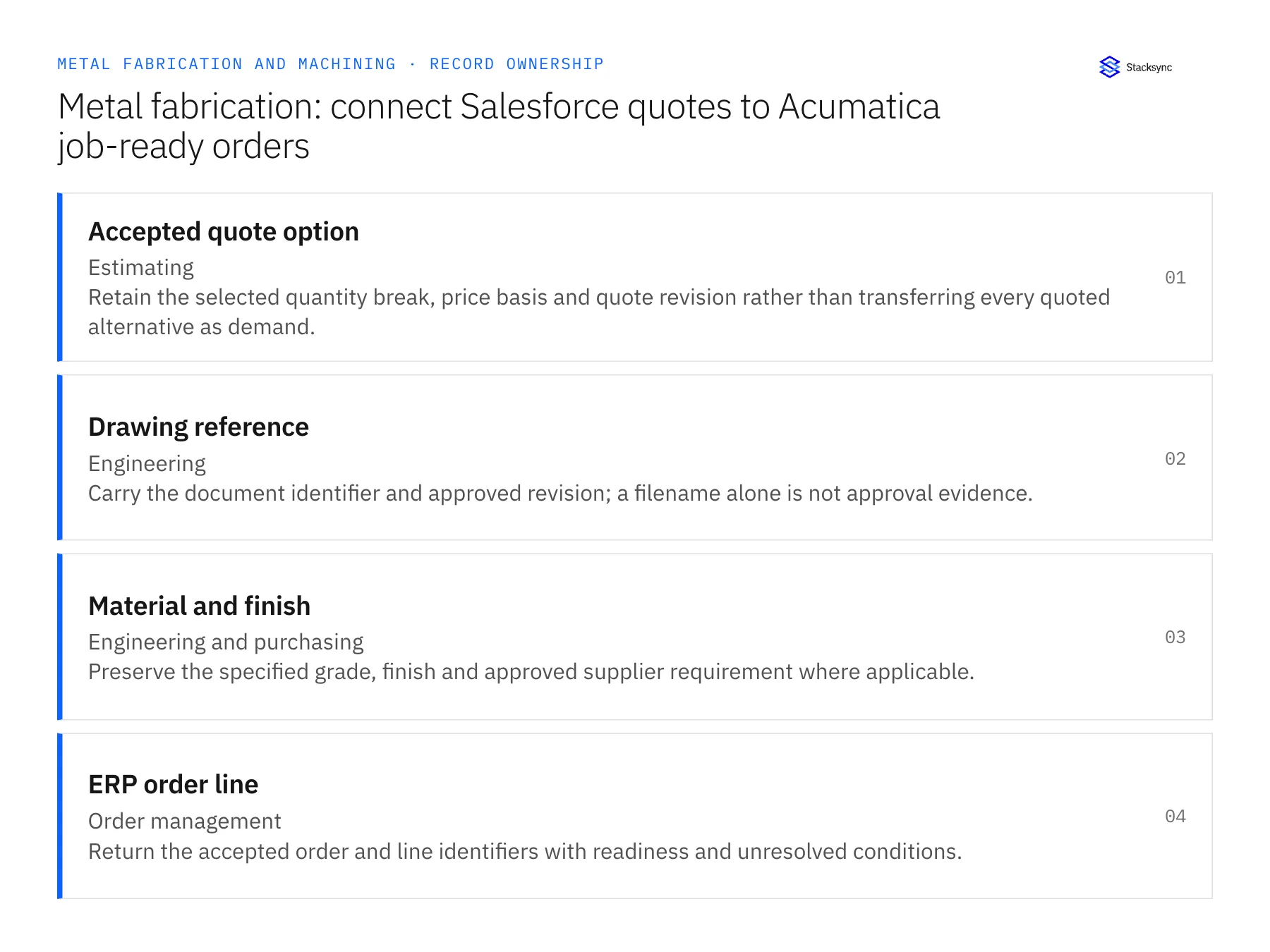
| Record | Owner | Operating rule |
|---|---|---|
| Accepted quote option | Estimating | Retain the selected quantity break, price basis and quote revision rather than transferring every quoted alternative as demand. |
| Drawing reference | Engineering | Carry the document identifier and approved revision; a filename alone is not approval evidence. |
| Material and finish | Engineering and purchasing | Preserve the specified grade, finish and approved supplier requirement where applicable. |
| ERP order line | Order management | Return the accepted order and line identifiers with readiness and unresolved conditions. |
Work through the process
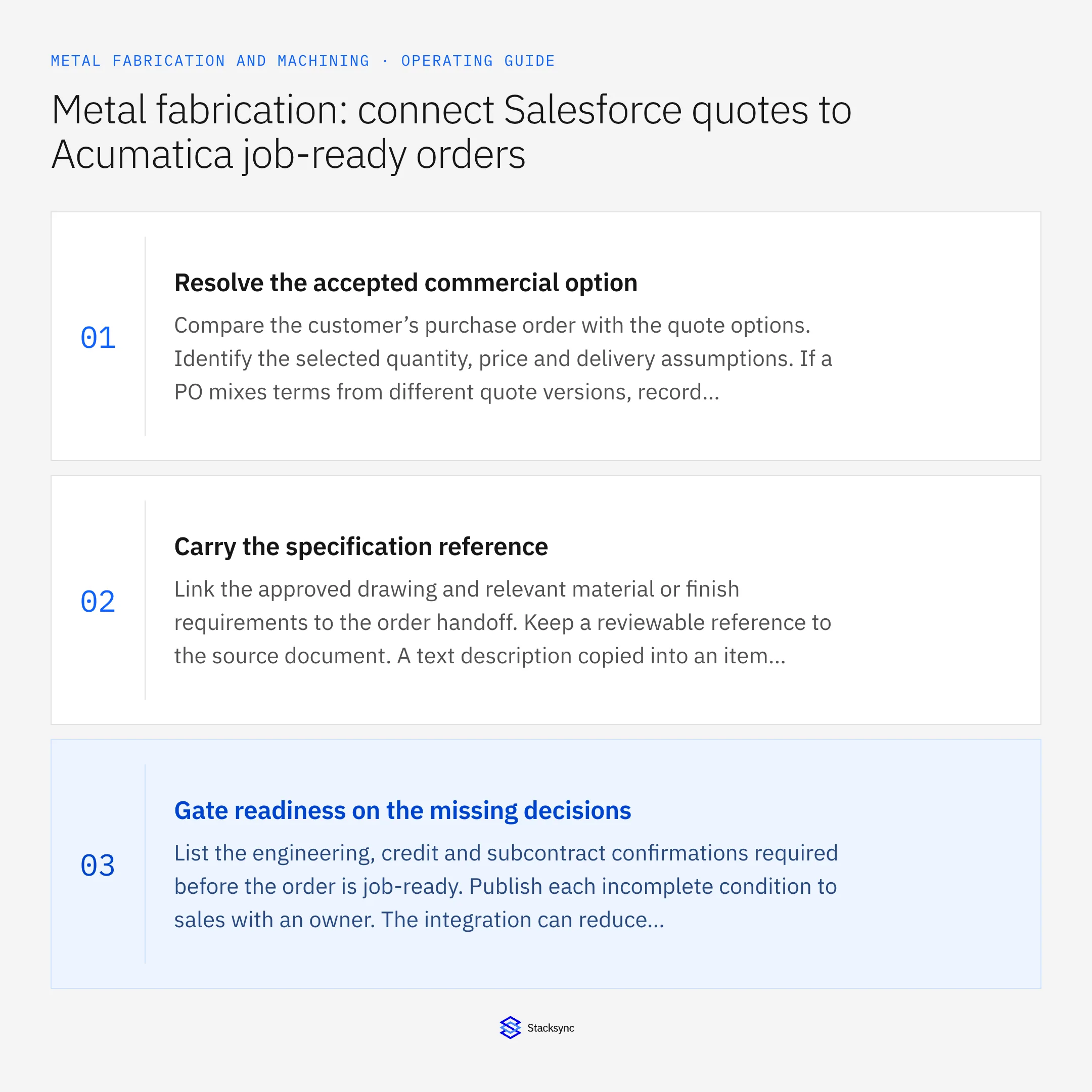
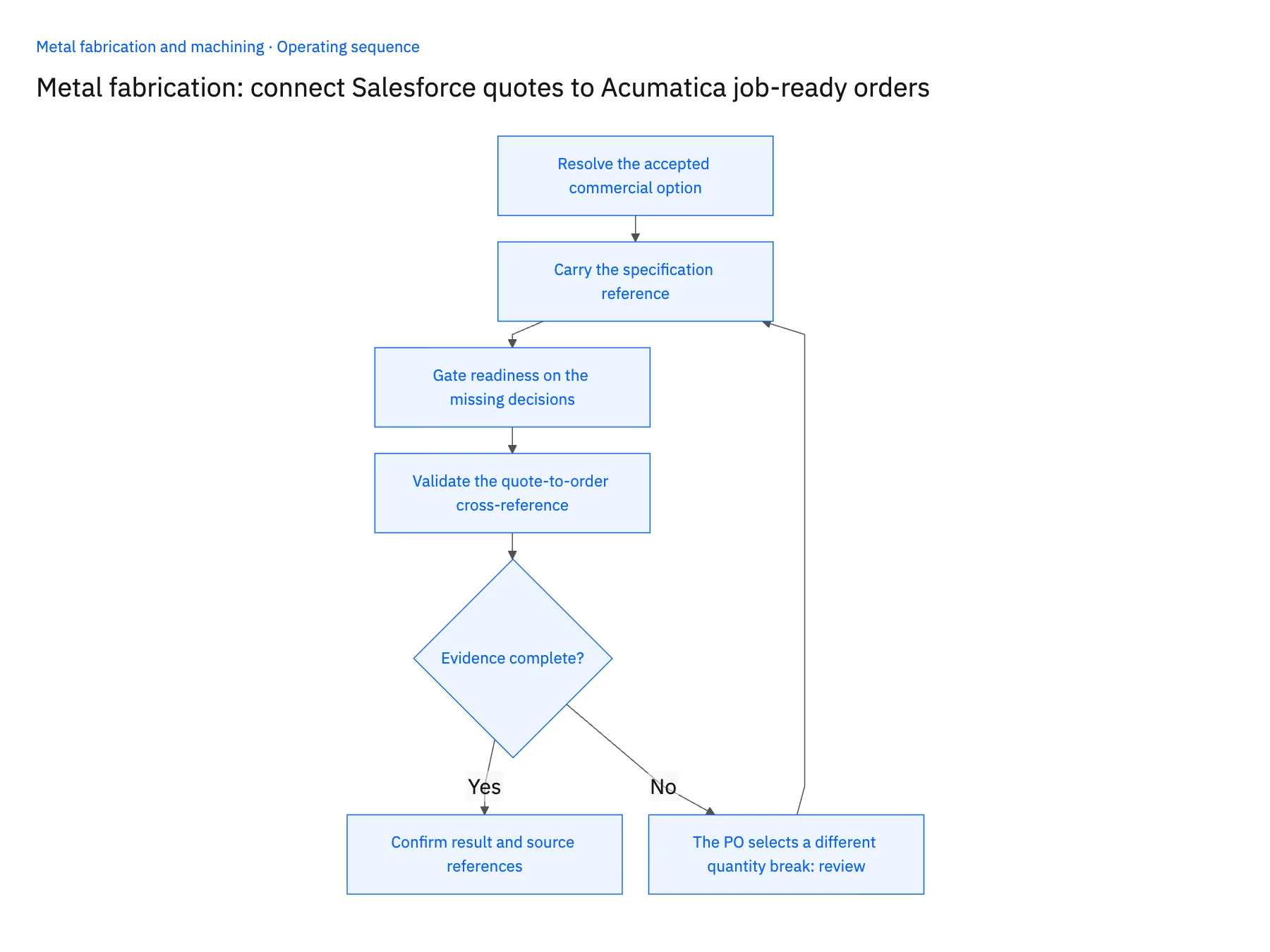
- 01Resolve the accepted commercial optionCompare the customer’s purchase order with the quote options. Identify the selected quantity, price and delivery assumptions. If a PO mixes terms from different quote versions, record the differences for estimating rather than automatically selecting whichever value appeared most recently.
- 02Carry the specification referenceLink the approved drawing and relevant material or finish requirements to the order handoff. Keep a reviewable reference to the source document. A text description copied into an item field should not replace the engineering record that governs the manufactured part.
- 03Gate readiness on the missing decisionsList the engineering, credit and subcontract confirmations required before the order is job-ready. Publish each incomplete condition to sales with an owner. The integration can reduce status chasing while leaving the actual release decision with planning.
- 04Validate the quote-to-order cross-referenceUse a repeated approved quote and a changed drawing in the demonstration. Confirm that a replay resolves the existing order, while the changed scope opens a review. Test the exact Acumatica endpoint operation under the intended role before enabling destination changes.
Handle the exceptions explicitly
The PO selects a different quantity break
Ask estimating to confirm pricing and schedule effects. Do not prorate a quoted price automatically when the manufacturing assumptions differ.
A drawing changes after the quote is accepted
Preserve both revisions and route the delta to engineering and estimating. Keep the current accepted order unchanged until disposition.
Several parts share a customer description
Match customer part and revision references. A common description such as bracket or plate is insufficient to identify the correct item.
What to verify before expanding
- One selected quote option produces one intended order line, while unused options remain non-demand.
- The order handoff exposes the approved drawing revision and any unresolved difference.
- Sales sees job readiness separately from commercial acceptance.
- Replaying the same approved scope retains the existing ERP order reference.

Connect this process to the rest of your operation
Explore Stacksync two-way sync and scope the records and actions against your actual systems. Book a demo with a real accepted quote option example and the exception your team handles most often, for example the PO selects a different quantity break.
- Salesforce and Acumatica two-way sync for metal fabricators
- NetSuite and Postgres two-way sync for machining operations
- Machine shops: connect NetSuite and Postgres outside-processing status
- Metal fabrication: link Dynamics order demand and material certificates in SQL Server
- Metal fabrication outside-processing delays: route late returns to the right job owner
- Acumatica API Integration: A Practical Guide
- Real-Time NetSuite to Database Sync: Implementation Guide and Best Practices
The shared architecture guide covers record matching, ownership, and recovery across systems.
Technical references
FAQ
Frequently asked questions










Related articles





