Automating Quote-to-Cash Between HubSpot and NetSuite
A RevOps guide to automating the manual work that sits on top of a HubSpot and NetSuite sync: getting NetSuite invoice numbers to auto-populate into HubSpot instead of being retyped, pushing a HubSpot quote into NetSuite to be turned into a PDF and routed for approval, and knowing where sync ends and automation begins so it stays cheap and loop-free.
- Author
- Ignacio Malpartida · GTM Engineer
- Published
- Updated
- Read time
- 10 min read

Once HubSpot and NetSuite are syncing, the records match. The contact in the CRM and the customer in the ERP line up, deals carry the right amounts, and everyone is looking at the same numbers. That is the foundation. It is also where most integrations stop, and it is not where the time goes.
The time goes into the manual work that sits on top of the sync. A NetSuite invoice number retyped into HubSpot so a rep can see it. A quote built in HubSpot handed to sales support to rekey into NetSuite, turn into a PDF, and route for approval. These are small tasks that happen on every deal, and they are exactly the kind of busywork a good integration should absorb. This guide shows how to automate them.
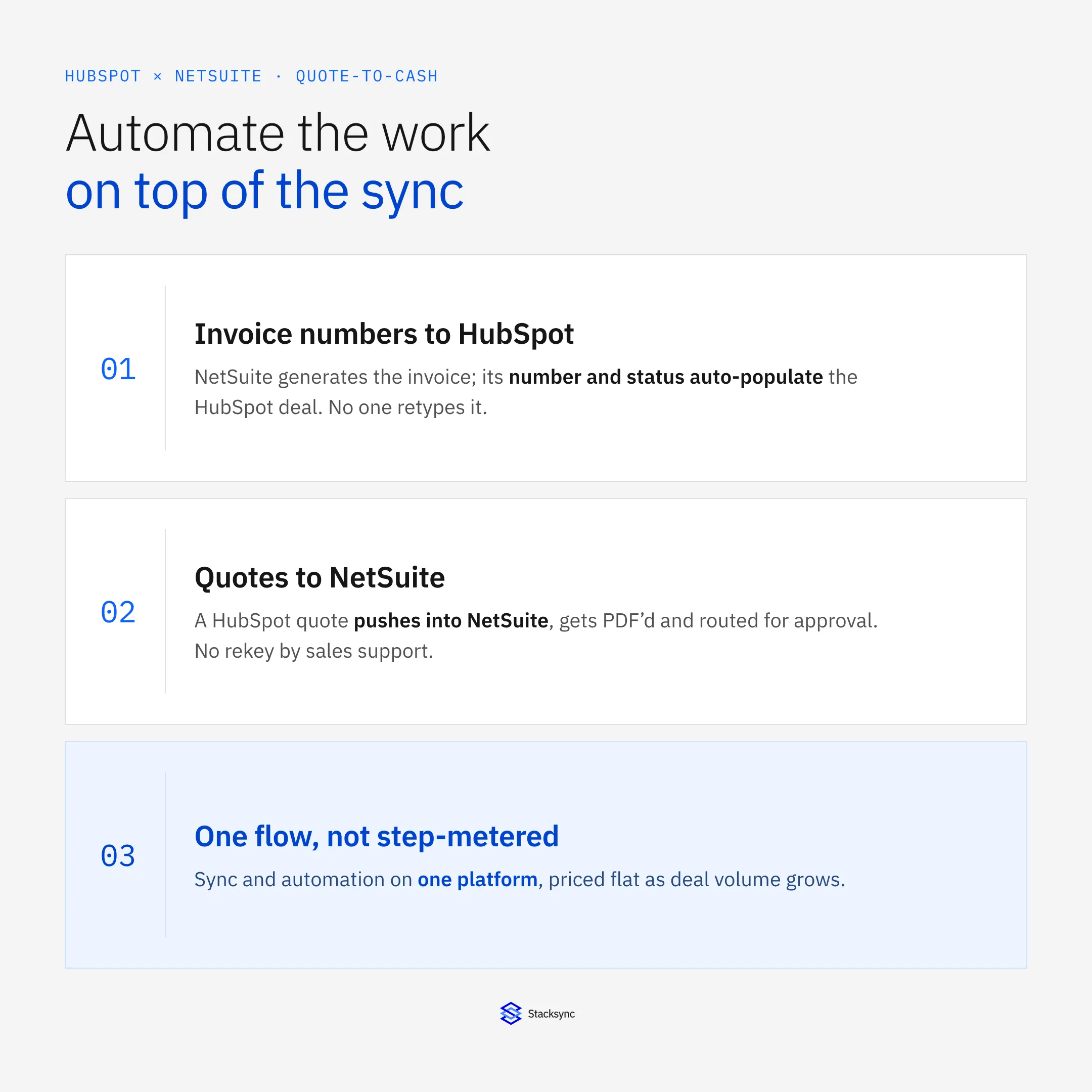
The setup below assumes a managed sync and automation platform such as Stacksync connecting HubSpot and NetSuite. For methods, field mapping, and cost across the whole integration, see the HubSpot and NetSuite integration guide. This post is about the layer above the sync: the automations that remove data entry from every deal.
Sync is the foundation, not the finish line
It helps to separate two jobs that often get lumped together. Sync keeps the same fields matching across both systems, both ways, so a change in one lands in the other. Automation is the layer above it: the actions that fire when data changes, like creating an order, generating a document, or writing a value back. A quote-to-cash flow needs both, and they play different roles.
Sync gives every automation trustworthy data to act on. Automation removes the manual steps that a plain sync leaves in place. Without automation, a sync can keep a deal amount and a customer record aligned, but a person still has to turn that deal into a NetSuite order and copy the resulting invoice number back. Put the two together and the handoff from sales to finance runs without anyone retyping anything.
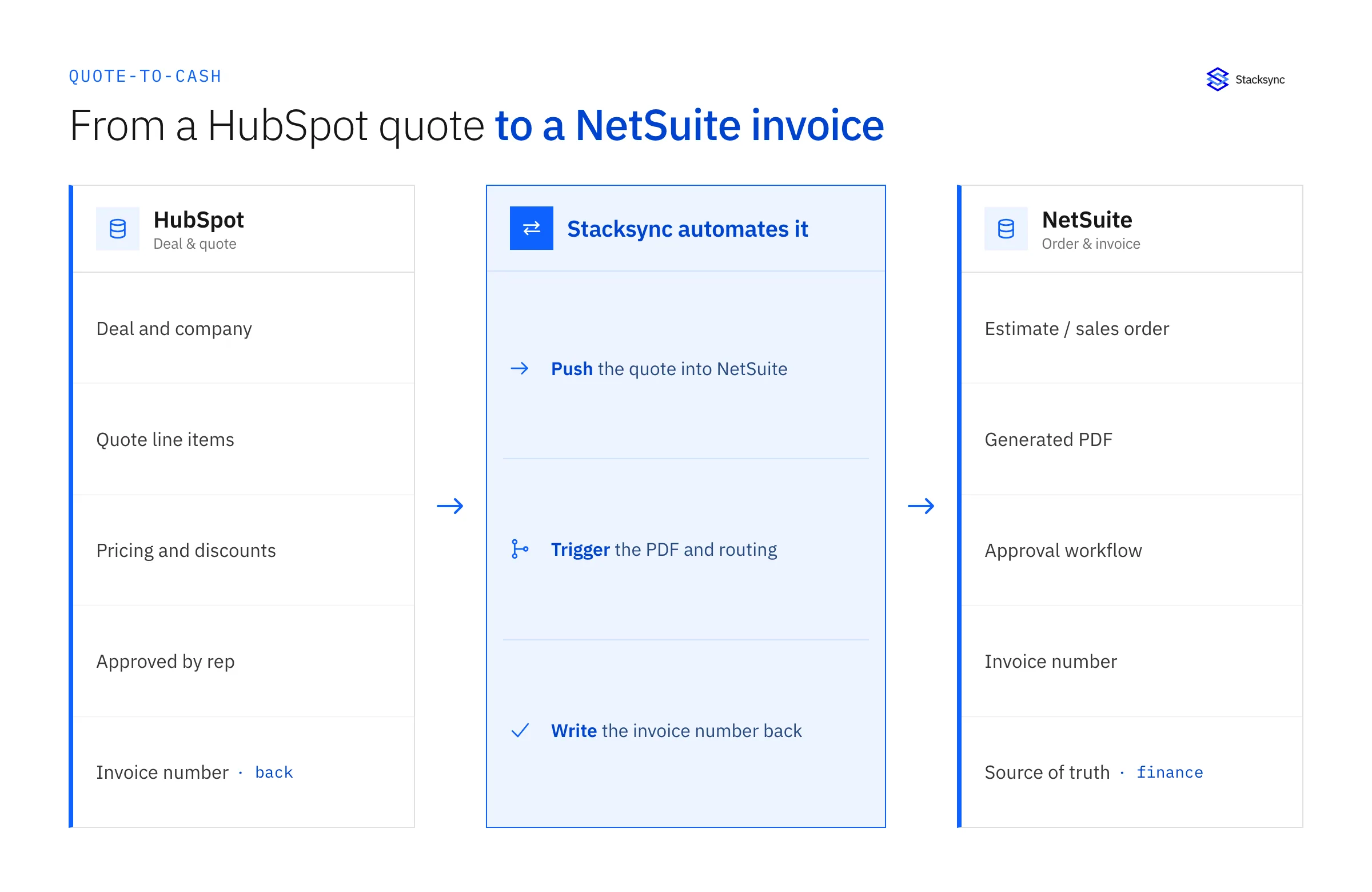
The two automations below are the ones teams ask for first, because they are the two most common places a person is stuck copying data between HubSpot and NetSuite by hand.
Auto-populate NetSuite invoice numbers into HubSpot
Here is the pattern. A deal closes, NetSuite generates the invoice, and NetSuite assigns the invoice number. That number matters to the sales side, because reps and account managers want to see it on the deal in HubSpot without opening NetSuite. So today someone looks it up in the ERP and types it into a HubSpot property. Every invoice, by hand.
Automating it is straightforward once the sync is in place. The HubSpot record and the NetSuite record are already matched on a stable key, usually the NetSuite internal ID stored as an external ID in HubSpot. When NetSuite creates the invoice, the invoice number, amount, and status write onto the matching HubSpot deal or company automatically. Field-level direction controls in the two-way sync keep these values owned by NetSuite, so HubSpot displays the real number but can never change it.
| NetSuite field | HubSpot property | Direction |
|---|---|---|
| Invoice number | Invoice number (custom property) | NetSuite → HubSpot; read-only in HubSpot |
| Invoice amount | Invoice amount | NetSuite → HubSpot; read-only in HubSpot |
| Invoice status | Payment status | NetSuite → HubSpot; read-only in HubSpot |
| Internal ID | External ID | Key for matching |
A typical field map within the two-way sync: NetSuite invoice values remain read-only in HubSpot so finance data stays authoritative.
The result is that the sales team sees the invoice number the moment it exists, finance never gets a Slack asking for it, and nobody rekeys a value that the system already knows.
Push a HubSpot quote to NetSuite, PDF it, and route it
The second pattern runs the other direction and saves even more time. A rep builds a quote in HubSpot as part of working the deal. To become official it has to exist in NetSuite: as an estimate or sales order, with the right numbering, a generated PDF, and an approval or routing step. Traditionally the rep hands the quote to sales support, who rekey it into NetSuite and produce the document. That handoff is slow, and it is where numbers drift.
Automated, the quote a rep approves in HubSpot pushes into NetSuite as an estimate or sales order, built from the same synced line items and pricing. NetSuite generates the PDF and runs the approval workflow it already has. The rep does not wait on a rekey, sales support is not a bottleneck on every deal, and the quote in NetSuite matches the quote in HubSpot because it came from the same data.
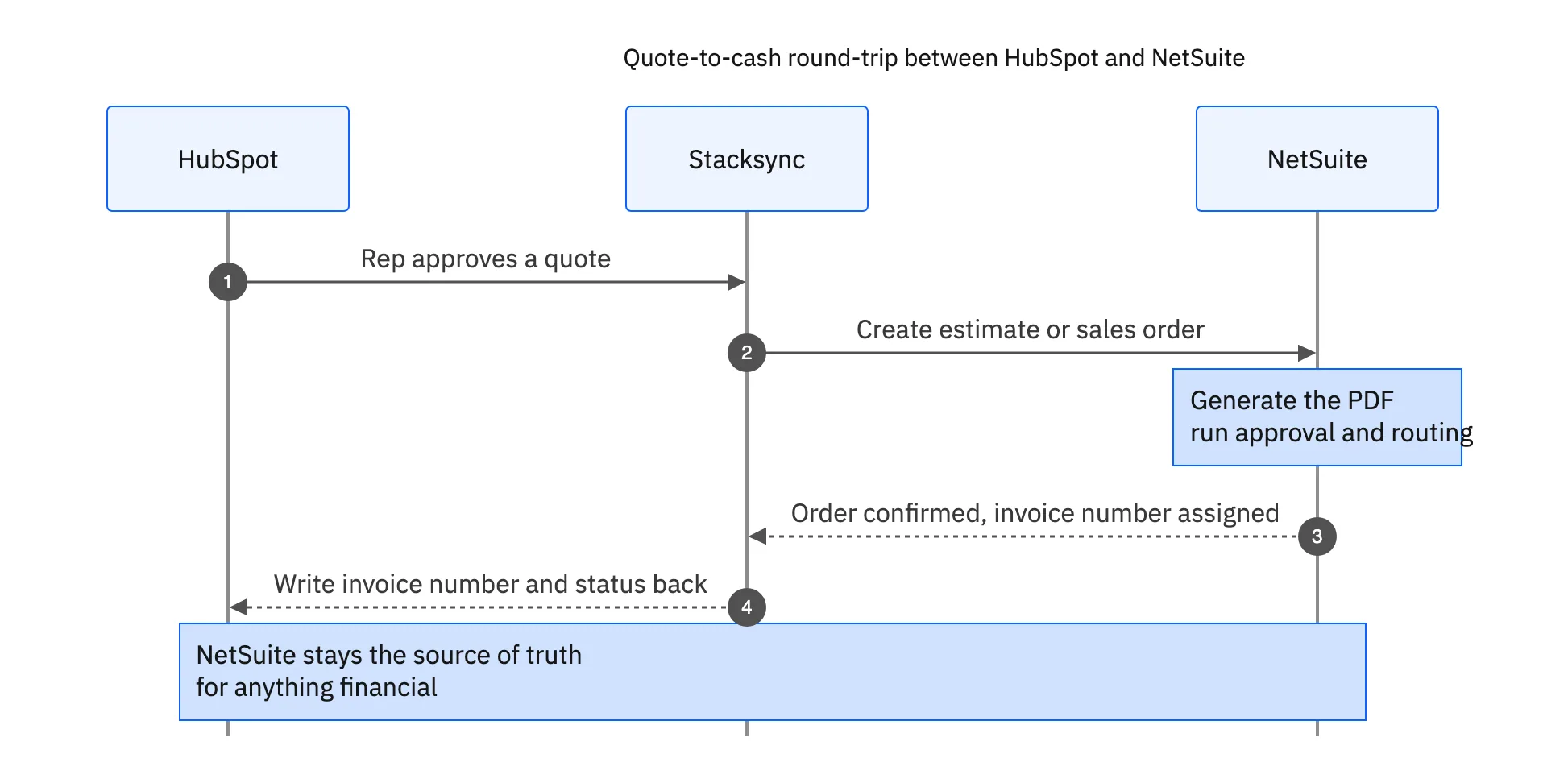
This is the flow that turns a two-person, two-system quoting process into one the rep completes in HubSpot. The automation does the crossing, NetSuite does the documents, and the CRM stays current on where the quote is.
Where the sync stops and automation begins
It is worth being precise about which part is doing what, because it changes how you build it and what it costs. Keeping the deal amount, customer, and line items aligned is sync. Creating the NetSuite order, generating the PDF, and writing the invoice number back are automation actions triggered by that synced data. A platform that does both means you are not stitching a sync tool to a separate automation tool and hoping the two agree.
The pricing trap shows up here. On a tool billed per task or per step, every one of these actions is another metered charge: the quote push, the PDF trigger, the invoice write-back, the status update. Across a month of deals that adds up fast, and the cost grows with your volume. A platform that is not step-metered runs the same actions without turning each one into a line on the bill.
| Quote-to-cash step | Manual today | Step-metered tool | Stacksync |
|---|---|---|---|
| Quote into NetSuite | Sales support rekeys it | Billable step per deal | Automated, not metered |
| PDF and routing | Done by hand in NetSuite | Billable trigger | NetSuite workflow, triggered automatically |
| Invoice number to HubSpot | Copied by hand | Billable step per invoice | Two-way sync with field-level direction controls, not metered |
| Status updates | Chased over Slack | Billable per update | Synced automatically |
The same quote-to-cash steps done manually, on a per-step tool, and on a platform that is not step-metered.
For the deeper reliability case behind this, real-time versus scheduled and why it matters for operational data, see real-time versus batch HubSpot and NetSuite sync.
Keep direction and source of truth clear
Automation that writes into both systems needs clear direction, or it loops. The rule most teams use is simple: NetSuite is the source of truth for anything financial. Quotes can start in HubSpot and push into NetSuite, but once NetSuite assigns an invoice number and status, the two-way sync returns those values as read-only HubSpot fields. HubSpot displays them and never overwrites them.
- Quotes: originate in HubSpot, push into NetSuite as estimates or orders.
- Invoice number and status: generated in NetSuite and displayed as read-only fields in HubSpot within the two-way sync.
- Contacts and companies: two-way, so either team can keep them current.
- Amounts on a posted invoice: NetSuite only, never editable from the CRM.
Setting direction per field this way is what keeps a quote-to-cash automation clean. Nothing writes back over the system that owns it, so there is no loop and no fight over which number is right. For how source of truth and conflict resolution work when records disagree, see syncing custom fields from a legacy NetSuite to HubSpot.

Apply this in nutrition and supplements: sample request and sample approval
A nutrition-brand sample request is an earlier commercial handoff that can feed the HubSpot–NetSuite order process. Track the approved samples and actual shipment, then keep wholesale account approval and the first paid order distinct from the sample activity itself.
| Record to reconcile | Responsible owner | Rule to preserve |
|---|---|---|
| Sample request | Sales | Specify account context, requested products, quantities, reason, and receiving contact. |
| Sample approval | Commercial owner | Approve the allocation and any substitution within the agreed sample policy. |
| Fulfillment result | Operations | Record actual shipped items and tracking evidence against the sample request. |
An exception to plan for: Repeated request from another rep. Compare the account and request history before approving another allocation. Acceptance check for the pilot: sales sees the approved and actually shipped sample items.
The nutrition and supplements hub connects the broader operating context. These guides develop the specific record mappings and decisions for this application:
The win is the layer above the sync
A HubSpot and NetSuite sync that keeps records matching is the price of entry. The payoff is what you build on top: invoice numbers that appear in HubSpot without anyone typing them, quotes that become NetSuite documents without a rekey, and a sales-to-finance handoff that runs itself. That is the difference between an integration that keeps data tidy and one that gives your team its time back.
Because these automations sit on the same platform as the sync, and it is not step-metered, they stay cheap as volume grows and stay consistent because they act on the same data. To map your own quote-to-cash flow between HubSpot and NetSuite, book a demo.

FAQ
Frequently asked questions










Related articles