






















Missing COAs and Batch Mismatches: Exception Handling for Nutrition Brand Agents
Two plausible COAs, one a newer draft, and a shortened lot code: the safe path holds both candidates, names the missing characters, and lets quality pick.
- Author
- Ignacio Malpartida · GTM Engineer
- Published
- Read time
- 5 min read

The operating decision
Design a nutrition document agent to stop when a COA is missing, the lot does not match, or approval and sharing status are unclear. Preserve the verified part of the request and send a precise question to the document owner. Similar filenames, product names, or dates cannot establish that a document covers the requested batch.
Explore the complete nutrition and supplements integration and automation hub for the systems and processes around this guide.
What this looks like in nutrition and supplements
A buyer supplies a shortened lot code. The repository contains two plausible COAs, and one is a draft with a later upload date. An unsafe agent chooses the newest file. A useful exception path records both candidates, identifies the missing lot characters, and asks quality to establish the correct approved document.
Records, ownership, and update rules
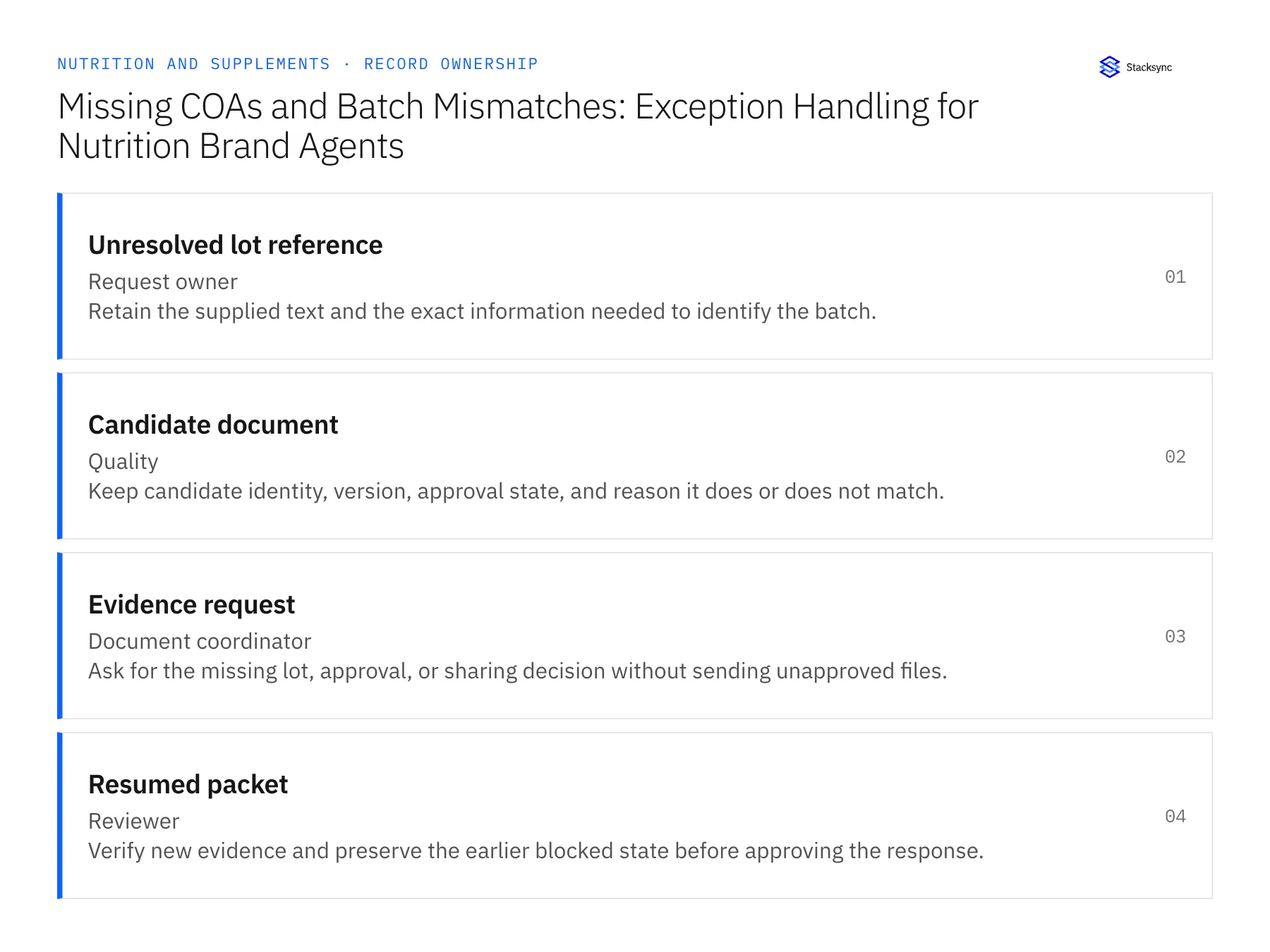
| Record | Owner | Operating rule |
|---|---|---|
| Unresolved lot reference | Request owner | Retain the supplied text and the exact information needed to identify the batch. |
| Candidate document | Quality | Keep candidate identity, version, approval state, and reason it does or does not match. |
| Evidence request | Document coordinator | Ask for the missing lot, approval, or sharing decision without sending unapproved files. |
| Resumed packet | Reviewer | Verify new evidence and preserve the earlier blocked state before approving the response. |
Work through the process
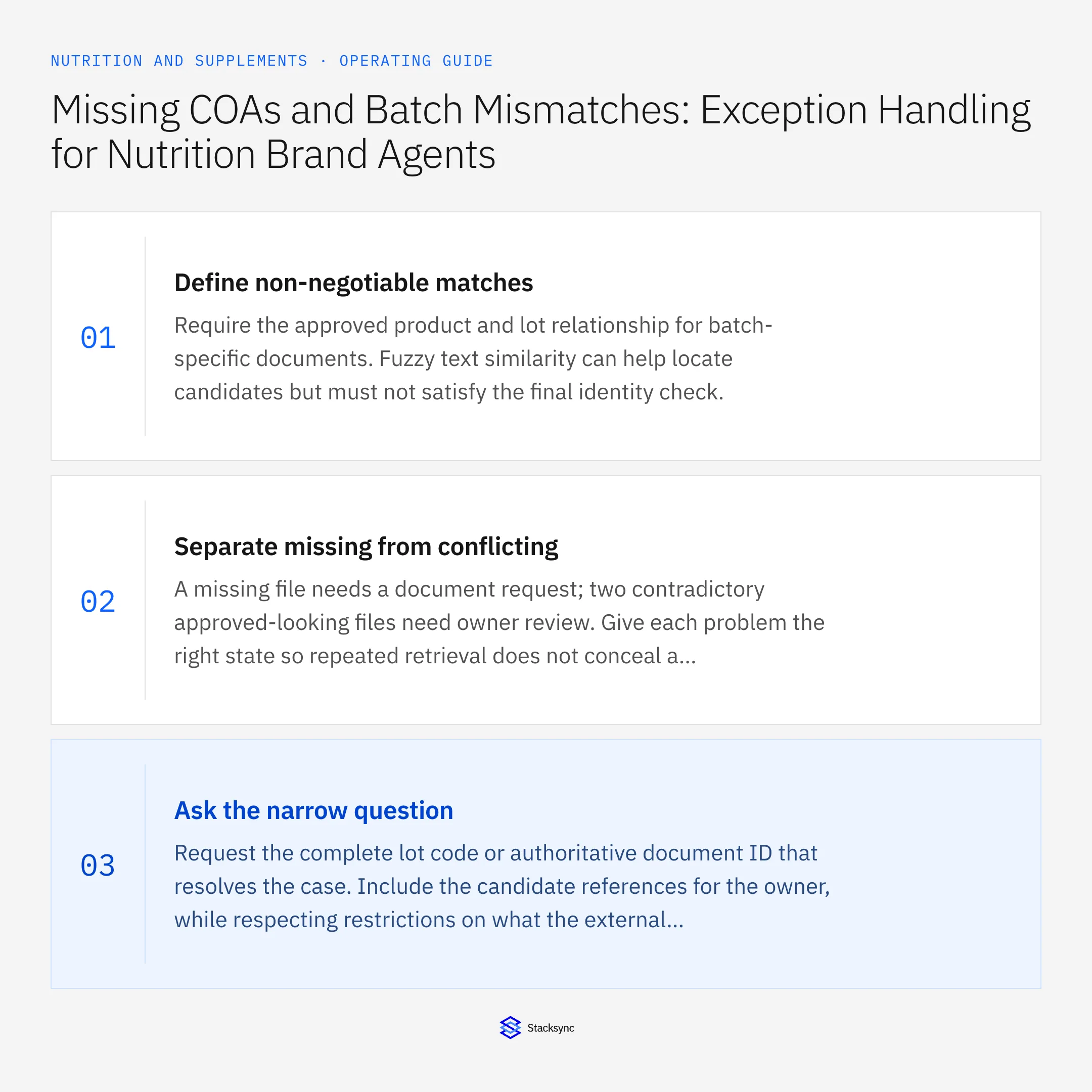
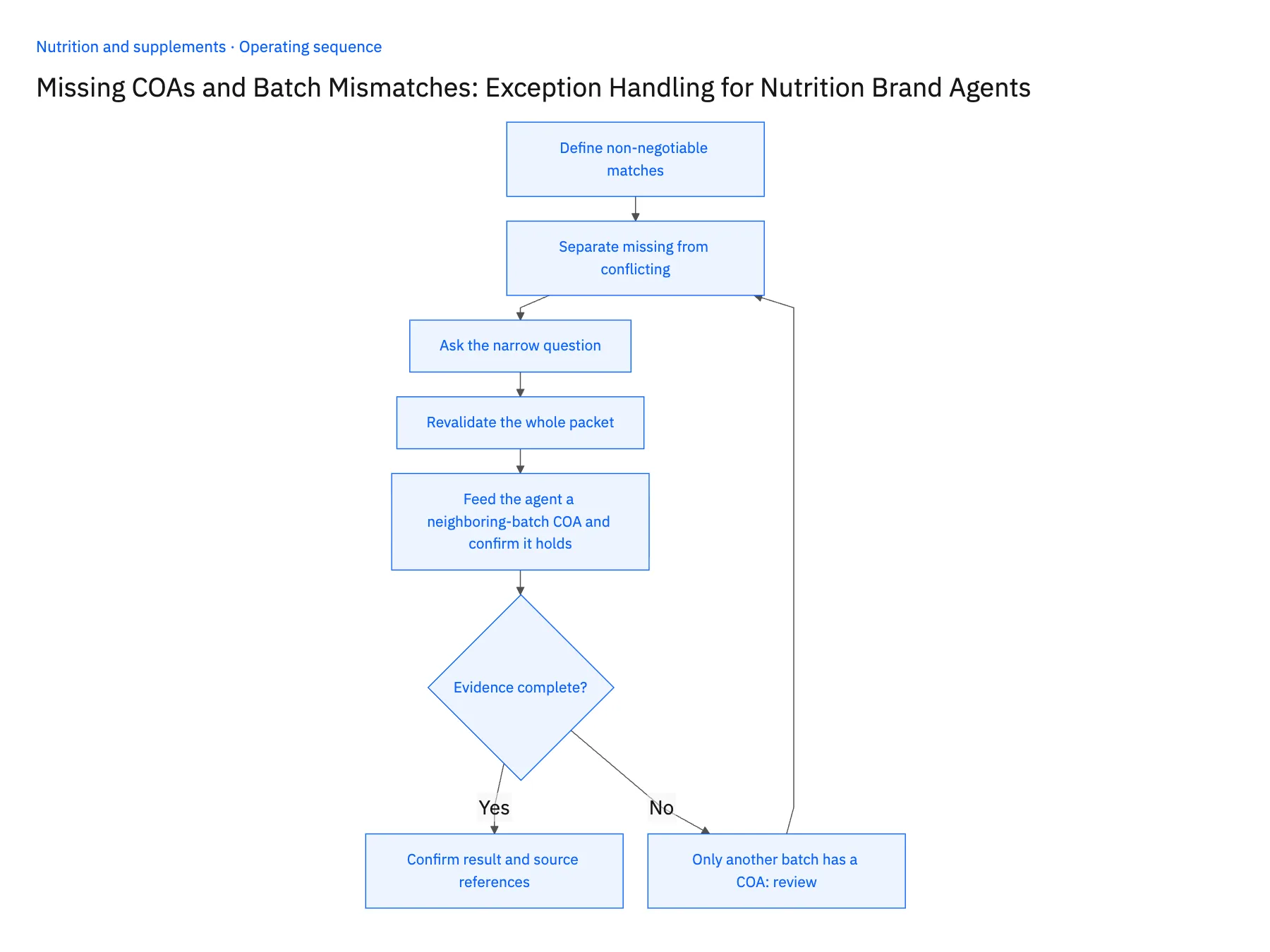
- 01Define non-negotiable matchesRequire the approved product and lot relationship for batch-specific documents. Fuzzy text similarity can help locate candidates but must not satisfy the final identity check.
- 02Separate missing from conflictingA missing file needs a document request; two contradictory approved-looking files need owner review. Give each problem the right state so repeated retrieval does not conceal a version-control issue.
- 03Ask the narrow questionRequest the complete lot code or authoritative document ID that resolves the case. Include the candidate references for the owner, while respecting restrictions on what the external requester can see.
- 04Revalidate the whole packetWhen a corrected file arrives, check its scope, approval, and sharing status again. A resolved filename mismatch does not automatically resolve permission or version conflicts.
- 05Feed the agent a neighboring-batch COA and confirm it holdsSet up a test where the repository holds an approved COA for the adjacent batch and nothing for the requested one. The case the agent prepares must stay incomplete, with the adjacent file listed as a rejected candidate and the rejection reason stated (batch does not match), and the outgoing evidence request must go to quality without an attachment. Open the case as the reviewer and confirm you can read why each candidate was accepted or rejected without opening the files. Stop the rollout if the adjacent COA appears in the proposed packet, if the reason field is blank, or if the request went out with an unapproved file attached.
Handle the exceptions explicitly
Only another batch has a COA
Keep the request incomplete and ask for the required document; never substitute.
File was superseded
Exclude it and identify the approved replacement or route to the owner.
Request changes to another product
Create a revised scope and rerun identity checks instead of reusing the old approval.
What to verify before expanding
- No unresolved lot match can produce an approved external attachment.
- The reviewer sees the reason a candidate was rejected or accepted.
- A COA for a neighboring batch cannot fill the missing document slot, even when its product name and date appear suitable.
- Changing the requested product invalidates the prior packet approval and reruns product, lot, version, and permission checks.

Connect this process to the rest of your operation
Explore Stacksync AI agents (Genies) and scope the records and actions against your actual systems. Book a demo with a real unresolved lot reference example and the exception your team handles most often, for example only another batch has a COA.
- AI Agents for Nutrition Product and Batch-Document Requests
- AI Agents for Nutrition Brands: Assemble Product and Batch-Document Requests
- EDI for Supplement Brands Entering Retail: Validate Item Numbers and Pack Configurations
- Shopify–NetSuite Sync for Nutrition Brands: Map Flavors, Serving Sizes, and Bundle SKUs
- NetSuite AI Agents FAQ: Smarter Automation
- Syncing Custom Fields From a Legacy NetSuite to HubSpot
The shared architecture guide covers record matching, ownership, and recovery across systems.
Technical references
FAQ
Frequently asked questions










Related articles





