






















AI Agents for Nutrition Brands: Assemble Product and Batch-Document Requests
A buyer wants documents for one batch of powder: the Genie joins the sales sheet, the lot association, and quality's approved file into a packet a person signs off.
- Author
- Ignacio Malpartida · GTM Engineer
- Published
- Read time
- 5 min read

The operating decision
A nutrition-brand Genie can find and assemble approved product and batch documents for a specific request. It should verify the product, lot, document version, and sharing permission before proposing a response. The job retrieves existing evidence; it does not generate a certificate of analysis or independently certify a product’s quality.
Explore the complete nutrition and supplements integration and automation hub for the systems and processes around this guide.
What this looks like in nutrition and supplements
A wholesale buyer asks for documents covering a particular batch of powder. Sales has a product sheet, operations has the lot association, and quality owns the approved batch document. The Genie can connect those references and prepare a packet, but a similar product name or nearby lot number is not an acceptable substitute.
Records, ownership, and update rules
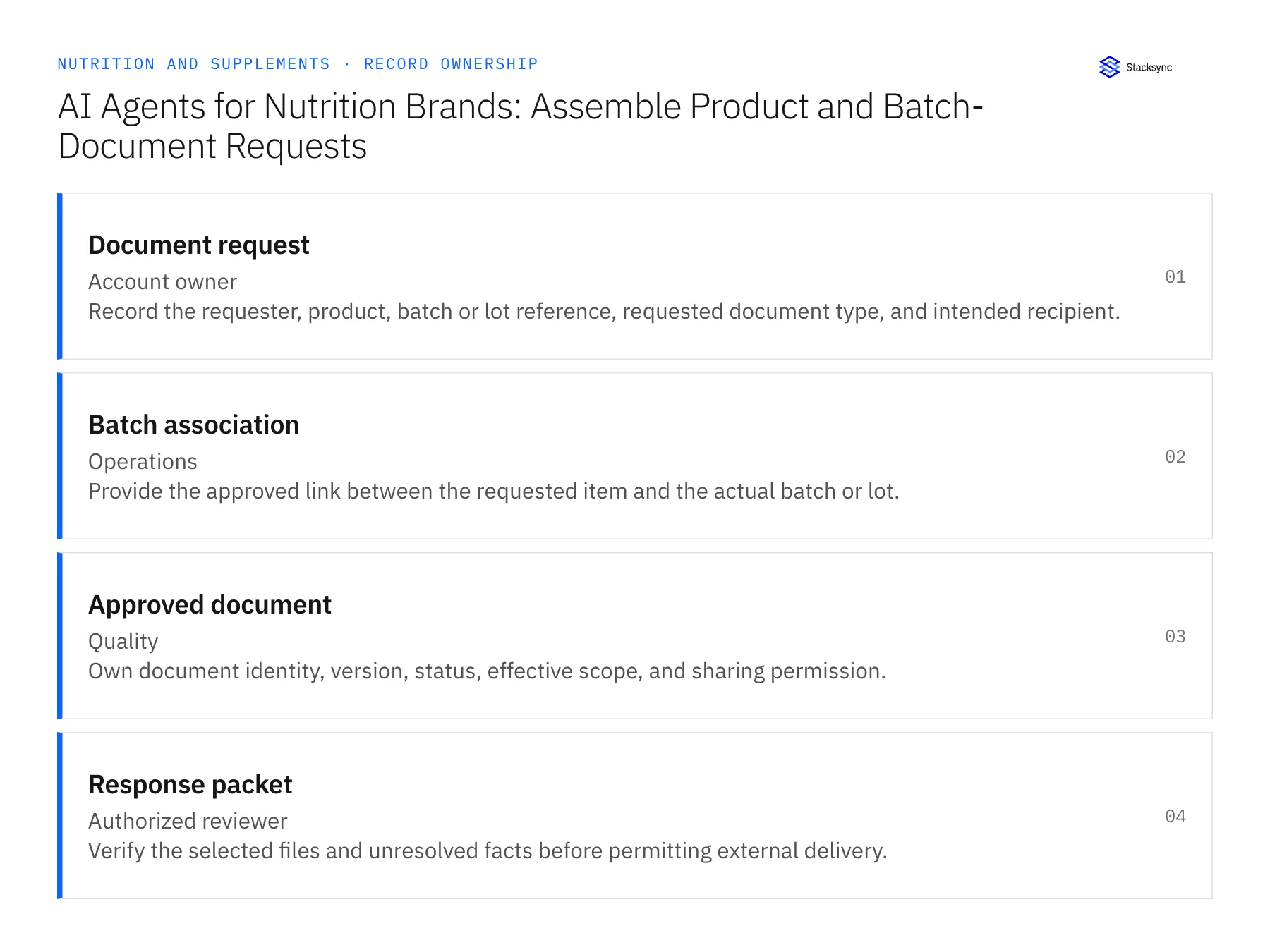
| Record | Owner | Operating rule |
|---|---|---|
| Document request | Account owner | Record the requester, product, batch or lot reference, requested document type, and intended recipient. |
| Batch association | Operations | Provide the approved link between the requested item and the actual batch or lot. |
| Approved document | Quality | Own document identity, version, status, effective scope, and sharing permission. |
| Response packet | Authorized reviewer | Verify the selected files and unresolved facts before permitting external delivery. |
Work through the process
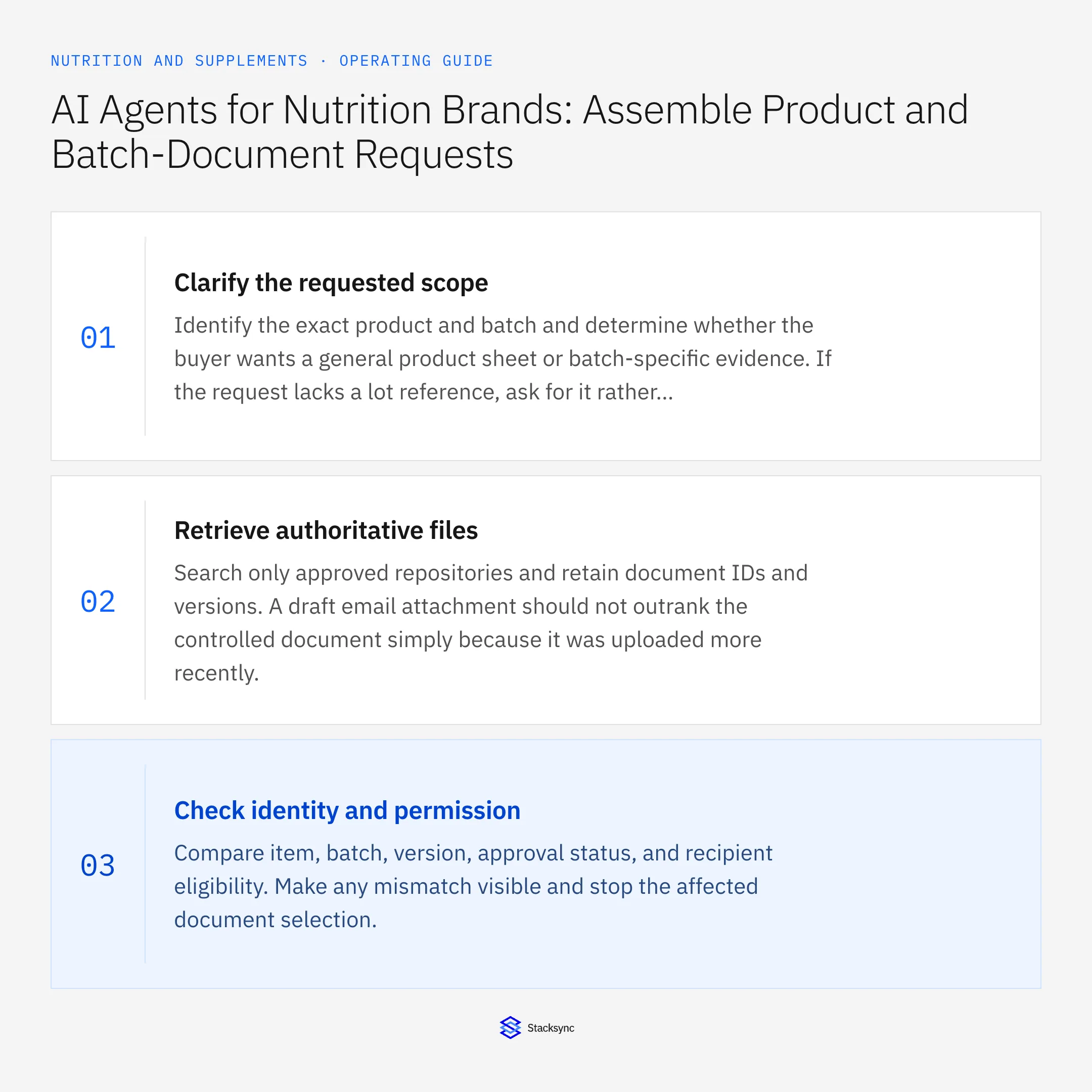
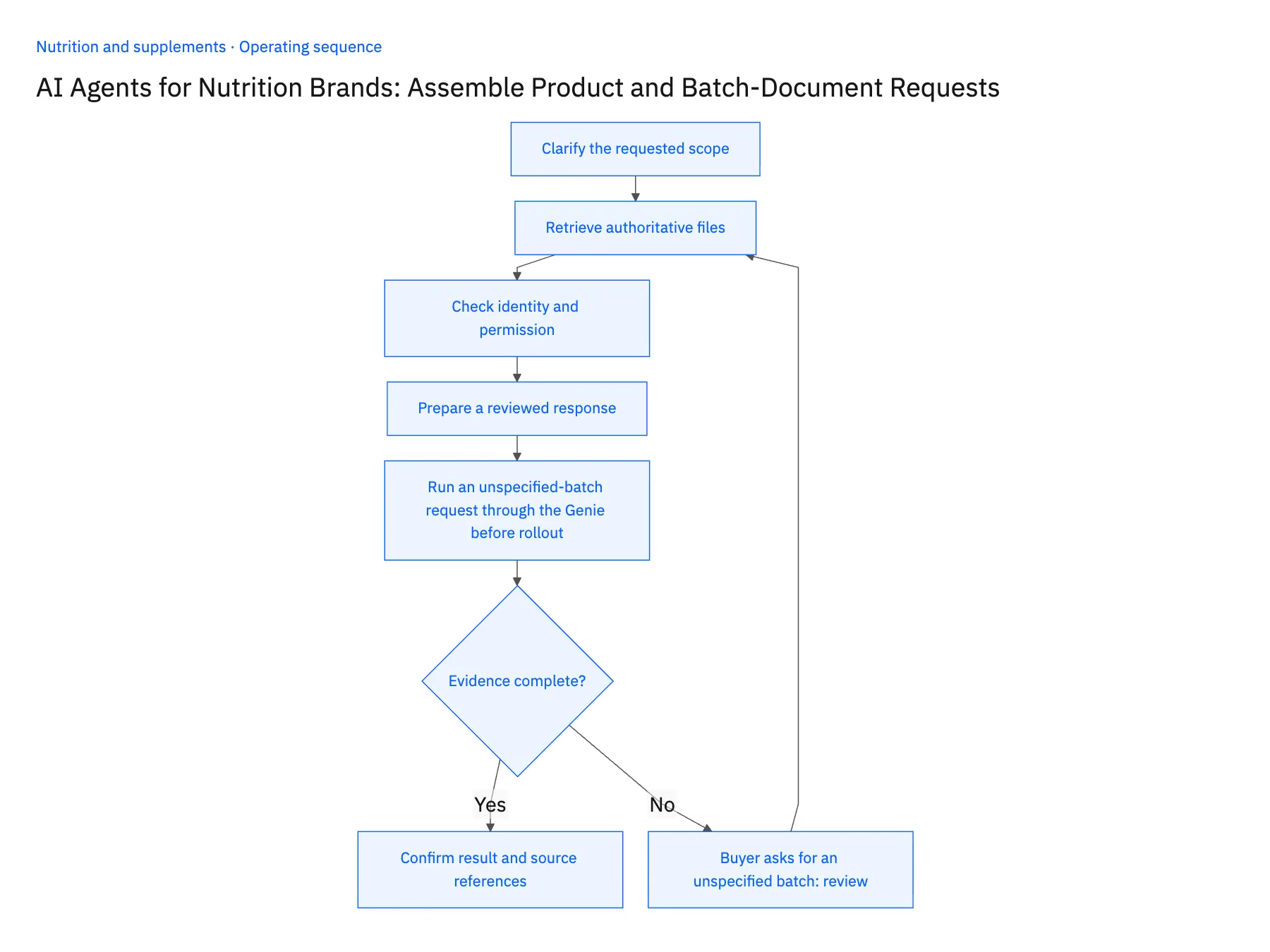
- 01Clarify the requested scopeIdentify the exact product and batch and determine whether the buyer wants a general product sheet or batch-specific evidence. If the request lacks a lot reference, ask for it rather than guessing from the most recent shipment.
- 02Retrieve authoritative filesSearch only approved repositories and retain document IDs and versions. A draft email attachment should not outrank the controlled document simply because it was uploaded more recently.
- 03Check identity and permissionCompare item, batch, version, approval status, and recipient eligibility. Make any mismatch visible and stop the affected document selection.
- 04Prepare a reviewed responseList the selected documents, their matching evidence, and any missing item. Draft the response for the authorized owner without presenting the agent’s retrieval as independent quality certification.
- 05Run an unspecified-batch request through the Genie before rolloutSend the Genie a buyer email that names the product but no lot. The case it prepares should ask the requester for the lot reference or offer only the approved general product sheet. Then send a request with a full lot code and open the packet: each attached file's product and batch fields, read from NetSuite and Postgres, must match the request exactly, and the draft reply must describe the files as retrieved approved documents, not as a quality statement. Stop the rollout if the agent picked the most recent lot to fill the gap, attached a file whose batch differs, or wrote anything that reads as certifying the product.
Handle the exceptions explicitly
Buyer asks for an unspecified batch
Request the missing reference or offer only an approved general document with clear scope.
Document is marked draft
Exclude it from the proposed external packet and route to quality.
Sharing restriction applies
Escalate to the document owner rather than attach the file automatically.
What to verify before expanding
- Every attached document matches the approved product and batch scope.
- The response distinguishes document retrieval from quality certification.
- A draft batch document or a file restricted for the intended recipient is excluded from the proposed external packet.
- A repeated request reuses the case but rechecks current document approval and sharing permission before a later response.

Connect this process to the rest of your operation
Explore Stacksync AI agents (Genies) and scope the records and actions against your actual systems. Book a demo with a real document request example and the exception your team handles most often, for example buyer asks for an unspecified batch.
- AI Agents for Nutrition Product and Batch-Document Requests
- Missing COAs and Batch Mismatches: Exception Handling for Nutrition Brand Agents
- EDI for Supplement Brands Entering Retail: Validate Item Numbers and Pack Configurations
- Shopify–NetSuite Sync for Nutrition Brands: Map Flavors, Serving Sizes, and Bundle SKUs
- NetSuite AI Agents FAQ: Smarter Automation
- NetSuite Returns Dashboard via SuiteQL Query
The shared architecture guide covers record matching, ownership, and recovery across systems.
Technical references
FAQ
Frequently asked questions










Related articles






