






















How to Cut Salesforce AI Agent Costs Before MCP Metering Starts
Salesforce will bill every successful agent call. Seven ways to cut calls per task: combined SOQL, cached schema, Flow tools, scoped servers, and serving agent reads from a synced database.
- Author
- Ignacio Malpartida · GTM Engineer
- Published
- Read time
- 6 min read

How do you cut Salesforce agent costs?
Short answer: Salesforce will charge a flat number of Flex Credits for each successful call a registered agent makes, so your bill tracks calls per task. Cut calls by combining reads into one SOQL query, caching schema, calling Flows instead of chaining writes, giving each agent the narrowest server, and serving heavy reads from a synced database copy of Salesforce. Measure first in a sandbox, where Salesforce doesn't meter calls.
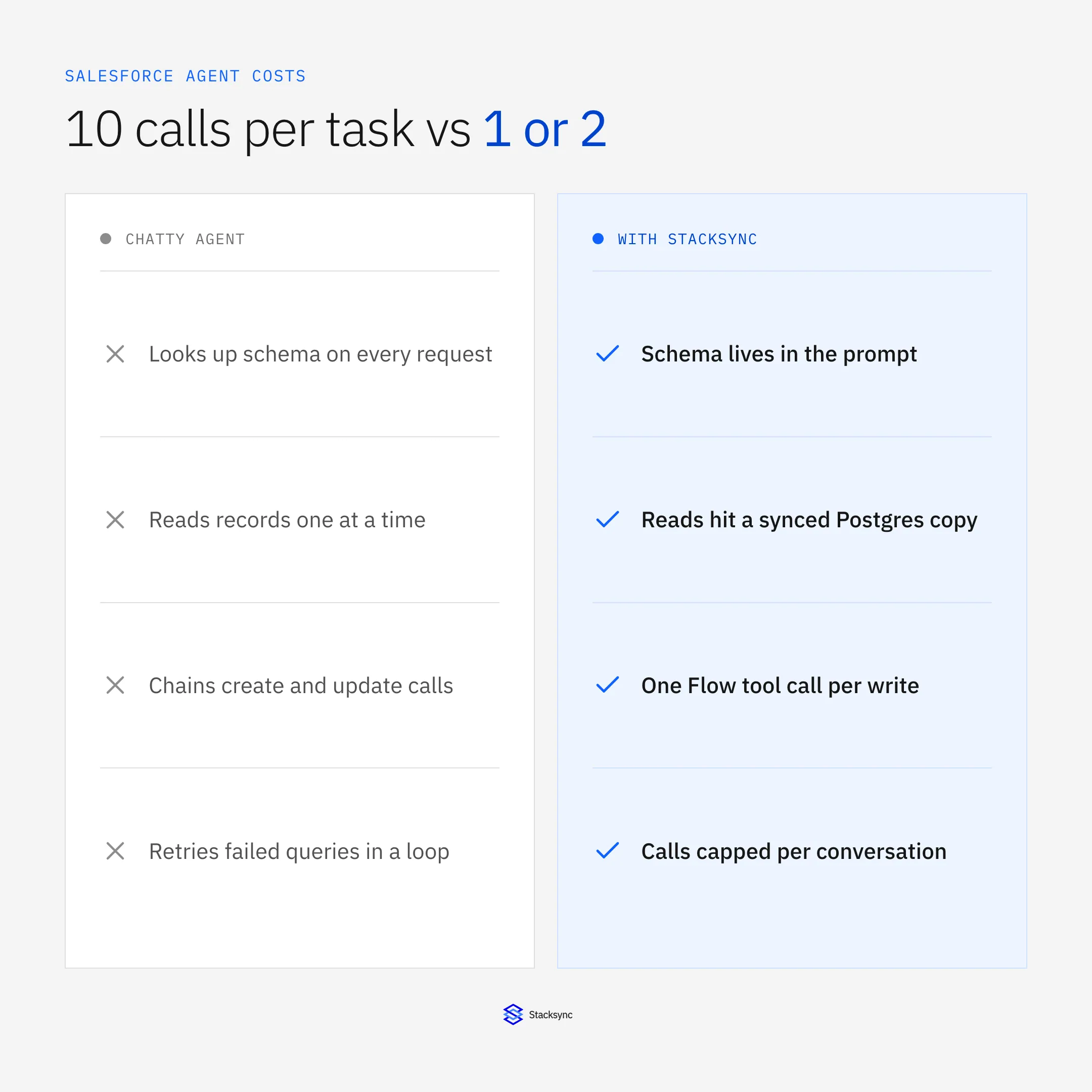
Why calls per task decide your bill
Salesforce prices each Headless Platform Interaction (HPI) the same. A Salesforce spokesperson told Salesforce Ben that the number of interactions "depends entirely on the third-party agent's behavior and the specific implementation." Two agents that deliver the same answer can differ fivefold in cost.
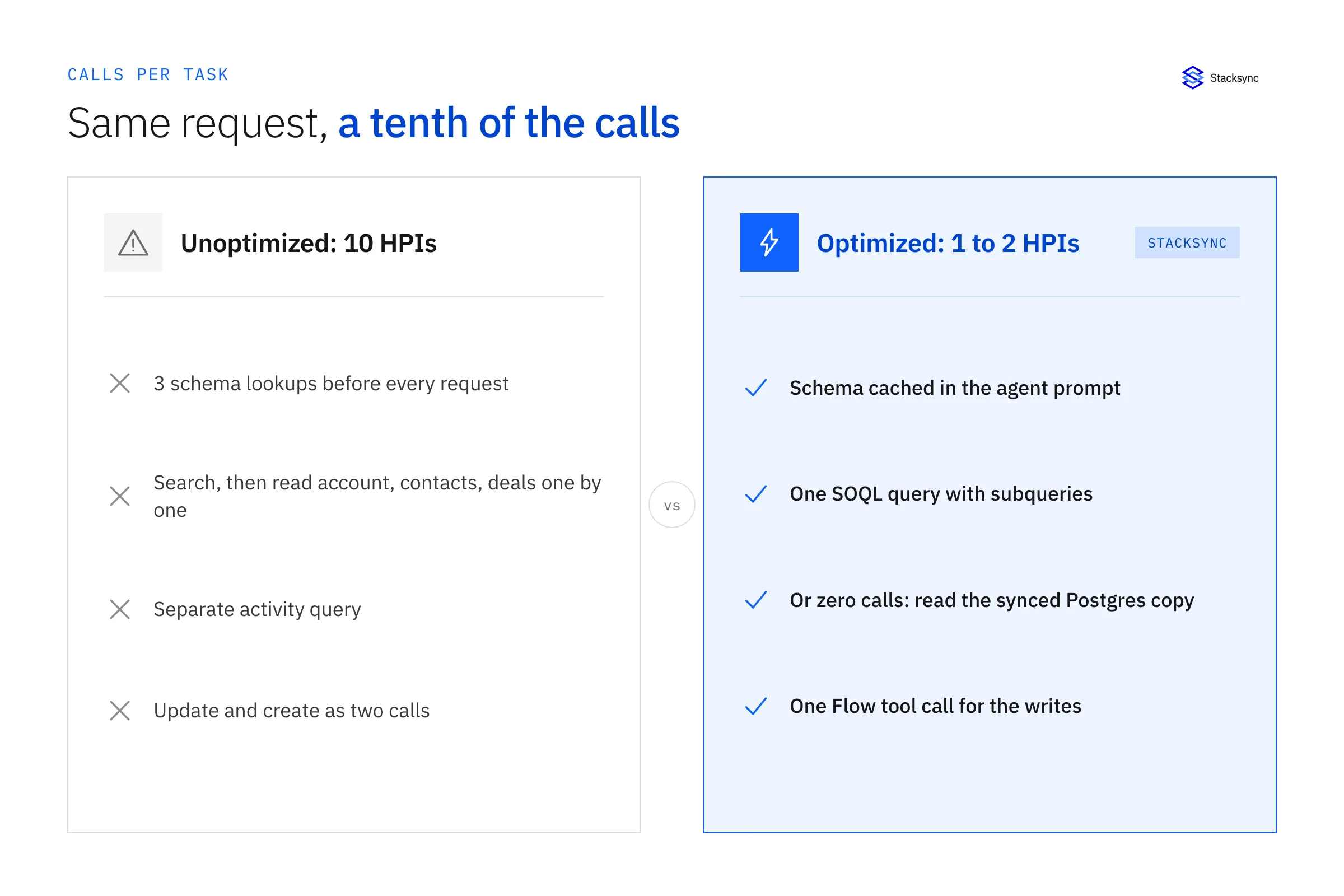
Take one request: "Research Acme, update the renewal opportunity, and log a follow-up." Here is what an unoptimized agent often does on the hosted MCP server:
- 01
getObjectSchema(index) - 02
getObjectSchema(Account) - 03
getObjectSchema(Opportunity) - 04
findfor "Acme" - 05
soqlQueryfor the account - 06
getRelatedRecordsfor contacts - 07
getRelatedRecordsfor opportunities - 08
soqlQueryfor recent activities - 09
updateSobjectRecordon the opportunity - 10
createSobjectRecordfor the task
That's 10 HPIs. The tactics below take the same request to 3 or fewer. At 20 credits per call, that saves $1.40 per request. Across 5,000 requests a month, it saves $7,000. Run your own numbers with our cost estimates.
1. Measure calls per task in a sandbox first
Salesforce doesn't meter sandboxes, scratch orgs, or Developer Edition orgs. Run each workflow 20 times there and log every tool call. Record the median and the worst case. You can't optimize a number you haven't measured, and you won't get a cheaper chance to measure it.
2. Put the schema in the prompt
Schema calls return the same answer every time. Every successful call still counts. Export the objects and fields each agent needs once, including the admin guidance getObjectSchema returns (such as "use Calculated_ACV__c, not Amount"). Put that into the agent's system prompt or a knowledge file. Refresh it when your metadata changes.
Saves: 2 to 3 calls per request in the example.
3. Combine reads into one SOQL query
SOQL supports parent lookups and child subqueries. One query can return the account, its contacts, and its open opportunities:
SELECT Id, Name, Industry,
  (SELECT Name, Title, Email FROM Contacts),
  (SELECT Name, StageName, Amount, CloseDate FROM Opportunities WHERE IsClosed = false)
FROM Account
WHERE Name = 'Acme Corp'
LIMIT 1
Tell the agent in its instructions to prefer one combined soqlQuery over chains of getRelatedRecords. Use find only when the agent doesn't know which object holds the data.
Saves: 3 to 4 calls per request.
4. Wrap multi-step writes in a Flow or Apex tool
Salesforce lets admins publish Flows, Apex invocable actions, and Apex REST endpoints as custom MCP tools. A "Log Renewal Follow-up" Flow can update the opportunity, create the task, and notify the owner in one tool call. You also get your existing validation and approval logic for free.
Saves: 1 or more calls per write-heavy request, and fewer failed writes.
5. Give each agent the narrowest server
A research agent on sobject-all sees create, update, and delete tools it should never call. Extra tools invite extra calls and risky ones. Connect read-only agents to sobject-reads and write-capable agents to sobject-mutations. The endpoint guide maps each server.
6. Stop loops and retries
Cap tool calls per conversation in your agent harness. Return a clear error and stop after two failed queries instead of letting the model rewrite the query five times. Log calls per task in production so a prompt change that doubles your calls shows up within a day.

7. Serve heavy reads from a synced database
Most agent work is reading. Pipeline reviews, account research, churn scans, and "find every account where…" questions read far more records than they write. The hosted MCP also caps soqlQuery at 50,000 records per transaction and find at 2,000 records.
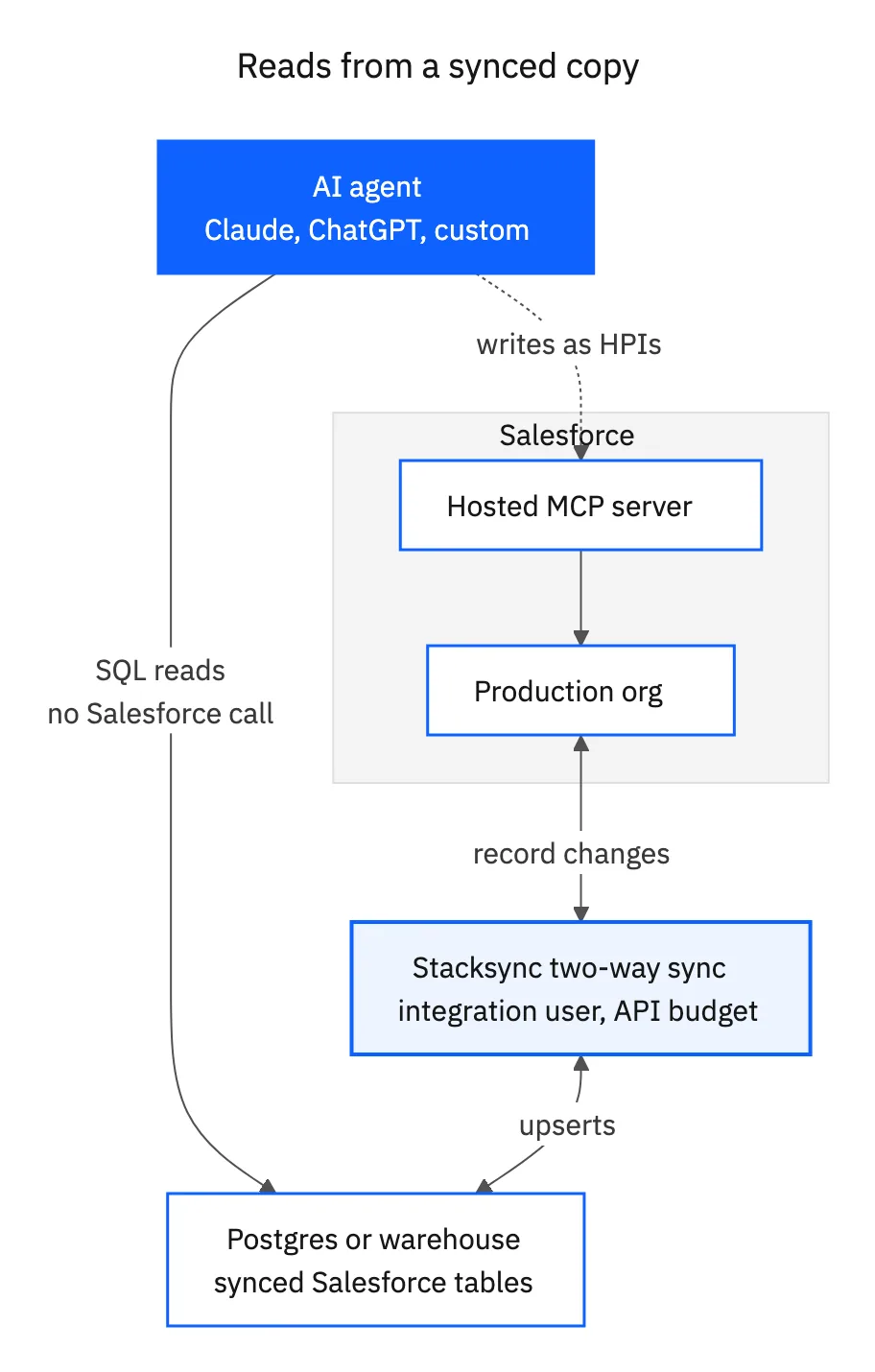
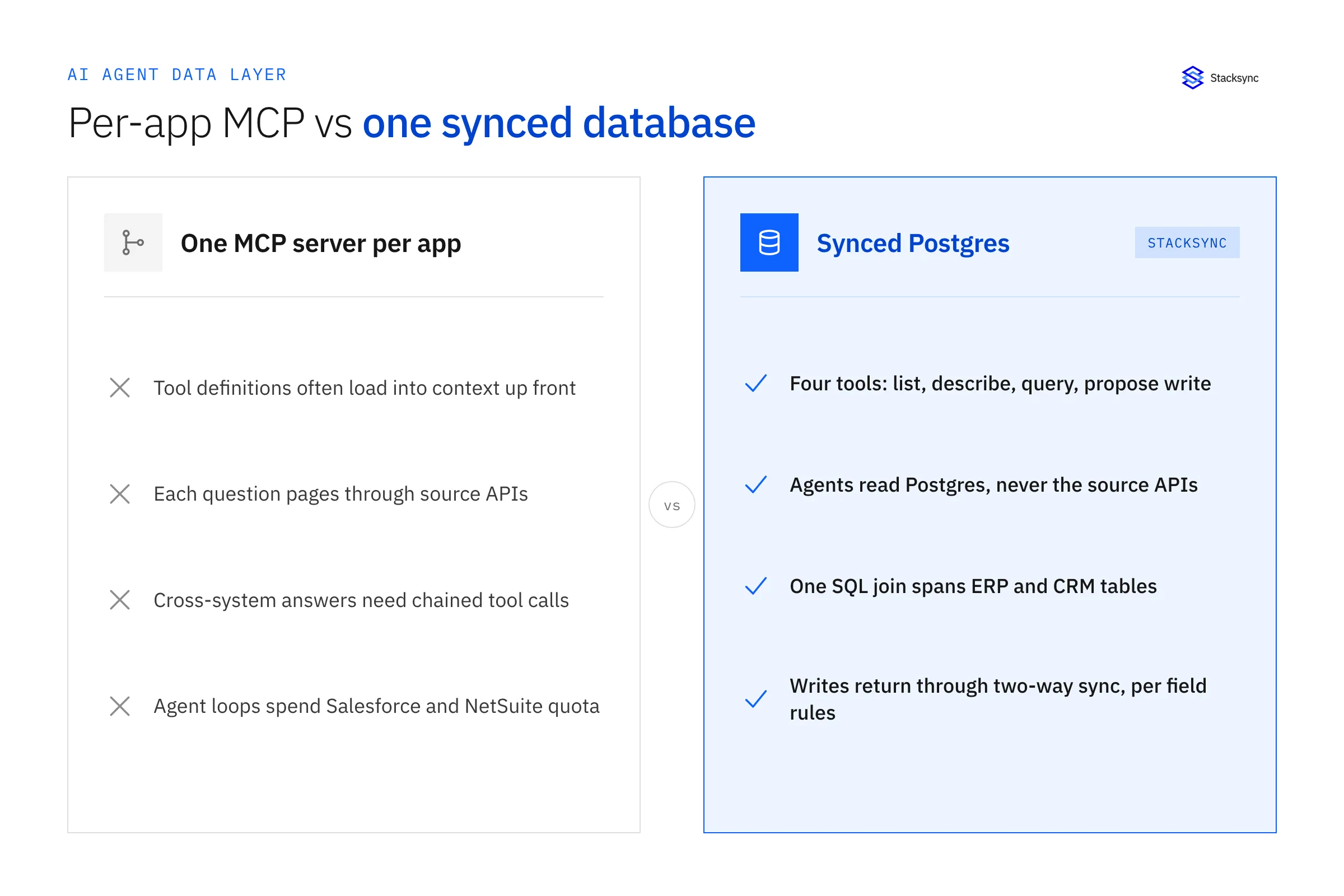
Instead, keep a copy of your Salesforce data in Postgres or a warehouse, and let agents query it with SQL:
| Agent reads Salesforce over MCP | Agent reads a synced database | |
|---|---|---|
| HPIs per read | 1 or more per query | 0. The query never reaches Salesforce |
| Record limits | 50,000 per SOQL transaction, 2,000 per search | Database limits only |
| Joins with other systems | Not possible in one query | Join CRM data with ERP, billing, and product data |
| Writes | Through MCP tools | Write to the database and sync back, or call MCP for the write |
Stacksync keeps Salesforce and your database in two-way sync, so a write in either system shows up in the other. It batches record changes and lets you set API rate ceilings per app, which keeps the sync itself inside your Salesforce API budget. See how the sync handles API limits, and our comparison of per-app MCP servers vs one synced database.
A caveat you must resolve. Salesforce says traditional, non-agentic integrations, such as a scheduled middleware sync, keep their current pricing. It hasn't published how it classifies integration traffic that an agent triggers indirectly, such as an agent writing to Postgres and a sync carrying the change to Salesforce. Ask your account executive for a written answer before you build pricing or contracts on this architecture.
Saves: every read the agent would otherwise make against Salesforce.
The optimized version of the example
| Step | Unoptimized | Optimized |
|---|---|---|
| Schema discovery | 3 calls | 0 (in prompt) |
| Find and read account, contacts, opportunities, activities | 5 calls | 1 combined SOQL, or 0 from the database |
| Update opportunity and create task | 2 calls | 1 Flow tool call |
| Total HPIs | 10 | 1 to 2 |
A rollout plan
- 01This week: inventory every agent and MCP client in production and register them as Salesforce requires. Use our Agentic Identity checklist.
- 02Next two weeks: measure calls per task in a sandbox for your top five workflows.
- 03Next month: apply tactics 2 through 6, then re-measure.
- 04Before metering: move read-heavy workflows to a synced database and set Digital Wallet alerts at your modeled monthly spend.
Sources
- Salesforce Ben, Salesforce Will Charge Flex Credits for Agentic MCP and API Calls (September 24, 2026)
- Salesforce Developers, SObject All MCP Server
- Salesforce Developers, Products Supporting MCP
- Vantage Point, Salesforce Will Meter Agentic MCP and API Calls: What to Do Now

FAQ
Frequently asked questions










Explore these integrations and topics
- connectorSalesforce integrations
- connectorPostgreSQL integrations
- platformDatabase synchronization
- platformAI agent operations
- Database synchronization guidesWork through database change capture, application writes, and reliable record reconciliation.
- AI agent operations guidesExplore practical Genies workflows across industries, with source evidence, human approvals, and confirmed outcomes.
Related articles





