






















Salesforce Agentic Identity: An Admin Checklist Before Agent Metering Starts
Salesforce now requires AI agents to register with their own identity, and it will bill their calls. A step-by-step admin checklist: inventory, registration, permissions, integrations, and contract terms.
- Author
- Ignacio Malpartida · GTM Engineer
- Published
- Read time
- 6 min read

What is Salesforce Agentic Identity and what should admins do?
Short answer: Agentic Identity is Salesforce's new framework that gives each AI agent its own registered identity, OAuth credentials, and permissions, instead of letting it act under a human's login. Registration lets Salesforce separate agent traffic from regular integrations, and Salesforce will bill that traffic in Flex Credits. Admins should inventory every agent, register each one with a scoped permission set, move true system integrations onto dedicated integration users, and settle billing terms before metering starts.
Based on Salesforce's announcements and partner reporting as of October 23, 2026. Salesforce hasn't announced the general availability date for Agentic Identity.
What is Agentic Identity?
Agentic Identity sits inside Salesforce's Headless Toolkit, the set of tools behind its Headless 360 strategy. Today, most AI clients connect to Salesforce as the human who signed in. Under Agentic Identity:
- Each agent registers in your org and gets its own credentials and permissions.
- MCP clients and API agents reconnect using OAuth credentials tied to that registered agent.
- Salesforce tracks the agent's calls separately from traditional API traffic, in Digital Wallet.
- Admins can revoke an agent's access without touching a human user.
A Salesforce spokesperson told Salesforce Ben that registration "identifies and isolates third-party agent traffic separately from traditional API activity." That same separation lets Salesforce bill it. Each successful call by a registered agent in production counts as a Headless Platform Interaction (HPI). Our pricing explainer covers the meter.
What are the deadlines?
Vantage Point, citing Salesforce's help article, reports these terms:
| Situation | Requirement |
|---|---|
| Any use of a Salesforce MCP server | Register within three months of Salesforce's Agentic Identity notice |
| Existing customers with API-based agents | Register and migrate at renewal |
| Customers purchasing on or after September 17, 2026 | Register API-using agents within three months of the notice |
| Metering | Starts after 30 days' notice; not active today |
Confirm the dates that apply to your contract with your account executive.
The admin checklist
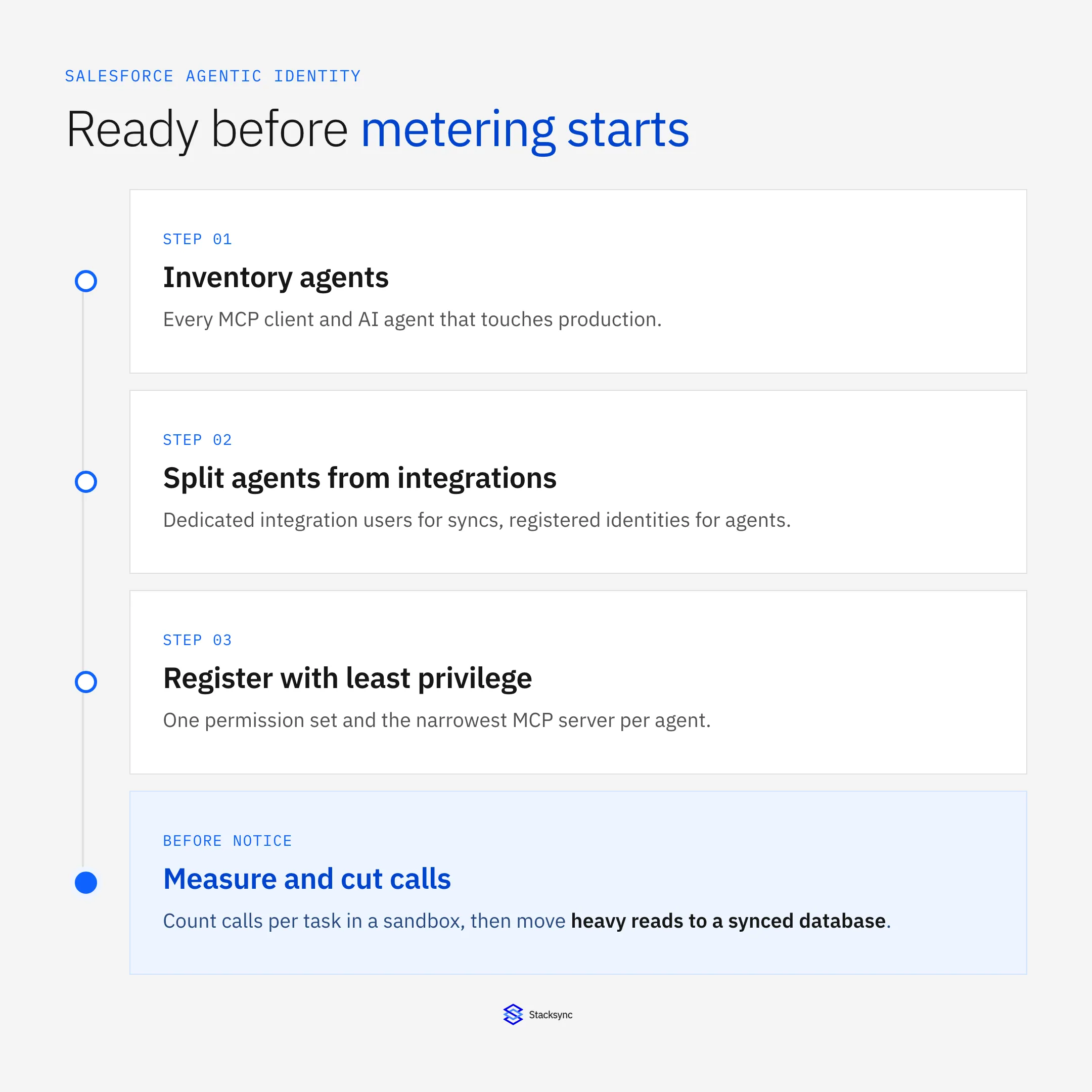
1. Inventory every agent touching production
Build one list. For each agent or MCP client, record:
- Owner and business purpose
- Client (Claude, ChatGPT, Agentforce, custom harness)
- Connected app and OAuth flow
- The Salesforce user it runs as today
- MCP servers or APIs it calls
- Objects and fields it reads and writes
Check Connected Apps OAuth Usage, login history, and Event Monitoring logs if you have them. Look for personal MCP connections that individual reps set up. Those count too.
2. Separate agents from integrations
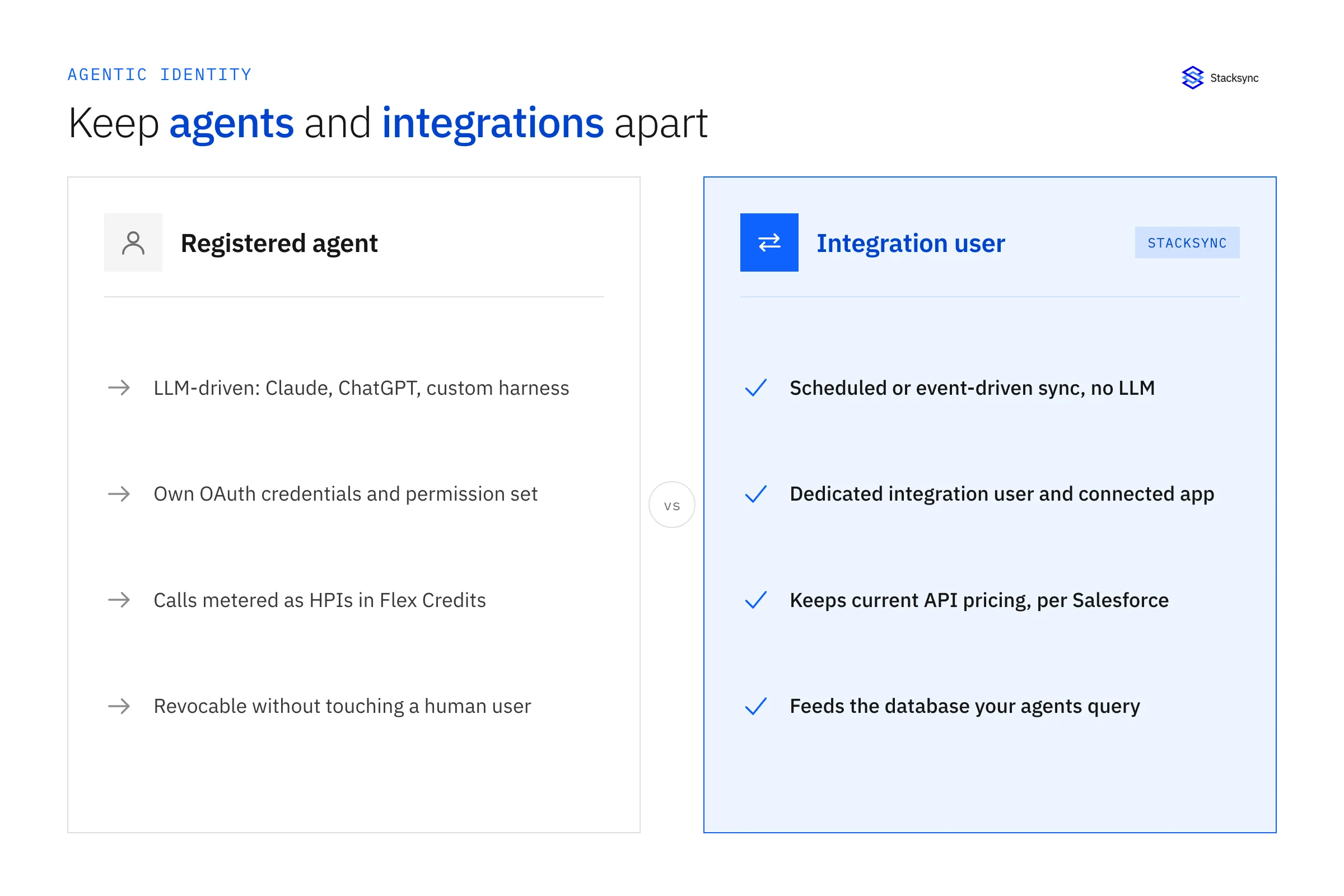
Salesforce says traditional, non-agentic integrations keep their current pricing. Make that distinction visible in your org:
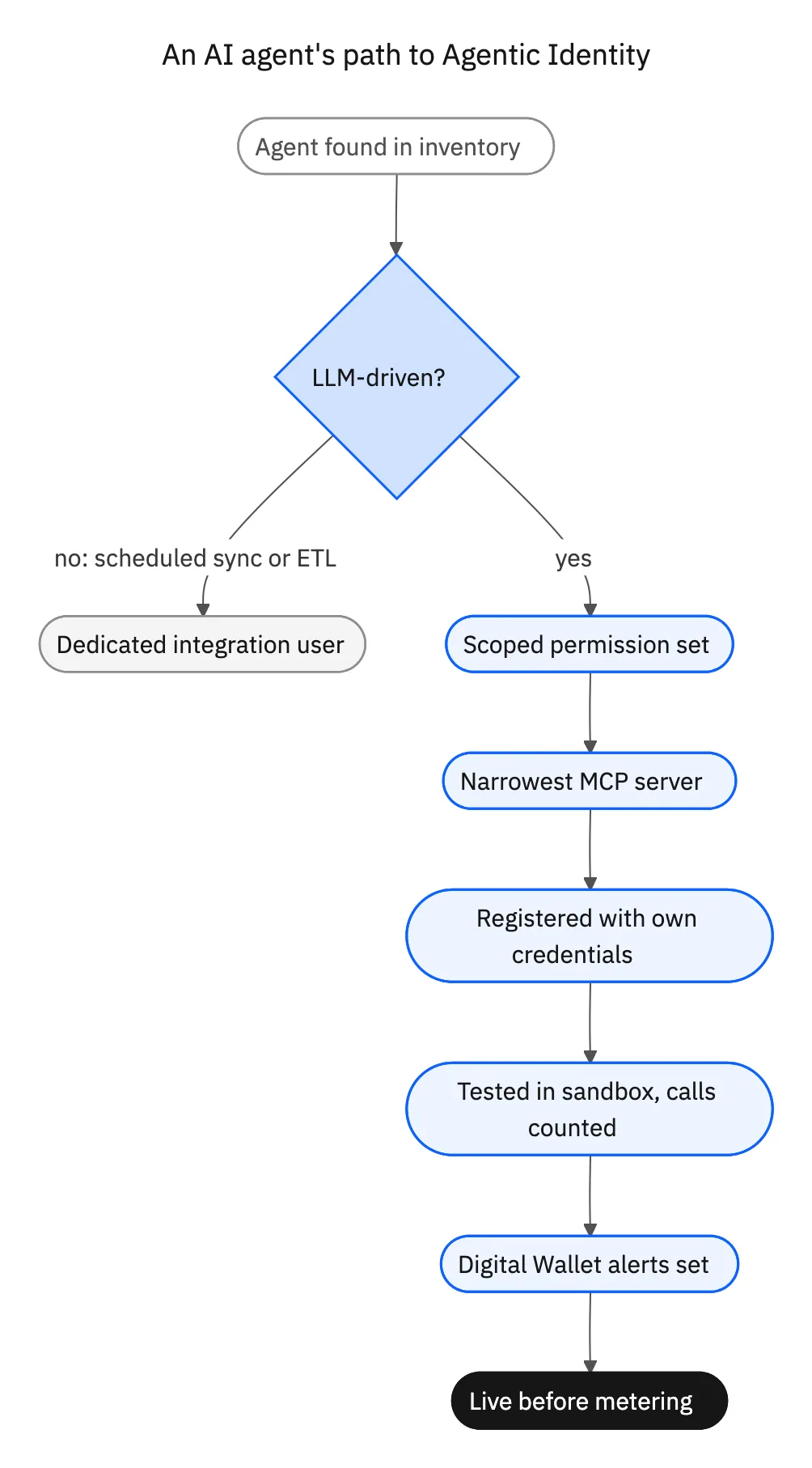
- Integrations (scheduled syncs, ETL, middleware jobs) run on dedicated integration users with their own connected apps.
- Agents (anything an LLM drives) register under Agentic Identity with their own connected apps.
Shared credentials blur the line. If one integration user serves both a nightly sync and an AI agent, split it now. Otherwise you can't prove which traffic is which.
3. Register each agent with the least privilege it needs
Give every agent its own permission set. A research agent gets read access to the objects it uses. A follow-up agent gets create on Task and update on Opportunity. Nothing gets delete unless a supervised workflow needs it.
Match the MCP server to the permission set: sobject-reads for read-only agents, sobject-mutations for agents that write. The MCP endpoint guide lists what each server exposes.
4. Reconnect clients with the new credentials
Plan a cutover for each agent from user-based OAuth to its registered agent credentials. Test in a sandbox first. Salesforce doesn't meter sandbox, scratch, or Developer Edition calls, so testing costs nothing.
5. Measure calls per task
While you test, log every tool call each agent makes per workflow. That number, multiplied by the HPI rate, is your bill. Use our cost estimates to turn it into a monthly budget.
6. Reduce calls before metering starts
Cache schema in prompts, combine reads into one SOQL query, publish Flows as tools, and serve heavy reads from a synced database. Our guide to cutting Salesforce agent costs shows the before and after.
7. Set Digital Wallet alerts
Set alerts at 50%, 80%, and 100% of your modeled monthly HPI spend. Route them to the agent owners, not only to finance.
8. Get the open questions answered in writing
Ask your account executive:
- 01How many Flex Credits will one HPI consume, and will that rate stay fixed for your term?
- 02When does the 30-day notice start for your org?
- 03How does Salesforce classify a middleware or sync flow that an agent triggers?
- 04Do existing Flex Credit balances cover HPIs, and do unused credits carry over?
- 05Can you get a monthly cap or committed rate on HPIs?
Common mistakes
- Leaving agents on human logins. You lose the audit trail, and the agent inherits permissions it doesn't need.
- Assuming API calls escape the meter. Salesforce bills registered agent calls on MCP and direct APIs alike.
- Mixing agent and sync traffic on one user. You can't defend the classification of either.
- Budgeting from pilot volume. Pilots run at a fraction of month-six adoption. Model the target.
- Forgetting background agents. Scheduled agents run 30 days a month and nobody watches them.

Where Stacksync fits
If your agents need large volumes of CRM data, you can keep a two-way synced copy of Salesforce in Postgres or a warehouse and let agents query it there. The sync runs as an integration on its own connected app and integration user, which keeps it cleanly separated from agent traffic in your inventory. Confirm with Salesforce how it classifies the sync in your setup.
Sources
- Salesforce Ben, Salesforce Will Charge Flex Credits for Agentic MCP and API Calls (September 24, 2026)
- Vantage Point, Salesforce Will Meter Agentic MCP and API Calls: What to Do Now (updated October 10, 2026)
- Salesforce Help, Understand AIforce Impact (Knowledge Article 005360285)
- Salesforce Developers, Standard MCP Servers Reference

FAQ
Frequently asked questions










Related articles






