






















Report on Zoho CRM Without Waiting for Last Night's Load
A guide to keeping Zoho CRM and Snowflake in step in real time rather than on a nightly batch. It covers why a full reload gets expensive on both the Zoho API credit budget and Snowflake compute, how field-level change detection cuts the volume that moves, how to model CRM records once they land, how to push scores and segments from Snowflake back into Zoho so the analysis reaches the people who act on it, and how the setup holds up on modules with millions of rows.
- Author
- Ruben Burdin · Founder & CEO
- Published
- Read time
- 10 min read

Most Zoho and Snowflake setups start the same way. Someone needs a report the CRM cannot produce, so a nightly job copies the modules into the warehouse and the dashboards get built on top. It works, right up until the questions being asked start to depend on today rather than yesterday, and until someone notices what the job costs on both ends.
The gap is not really about speed for its own sake. A pipeline that only runs at night means the warehouse is always describing a version of the business that has already moved on, and it means anything computed there arrives back in the CRM a day late, if it arrives at all. Real-time two-way sync closes both gaps with the same configuration.
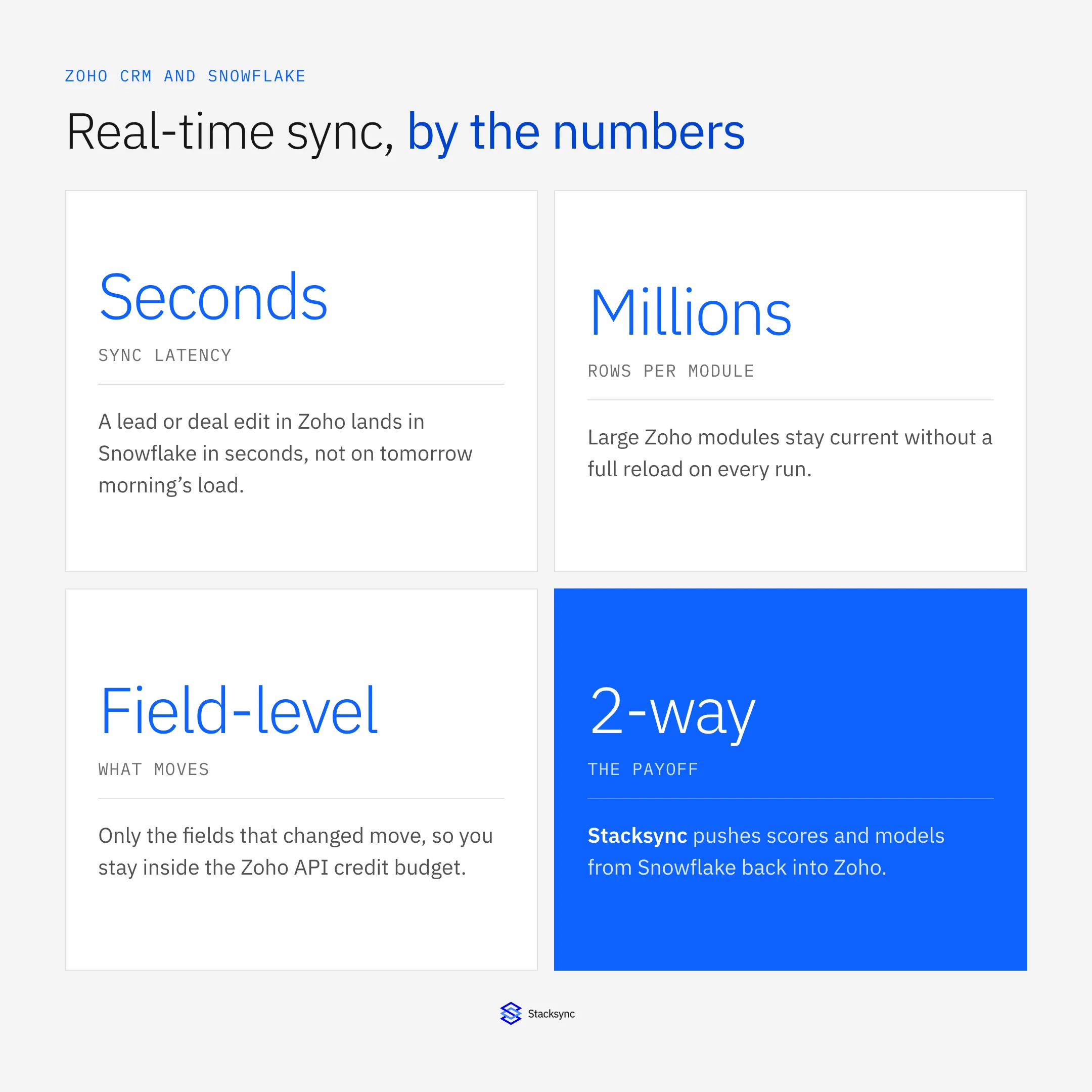
This guide covers what changes when you stop reloading: how field-level change detection reduces what moves, how to model the data once it lands, and why the return trip matters more than the outbound one. For the wider platform question, see the guide to choosing a Zoho integration platform.
What the nightly reload actually costs
A full reload is charged twice. On the Zoho side it reads every record in the module on every run, which spends the daily API credit budget on rows that have not changed since the last one. On the Snowflake side it re-lands data the warehouse already holds, so you pay compute to write rows that are identical to the ones being replaced. The bill scales with the size of your CRM instead of with how much of it actually moved.
That is manageable while the modules are small. It stops being manageable at the point most companies actually care about the warehouse, when there are millions of records and the daily change rate is a small percentage of them. At that size the reload spends almost all of its budget confirming that nothing happened, and the job starts running into its own window.
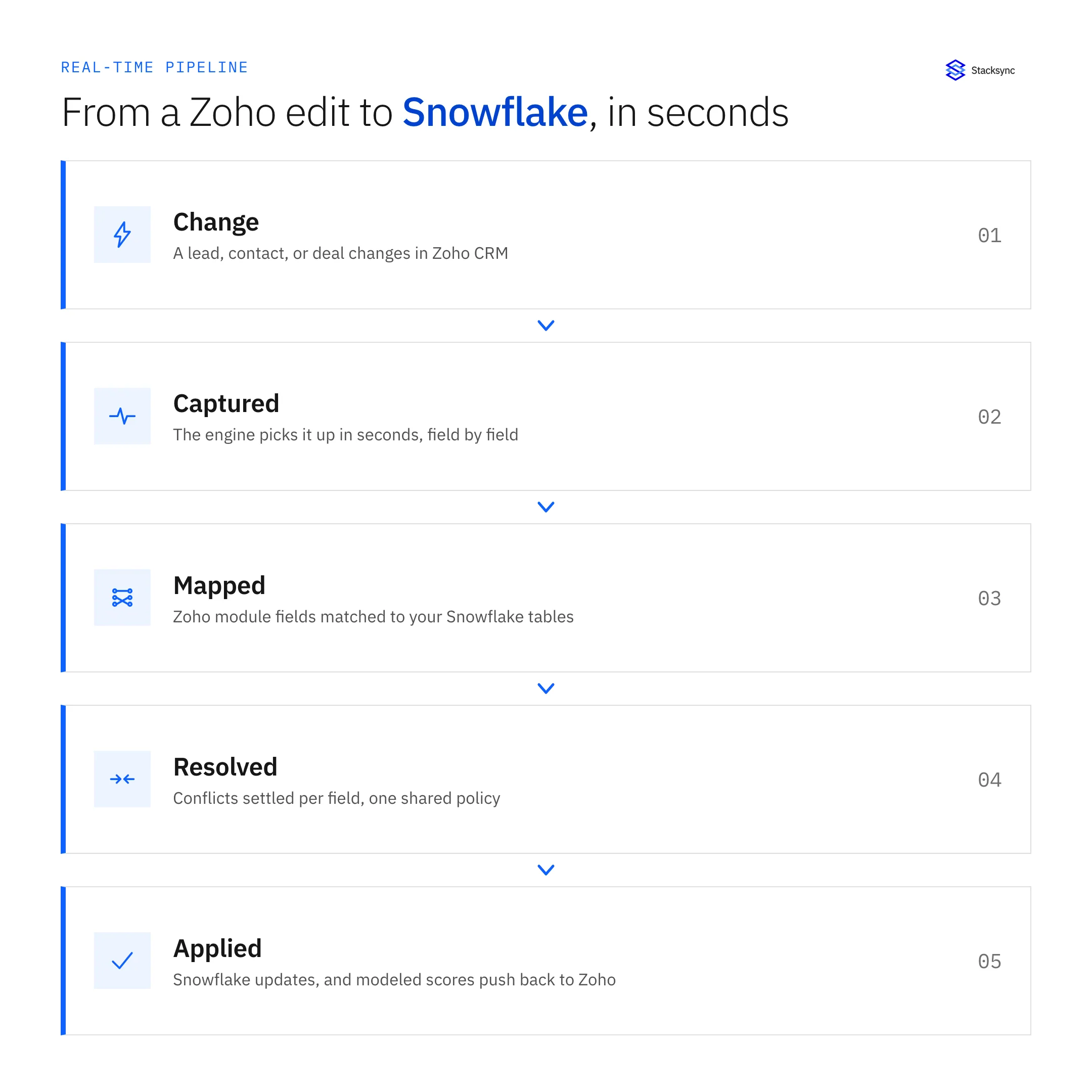
Field-level change detection inverts that. The engine tracks what changed and moves only those records, and only the columns that differ on them, so traffic is proportional to your daily change rate rather than to the module size. A module with millions of rows and a few thousand daily edits generates a few thousand edits' worth of work.
Landing the data in a shape you can model
Streaming changes continuously means deciding what the target table should represent. The straightforward option is a mirror: one table per Zoho module, updated in place, so the warehouse always holds the current state of each record. Analysts query it like any other table, and because it is merged rather than reloaded, it is never mid-rebuild when someone runs a query against it.
If your reporting needs history, keep the mirror and add change history alongside it, either from the sync log or with a slowly changing dimension built downstream. The important part is not to conflate the two. A mirror that tries to also be a history table ends up being a poor version of both, whereas a current-state table plus explicit history keeps each query simple and lets the sync stay a simple merge.
| Nightly full reload | Real-time two-way sync | |
|---|---|---|
| Freshness | Up to 24 hours behind | Seconds behind the CRM |
| Zoho API credits | Spent on every row, every run | Spent only on changed records |
| Snowflake compute | Re-lands unchanged data | Merges only what differs |
| Cost driver | Size of your CRM | How much of it changed |
| Scores back into Zoho | A second pipeline to build | The same configuration |
| During the job | Tables mid-rebuild | Always queryable |
Why the cost of a real-time sync tracks your change rate instead of your record count.
One detail worth setting up front: choose a key that identifies the same record on both sides, so a change merges into the existing row instead of appending a near-duplicate. Zoho record IDs are the obvious candidate, and pinning that decision early avoids a deduplication project later.
The return trip is where the value is
Getting CRM data into the warehouse is the half everyone builds. It is also the half that produces the least direct value, because the output is a dashboard, and a dashboard is not where anybody works. The lead score, the churn risk, the propensity model, the account tier: those get computed in Snowflake and then sit there, while the rep deciding who to call today is looking at Zoho.
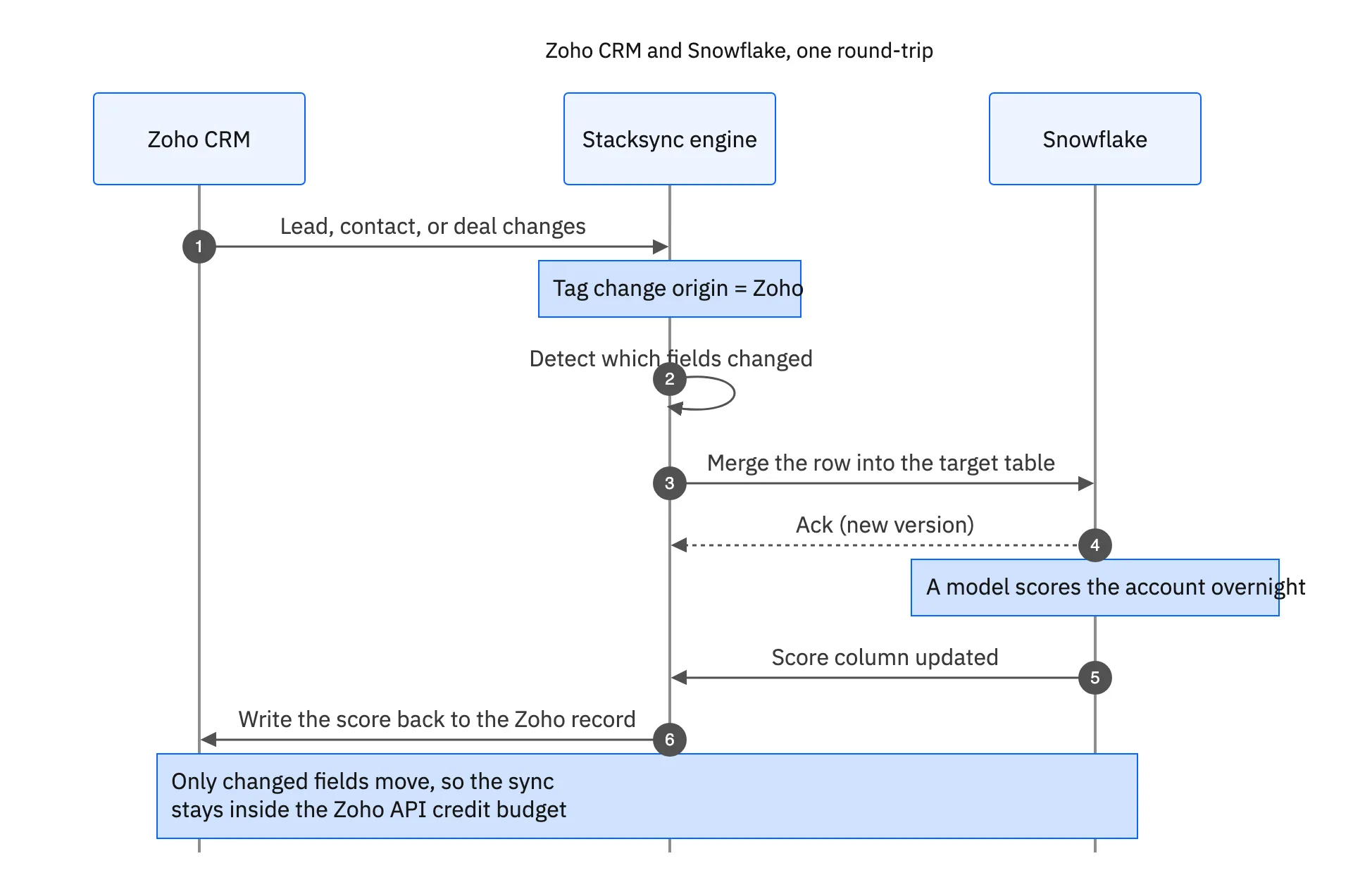
Writing those results back onto the Zoho record closes the loop. The score becomes a field reps can sort and filter on, campaign owners can build segments from it, and the workflow rules already running in Zoho can act on it. Teams often reach for a separate reverse ETL tool at this point, which means a second pipeline, a second mapping, and two systems to keep aligned. A two-way engine does it on the same configuration, with one conflict policy and one audit trail.
Conflicts sound like a risk here but rarely are, because the ownership split is usually obvious: Zoho owns the fields reps edit and Snowflake owns the computed columns. Set that per field once and the two sides stop competing. Origin tracking handles the rest, so a score written into Zoho is not read back as a new CRM edit and returned to the warehouse.

One sync, both directions
Moving Zoho CRM and Snowflake off a nightly batch is not really a latency upgrade. It changes what the pair can be used for: reports that describe today, models that reach the people acting on them, and a cost that follows your change rate instead of your record count. The pieces that make it work are field-level change detection, a merge into a current-state table, a clear key, and a write-back path for anything the warehouse computes.
Stacksync runs that in both directions on one configuration, with field-level conflict resolution, OAuth access, retries and monitoring, and an audit log of every change. The same engine connects Zoho to your MySQL database, to the CRM you are migrating from, and to operational systems like an EHR. To see it against your own modules, book a demo.

FAQ
Frequently asked questions










Explore these integrations and topics
- connectorZoho CRM integrations
- connectorSnowflake integrations
- platformCRM synchronization
- platformWarehouse data flows
- CRM synchronization guidesConnect customer records across sales, marketing, and operational systems.
- Warehouse data flows guidesChoose between ingestion, reverse ETL, and operational write-back for warehouse data.
Related articles






