Multi-Hop Sync: Chaining HubSpot, a Database, and Snowflake Both Ways
An architecture guide for teams that want data to flow through more than two systems and come back. It shows how to chain HubSpot into a database, model and cleanse it in Snowflake, and push the trusted record back out to the CRM and downstream apps, all as stacked two-way syncs on one platform. Covers what multi-hop means, how each hop is just another sync, why the chain stays two-way, and how it replaces a separate ELT-plus-reverse-ETL stack.
- Author
- Ruben Burdin · Founder & CEO
- Published
- Read time
- 9 min read

Point-to-point sync answers the simple question: keep system A and system B in step. But plenty of teams have a harder shape in mind. They want CRM data to land somewhere raw, get modeled and cleaned in a warehouse, and then have the clean version flow back out to the tools people actually use. That is not one hop, it is a chain, and it needs to run in both directions.
This is what a multi-hop sync does. Instead of a single connection, you stack several two-way syncs so data can travel the whole chain and return. This guide walks the canonical example, HubSpot into a database, into Snowflake, and back out, explains why each hop stays two-way, and shows how the pattern replaces a separate load-and-activate stack.
The setup assumes a two-way sync platform such as Stacksync connecting each link. If you have not connected the warehouse end yet, the Snowflake connection guide covers that, and the HubSpot to Snowflake sync covers the direct pairing. Here we chain more than two systems together.
What multi-hop actually means
A hop is a single sync between two systems. Multi-hop is what you get when you stack them, so a record can pass through several systems in sequence. The key idea is that there is no special multi-hop engine to configure. Each hop is an ordinary two-way sync with its own mapping and direction, and the chain is just those syncs arranged so the output of one is the input of the next.
That framing matters because it keeps the whole thing understandable. You are not designing a bespoke pipeline with its own failure modes. You are composing links you already know how to build and reason about, which means you can add, remove, or reorder a hop without rethinking the entire flow.
The chain, one hop at a time
Take the common request: land CRM data, clean it in the warehouse, push the clean version back. As a chain of hops it reads cleanly.
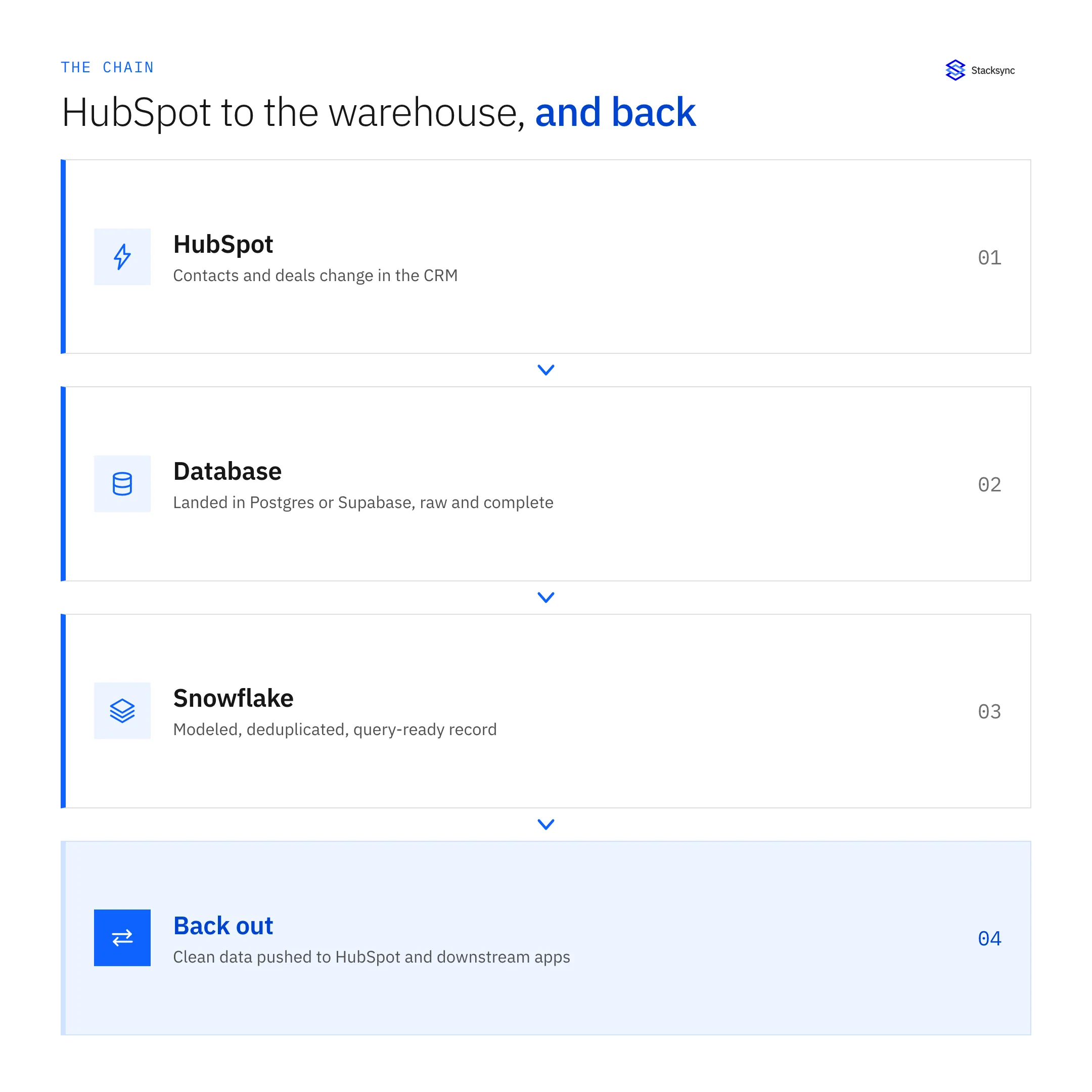
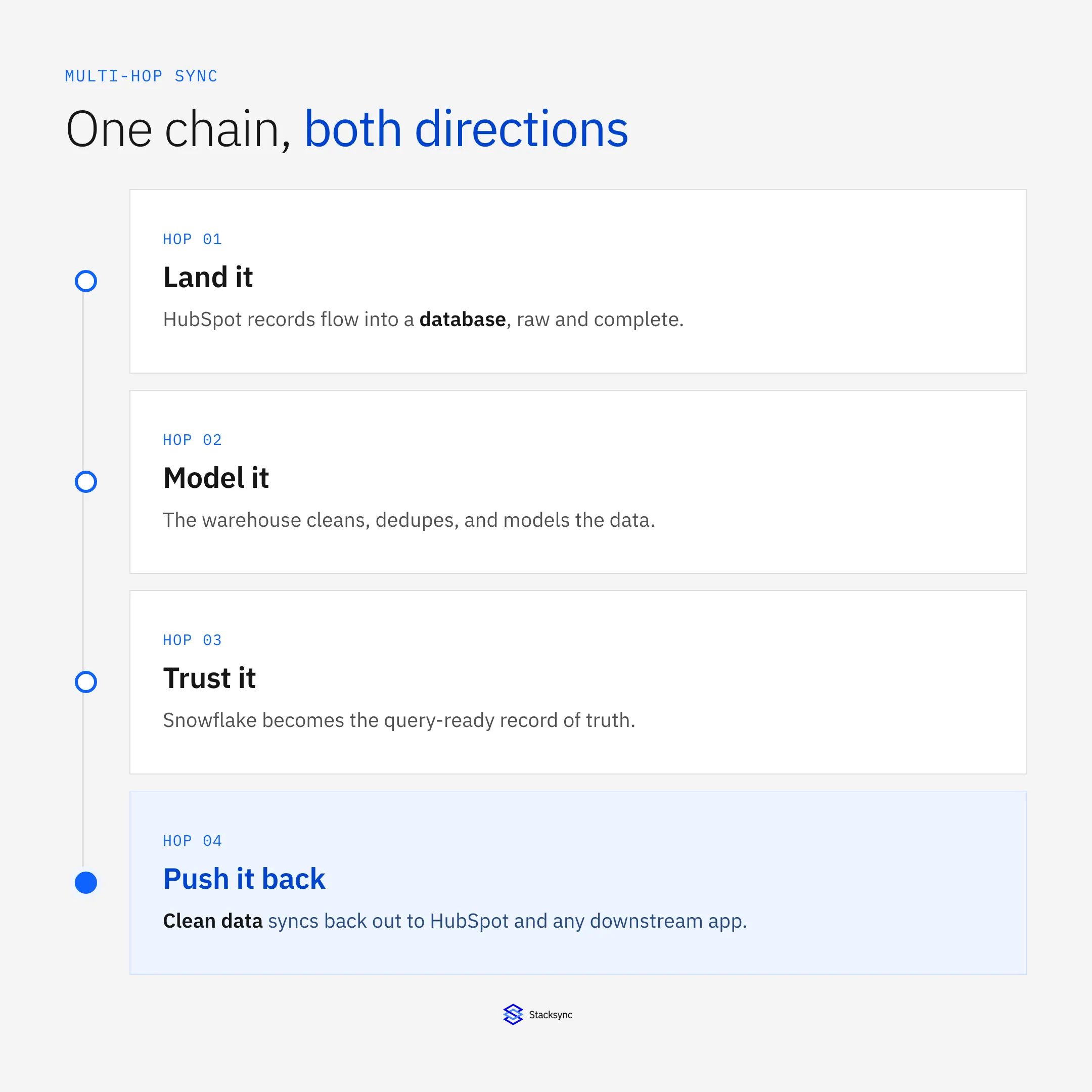
- Hop one, land it. HubSpot contacts and deals sync into a database like Postgres or Supabase, raw and complete.
- Hop two, model it. The database syncs into Snowflake, where you deduplicate, model, and reconcile into a clean record.
- Hop three, trust it. Snowflake holds the query-ready record of truth, the version other systems should agree with.
- Hop four, push it back. The cleansed record syncs back out to HubSpot and any downstream app, so operational tools inherit the clean data.
Each of those is a sync you set up independently. You can build hop one, confirm it on real data, then add the next. The chain grows link by link rather than arriving as one big pipeline you have to get right in a single shot.
Why the chain runs both ways
The thing that separates this from a classic pipeline is direction. An ETL or ELT pipeline carries data into the warehouse and stops. A multi-hop sync is built from two-way links, so the same chain that loads the warehouse also carries the cleansed record back out, and edits made downstream can flow back up to be reconciled.

This works safely because each hop tracks the origin of a change. When the cleansed record is pushed back to HubSpot, the sync knows that update came from the warehouse, so it does not treat the write as a fresh change and send it looping back around the chain. The cleanse happens in the middle, and the clean version is what propagates outward. For the rules that decide which system wins a field, see warehouse versus CRM as your source of truth.
Replacing a load-and-activate stack
Teams often arrive at multi-hop while trying to simplify. A frequent setup is an ELT tool such as Fivetran to load the warehouse, plus a reverse ETL tool such as Census to push data back out. That is two products, two bills, two sets of pipelines to watch, and a seam between them where the return path lives. A multi-hop two-way sync can cover both directions on one platform.
| ELT plus reverse ETL stack | Multi-hop two-way sync | |
|---|---|---|
| Into the warehouse | ELT tool, one-way | A sync hop, two-way |
| Back out to tools | Separate reverse ETL tool | A return hop on the same platform |
| Products to run | Two, with a seam between | One, links composed |
| Direction | One-way each, stitched together | Two-way per hop, set per object |
| Where cleansing lives | In the warehouse, then re-exported | In the warehouse, pushed straight back |
A multi-hop sync collapses a two-product load-and-activate stack into one platform of composed hops.
Consolidating is not only about fewer invoices. It removes the seam where a one-way loader meets a one-way activator, which is exactly where data goes stale and ownership gets fuzzy. On the cost side of that comparison, see reverse ETL pricing versus two-way sync.

Building it: stack syncs, prove each hop
Because the chain is made of ordinary syncs, you build it the same way you build any one of them, just repeated. Set the first hop and confirm it on real records. Add the next. Add the return hop last. Each hop has its own mapping, direction, and conflict rules, so the chain is auditable link by link rather than a black box.
This incremental shape is what makes multi-hop practical instead of scary. You are never betting the whole pipeline on one big configuration. You prove hop one, then hop two, then the return, and at each step you can see exactly what moved and why. When you need to change the model in the warehouse later, only the hops that touch it are affected.
One chain, both directions, one platform
Multi-hop sync is not a new kind of magic. It is the same two-way sync you would use for a single pairing, stacked so data can move through a database, into a warehouse to be cleaned, and back out to the tools that run the business. Because every hop is two-way and origin-aware, the clean version is what travels, and nothing loops.
If you are stitching an ELT tool to a reverse ETL tool to get data out and back, a chained two-way sync can do both on one platform. To map your own chain, HubSpot to a database to Snowflake and back, book a demo.

FAQ
Frequently asked questions










Explore these integrations and topics
- connectorHubSpot integrations
- connectorSnowflake integrations
- platformCRM synchronization
- platformDatabase synchronization
- platformWarehouse data flows
- CRM synchronization guidesConnect customer records across sales, marketing, and operational systems.
- Database synchronization guidesWork through database change capture, application writes, and reliable record reconciliation.
- Warehouse data flows guidesChoose between ingestion, reverse ETL, and operational write-back for warehouse data.
Related articles