






















How to Sync Microsoft Dynamics 365 Sales with Snowflake
A step-by-step guide to syncing Microsoft Dynamics 365 Sales with Snowflake. It shows how to connect the Dataverse side and the Snowflake side, map accounts, opportunities, and activities to warehouse tables, and keep the two in step in real time. Explains why a two-way sync beats a nightly export, how it avoids the Dataverse API limits, and how modeled scores in Snowflake can flow back to Dynamics so sales sees the same numbers as analytics.
- Author
- Ruben Burdin · Founder & CEO
- Published
- Read time
- 9 min read

Getting Microsoft Dynamics 365 Sales data into Snowflake is easy to start and hard to keep honest. A nightly export gets the accounts and opportunities into the warehouse, but by mid-morning the CRM has moved on and the two no longer agree. And the moment analytics wants to send a score back to the sales team, you are building a second pipeline in the other direction.
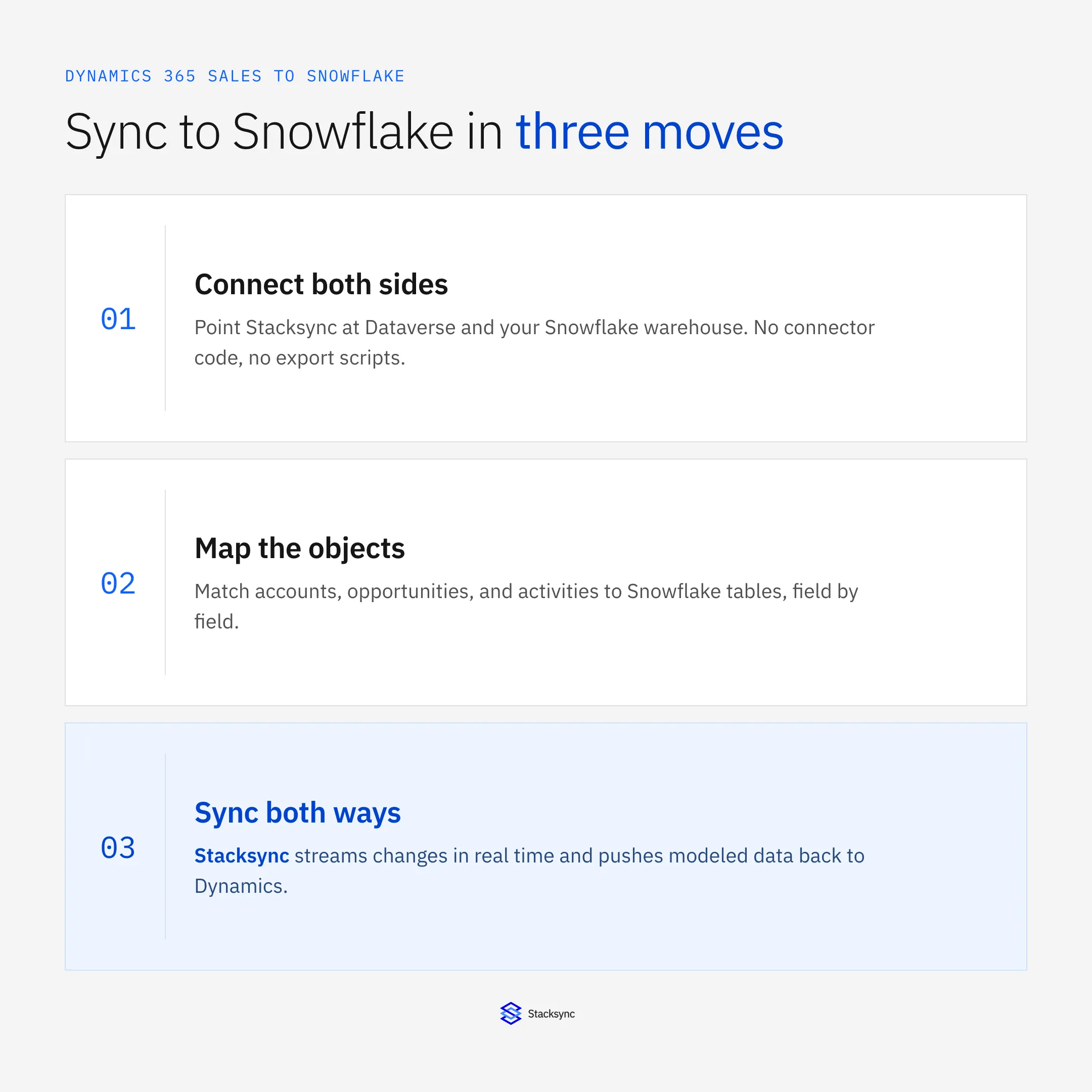
A real-time two-way sync solves both. Changes flow from Dynamics into Snowflake within seconds, and modeled values flow back into Dynamics on the same connection. This guide walks the setup, connect both sides, map the objects, sync both ways, and explains why it holds up where a batch export does not.
The setup assumes a two-way sync platform such as Stacksync connecting Dataverse to your warehouse. If you are choosing the platform first, the Snowflake connector and the iPaaS for Dynamics 365 Sales guide cover that decision; here we focus on the pairing itself.
Step one: connect both sides
The Dynamics side connects through the Dataverse Web API, where the CRM keeps its data. The Snowflake side connects directly to your warehouse. Neither side needs an export script or an ODBC driver on a box somewhere. You authorize each connection once, and the platform holds the credentials and handles the traffic.
This is also where a good platform earns its keep on reliability. It connects to Dataverse in a way that respects the service protection limits, and it connects to Snowflake without you managing key rotation or a driver install. From here on, the connection is a thing you monitor, not a thing you operate.
Step two: map the objects
Next you decide what to sync and how it lands. Accounts, contacts, leads, opportunities, and activities each map to a Snowflake table, field by field, including any custom entities you have added in Dataverse. You pick the objects that matter for reporting and leave the rest out, and you can add more later without redoing the setup.
Mapping is per field, which is what keeps the sync cheap and safe. Only the fields you map move, and only when they change, so the sync moves a fraction of the data a full reload would and never touches columns you did not ask it to. It is also where you set the direction for each object, which matters for the next step.
Step three: sync both ways
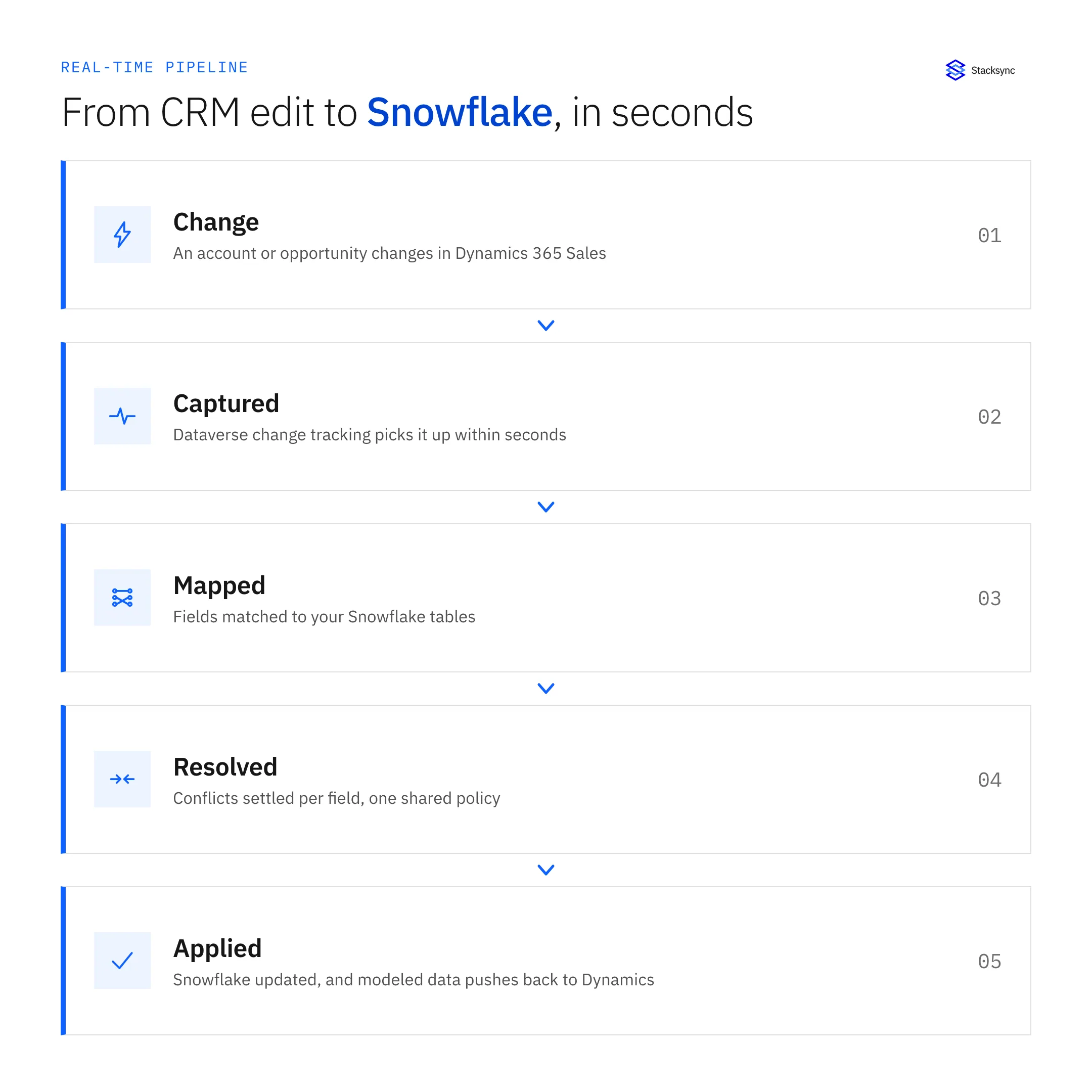
With the mapping set, you turn on the sync. Dataverse change tracking picks up each edit in Dynamics within seconds, the platform matches it to the Snowflake table, and the row updates. Because it is field-level, an edit to one field on one opportunity moves that one field, not the whole record and not the whole table.
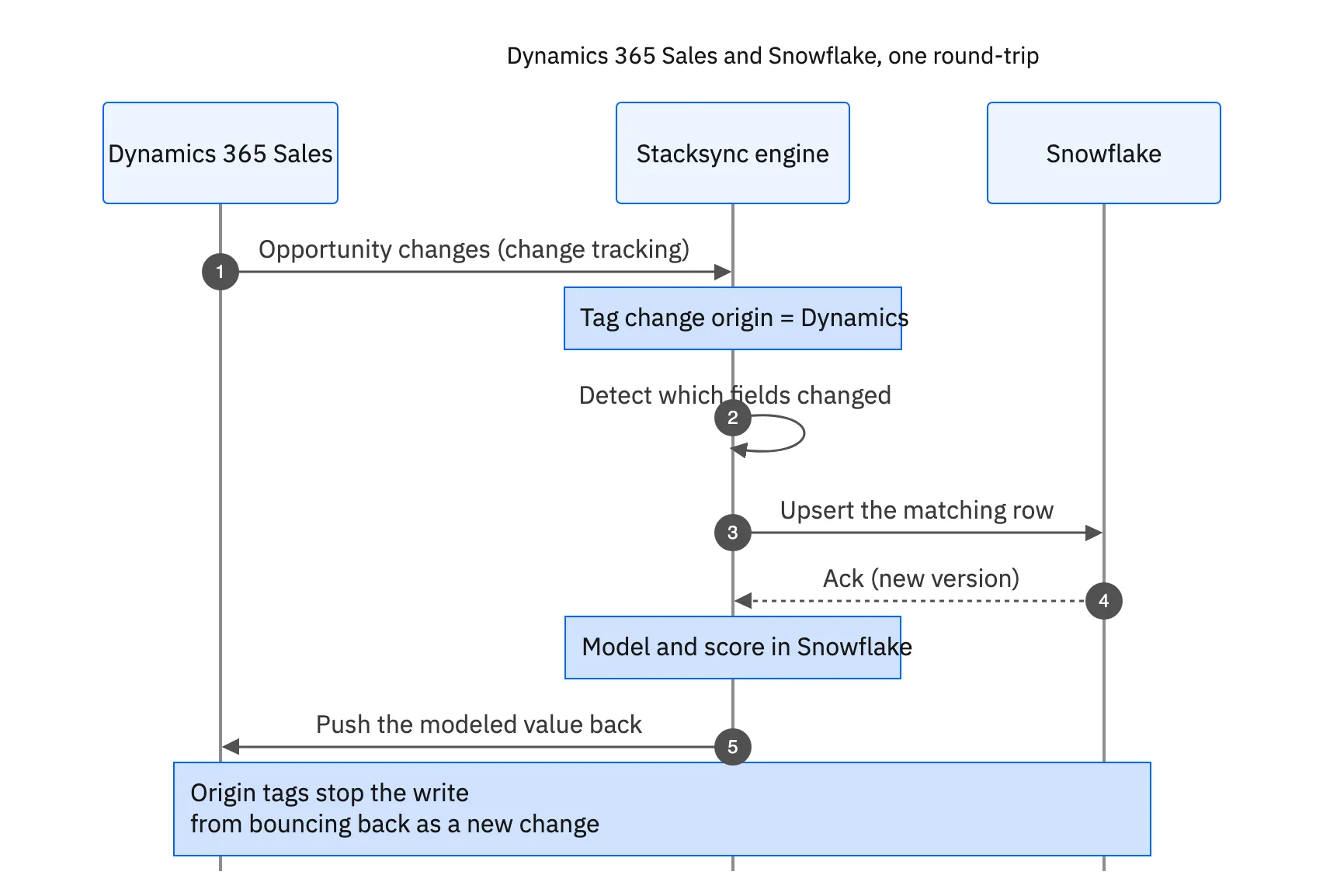
The return direction is what makes this a sync rather than a feed. When Snowflake models a lead score or a segment, that value can be pushed back to the Dynamics record so the sales team sees the same number analytics does. The platform tags the origin of that write, so it lands in Dynamics without bouncing back to Snowflake as a fresh change. For where the two-way pattern is most useful, the Dynamics and PostgreSQL guide covers the operational-database version of the same idea.

Why not just export nightly
A nightly export is simpler to stand up, so it is worth being clear about what it costs. It is stale by definition, it fights the Dataverse API limits every run, and it only goes one way. The comparison is stark once the CRM is feeding decisions and not just a dashboard.
| Nightly export to Snowflake | Real-time two-way sync | |
|---|---|---|
| Freshness | Up to a day stale | Seconds behind the change |
| Data moved | Every record, every run | Only changed fields |
| Dataverse API limits | Hit on every full pull | Stays well under, backs off |
| Direction | Dynamics to Snowflake only | Both ways, set per object |
| Modeled values back to CRM | A second pipeline to build | The return direction, built in |
A batch export gets data into Snowflake; a two-way sync keeps Snowflake and Dynamics agreeing.
None of this means Snowflake stops being the warehouse. It means the road between the warehouse and the CRM runs both ways and stays current, so the numbers in a dashboard and the numbers a rep sees in Dynamics are the same numbers.
One connection, both directions
Syncing Dynamics 365 Sales with Snowflake comes down to three moves: connect Dataverse and the warehouse, map the objects field by field, and turn on the sync in the directions you need. Do it as a real-time two-way sync and you get a warehouse that is current and a CRM that inherits what analytics learns, on one connection.
That is the setup Stacksync is built for: real-time, field-level, and two-way, without an export job or a driver to babysit. To map your own Dynamics objects to Snowflake and push modeled data back, book a demo.

FAQ
Frequently asked questions










Explore these integrations and topics
- connectorMicrosoft Dynamics 365 Sales integrations
- connectorSnowflake integrations
- platformCRM synchronization
- platformWarehouse data flows
- CRM synchronization guidesConnect customer records across sales, marketing, and operational systems.
- Warehouse data flows guidesChoose between ingestion, reverse ETL, and operational write-back for warehouse data.
Related articles






