






















Put Your MySQL Database Inside Zoho CRM, Both Ways
A practical guide to syncing a MySQL database with Zoho CRM without writing and maintaining the integration yourself. It covers mapping SQL columns to Zoho modules, reusing a field mapping you have already built, transforming values in flight with a Python step, staying inside the Zoho API credit budget on a large table, and writing edits made in Zoho back to the database. Includes the failure modes that kill a first attempt and how a two-way sync engine avoids them.
- Author
- Ruben Burdin · Founder & CEO
- Published
- Read time
- 10 min read

There is a common shape to this problem. The real data lives in a MySQL database, members, patients, policies, accounts, whatever your business actually runs on, and the team wants to work with it in Zoho CRM, where they can call people, run campaigns, and see a pipeline. Getting the two to agree turns out to be much harder than either vendor's marketing suggests, and plenty of teams arrive at it a second time after a first integration attempt quietly fell over.
The good news is that the hard parts are well understood, and none of them require you to write and maintain a connector. This guide walks through what a working MySQL to Zoho CRM sync looks like: connecting both sides, mapping columns to module fields, reshaping values that do not fit, keeping the whole thing inside the Zoho API credit budget, and sending edits made in Zoho back to the database.
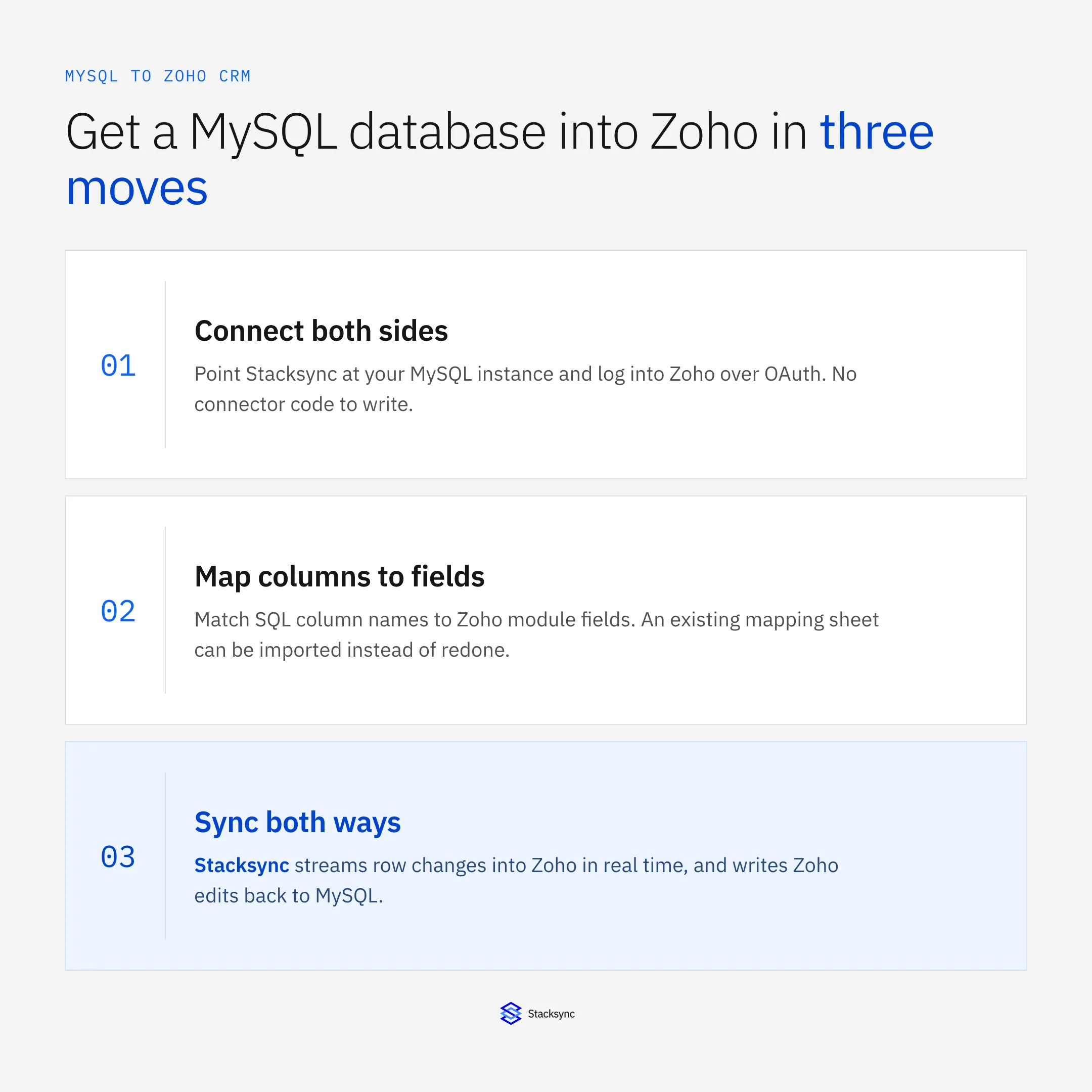
Three moves, in order. Everything else in this guide is detail on one of them. If you want the platform view of the CRM first, the Zoho CRM connector page covers what the integration exposes, and the broader guide to choosing a Zoho integration platform covers what to hold a vendor to.
Why the export script usually does not survive
The first attempt is almost always a scheduled script: query the table, loop over the rows, push each one into Zoho through the API. It works on a test org. Then it meets production and fails in the same three ways every time.
It runs out of API credits, because pushing every row on every run burns a daily budget that was sized for normal use. It has no idea what changed, so it either reloads everything or you bolt on a modified-timestamp column and start discovering rows the timestamp missed. And it only goes one way, so the moment a rep edits a phone number in Zoho, that edit is either lost on the next run or you write a second script going the other direction, at which point the two scripts start overwriting each other in a loop. None of these are exotic problems. They are just the problems a sync engine exists to solve.
Step one: connect both sides
Zoho connects over OAuth. You log in once and grant scoped access, which means nobody has to circulate a password, and access can be revoked per person later without changing a shared credential. That matters more than it sounds if part of your team works remotely and you would otherwise be emailing login details around.
MySQL connects with a database user and network access. Give that user only the grants it needs on the tables in scope, read and write for two-way sync, with read-only access limited to tables whose values must not be changed from Zoho. This works the same against a managed instance, so MySQL HeatWave, Aurora MySQL, or a self-hosted server are all set up identically. The hosting choice does not change anything downstream.
Step two: map columns to module fields
This is the step that carries the most judgement, and the one worth doing carefully. A MySQL table and a Zoho module rarely line up one to one. You decide which table becomes Contacts, which becomes Accounts, and which needs a custom module because it does not resemble anything in the standard CRM. Then you match each column to a field, and pick a key that identifies the same entity on both sides so updates match instead of creating duplicates.
If you have already been through this once, that work is not wasted. A column-to-field list built for an earlier attempt can be imported and adjusted rather than rebuilt, because the mapping is configuration rather than code. Two things are worth deciding deliberately while you are in there. First, which columns should not go at all: the mapping acts as an allow list, so a column you leave out is never read or forwarded, which is a cleaner answer for sensitive data than sending it and hiding it in Zoho. Second, which side owns each field, since that becomes your conflict policy.
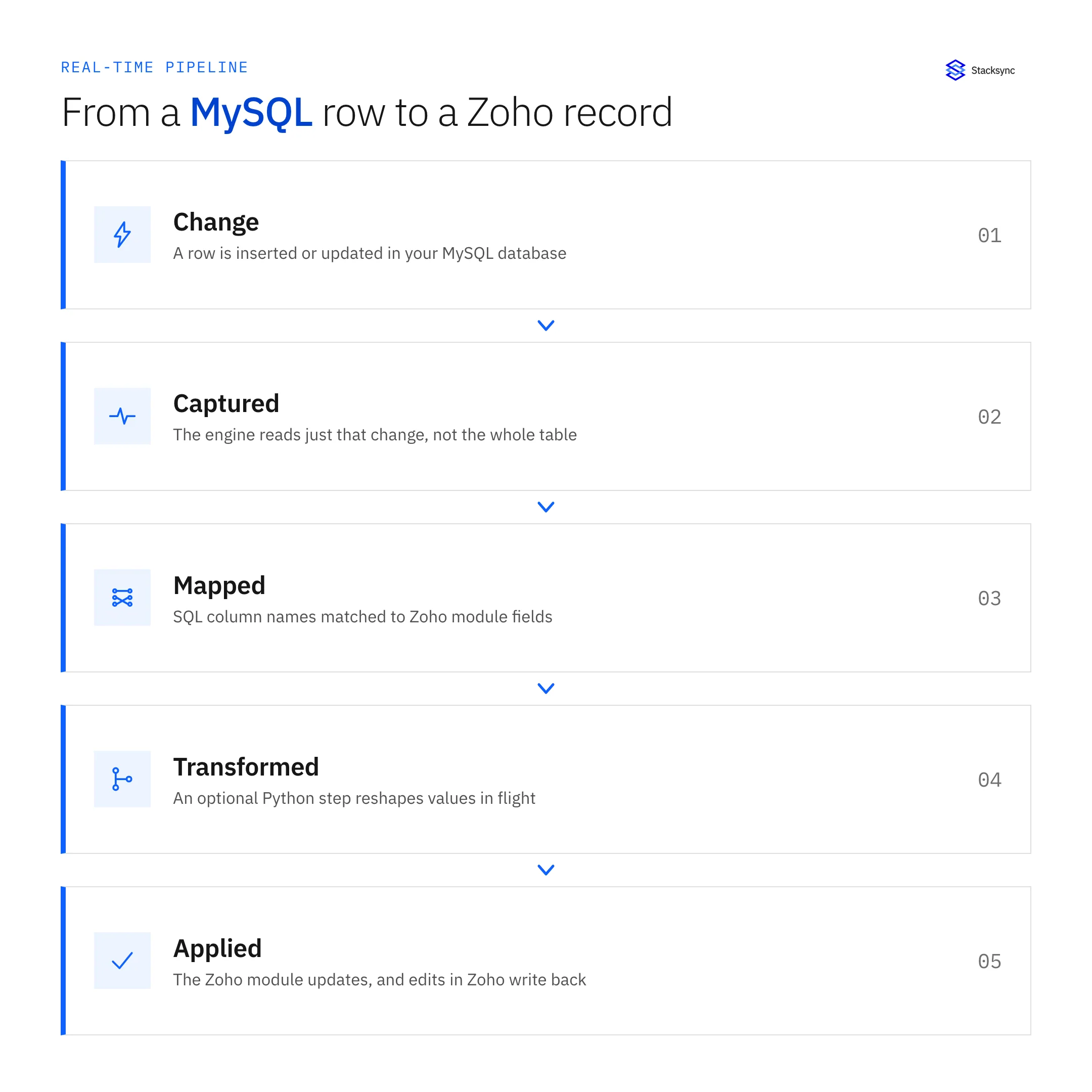
The transform step in the middle is where values get reshaped on their way across. Databases and CRMs disagree about shape constantly: a single name column that Zoho wants split, a phone number stored without a country code, a status derived from three other columns, a timestamp in the wrong zone. Rather than building a staging view for each one, you can write a Python step that runs on the record in flight and returns the shape Zoho expects.
Step three: sync both ways, in real time
Once both sides are connected and mapped, the engine watches for changes and applies them. A row inserted or updated in MySQL becomes a created or updated Zoho record within seconds. An edit a rep makes in Zoho is written back to the table. Neither side has to be the passive one, which is the whole point: the database stays the source of operational truth while the CRM stays a place people can actually work.
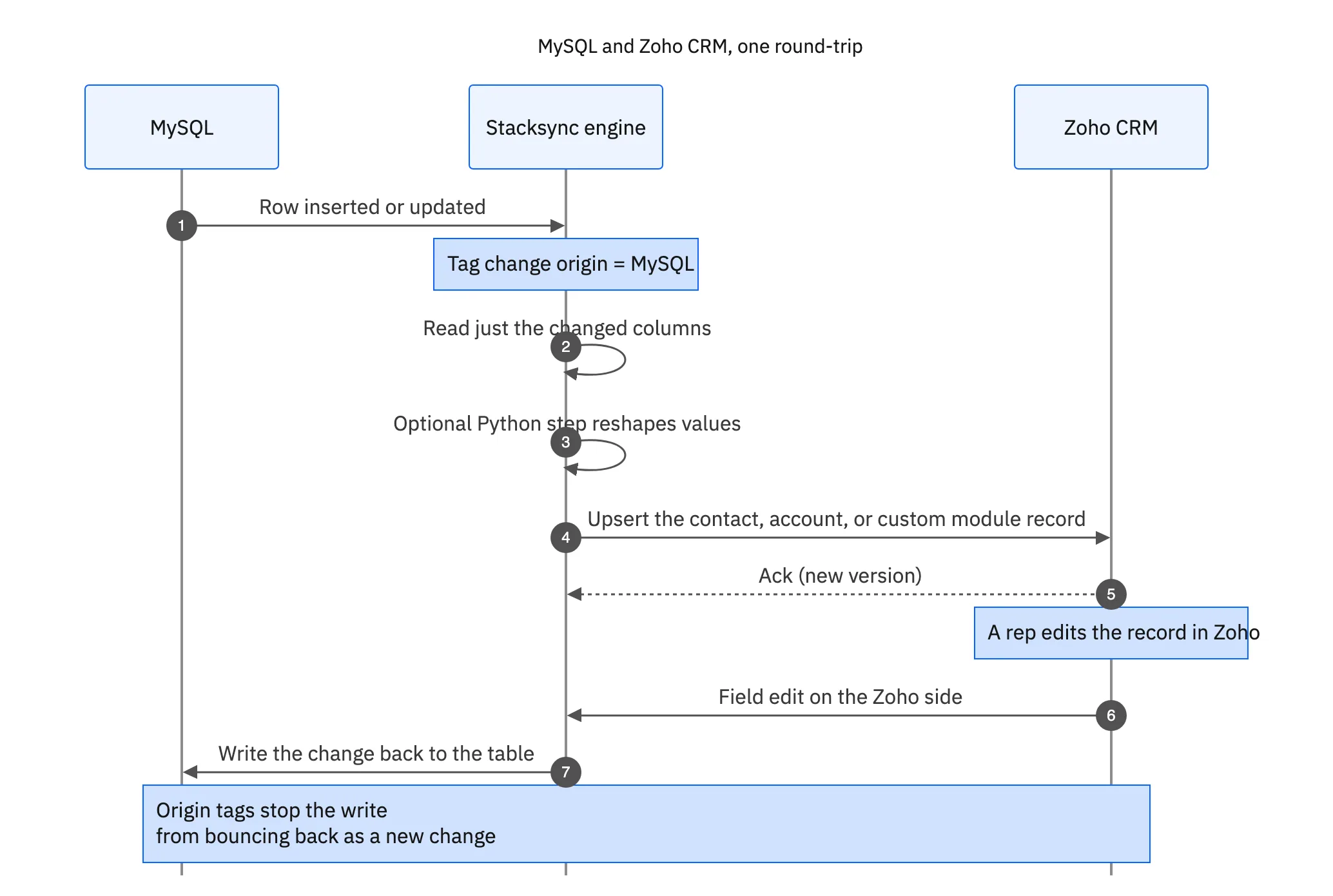
Two mechanisms make that safe. Origin tracking marks where each change came from, so a value the engine writes into Zoho is not picked up as a fresh Zoho change and sent back to MySQL, which is exactly the loop that two opposing scripts create. Conflict resolution handles the case where the same field genuinely changed on both sides, settling it per field under a policy you set rather than letting whichever write landed last quietly win.

Making it survive a large table
Everything above works the same at a thousand rows or a few million, but the initial load deserves its own plan. The steady state is cheap, because only changed rows move and only their changed columns move with them. The first load is the expensive moment, since every row has to cross once. Run it as a throttled backfill rather than a single burst and it stays inside the credit budget instead of consuming a day of it.
| Nightly export script | Field-level two-way sync | |
|---|---|---|
| What moves | Every row, every run | Only the rows and fields that changed |
| Zoho API credits | Burned on unchanged rows | Spent only on real changes |
| Freshness | Stale until the next run | Seconds behind the change |
| Zoho edits | Lost or overwritten | Written back to the table |
| Reshaping values | A staging view per case | A Python step in the flow |
| When it fails at 3am | You find out in the morning | Backs off, retries, and alerts |
Why a field-level sync survives a large MySQL table that a nightly export cannot.
This is also the point where pricing models start to matter. If a platform charges on the total number of records under management, a large table you rarely touch costs the same as one that changes constantly. If it meters on records actually synced, the bill tracks the work being done. Ask which model you are being quoted before you scope the project, because the two produce very different numbers on the same database.
One mapping, then it runs
Syncing MySQL with Zoho CRM comes down to connecting both sides, mapping columns to module fields with a clear key and a clear owner per field, and letting an engine handle change detection, conflicts, retries, and the API budget. The parts that sink a hand-rolled script, credits, change detection, and the second direction, are the parts you stop owning.
Stacksync does this with real-time two-way sync, field-level mapping and conflict resolution, an optional Python step for transformations, and OAuth access so nobody shares a login. The same engine connects Zoho to Snowflake and to the CRM you are migrating away from. To see it against your own table, book a demo.

FAQ
Frequently asked questions










Explore these integrations and topics
- connectorZoho CRM integrations
- connectorMySQL integrations
- platformCRM synchronization
- platformDatabase synchronization
- CRM synchronization guidesConnect customer records across sales, marketing, and operational systems.
- Database synchronization guidesWork through database change capture, application writes, and reliable record reconciliation.
Related articles






