






















What a Zoho Integration Platform Has to Get Right
A buyer’s guide to choosing an integration platform for Zoho. It explains what separates an enterprise iPaaS from a marketplace extension, why real-time two-way sync is the baseline when Zoho is the system your team works in all day, and the coverage, reliability, and security a Zoho deployment should hold a platform to. Covers the Zoho API credit model, how OAuth keeps a distributed team out of shared logins, how field-level mapping keeps sensitive columns from ever leaving the source, and how to evaluate a vendor before you sign.
- Author
- Ruben Burdin · Founder & CEO
- Published
- Read time
- 10 min read

Zoho gets chosen for a reason that has nothing to do with integration: it covers a lot of ground for the price. A team can run CRM, mail, documents, and support on one bill, which is exactly why companies migrate onto it from something heavier. The trouble starts one step later, when Zoho becomes the system people work in all day and every other system has to agree with what it says.
That is an integration problem, and how you solve it decides whether your Zoho data is trustworthy or a standing reconciliation job. An iPaaS, an integration platform as a service, is how most teams solve it without building and babysitting the plumbing. But the label stretches from thin one-way marketplace extensions to full real-time sync platforms, and the difference only shows up once you are in production. This guide sets out what an enterprise-grade iPaaS for Zoho actually has to do.
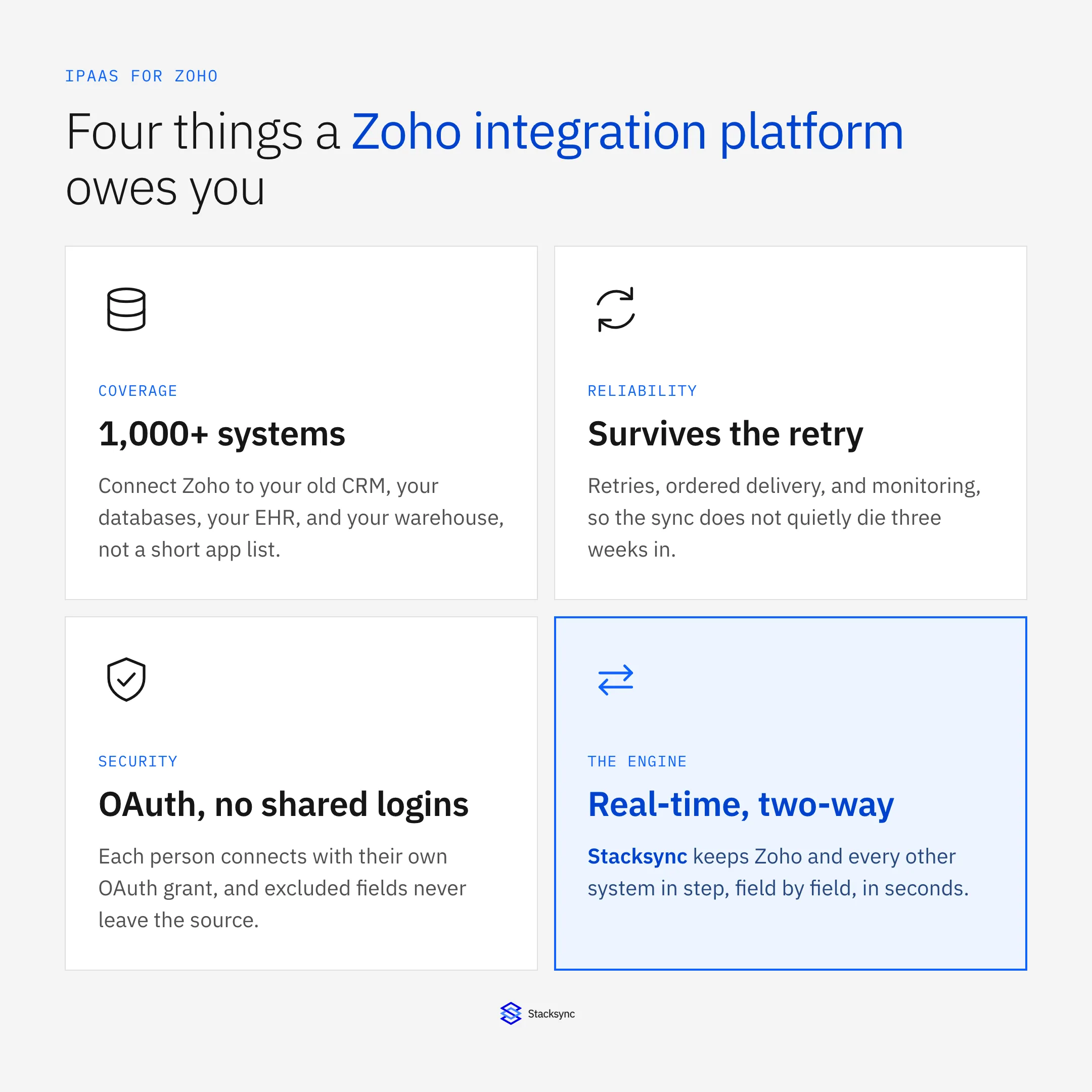
Four things: coverage across your real systems, reliability that survives being left alone, security that a review can pass, and a genuine two-way sync engine underneath. Miss one and you are back to CSV exports and stale records. If you want the platform view of the CRM first, the Zoho CRM connector page covers the surface area. Here we focus on what makes an integration platform hold up.
Why real-time two-way sync is the baseline
Zoho is not a passive destination. People edit contacts and deals in it all day, and the same customers are edited in the database that runs your product, the ERP that bills them, and the system you are migrating away from. If integration only moves data one way, the other side goes stale the moment someone touches a record there, and you are left with a nightly job trying to reconcile two versions of the same customer.
Real-time two-way sync closes that gap. A change on either side shows up on the other within seconds, and when both sides change the same field, a conflict policy decides the winner instead of the last export quietly overwriting good data. This is also the thing most often oversold. Plenty of tools describe a pair of scheduled one-way jobs as a two-way sync, which is not the same product: two exports pointed at each other will loop, duplicate, and drift, because neither one knows what the other just wrote.
What the platform looks like underneath
It helps to picture an enterprise iPaaS as three layers. At the top are your systems, Zoho next to your old CRM, your databases, and your warehouse. In the middle is the sync engine that keeps them in step. At the bottom is the reliability layer that lets the whole thing run without someone watching it.
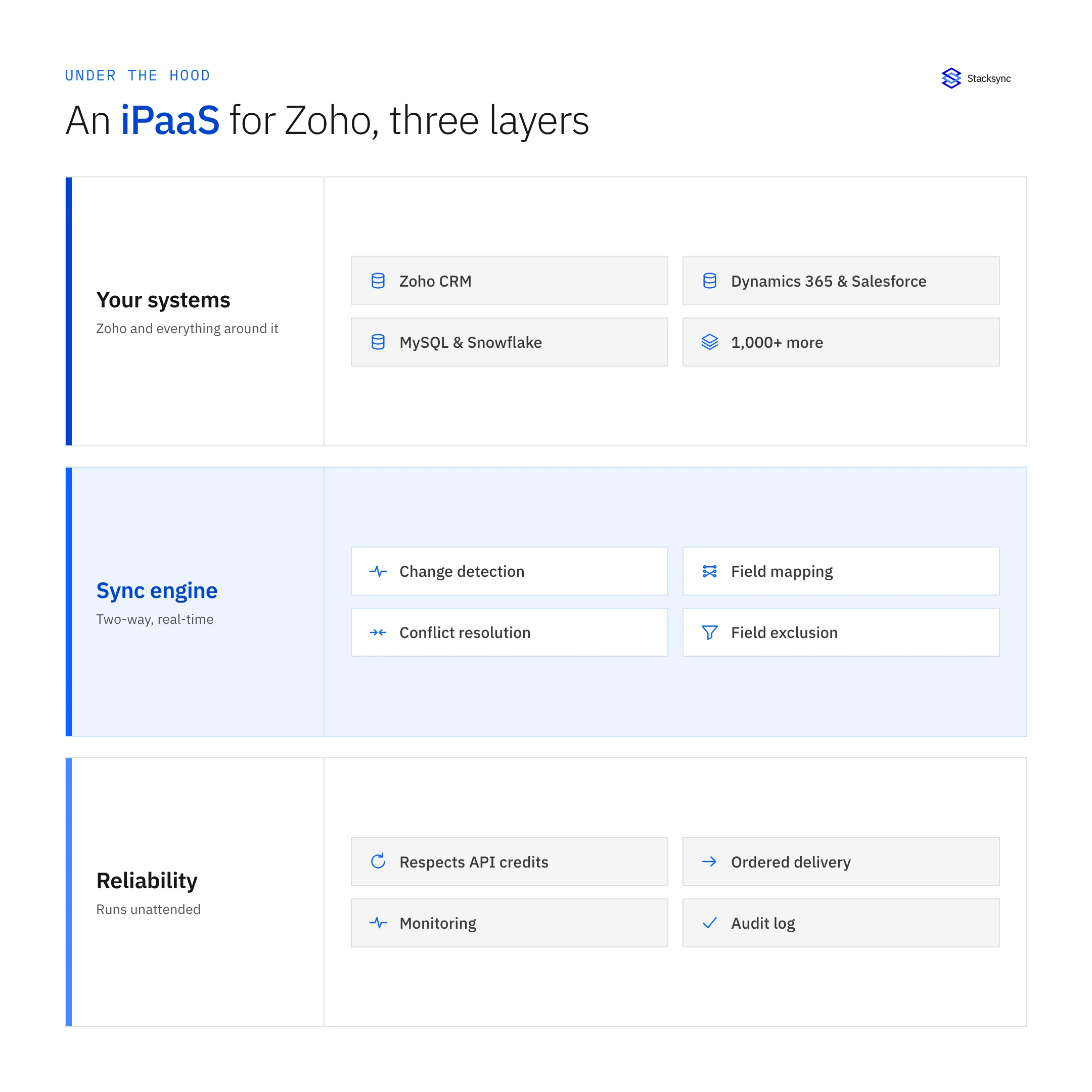
The engine layer is where the real work happens: field-level change detection so only what changed moves, field mapping between two different schemas, conflict resolution under one shared policy, and origin tracking so a write does not echo back around as a fresh change. The reliability layer is what earns the enterprise label. It budgets calls against the Zoho API limits, delivers changes in order, retries with backoff, and keeps an audit log you can actually read when someone asks why a record looks the way it does. A tool with the top layer and neither of the two below it is a connector, not a platform.
The Zoho API, and staying inside its credit budget
Integration with Zoho runs through its REST APIs, which are metered with a daily credit budget that scales with your edition and user count, along with concurrency limits per organization. Those limits are the single most common reason a homegrown Zoho integration falls over: it works fine against a test org with a few hundred records, then runs out of credits the first week it touches real data.
| Marketplace extension | Enterprise iPaaS | |
|---|---|---|
| Systems covered | One tool per extension | 1,000+ on one engine |
| Direction | Usually one way | Two way, both sides live |
| Freshness | Stale until the next run | Seconds behind the change |
| What moves | Whole records, every run | Only the fields that changed |
| Sensitive fields | Sent, then hidden downstream | Excluded, never sent at all |
| When a limit is hit | The job fails, you re-run it | Backs off and retries on its own |
Where a marketplace extension stops and an enterprise iPaaS starts.
An enterprise iPaaS treats the credit budget as a design constraint rather than an afterthought. It moves the minimum data, spaces its calls out, and backs off automatically as it approaches a limit. The practical result is a sync that keeps up in real time without ever getting your Zoho organization throttled, which is what lets the same setup survive a database with millions of rows instead of only a demo org.
Access and field control, the parts a review asks about
Two questions come up in almost every Zoho integration review, and both have concrete answers. The first is how people get access. The answer should be OAuth: each person or service connects with its own grant and its own scopes, so access is granted and revoked per user rather than by circulating one password. A team spread across time zones can work on synced records without anyone handing out credentials, and offboarding is a revoked grant rather than a password change everyone has to absorb.
The second is what actually crosses the boundary. This is where field-level mapping matters more than it sounds. Treat the mapping as an allow list: only mapped fields are read and forwarded, so a column you exclude, a national ID or a social security number, is never sent to Zoho at all. That is a meaningfully different claim from sending the data and hiding it on the far side, and it is the one worth asking a vendor to demonstrate live rather than describe on a slide.
Connecting Zoho to the rest of your stack
The reason to run one platform instead of a folder of one-off extensions is that a single engine can hold Zoho in step with everything at once. The same two-way sync that keeps Zoho and your application database consistent also keeps it consistent with the CRM you are leaving, the clinical or operational system your team runs on, and the warehouse your reporting sits on. Each pairing is configured on its own, but they all run on the same engine.
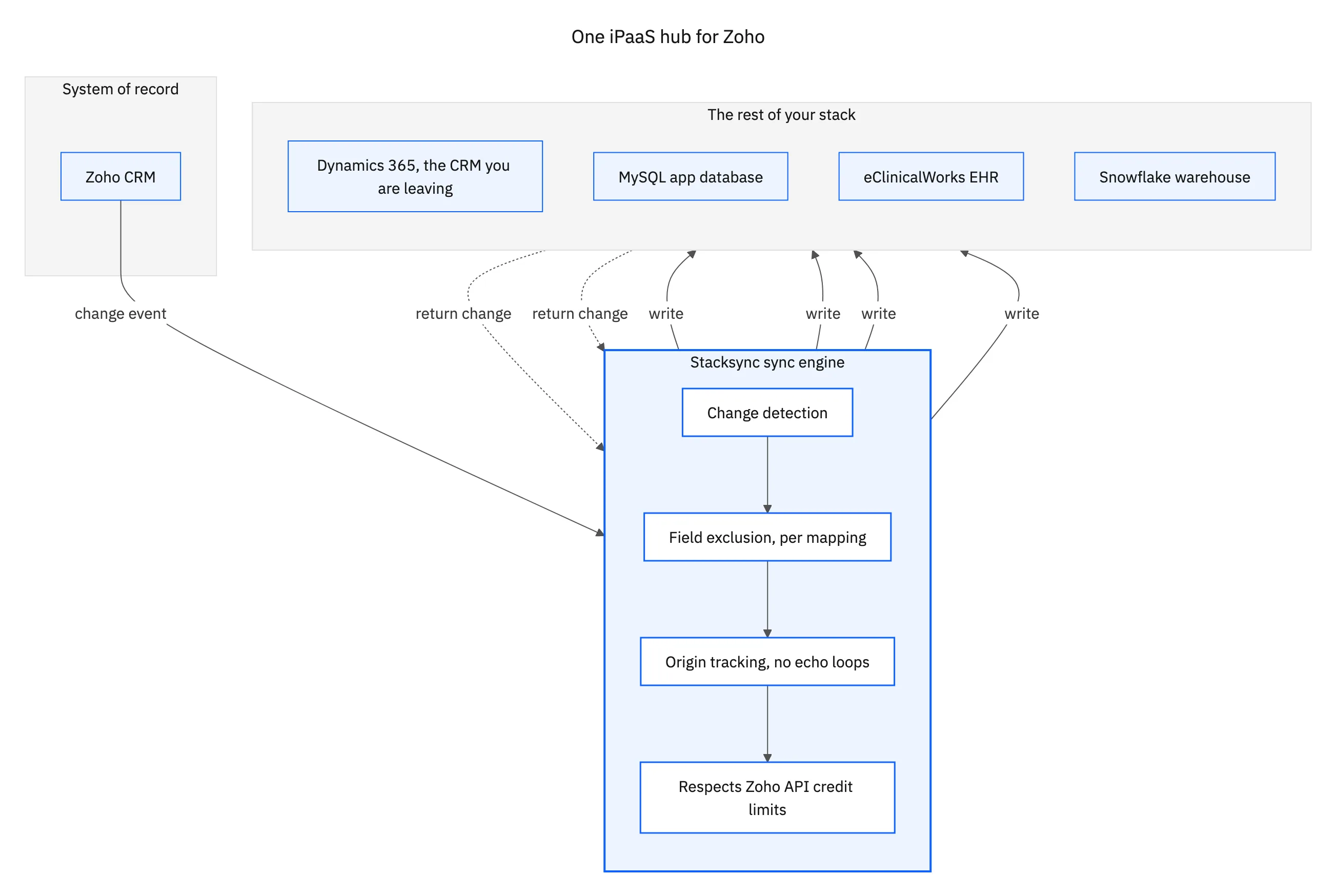
That fan-out is where the coverage requirement earns its keep. If a platform only connects Zoho to a short list of popular apps, you will hit the one system it does not cover within a quarter, and you will build that one by hand anyway. A broad iPaaS connects Zoho to more than a thousand systems on the same engine, so adding the next one is configuration rather than a new project. The specific pairings each have their own guide: Zoho and MySQL, Zoho and Dynamics 365, Zoho and eClinicalWorks, and Zoho and Snowflake.

How to evaluate one
When you compare platforms, push past the connector count and test the handful of things that decide whether it survives. Ask each vendor to sync a Zoho module both ways in a sandbox, then edit the same record on both sides at once and watch how the conflict resolves. Then ask them to exclude one field and prove it never arrives. Those two tests tell you more than any feature grid.
- Coverage. Does it connect Zoho to your databases, your old CRM, and your warehouse, or only to a handful of popular apps?
- Direction and speed. Is it genuinely two-way and real time, or two scheduled one-way jobs described as a sync?
- Field control. Can you exclude a field so it is never read, and can you import a mapping you have already built rather than redo it?
- Reliability. Does it stay inside the Zoho API credits, retry on failure, deliver in order, and give you monitoring and an audit log?
- Access. OAuth grants per person, scoped and revocable, so a distributed team never shares a login.
One more question worth asking early, because it changes the shape of the deal: how does the pricing meter work? Platforms that charge on total records stored punish you for having a large database you barely touch, while platforms that meter on records actually synced track the work being done. If most of your rows change rarely, those two models produce very different bills for the same setup, so get the answer in writing before you scope the project.
One platform, held to a real bar
An enterprise-grade iPaaS for Zoho is not a marketplace extension with better branding. It is coverage across the systems you actually run, real-time two-way sync as the default rather than an upgrade, field-level control over what crosses the boundary, reliability that survives the Zoho API credit budget, and OAuth access that a security review can sign off. Hold every candidate to those five and the field narrows fast.
Stacksync was built to clear that bar: real-time two-way sync, more than a thousand connectors, field-level mapping and conflict resolution, OAuth login that never parks your data in a middleman, and the reliability layer that keeps it running unattended. To see it hold Zoho in step with the rest of your stack, book a demo.

FAQ
Frequently asked questions










Related articles





