






















Selling the Same Stock Twice: Putting TikTok Shop and Shopify on One Count
A practical walkthrough for sellers running both TikTok Shop and Shopify. It covers deciding which system owns which object, matching SKUs and variants, sharing a single inventory pool with a buffer, routing orders to fulfilment, and closing the loop with tracking before the dispatch clock runs out.
- Author
- Ignacio Malpartida · GTM Engineer
- Published
- Read time
- 8 min read

The problem is easy to describe and annoying to live with. You have two storefronts and one warehouse. TikTok Shop sells a unit, Shopify does not find out for twenty minutes, and in those twenty minutes Shopify sells the same unit to someone else. One of those two buyers is about to get an apology email.
Everything else follows from that. Prices drift because someone updated one catalog. Tracking numbers get rekeyed by hand because they live in Shopify and are needed in TikTok Shop. Cancellations land in one place and never reach the other.
This walks through the setup end to end. If you are still choosing the layer underneath, the wider view is in the guide to an enterprise iPaaS for TikTok Shop.
Step 1: decide which system owns what
Do this before you connect anything. Almost every failed multi-channel setup failed here, not in the wiring, because two systems were both allowed to be right about the same field.
The usual split: Shopify owns the catalog, because it already has the product data and the merchandising team lives there. Inventory is shared, with one available-to-sell number both channels read and write. TikTok Shop owns the orders it creates, including their status and the buyer's edits. Fulfilment is owned by whoever picks the box, which is Shopify or a 3PL behind it.
| Object | Owner | Direction |
|---|---|---|
| Product and variant | Shopify | Shopify to TikTok Shop |
| Price | Shopify | Shopify to TikTok Shop |
| Available to sell | Shared pool | Both ways |
| Order and buyer edits | TikTok Shop | TikTok Shop to Shopify |
| Fulfilment and tracking | Shopify or 3PL | Shopify to TikTok Shop |
| Cancellation and refund | TikTok Shop | Both ways |
One owner per object. Inventory is the exception, and that is exactly why it needs a conflict rule.
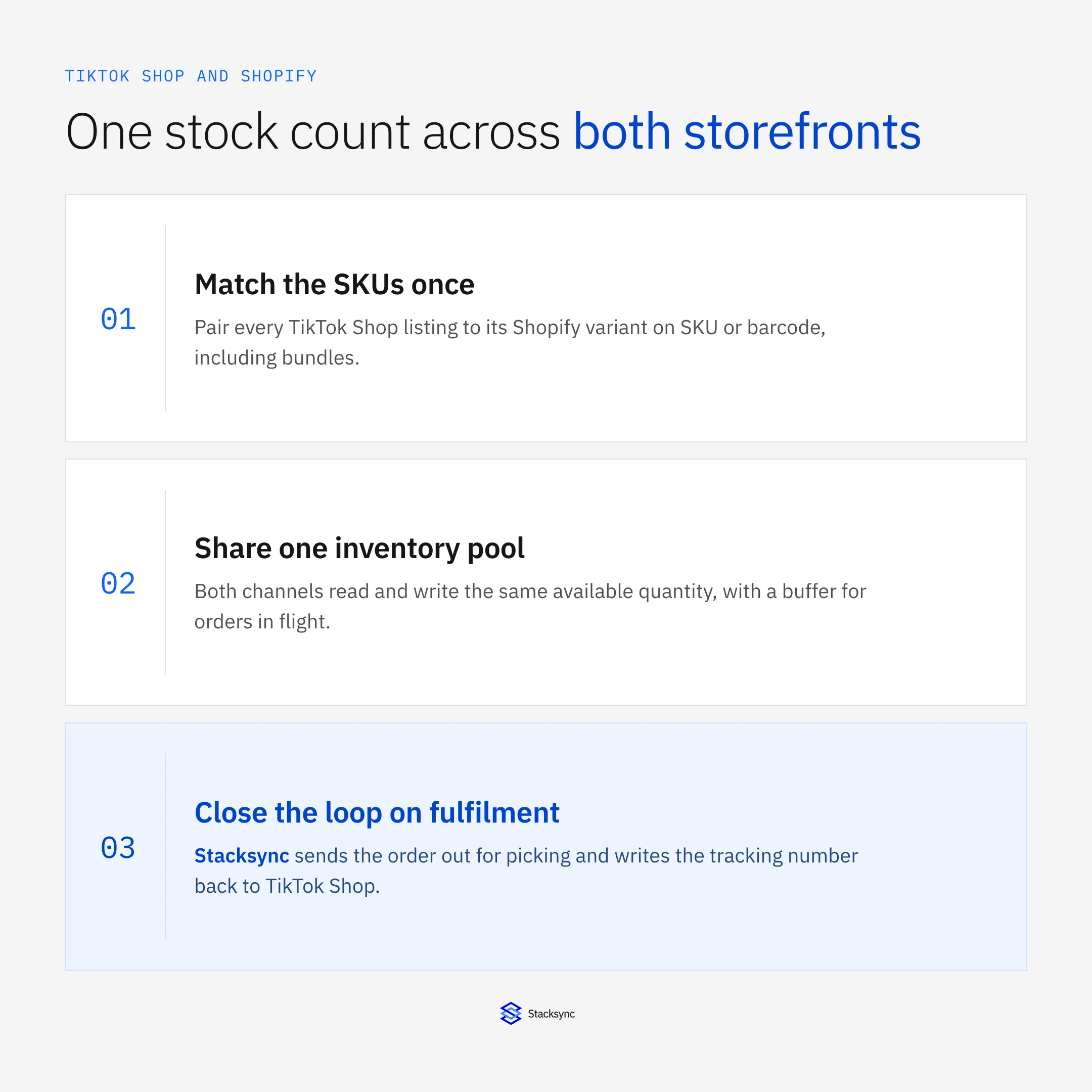
Step 2: match the SKUs once
Matching is the part that decides whether the rest works. Pair each TikTok Shop listing to its Shopify variant on SKU first, then barcode as a fallback. Anything that matches neither goes to a review list rather than creating a new product, because a sync that creates on no-match will quietly double your catalog.
Two cases deserve attention. Variants have to pair at the variant level, not the product level, or a size run of eight will share one stock number. Bundles need a component map: selling one bundle should deduct each component from the pool, otherwise the components stay available and you oversell the parts instead of the kit.
Step 3: share one inventory pool
This is the step that stops the apology emails. Instead of two counts that are reconciled on a schedule, both channels read and write the same available-to-sell number, and every order on either side moves it in seconds.
Keep a buffer. During a spike there is always a short window where orders exist but the deduction has not landed everywhere, and holding back a few units per SKU absorbs it. Set the buffer per SKU rather than globally, because the risk is concentrated in the handful of products a video actually featured.
Set the conflict rule while you are here. Inventory is the one object both sides write, so decide explicitly what happens when both changed: for stock the usual answer is that the warehouse count wins, since it is the only number backed by physical units on a shelf.
Step 4: close the loop on fulfilment
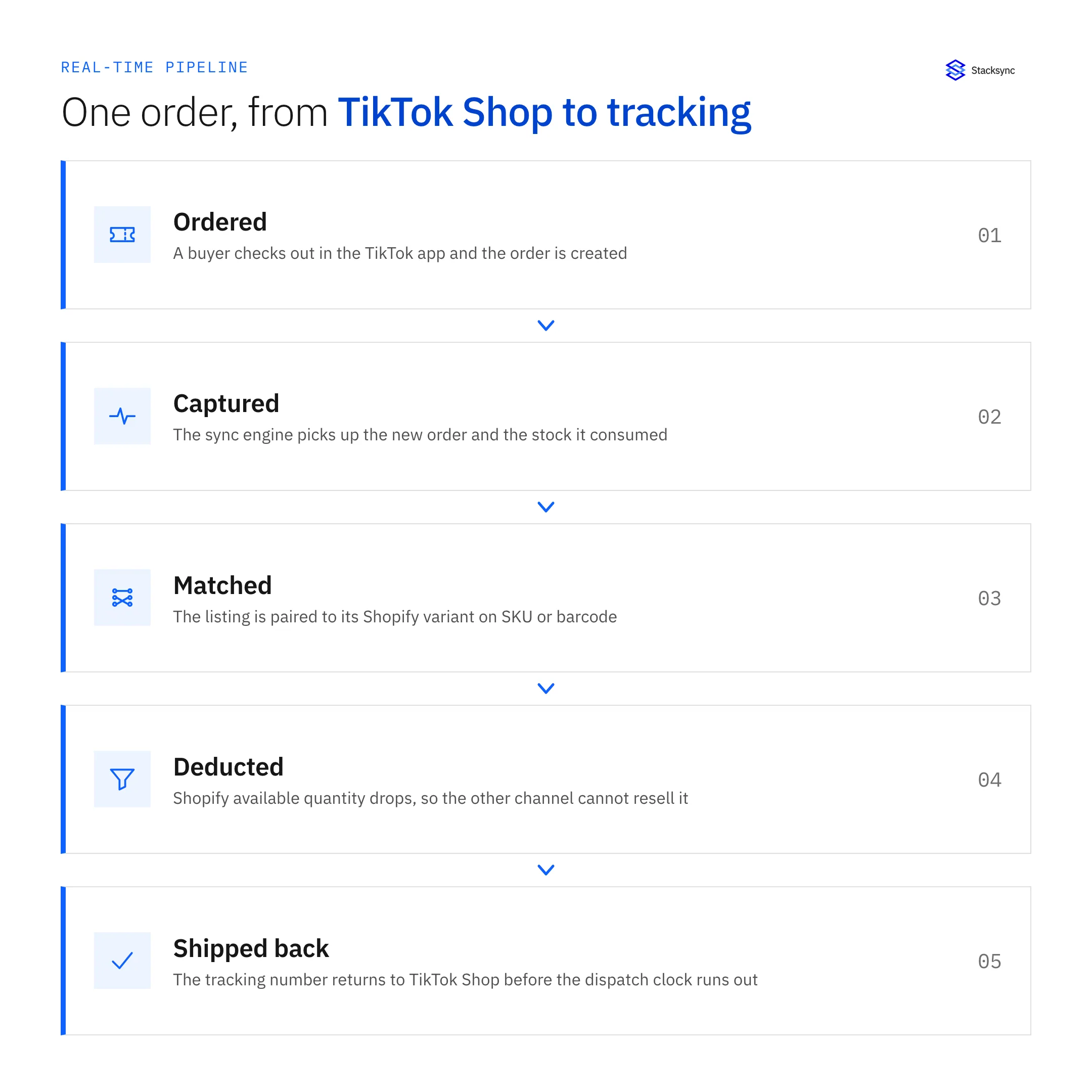
An order that reaches Shopify is only half the job. TikTok Shop measures how quickly orders are dispatched, so the tracking number has to come back before that window closes, and rekeying it by hand is how the window gets missed on the busiest days.
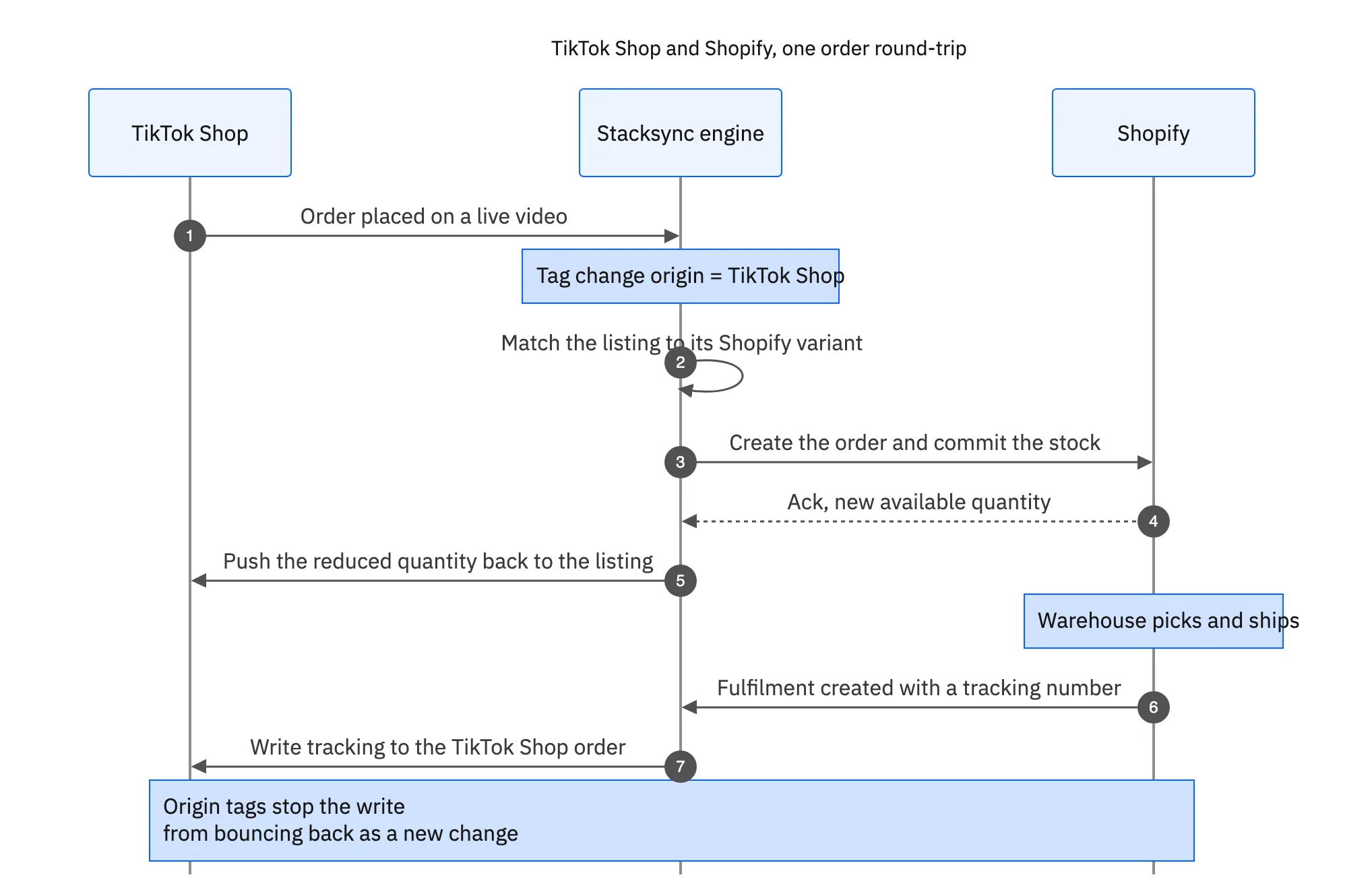
The same path carries the exceptions. A cancellation matches back to the original order, updates Shopify, and releases the stock. A partial refund adjusts the order rather than creating a new one. These are the cases a one-way order feed cannot handle, and they are the reason most sellers rebuild the integration rather than patch it.

What to watch in the first week
Three numbers tell you whether the setup is healthy. How many listings are sitting in the unmatched review list, how long a stock change takes to appear on the other channel, and how many orders were dispatched outside the window. If the first is shrinking and the other two are flat during a spike, it is working.
One thing worth planning for separately: TikTok Shop changed how seller shipping works, and it affects which fulfilment path you can use. We covered it in TikTok Shop ending seller shipping. The connector details are on the Shopify and TikTok Shop integration page.
Two shopfronts, one truth
The goal is not that TikTok Shop holds a copy of your Shopify catalog. It is that a buyer in the TikTok app and a buyer on your own site are looking at the same stock, the same price, and the same delivery promise, and that neither of them is buying a unit that left the warehouse an hour ago.
If your orders also have to reach an ERP, that is the next piece: TikTok Shop and NetSuite. Or book a demo and we will match a real SKU across both of your channels.

FAQ
Frequently asked questions










Explore these integrations and topics
- connectorShopify integrations
- connectorTikTok Shop integrations
- platformCRM synchronization
- platformCRM and ERP integration
- CRM synchronization guidesConnect customer records across sales, marketing, and operational systems.
- CRM and ERP integration guidesPlan account, order, invoice, and payment flows between commercial and finance teams.
Related articles






