






















TikTok Shop Orders Arrive in Bursts: Picking an Integration Platform That Holds
A buyer's guide to the integration layer behind TikTok Shop. It explains why the traffic shape breaks tools built for steady storefronts, what the platform has to do on orders, stock, refunds, and fulfilment, how real-time sync differs from a scheduled export, and the questions worth asking any vendor before you sign.
- Author
- Ruben Burdin · Founder & CEO
- Published
- Read time
- 8 min read

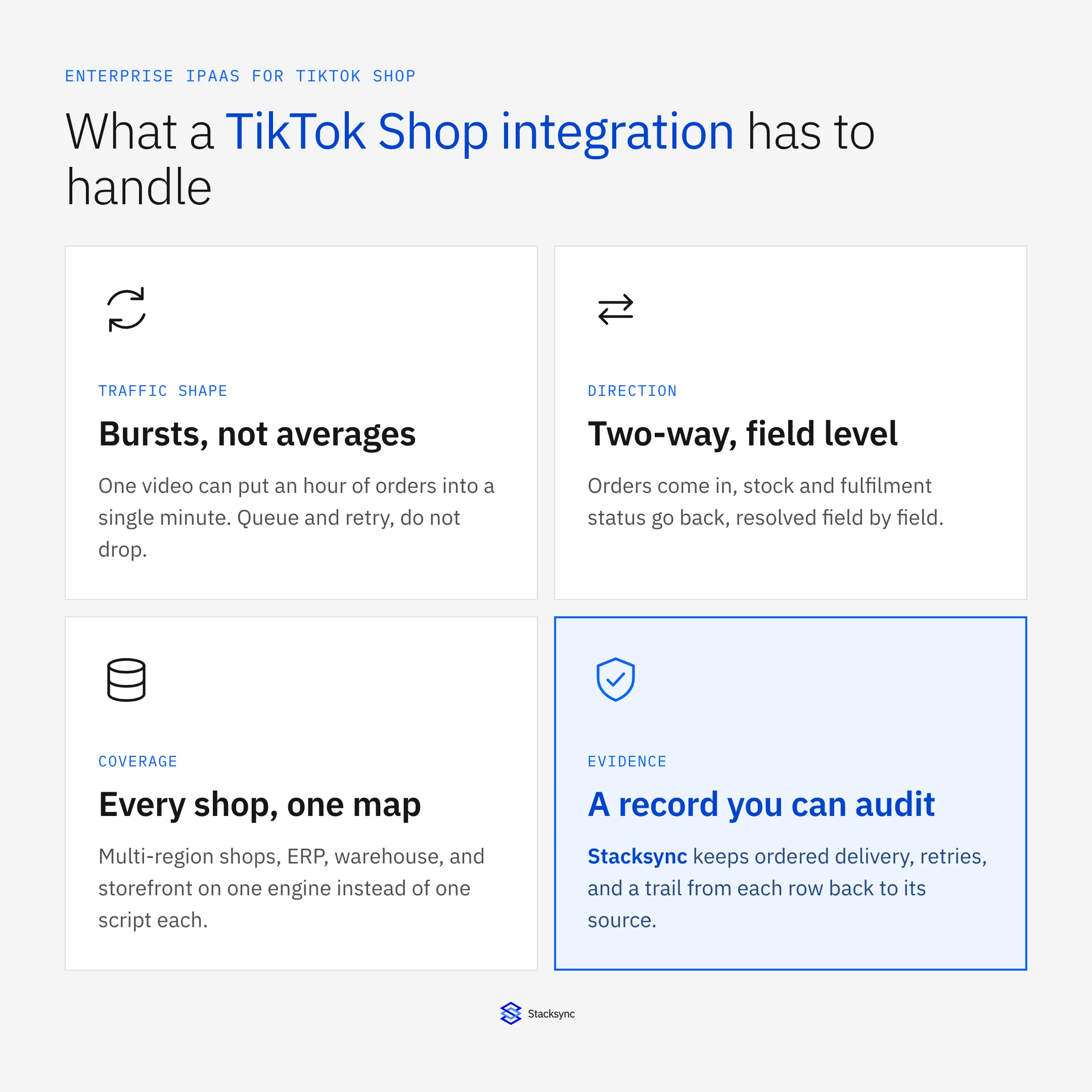
Most integration tools are sized for an average. A storefront does a few hundred orders a day, spread out, and the nightly job has all night to catch up. TikTok Shop does not work like that. One video lands, and an hour of demand arrives inside a minute.
That single fact decides most of what you should be looking for. It is why teams who connected TikTok Shop with a scheduled export usually rebuild it within a quarter: the export was never wrong, it was just always behind, and being behind on stock is how you sell the same unit twice.
This is a buyer's guide to that layer. It covers what makes TikTok Shop different from a normal storefront, what the platform has to do, and what to ask a vendor. If you already know which two systems you are joining, the specific walkthroughs are TikTok Shop and Shopify and TikTok Shop and NetSuite.
Why TikTok Shop is not just another storefront
Four things separate it from the e-commerce platforms most integration tooling was built against, and each one has a cost if the layer underneath ignores it.
The first is the traffic shape. Demand is driven by content, so it is spiky by design. Sizing an integration for the daily average means it falls over on exactly the days that matter. The second is the dispatch clock. TikTok Shop holds sellers to how quickly orders leave, so latency in your integration is not a cosmetic problem, it shows up in seller metrics.
The third is that shops are per market. A seller in three countries has three authorisations, three catalogs, and three stock positions, and nobody wants to maintain three copies of the same integration. The fourth is that the order does not stop at checkout. Cancellations, address edits, partial refunds, and returns all arrive after the fact, and each one has to find the record it belongs to in a system that has already moved on.
What the integration layer actually has to do
Strip away the marketing and an integration platform for TikTok Shop is doing four jobs: noticing that something changed, deciding what it maps to, writing it somewhere without duplicating or clobbering anything, and proving afterwards that it did.
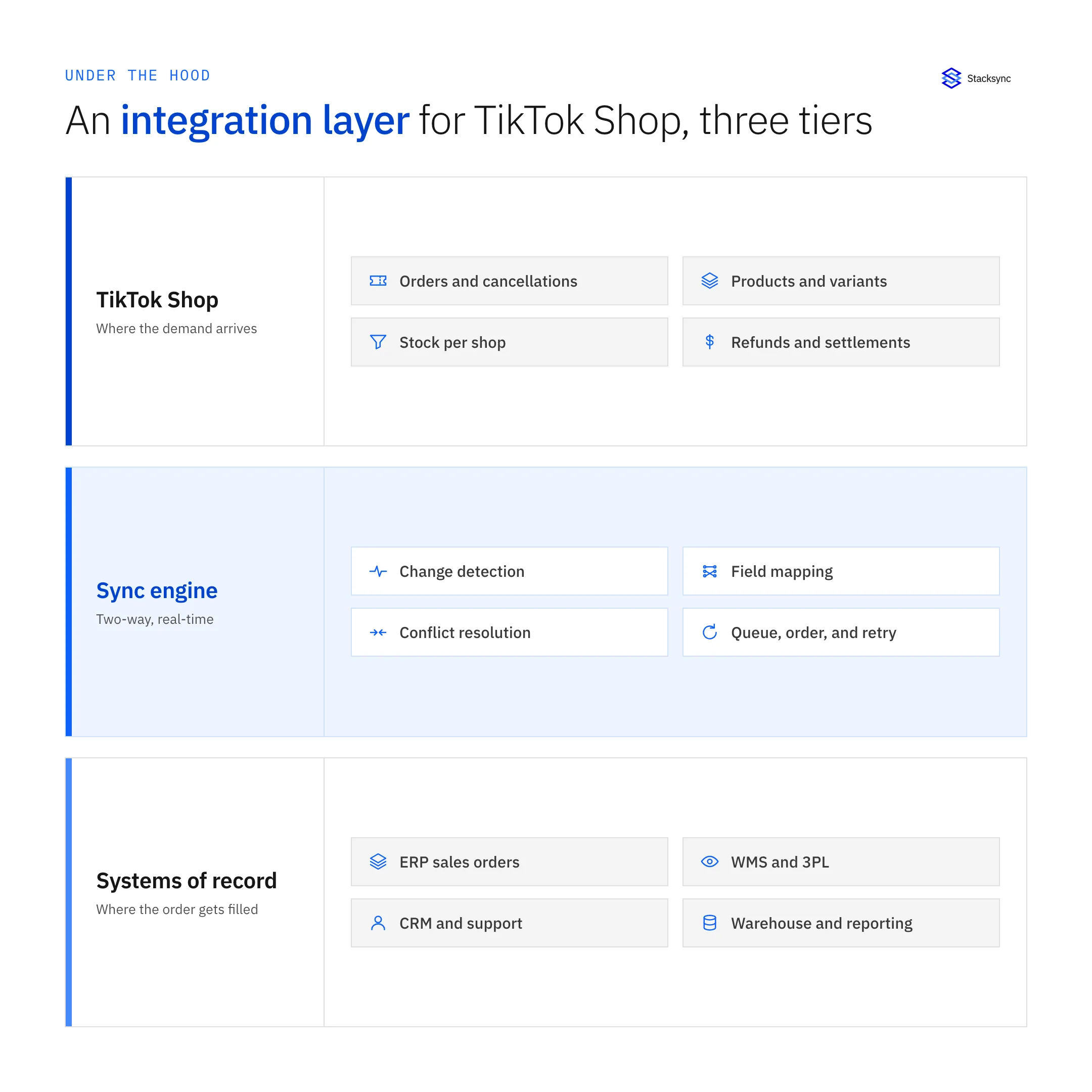
Change detection has to be at the field level. If the integration writes whole records, a stock update overwrites the address correction a support agent made ten seconds earlier, and nobody finds out until the parcel bounces. Writing only the field that moved is what makes it safe for both sides to edit the same record.
Delivery has to be ordered and retried. Bursts push any integration into rate limiting sooner or later, and what matters is what happens next: a queue that holds the backlog and drains it in order, or a job that fails and leaves you to work out which two hundred orders never made it. Ordering also stops the ugly case where a cancellation arrives before the order it cancels.
Writes have to be tagged with their origin. Once the sync writes into TikTok Shop, that write is itself a change, and without a tag it reads as a fresh edit and gets pushed back the other way. That is the echo loop, and it is the single most common reason a two-way integration gets switched off in week two.
Real-time sync versus a scheduled export
The honest comparison is not features, it is what each approach does on a bad day. Here is where the two diverge.
| Situation | Scheduled export | Real-time two-way sync |
|---|---|---|
| A video sends 8,000 orders in an hour | The next run carries the backlog, hours later | Events queue and drain in order, within seconds |
| Buyer cancels 20 minutes after ordering | The ERP still shows an order to pick | The cancellation follows the original record |
| Stock sold on a second channel | Both channels sell from a stale count | One available-to-sell number, shared |
| Warehouse ships and gets a tracking number | Someone rekeys it before the clock runs out | Fulfilment writes straight back to the shop |
| The API returns a rate limit | The run fails and the gap is silent | Backoff and retry, with the backlog intact |
| Finance asks where a number came from | You reconstruct it from files | Each row traces back to its source record |
Both approaches look identical on a quiet Tuesday. They stop looking identical the moment a video takes off.
Where TikTok Shop data has to land
TikTok Shop is rarely the only system involved. The order is filled in an ERP or a warehouse, the customer is answered in a support tool, and the numbers are reported from a warehouse table. A single hub is what stops each of those becoming its own script.
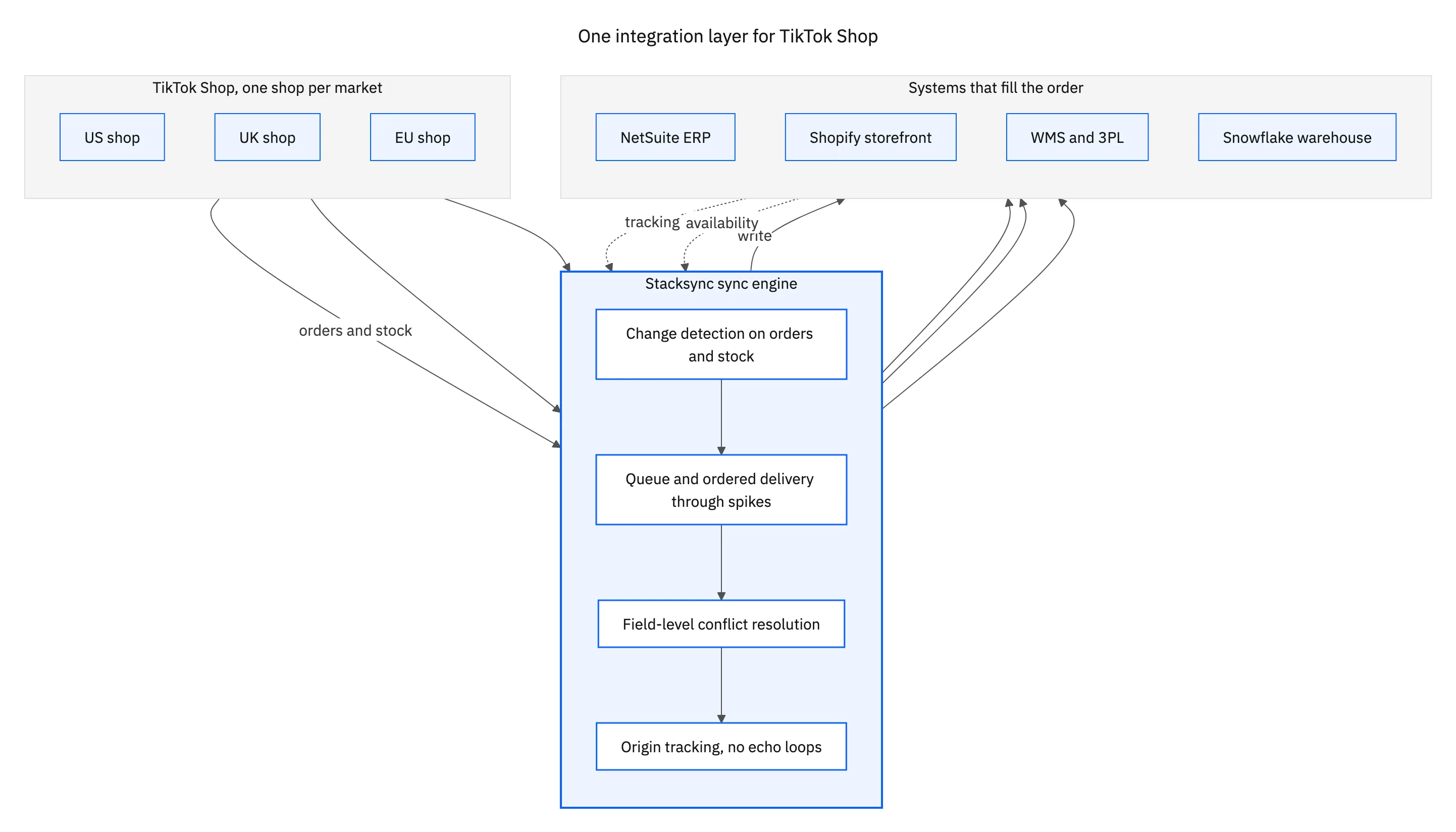
In practice that means the ERP holds the sales order and the invoice, the storefront or the WMS holds the stock the shop is allowed to sell, support sees the order next to the conversation, and the warehouse table holds the history nobody wants to query through an API. Stacksync connects all of them through the same engine, so the mapping is defined once instead of once per destination. The connector list is on the TikTok Shop connector page.

Questions worth asking before you buy
Vendor demos are run on quiet data. These are the questions that separate a platform that will hold from one that looks fine until December.
What happens to a change when the destination is rate limited or down? Does the sync write whole records or only changed fields? How does it know a write is its own? What is the conflict rule when both sides changed the same field, and can I set it per field? How many shops can share one mapping? And when a number is wrong, how do I find out which write caused it?
If the answers are vague on any of those, the integration will work in the demo and cost you a weekend during a spike. There is also a policy dimension worth knowing before you design fulfilment: we covered the logistics change in TikTok Shop ending seller shipping.
Build for the spike, not the average
The test for a TikTok Shop integration is not whether it moves orders. Almost anything moves orders. It is whether it still moves them when a video takes off, whether the stock number is right on both channels while that happens, and whether a refund three days later lands on the record it belongs to.
If you are joining a specific pair, start with TikTok Shop and Shopify or TikTok Shop and NetSuite, or book a demo and we will run a burst against your own shop.

FAQ
Frequently asked questions










Explore these integrations and topics
Related articles






