






















Distinguish Solar End Customers from Installation Partners
Distinguish a solar end customer from an installation partner using the inquiry’s stated relationship to the project, checked against existing account context.
- Author
- Ignacio Malpartida · GTM Engineer
- Published
- Updated
- Read time
- 7 min read

Classify the requester’s role in this inquiry
Distinguish a solar end customer from an installation partner using the inquiry’s stated relationship to the project, checked against existing account context. An end customer is enquiring for its own operation; an installation partner is working in a delivery or commercial relationship for customers. A business can play both roles on different projects.
Do not classify solely from a company’s industry. An installer might purchase equipment for its own premises, and a property owner might submit on behalf of a managed portfolio. The useful routing question is what role this requester has in the current inquiry, not which label appears on a directory profile.
Evidence needed to resolve the exception
Use this exception guide when reviewing a proposed Genie workflow or investigating a case that cannot proceed confidently. The tables describe operational decisions to configure in your environment. They are not claims that a connected application automatically supplies your organization’s policies, identity mappings, or approval process.
| System or owner | Evidence and responsibility |
|---|---|
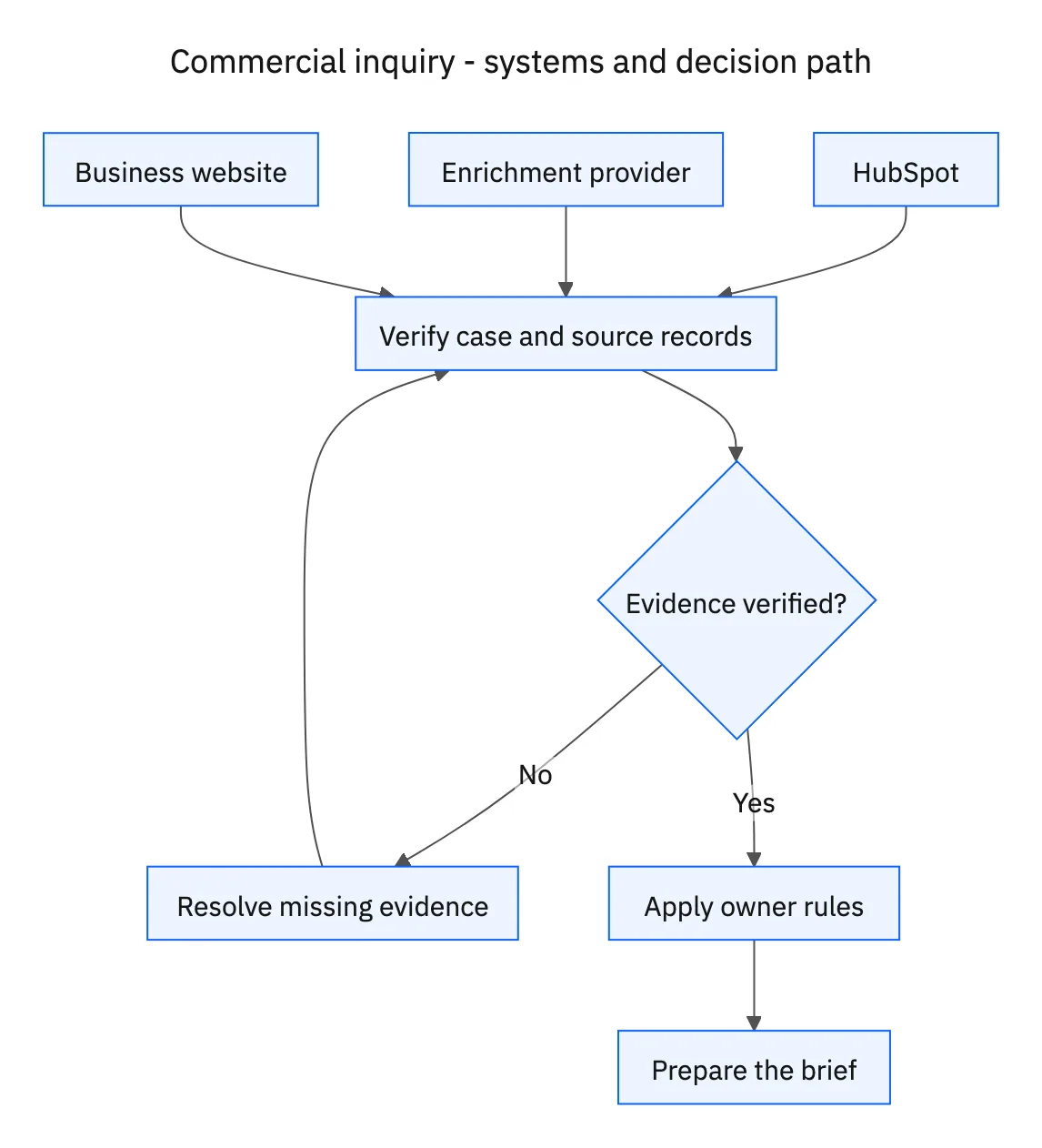
| HubSpot | Inquiry, existing account relationships, sourced enrichment, and owner routing. |
| Enrichment provider | Business attributes and their source references. |
| Business website | Public company context and evidence for the project brief. |
Required context for this workflow design.
Ask one clarification that changes the route
When the message is unclear, ask whether the project is for the requester’s own business or for a customer they serve. If they represent another party, ask the relationship needed to route the inquiry, without demanding a full project specification before the first response. Keep the uncertainty visible in HubSpot until answered.
Check whether the account already has an established customer or partner owner. A new inquiry should not erase that relationship. If the project involves a different role from the established one, flag it to the existing owner with the supporting message rather than changing the account’s overall classification without review.
Build two different follow-up briefs
For an end customer, focus on the stated facility, business need, project decision process, and missing scope. For a partner, focus on the customer project or partnership request, territory, services, and appropriate partner contact. In both cases, distinguish sourced business facts from information still to be confirmed.
Avoid using company size or public revenue estimates to infer budget or readiness to buy. A large company may be exploring a small site, and an installer may be researching a future opportunity. The qualification workflow should improve the first conversation by asking the right questions and routing accurately, rather than prematurely declaring the project qualified for a particular commercial or technical offer.
Decision table for common exceptions
Use the condition in the first column to choose the next action. The final column describes the boundary that must remain true while the case is unresolved. Apply the organization’s actual policy and source records to the live case; do not treat an illustrative condition as proof that the condition exists.
| Observed condition | Next action | Required boundary |
|---|---|---|
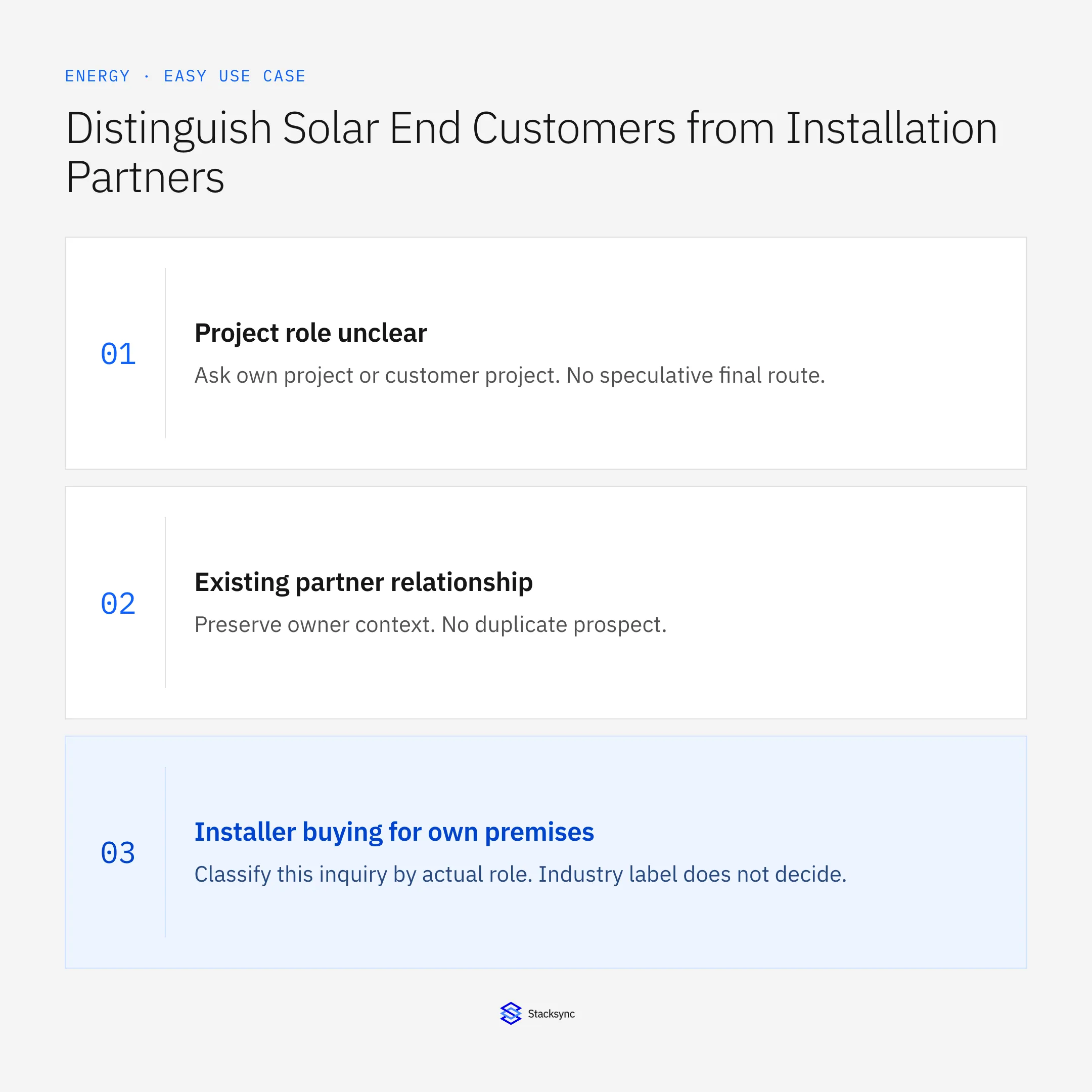
| Project role unclear | Ask own project or customer project | No speculative final route |
| Existing partner relationship | Preserve owner context | No duplicate prospect |
| Installer buying for own premises | Classify this inquiry by actual role | Industry label does not decide |
| Provider fact conflicts | Retain verified value and flag source | No silent overwrite |
Exception decisions for commercial inquiry.
Illustrative exception and recovery
A solar installer asks about its own office installation. The company’s industry suggests a partner, but the inquiry describes an end-customer project. The brief records that distinction and uses the approved routing rules for the actual request.
This example uses fictional records to show the decision logic. It is not a customer case study or a claim of measured results. In a live case, retain the actual record IDs and evidence behind each statement, and replace all illustrative quantities or timing assumptions with the approved operational inputs.
What to record before resuming
A sourced HubSpot project brief with the requester’s confirmed role, existing relationship, correct owner, and role-specific follow-up questions.
Preserve the original finding and the evidence that resolves it. Record which person or system supplied the clarification, which proposal it applies to, and the action now permitted. Do not erase the uncertainty from the history: a later reviewer needs to understand why the case paused and why it resumed.
Boundaries that remain in force
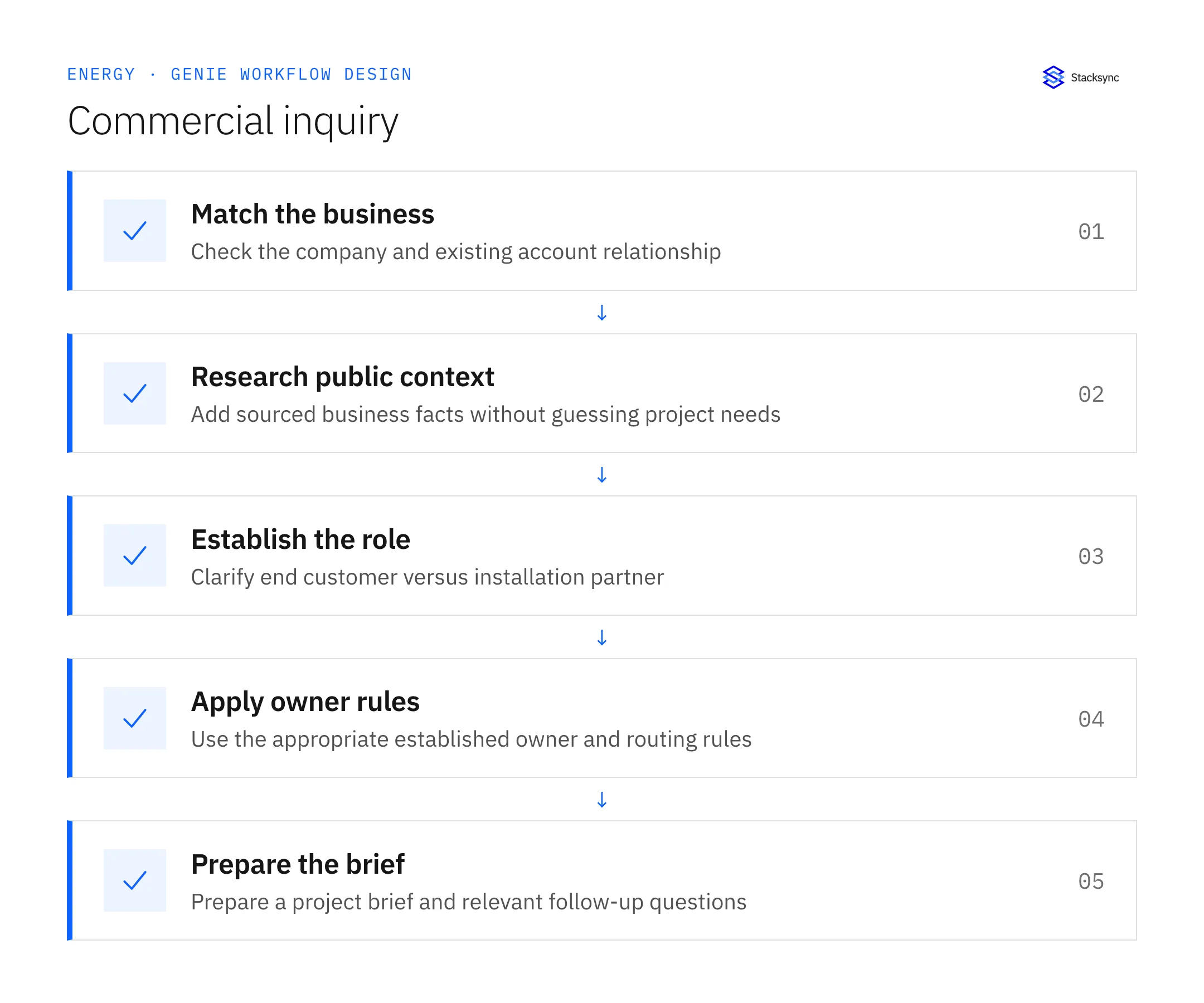
- Check existing account relationships before enrichment or routing.
- Add sourced business information without treating estimates as verified project facts.
- Determine end customer versus installation partner from the inquiry and clarify ambiguity.
- Route to the appropriate owner with a brief and relevant follow-up questions.
Review the case before restarting
First verify that the new evidence resolves the original blocker rather than a different issue. Then check whether the case, source records, or proposed action changed during the wait. A response attached to the right ticket can still be insufficient if it refers to an earlier proposal or leaves a required quantity, identity, or approval unresolved.
Run the relevant row from the decision table as a review scenario. Confirm that the job stops at the required boundary, asks for the specified information or decision, and resumes from the confirmed state. If a write or message may already have succeeded, inspect its destination before repeating it; if this job only prepares a draft or report, verify that it stays within that output scope.
- Inquiries routed with an established requester role
- Ambiguous roles clarified before final routing
- Company attributes with recorded sources
Track unresolved cases by their actual blocker and owner. A case waiting for clarification needs a different next action from one waiting for a confirmed result. Review the evidence when the state changes, and keep any still-unresolved completion condition visible instead of treating a successful intermediate step as the end of the work.

Give your Genie a job description
Copy the job description below. It preserves the scope and decision boundaries of this use case. Configure the referenced systems, record relationships, policies, and approval owners in your workspace before enabling the job.
Paste this into “Give your Genie a job description.” Explore Stacksync Genies.
Apply this in solar installation and O&M services: hubSpot opportunity and site and property relationship
The distinction between a solar end customer and installation partner must survive into project and billing records. Apply that relationship model when fleet ownership changes so the service asset owner, legal payer, and partner remain separately traceable.
| Record to reconcile | Responsible owner | Rule to preserve |
|---|---|---|
| HubSpot opportunity | Sales operations | Track commercial stage and the approved scope reference. |
| Site and property relationship | Project administration | Maintain the physical project location separately from the payer. |
| Acumatica customer | Finance | Own approved legal identity and billing terms. |
An exception to plan for: Property manager is not the legal customer. Preserve the relationship contact and request finance approval for the actual project customer. Acceptance check for the pilot: each project resolves to an approved customer and physical site.
The solar installation and O&M services hub connects the broader operating context. These guides develop the specific record mappings and decisions for this application:
Implementation references
These first-party references document the underlying records and interfaces. The cross-system sequence, approvals, and completion rules in this article are a proposed operational configuration; validate them against your connected workspace before enabling it.

FAQ
Frequently asked questions










Related articles






