






















CPG Credit-Hold Release Workflows: Keep Finance Approval and Fulfillment in Step
Finance approves one order, amount and time window; the workflow rechecks NetSuite before release and reports to HubSpot and Slack without letting either trigger it.
- Author
- Ignacio Malpartida · GTM Engineer
- Published
- Read time
- 5 min read

The operating decision
Automate the handoff around a credit decision while leaving the decision with finance. A release workflow should bind approval to the exact customer, order revision, amount, and time window that were reviewed. Recheck eligibility immediately before fulfillment and preserve the approver’s evidence so sales visibility cannot become an accidental release instruction.
Explore the complete consumer packaged goods integration and automation hub for the systems and processes around this guide.
What this looks like in consumer packaged goods
A distributor asks sales to ship a seasonal replenishment before a promotion. Finance agrees to release one order after reviewing a promised payment. Another order arrives later for the same customer. Reusing a customer-level approved flag could release both, even though the second was never reviewed and changes the exposure.
Records, ownership, and update rules
| Record | Owner | Operating rule |
|---|---|---|
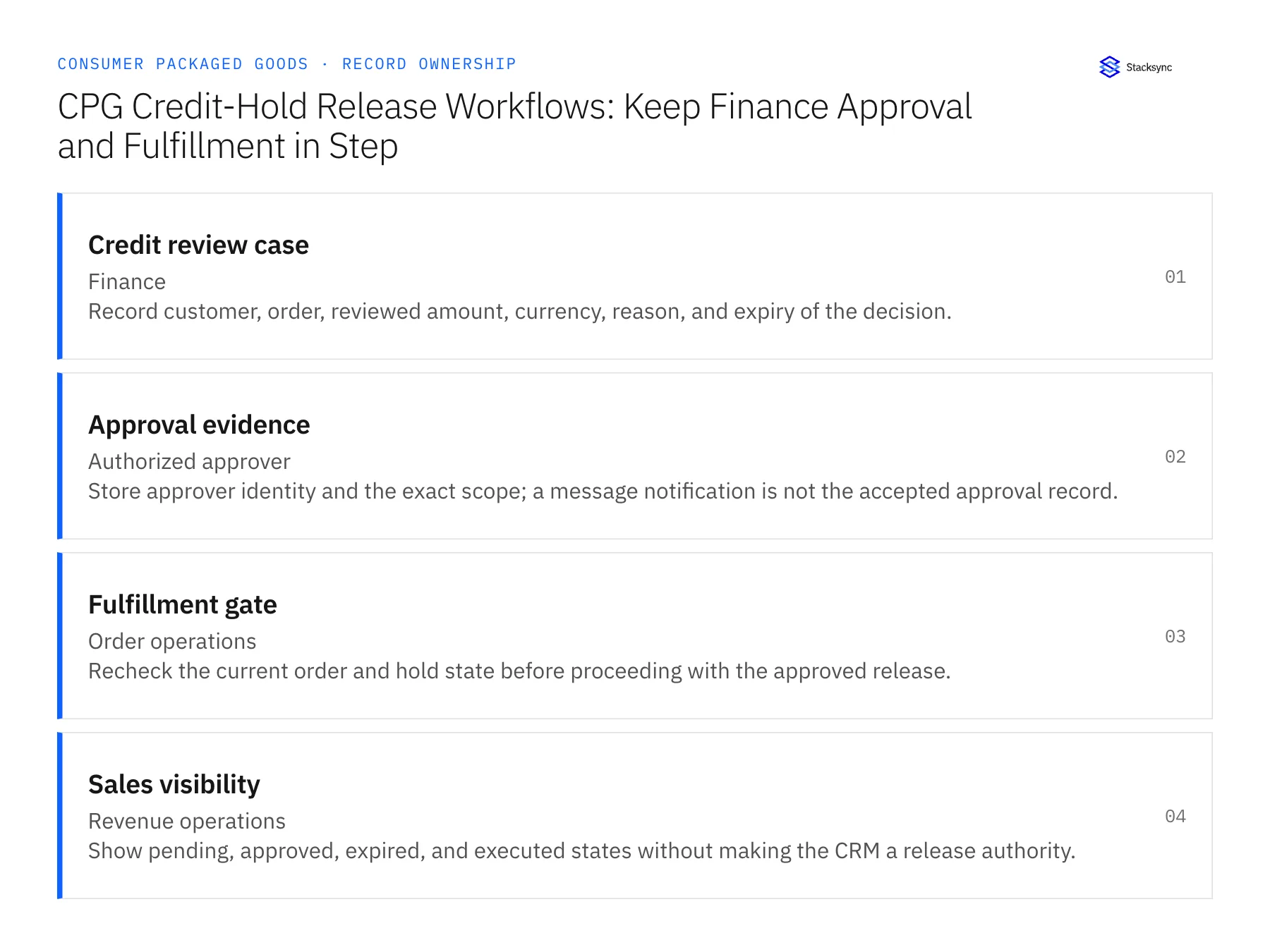
| Credit review case | Finance | Record customer, order, reviewed amount, currency, reason, and expiry of the decision. |
| Approval evidence | Authorized approver | Store approver identity and the exact scope; a message notification is not the accepted approval record. |
| Fulfillment gate | Order operations | Recheck the current order and hold state before proceeding with the approved release. |
| Sales visibility | Revenue operations | Show pending, approved, expired, and executed states without making the CRM a release authority. |
Work through the process
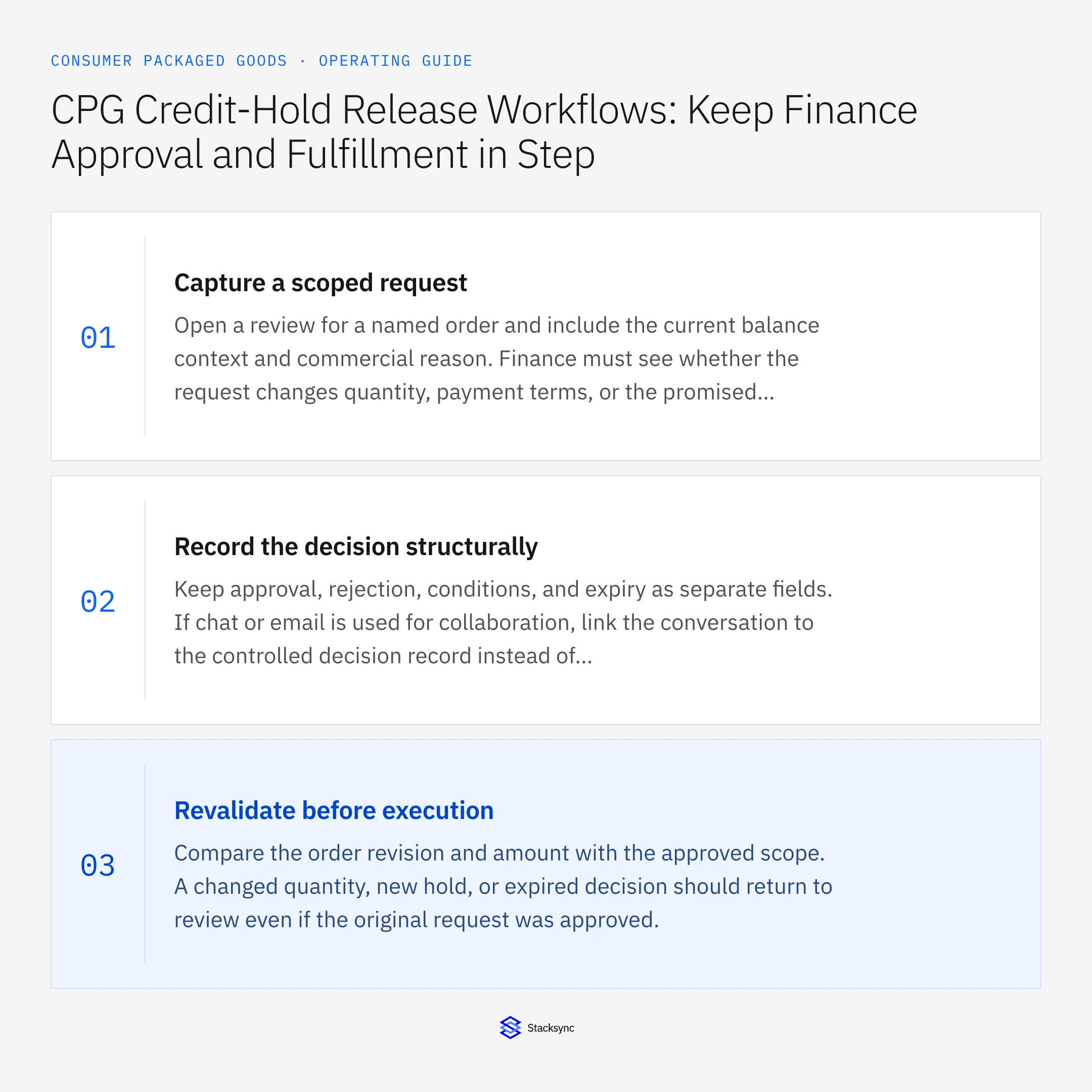
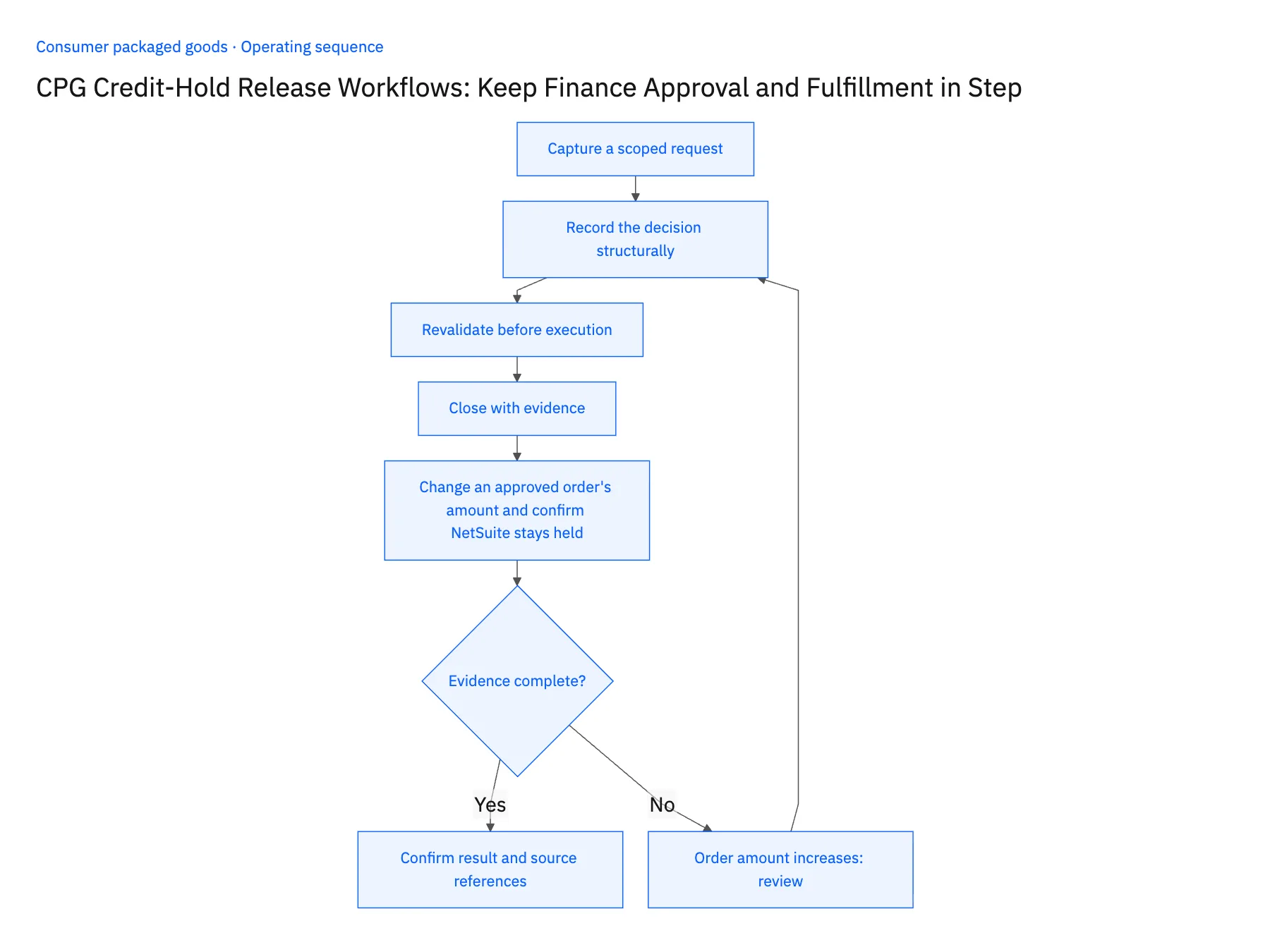
- 01Capture a scoped requestOpen a review for a named order and include the current balance context and commercial reason. Finance must see whether the request changes quantity, payment terms, or the promised shipping date.
- 02Record the decision structurallyKeep approval, rejection, conditions, and expiry as separate fields. If chat or email is used for collaboration, link the conversation to the controlled decision record instead of parsing any positive reply as authority.
- 03Revalidate before executionCompare the order revision and amount with the approved scope. A changed quantity, new hold, or expired decision should return to review even if the original request was approved.
- 04Close with evidenceAttach the ERP release result and any downstream fulfillment reference. If the release fails, retain the approved decision while keeping the execution state visibly incomplete.
- 05Change an approved order's amount and confirm NetSuite stays heldOpen a credit review for one held NetSuite order, approve it with an amount and expiry, and confirm the approval record names that order revision and amount, not the customer. Before release runs, add a line to the NetSuite order so the total rises. The recheck must compare the new revision with the approved scope, keep the order held, and reopen the case for finance with the difference shown. Then let a second approval expire and attempt release: the order must stay held, and Slack and HubSpot must both read expired. Stop the rollout if the larger order shipped under the old approval, or if an expired decision released anything.
Handle the exceptions explicitly
Order amount increases
Require a new review or explicit extension of approval; do not inherit the earlier limit.
Payment promise is withdrawn
Invalidate the pending release according to finance policy and notify the operational owner.
Approval is duplicated
Resolve to the same case and prevent a second release action.
What to verify before expanding
- Approval binds to the reviewed order revision and amount.
- An expired approval cannot release a newly changed order.
- Increasing the order amount after approval blocks release until finance reviews the revised scope or explicitly extends its decision.
- Replaying the same approval retains one release result and does not reuse an expired decision for another order.

Connect this process to the rest of your operation
Explore Stacksync workflows and scope the records and actions against your actual systems. Book a demo with a real credit review case example and the exception your team handles most often, for example order amount increases.
- Wholesale CPG Account Onboarding: Coordinate Sales, Finance, and Operations
- AI Agents for CPG Order-to-Cash: Investigate Order and Payment Exceptions
- CPG Retailer Deductions: Assemble the Evidence Before Disputing a Claim
- Amazon Seller Central and NetSuite: Read-Only Sync and Reconciliation
- HubSpot and NetSuite Integration Guide: Connect in Minutes
The shared architecture guide covers record matching, ownership, and recovery across systems.
Technical references
FAQ
Frequently asked questions










Related articles






