Amazon Seller Central and NetSuite: Read-Only Sync and Reconciliation
Bring Amazon Seller Central data into NetSuite reconciliation with stable marketplace and order identifiers. The native Amazon connector is read-only; outbound actions require a separate supported integration.
- Author
- Ruben Burdin · Founder & CEO
- Published
- Updated
- Read time
- 6 min read

Amazon and NetSuite answer different operational questions. Amazon identifies the marketplace order and reports its channel state. NetSuite holds the ERP records your team uses for fulfillment, purchasing, and finance. The useful integration begins by relating those records without confusing visibility with permission to change either system.
The Stacksync Amazon Seller Central connector documentation specifies read-only synchronization from Amazon to destination systems, with historical and incremental synchronization of supported objects and reports. The native connector does not provide a NetSuite-to-Amazon write path. Updating listings, publishing available-to-promise quantities, issuing refunds, or confirming shipments in Amazon requires a separately supported outbound integration.
Start with the records you can actually read
Inventory the objects and reports available to the authorized Amazon account before choosing the operating workflow. A connector name is not evidence that every account exposes every report, that a report is current enough for a dispatch decision, or that a corresponding NetSuite record can be written. Confirm those details against the selected entities, permissions, and account configuration.
| Business question | Reference to preserve | Validation before use |
|---|---|---|
| Which channel order is this? | Seller account, marketplace, Amazon order ID, and line ID | Confirm the selected source exposes the identifiers and statuses required by the reconciliation. |
| Which ERP record represents it? | NetSuite customer, item, order, and external reference | Approve item matching and destination write operations before creating or changing ERP records. |
| Is the physical unit available? | Fulfillment channel, SKU, location, observation time, and quantity definition | Keep Amazon-held stock separate from merchant-held stock and quantities already committed elsewhere. |
| Why does the financial amount differ? | Order reference, report period, currency, fee or adjustment reference | Verify report coverage and timing before treating an unmatched amount as a finance error. |
Keep channel evidence and ERP decisions separate
A seller-fulfilled order and an FBA order should not follow an identical inventory assumption. Determine where the goods physically reside and which operational record establishes their status. Do not add Amazon-held quantities to warehouse quantities merely because the SKU is the same. Do not treat a report observation as a reservation or shipment commitment.
Preserve source values alongside the matched ERP reference and the time each was observed. An operations analyst should be able to distinguish an Amazon cancellation from an ERP picking status, and then decide which work must pause. Copying one status over the other can erase the very disagreement the team needs to investigate.
Build one reconciliation case per business discrepancy
Begin with a small sample spanning marketplaces, fulfillment channels, partial orders, and amended records. Match the source line to its approved ERP counterpart. When no match exists, expose the missing relationship for review rather than guessing from the product name or silently creating another order.
Give the case a stable reference derived from the source identity and the discrepancy being investigated. Reprocessing the same source observation should update that case, not create another task or duplicate financial effect. Keep the original observations so a reviewer can explain why the case was opened and what changed before it was closed.
For financial reconciliation, compare like periods and currencies and retain the report reference supporting each proposed explanation. A payout, an order total, and net revenue after fees answer different questions. Missing or delayed source evidence belongs in a waiting state; it is not permission to issue a credit or post an adjustment.
Evaluate outbound Amazon actions as a separate integration
A business may also need to publish inventory, change a listing, or confirm a seller-fulfilled shipment. Those are separate outbound requirements. Identify the authorized integration that can perform each operation, its supported API action, owner, retry behavior, and reconciliation record. The native read-only Amazon connector does not fulfill those requirements.
Keep the two workstreams visible in the design review: source-data ingestion supplies evidence; an independently verified outbound process performs a permitted change. If that outbound process is unavailable, the workflow should route the task to the responsible operator. It must not report that Amazon was updated because NetSuite changed.

Apply this in consumer packaged goods: amazon order and line and financial event
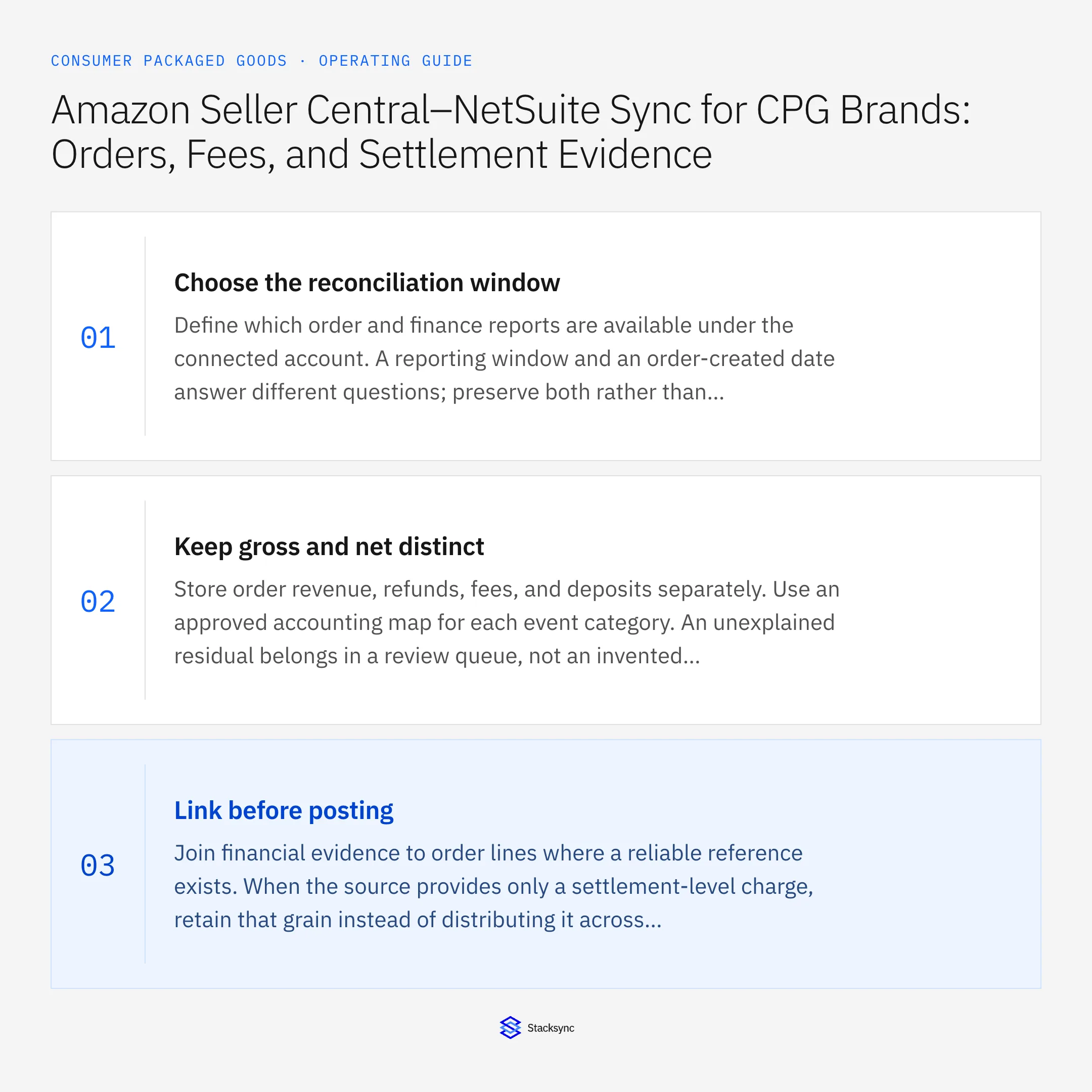
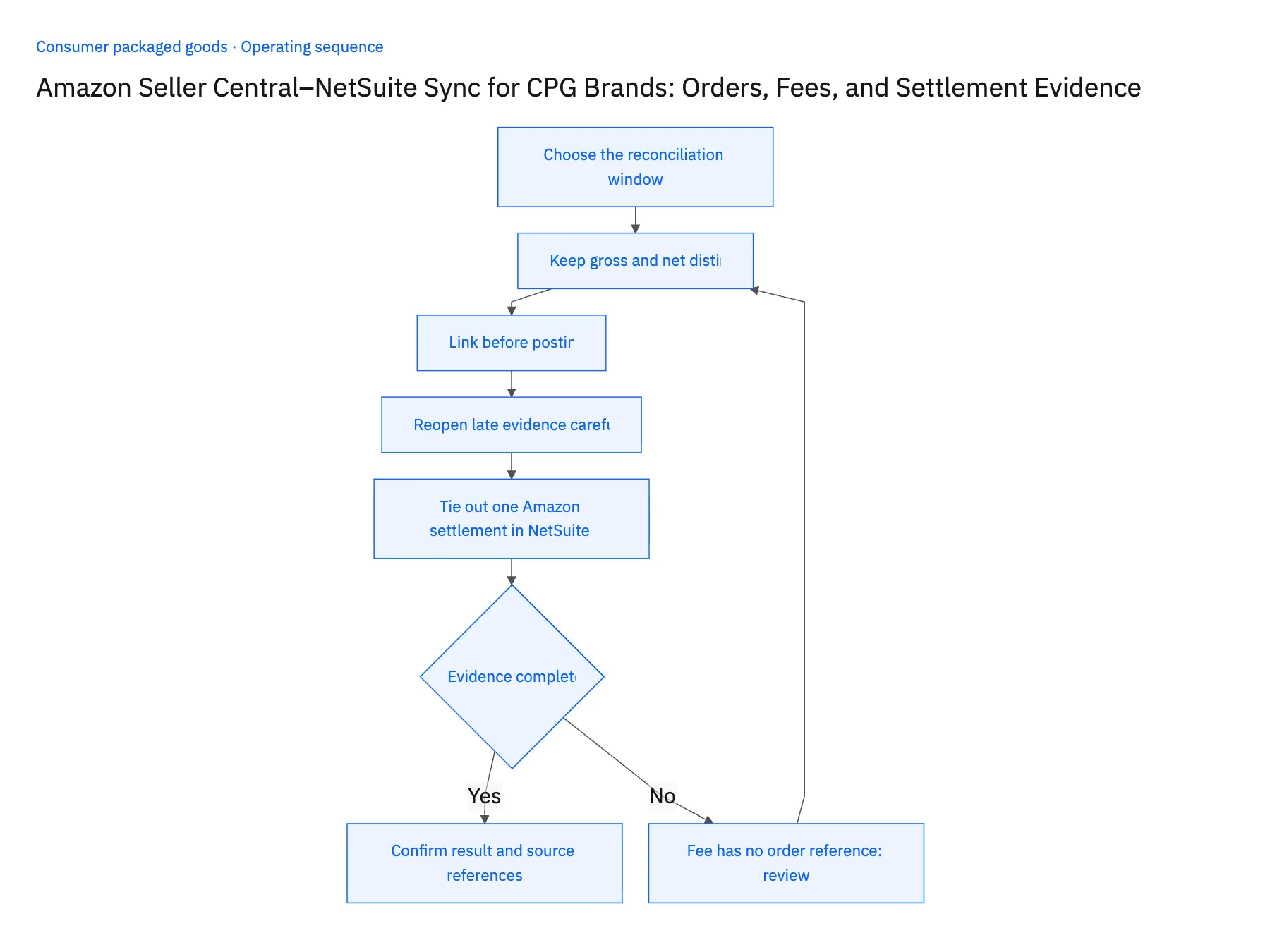
For CPG marketplace reconciliation, preserve separate order, fee, refund, and settlement evidence before applying the approved NetSuite accounting treatment. Amazon Seller Central sync has read-only access: importing this evidence does not authorize listing changes, refunds, or other marketplace write-back.
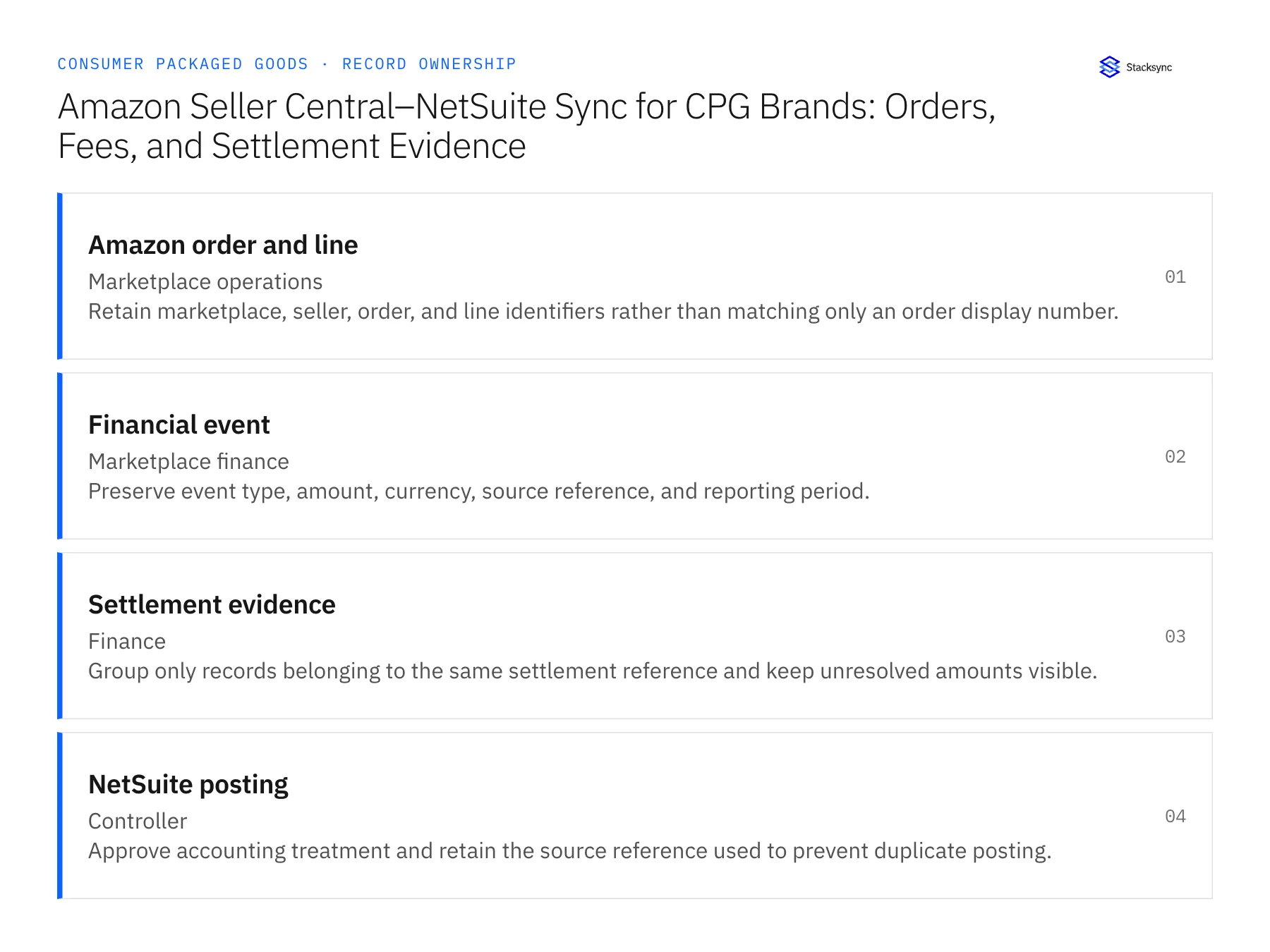
| Record to reconcile | Responsible owner | Rule to preserve |
|---|---|---|
| Amazon order and line | Marketplace operations | Retain marketplace, seller, order, and line identifiers rather than matching only an order display number. |
| Financial event | Marketplace finance | Preserve event type, amount, currency, source reference, and reporting period. |
| Settlement evidence | Finance | Group only records belonging to the same settlement reference and keep unresolved amounts visible. |
An exception to plan for: Fee has no order reference. Keep it at the settlement or event grain and ask finance for the approved treatment. Acceptance check for the pilot: every reconciled amount retains its marketplace and currency.
The consumer packaged goods hub connects the broader operating context. These guides develop the specific record mappings and decisions for this application:
Prove the handoff with a representative pilot
- 01Confirm the Amazon objects and reports available to the account, their identifiers, and the freshness required for the chosen decision.
- 02Match representative records to NetSuite with explicit item, marketplace, fulfillment-channel, and external-reference rules.
- 03Replay the same observation and verify that it does not create a duplicate ERP record, review task, or proposed adjustment.
- 04Test missing matches, partial fulfillment, stale reports, and conflicting quantities; preserve the reviewer and the evidence required to resume.
- 05Demonstrate any separately authorized outbound action independently, including its confirmation and failure path.
Use the pilot to measure completeness and reviewer effort before expanding its scope. For a walkthrough using your own objects and approval boundaries, book a demo. Bring the Amazon entities you can access and the NetSuite records you intend to reconcile.

FAQ
Frequently asked questions










Related articles