






















CPG Retailer Deductions: Assemble the Evidence Before Disputing a Claim
Cases on the invoice, units on the receiving note and a second delivery after the first receipt: the Genie keeps those differences visible before anyone accepts a shortage claim.
- Author
- Ignacio Malpartida · GTM Engineer
- Published
- Read time
- 5 min read

The operating decision
Use a Genie to assemble retailer-deduction evidence by claim, invoice, order line, and shipment. The exception guide should distinguish a genuine shortage, a timing difference, a pack mismatch, and missing proof. Keep dispute submission and credit approval outside the agent’s automatic authority unless the business has explicitly authorized those actions.
Explore the complete consumer packaged goods integration and automation hub for the systems and processes around this guide.
What this looks like in consumer packaged goods
A retailer deducts an amount from payment and labels it a shortage. The invoice uses cases, the receiving note uses individual units, and a second delivery arrived after the first receipt. The obvious subtraction appears to prove a shortage only because the documents have different units and timing. A useful case preserves those differences before someone accepts or disputes the deduction.
Records, ownership, and update rules
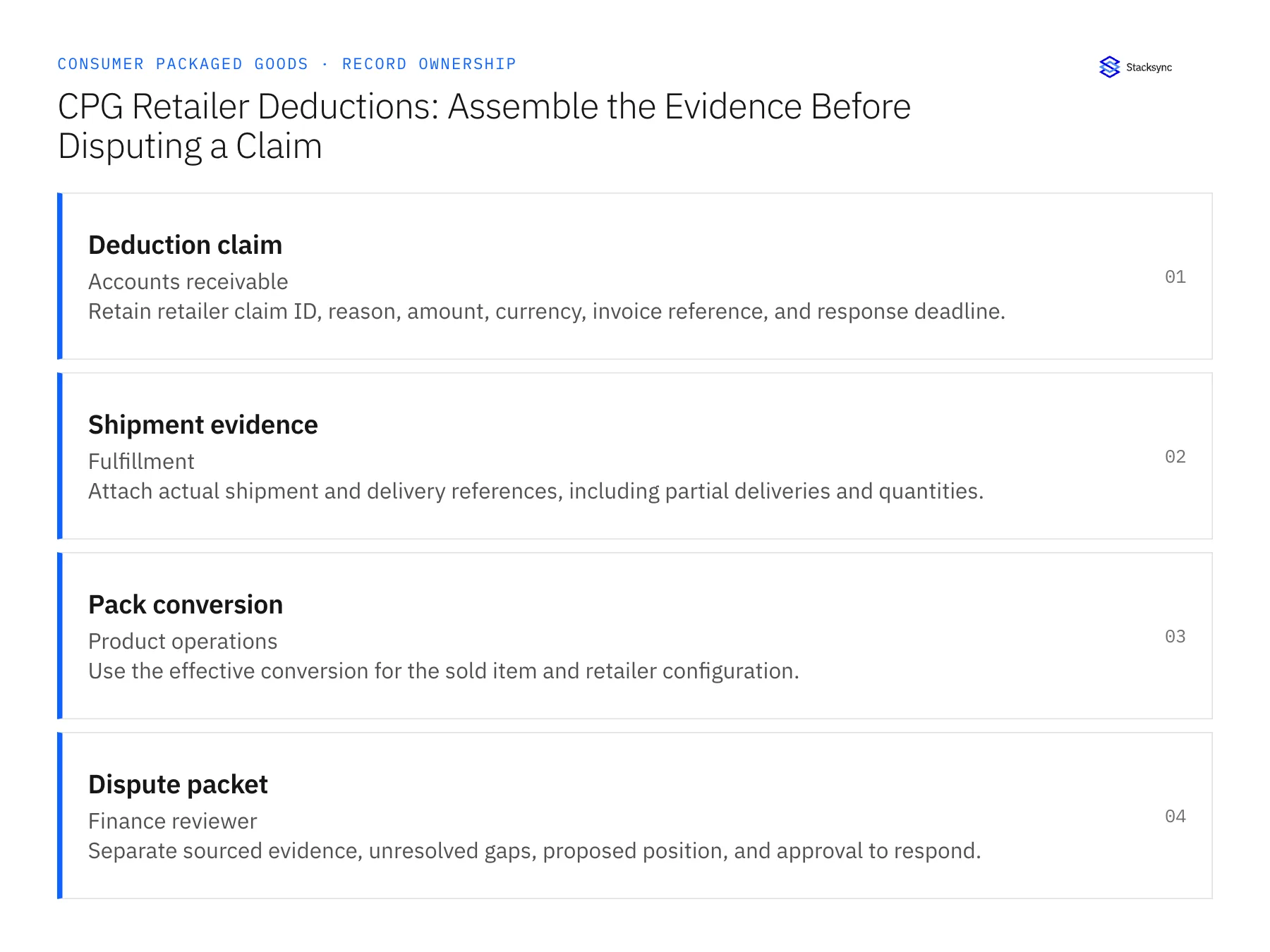
| Record | Owner | Operating rule |
|---|---|---|
| Deduction claim | Accounts receivable | Retain retailer claim ID, reason, amount, currency, invoice reference, and response deadline. |
| Shipment evidence | Fulfillment | Attach actual shipment and delivery references, including partial deliveries and quantities. |
| Pack conversion | Product operations | Use the effective conversion for the sold item and retailer configuration. |
| Dispute packet | Finance reviewer | Separate sourced evidence, unresolved gaps, proposed position, and approval to respond. |
Work through the process
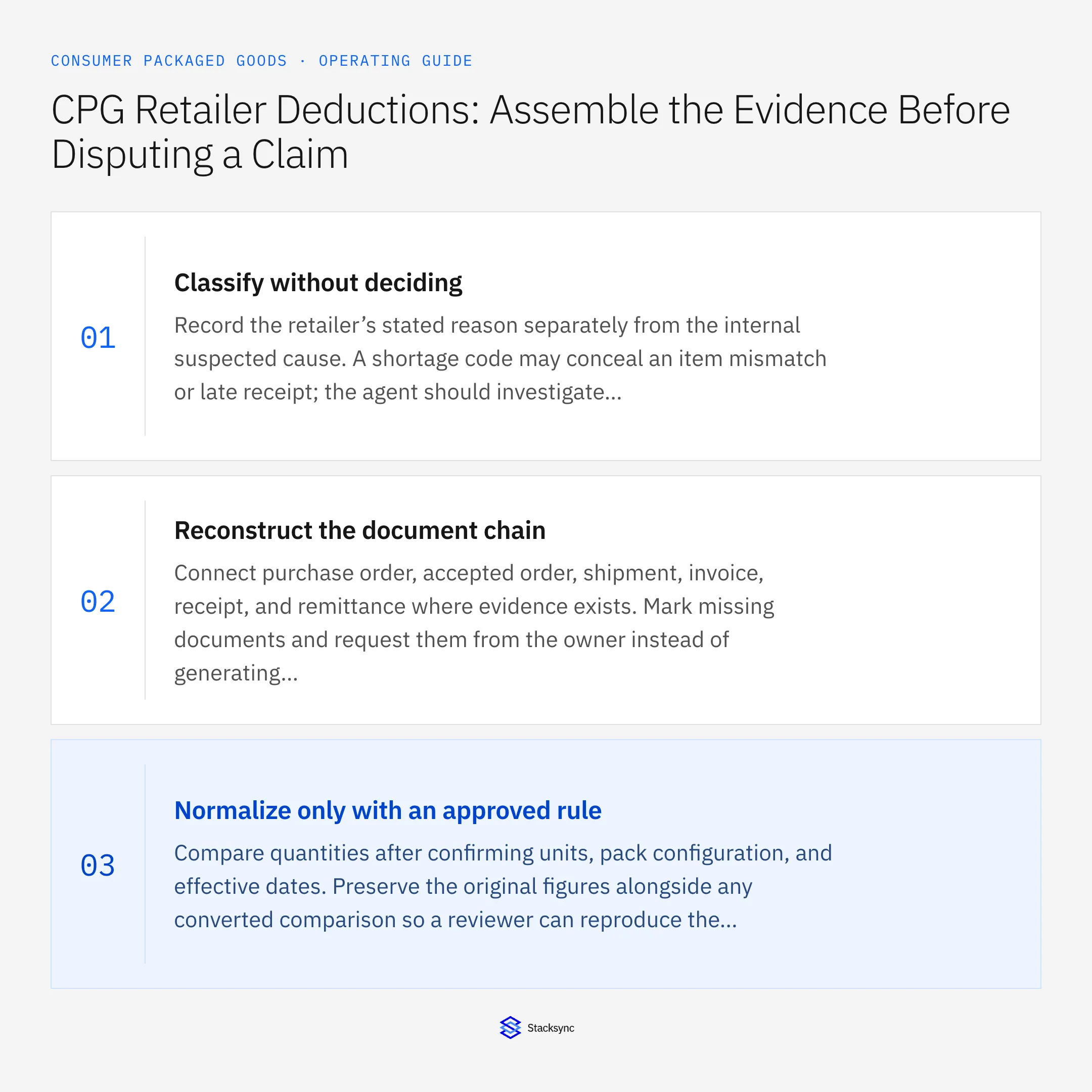
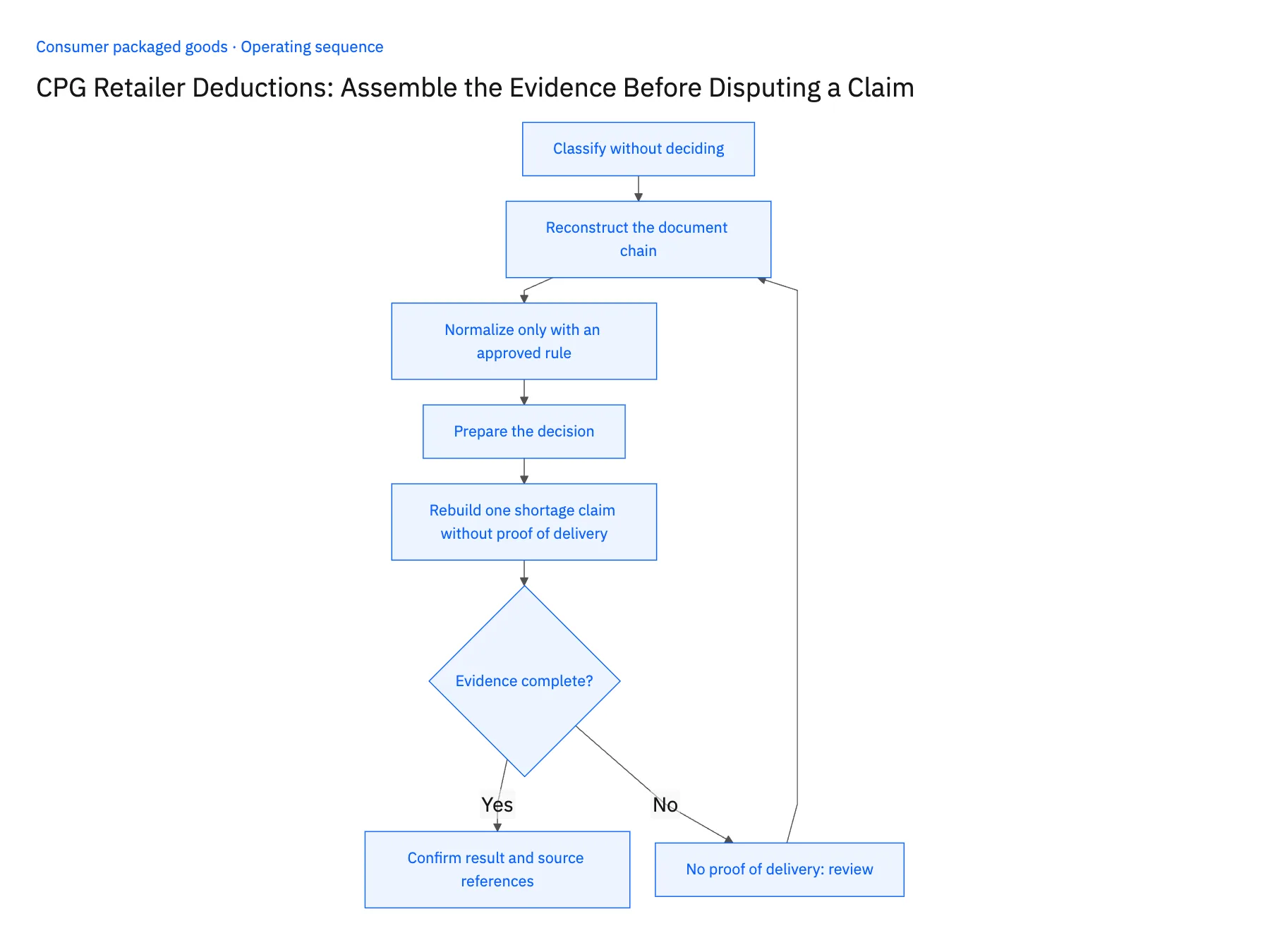
- 01Classify without decidingRecord the retailer’s stated reason separately from the internal suspected cause. A shortage code may conceal an item mismatch or late receipt; the agent should investigate alternatives rather than accept the label as proof.
- 02Reconstruct the document chainConnect purchase order, accepted order, shipment, invoice, receipt, and remittance where evidence exists. Mark missing documents and request them from the owner instead of generating plausible replacements.
- 03Normalize only with an approved ruleCompare quantities after confirming units, pack configuration, and effective dates. Preserve the original figures alongside any converted comparison so a reviewer can reproduce the conclusion.
- 04Prepare the decisionOffer an evidence-supported explanation and list what remains uncertain. Route acceptance, dispute, or a request for more information to the finance owner with the applicable deadline.
- 05Rebuild one shortage claim without proof of deliveryChoose a shortage deduction where the invoice is in cases and the receiving note in units. Run the Genie and open the packet: it must show invoiced cases, received units and the converted comparison side by side, naming the conversion rule and effective date. Hand the packet to an uninvolved finance reviewer and ask them to reach the proposed position from the attachments alone. Then remove the proof of delivery and rerun; the claim must return marked incomplete with a request to fulfillment, not a receipt assumed from the NetSuite shipment. Stop the rollout if original quantities are hidden, if the reviewer needs outside facts, or if delivery was inferred.
Handle the exceptions explicitly
No proof of delivery
Mark the claim incomplete and request the actual delivery evidence; do not infer receipt from shipment creation.
Deduction covers several invoices
Allocate only where the remittance provides a reliable relationship; keep the remainder unassigned.
Retailer changes the claim reason
Version the case and reassess the evidence rather than reusing an outdated dispute narrative.
What to verify before expanding
- Original and normalized quantities are both visible.
- A reviewer can reproduce the proposed claim position from the attached evidence.
- A deduction spanning several invoices leaves any amount without a reliable remittance relationship explicitly unassigned.
- Changing the retailer's claim reason produces a revised packet; the prior dispute narrative cannot remain approved unchanged.

Connect this process to the rest of your operation
Explore Stacksync AI agents (Genies) and scope the records and actions against your actual systems. Book a demo with a real deduction claim example and the exception your team handles most often, for example no proof of delivery.
- AI Agents for CPG Order-to-Cash: Investigate Order and Payment Exceptions
- Retail EDI for CPG Brands: Connect Purchase Orders, Acknowledgments, Shipments, and Invoices
- Shopify–NetSuite Two-Way Sync for CPG Brands Selling DTC and Wholesale
- Connecting Dynamics 365 Finance & Operations and Salesforce
- API Ownership: Who Really Controls Your Data?
The shared architecture guide covers record matching, ownership, and recovery across systems.
Technical references
FAQ
Frequently asked questions










Related articles





