






















AI Agents for CPG Order-to-Cash: Investigate Order and Payment Exceptions
Give the Genie one open order or disputed invoice and stable record IDs; it returns the timeline, contradictions and missing links, and leaves the credit decision to finance.
- Author
- Ignacio Malpartida · GTM Engineer
- Published
- Read time
- 5 min read

The operating decision
A CPG order-to-cash Genie can investigate why an order, shipment, invoice, and payment do not agree. Give it stable record references and a bounded output: the discrepancy, supporting evidence, missing facts, and the next owner. Start with synchronized data and deterministic checks, then use the agent to assemble the case that people currently build by hand.
Explore the complete consumer packaged goods integration and automation hub for the systems and processes around this guide.
What this looks like in consumer packaged goods
A wholesale customer asks why its account still shows an unpaid amount. Operations can find a split shipment, finance can find an invoice and partial payment, and support has a credit request in a separate thread. Each fact is plausible, but none alone explains the balance. The Genie’s job is to gather the timeline without pretending the requested credit has already been approved.
Records, ownership, and update rules
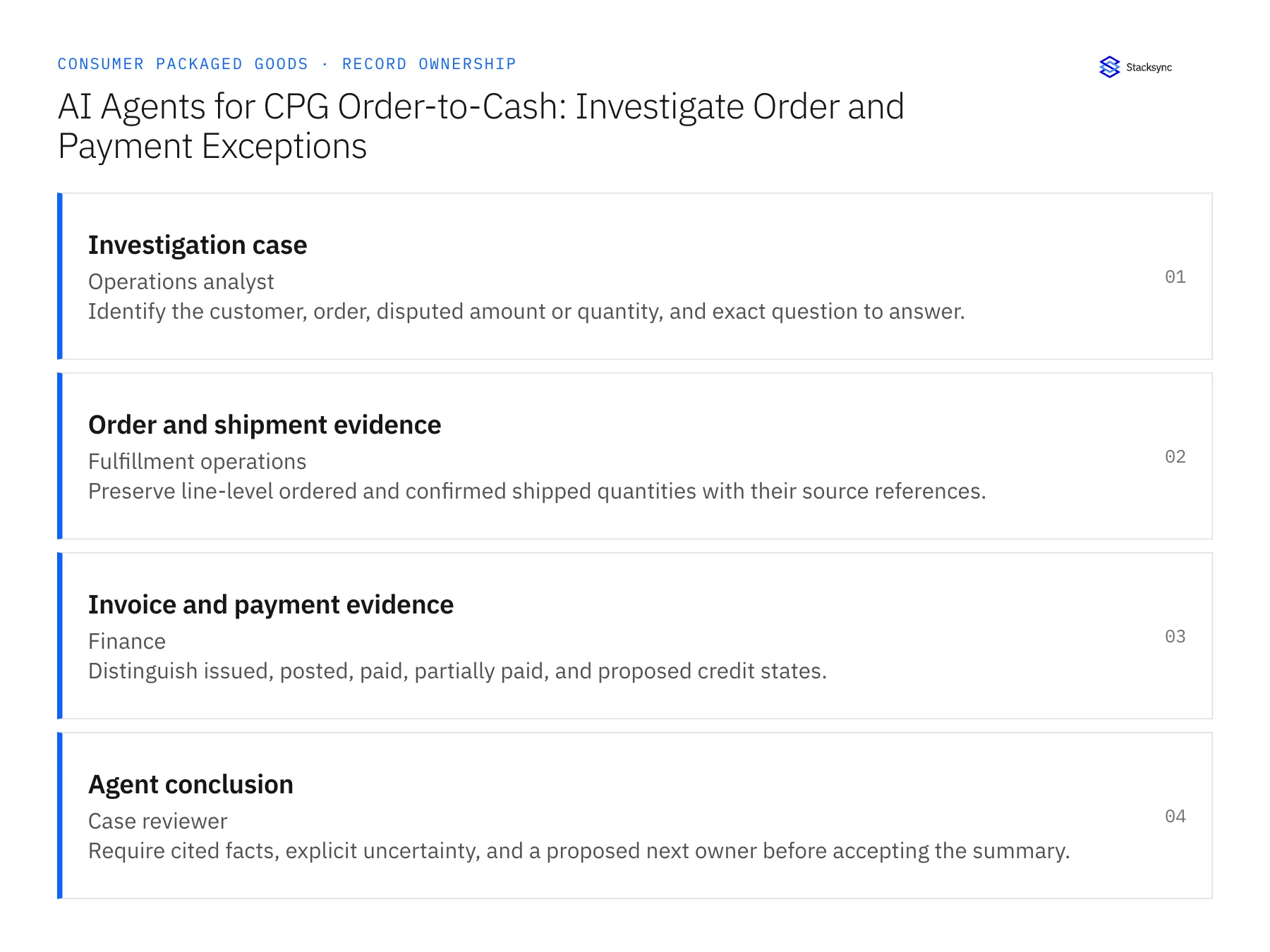
| Record | Owner | Operating rule |
|---|---|---|
| Investigation case | Operations analyst | Identify the customer, order, disputed amount or quantity, and exact question to answer. |
| Order and shipment evidence | Fulfillment operations | Preserve line-level ordered and confirmed shipped quantities with their source references. |
| Invoice and payment evidence | Finance | Distinguish issued, posted, paid, partially paid, and proposed credit states. |
| Agent conclusion | Case reviewer | Require cited facts, explicit uncertainty, and a proposed next owner before accepting the summary. |
Work through the process
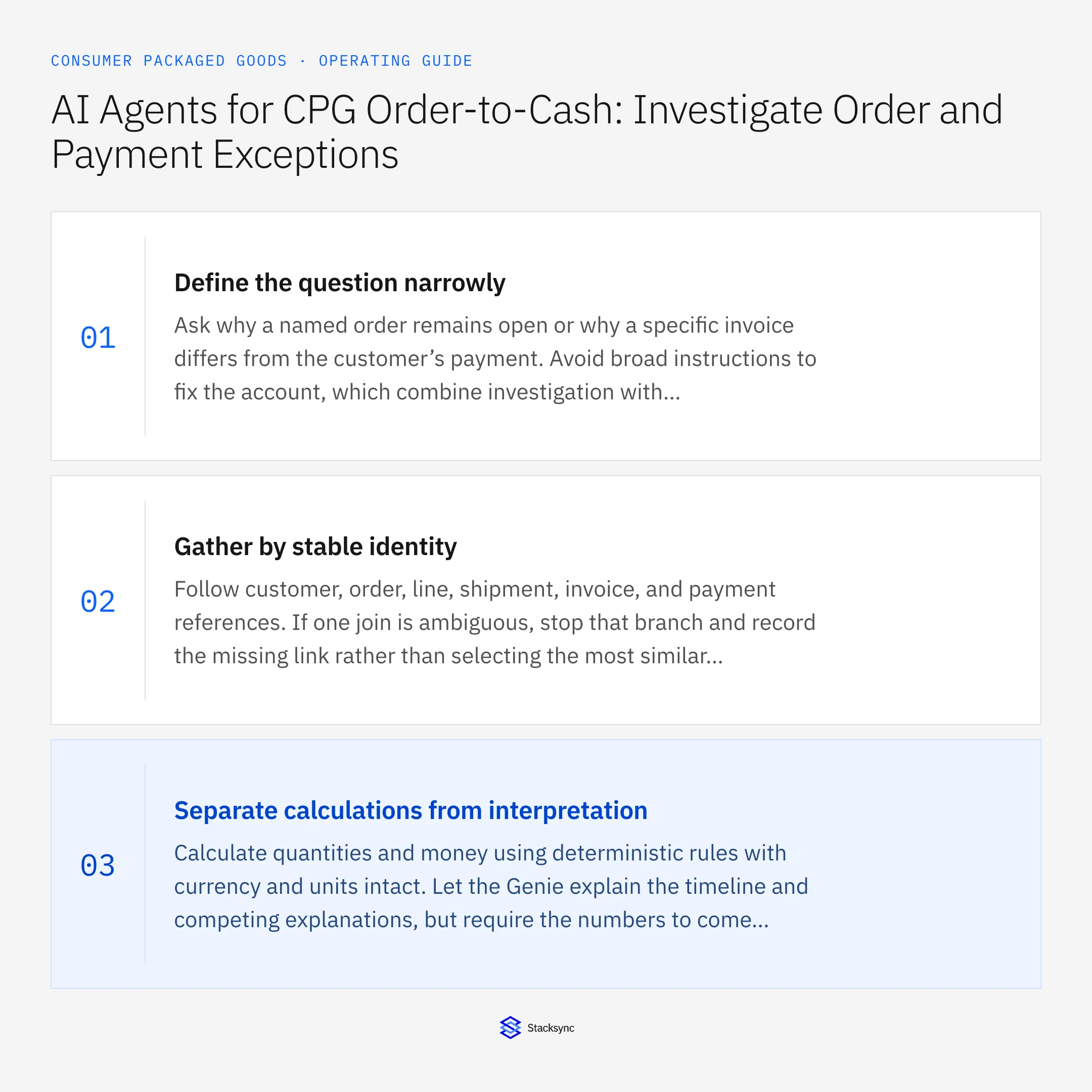
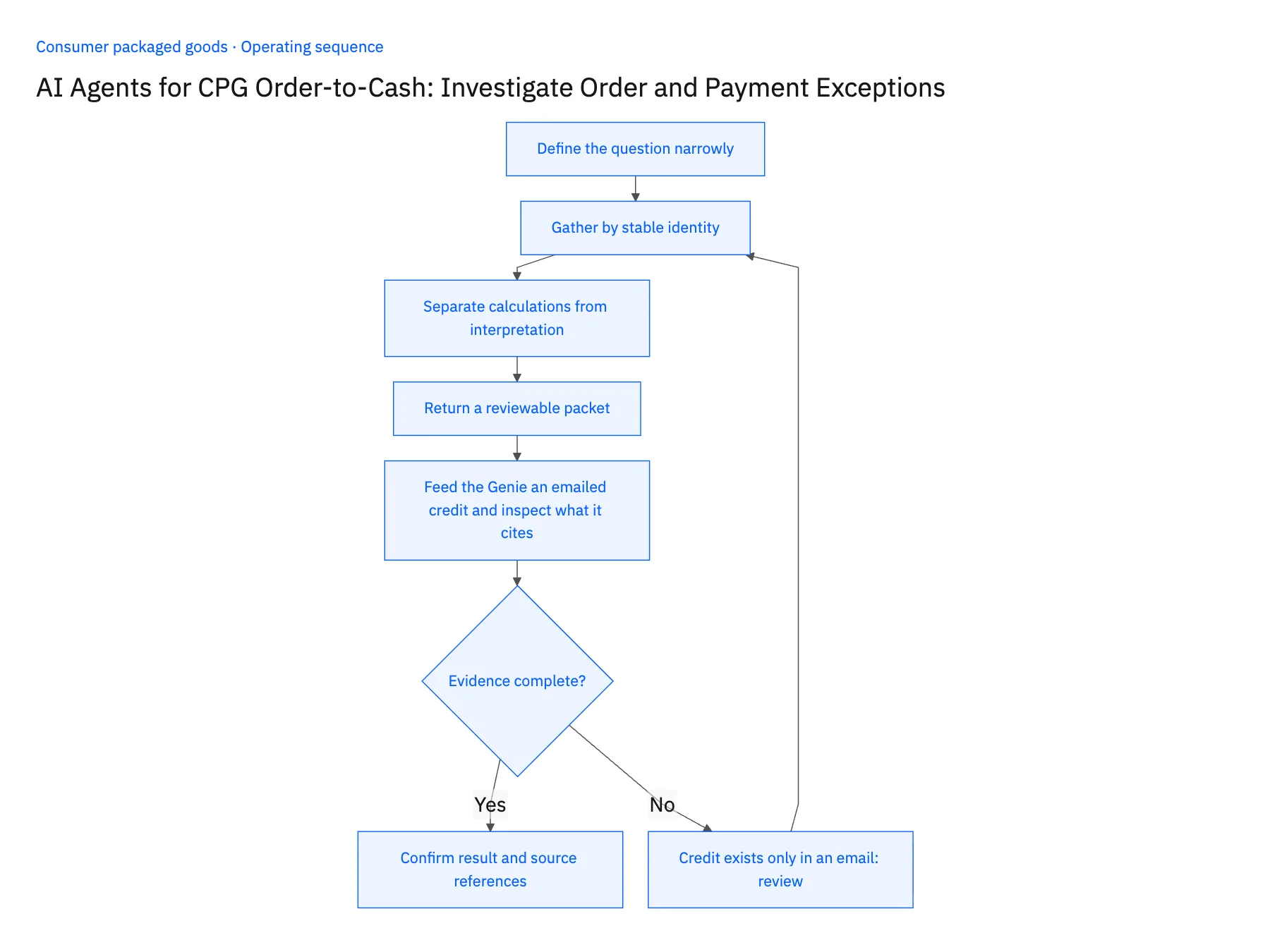
- 01Define the question narrowlyAsk why a named order remains open or why a specific invoice differs from the customer’s payment. Avoid broad instructions to fix the account, which combine investigation with decisions that need different permissions.
- 02Gather by stable identityFollow customer, order, line, shipment, invoice, and payment references. If one join is ambiguous, stop that branch and record the missing link rather than selecting the most similar name.
- 03Separate calculations from interpretationCalculate quantities and money using deterministic rules with currency and units intact. Let the Genie explain the timeline and competing explanations, but require the numbers to come from verifiable records.
- 04Return a reviewable packetInclude the issue, supporting records, contradictory facts, unresolved questions, and the responsible next team. Draft a response only after the reviewer accepts the evidence and the permitted communication scope.
- 05Feed the Genie an emailed credit and inspect what it citesPick a wholesale customer with an open balance where support promised a credit only by email, and run the Genie on that one question. In the packet, open each claim and confirm it names a Shopify order, a NetSuite invoice or payment, or a Postgres shipment row by ID; a statement with no record behind it fails. Then check how the credit appears: it must be a pending request routed to finance, with the NetSuite invoice still showing its original open amount. Stop the rollout if the packet states a balance without a cited record, or if the emailed credit is described as applied, posted or reducing the balance.
Handle the exceptions explicitly
Credit exists only in an email
Treat it as a request, not a posted adjustment; send the decision to finance.
Shipment appears after investigation starts
Refresh the relevant evidence and identify the changed result before final review.
Two invoices fit the same amount
Do not choose by amount alone; require the order or document relationship.
What to verify before expanding
- Every material assertion links to a named source record.
- The agent cannot turn a proposed credit into a posted financial fact.
- Two invoices for the same amount remain distinct until a reliable order or document reference resolves the investigation.
- A shipment recorded after investigation begins refreshes the affected comparison before the reviewer accepts the conclusion.

Connect this process to the rest of your operation
Explore Stacksync AI agents (Genies) and scope the records and actions against your actual systems. Book a demo with a real investigation case example and the exception your team handles most often, for example credit exists only in an email.
- CPG Retailer Deductions: Assemble the Evidence Before Disputing a Claim
- Retail EDI for CPG Brands: Connect Purchase Orders, Acknowledgments, Shipments, and Invoices
- Shopify–NetSuite Two-Way Sync for CPG Brands Selling DTC and Wholesale
- Shopify to ERP Connector: Real-Time Sync Guide in Minutes
- Connecting Dynamics 365 Finance & Operations and Salesforce
The shared architecture guide covers record matching, ownership, and recovery across systems.
Technical references
FAQ
Frequently asked questions










Related articles






