






















Solar Customer Portals: Connect HubSpot Milestones With Supabase Customer Access
Share verified solar project milestones through a customer portal with explicit site access and status ownership.
- Author
- Ruben Burdin · Founder & CEO
- Published
- Read time
- 5 min read

The operating decision
A solar customer portal can use HubSpot–Supabase two-way sync to share selected project milestones and receive customer responses. Keep each milestone's source, verified status and update time visible, and distinguish estimates from confirmed events. The portal must enforce its own user-to-project access through grants and row policies. CRM association alone does not authorize a user to see all projects, documents or customer records in the database.
Explore the complete solar installation and O&M services integration and automation hub for the systems and processes around this guide.
What this looks like in solar installation and O&M services
An installer provides a portal for commercial customers tracking several rooftop projects. HubSpot holds relationship and project communication fields; Supabase serves the portal. One customer user manages all locations while another handles a single building. A projected installation window changes, and the account team needs to update the portal without implying that a final schedule was confirmed. Customer access and milestone meaning are equally important to making the shared data useful.
Records, ownership, and update rules
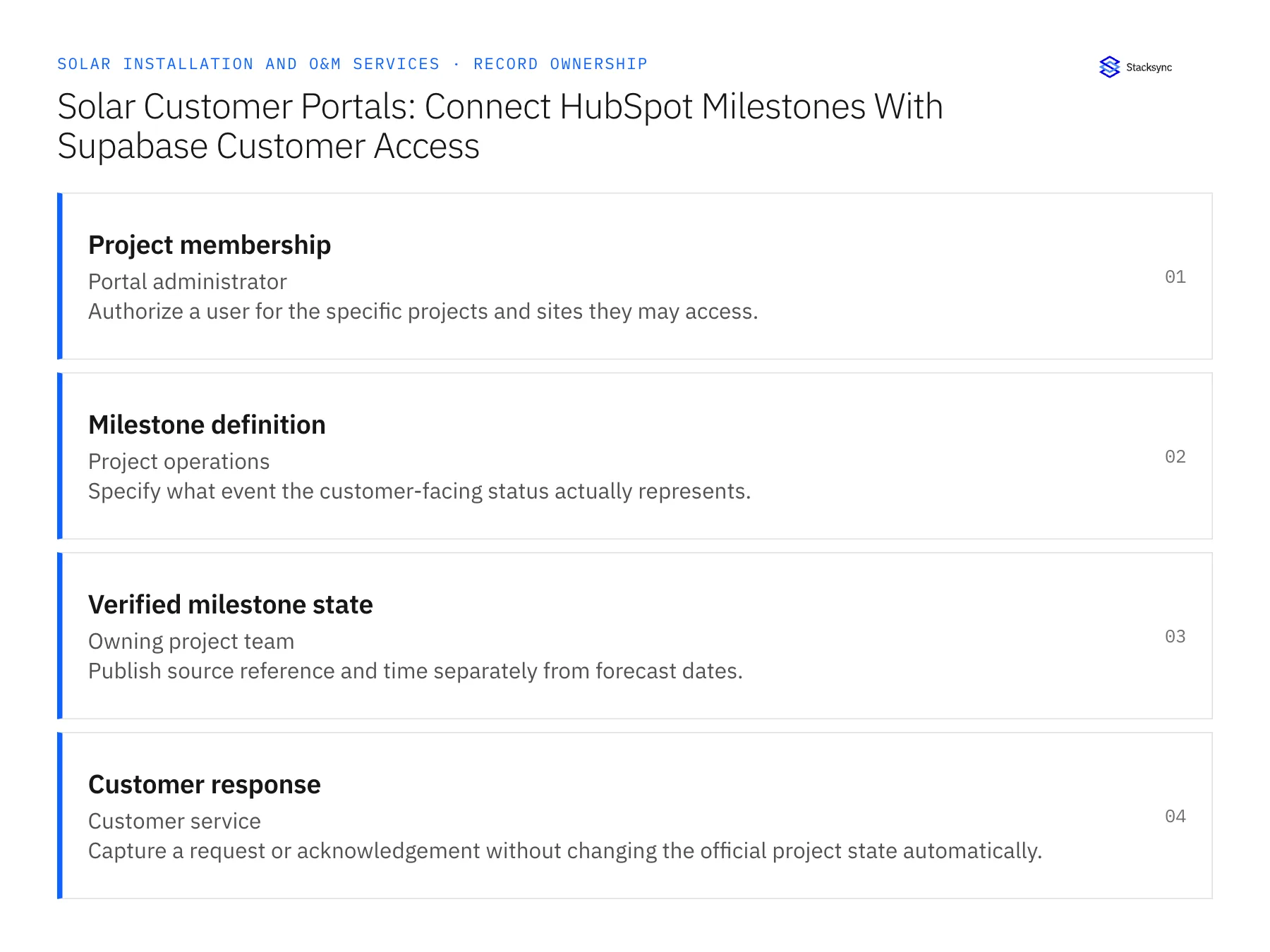
| Record | Owner | Operating rule |
|---|---|---|
| Project membership | Portal administrator | Authorize a user for the specific projects and sites they may access. |
| Milestone definition | Project operations | Specify what event the customer-facing status actually represents. |
| Verified milestone state | Owning project team | Publish source reference and time separately from forecast dates. |
| Customer response | Customer service | Capture a request or acknowledgement without changing the official project state automatically. |
Work through the process
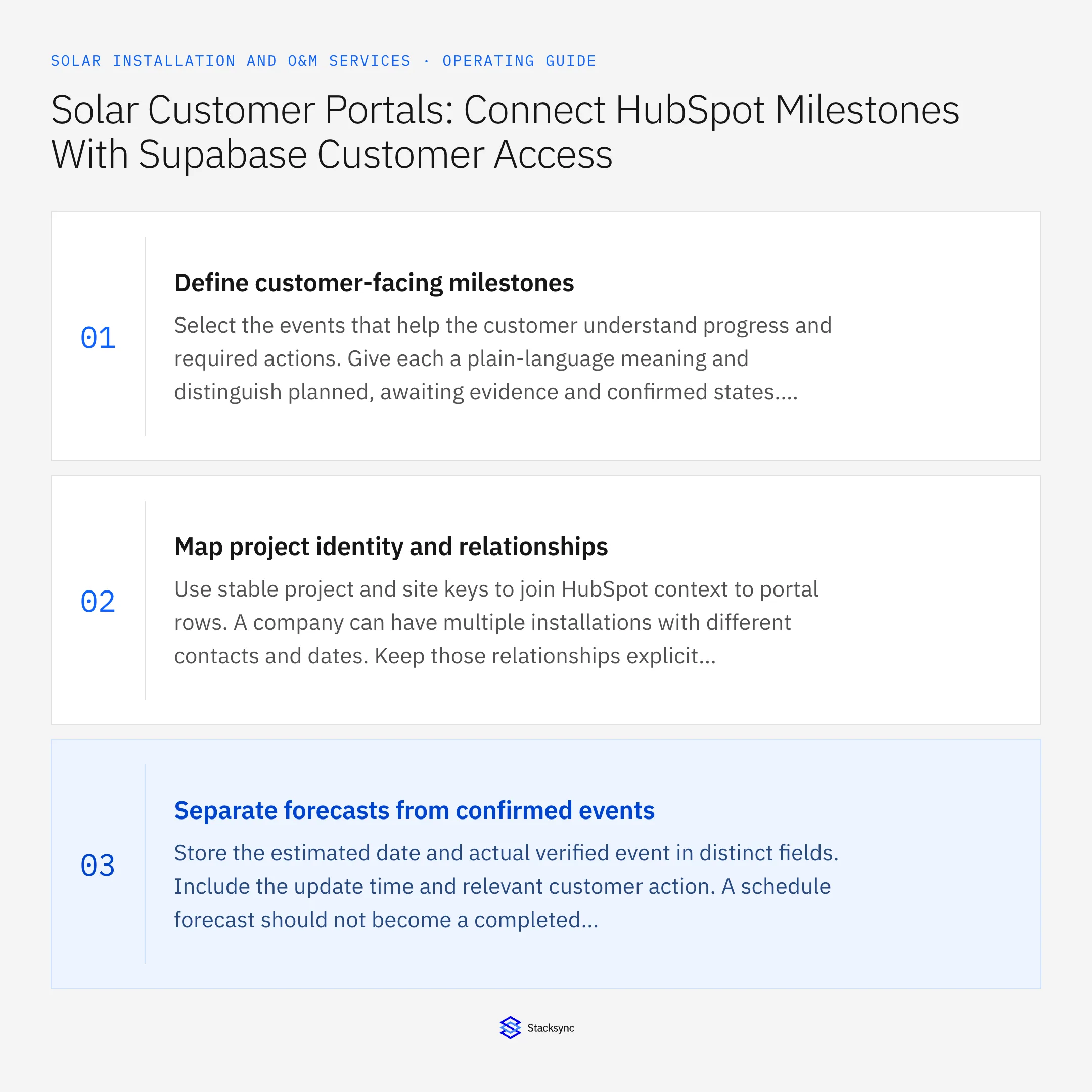
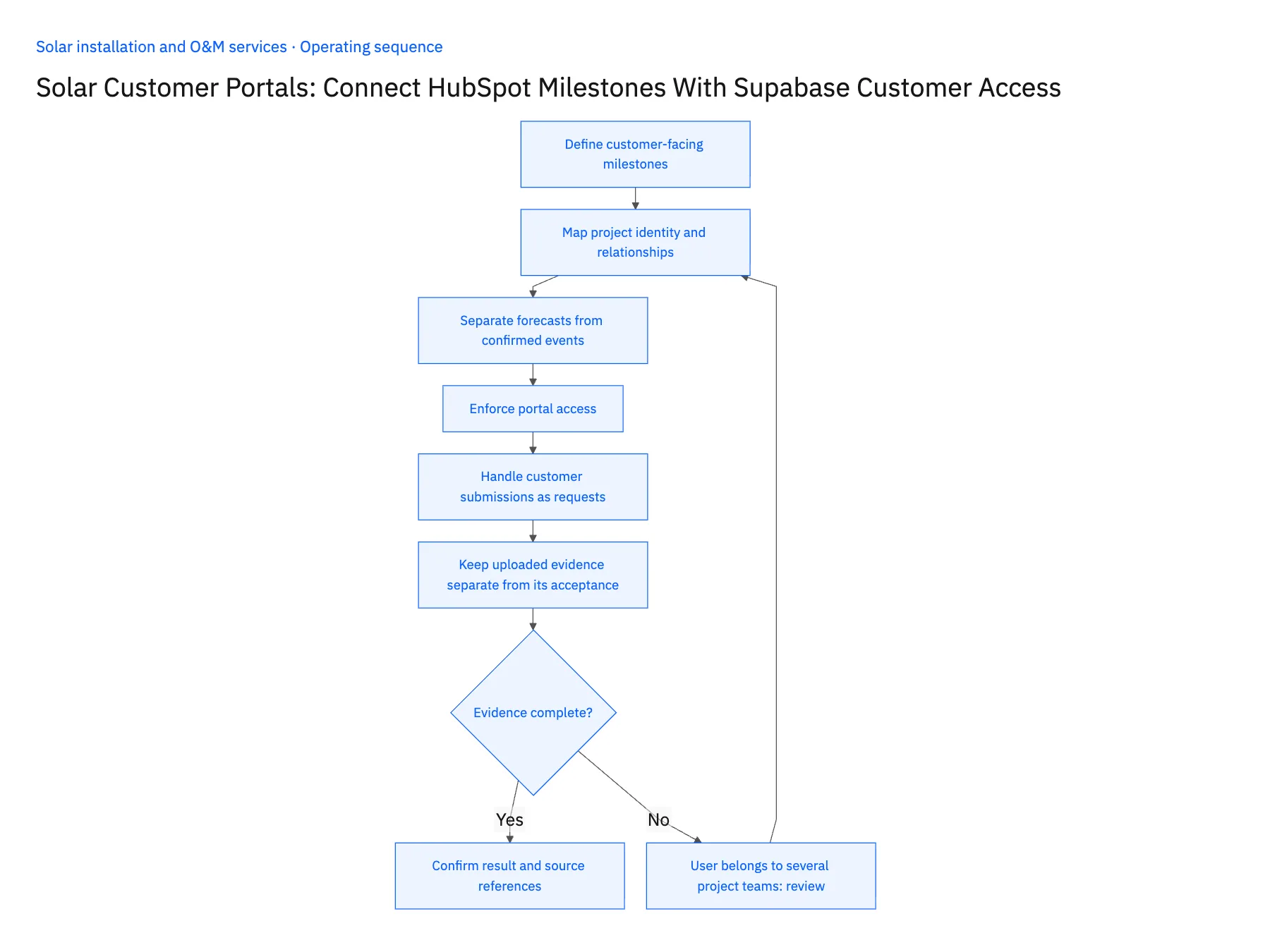
- 01Define customer-facing milestonesSelect the events that help the customer understand progress and required actions. Give each a plain-language meaning and distinguish planned, awaiting evidence and confirmed states. Avoid exposing internal workflow labels that customers could interpret as a promise or formal approval.
- 02Map project identity and relationshipsUse stable project and site keys to join HubSpot context to portal rows. A company can have multiple installations with different contacts and dates. Keep those relationships explicit so a change to one project does not update every project owned by the same customer.
- 03Separate forecasts from confirmed eventsStore the estimated date and actual verified event in distinct fields. Include the update time and relevant customer action. A schedule forecast should not become a completed milestone simply because its date has passed; the owning operational record must supply the confirmation.
- 04Enforce portal accessUse Supabase grants and row policies for the approved project memberships, and test both allowed and denied access. Keep connection secrets server-side. Syncing the right milestone into a table is insufficient if a user can query another customer's rows or documents.
- 05Handle customer submissions as requestsIf the customer updates an access contact, uploads a document or asks to change a date, record that action with its source and time. Route it to the responsible team before changing finance-owned or operations-owned fields. Return a clear received or confirmed state so the customer knows whether the request has been accepted.
- 06Keep uploaded evidence separate from its acceptanceA customer uploading a required document establishes receipt of a file, not that the document is complete or accepted by the project team. Show received, under review and accepted states where useful. If a reviewer rejects it, provide the specific missing information through the approved customer-facing message. This gives the portal a clear feedback loop without letting file presence alone advance a milestone that depends on a substantive decision.
Handle the exceptions explicitly
User belongs to several project teams
Grant explicit memberships and show only the approved scope for each role.
Forecast date passes without confirmation
Keep the milestone unconfirmed and route the stale forecast to its owner.
Customer requests a schedule change
Store the request separately until operations confirms the revised commitment.
What to verify before expanding
- Forecasts and completed milestones are visibly different.
- A user cannot read another customer's projects.
- Customer requests do not overwrite confirmed operational state.
- Every published milestone includes the correct project and update time.

Connect this process to the rest of your operation
Explore Stacksync two-way sync and scope the records and actions against your actual systems. Book a demo with a real project membership example and the exception your team handles most often, for example user belongs to several project teams.
- HubSpot–Acumatica Two-Way Sync for Solar Installers
- Salesforce–NetSuite for Solar Installation and O&M
- Solar Installer Customer Handoffs: Align HubSpot Opportunities With Acumatica Project Accounts
- Solar Project Change Orders: Route Equipment Swaps Through Approval and Revised Billing
- Solar Service Visits: Route Confirmed Repair Completion Into O&M Billing
- Check Solar Installation Readiness Across Salesforce and NetSuite
- Identify Equipment Allocation, Permit, and Crew Blockers
The shared architecture guide covers record matching, ownership, and recovery across systems.
Technical references
FAQ
Frequently asked questions










Related articles





