






















Personal Care Sample and Tester Workflows: Track Requests Through Warehouse Fulfillment
Reps ask for retail shades, operations stocks tester SKUs, and the workflow holds the request until the recipient, item mapping and quantity are approved.
- Author
- Ignacio Malpartida · GTM Engineer
- Published
- Read time
- 4 min read

The operating decision
Treat sample and tester requests as approved allocations with their own item and recipient context. A personal-care workflow should verify the salon or retailer, distinguish testers from retail goods, and report actual fulfillment back to sales. Confirm the warehouse actions before using them; a CRM request is not a warehouse shipment.
Explore the complete personal care integration and automation hub for the systems and processes around this guide.
What this looks like in personal care
A rep requests a tester display for a new salon. The request lists retail shade names, but operations stocks separate tester items and the salon’s receiving contact is missing. The workflow can obtain the address, resolve approved tester equivalents, and seek authorization for the final allocation before submission.
Records, ownership, and update rules
| Record | Owner | Operating rule |
|---|---|---|
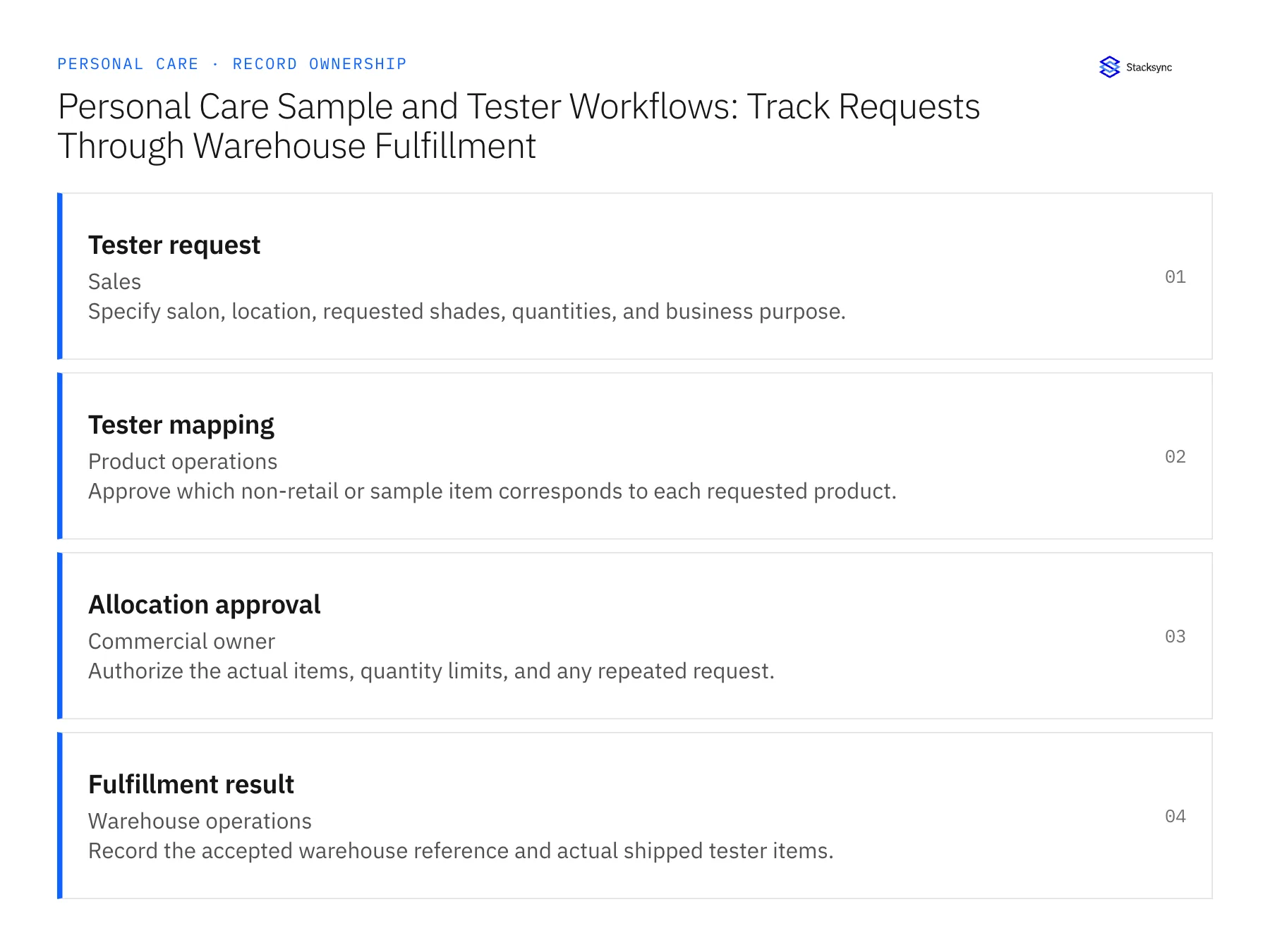
| Tester request | Sales | Specify salon, location, requested shades, quantities, and business purpose. |
| Tester mapping | Product operations | Approve which non-retail or sample item corresponds to each requested product. |
| Allocation approval | Commercial owner | Authorize the actual items, quantity limits, and any repeated request. |
| Fulfillment result | Warehouse operations | Record the accepted warehouse reference and actual shipped tester items. |
Work through the process
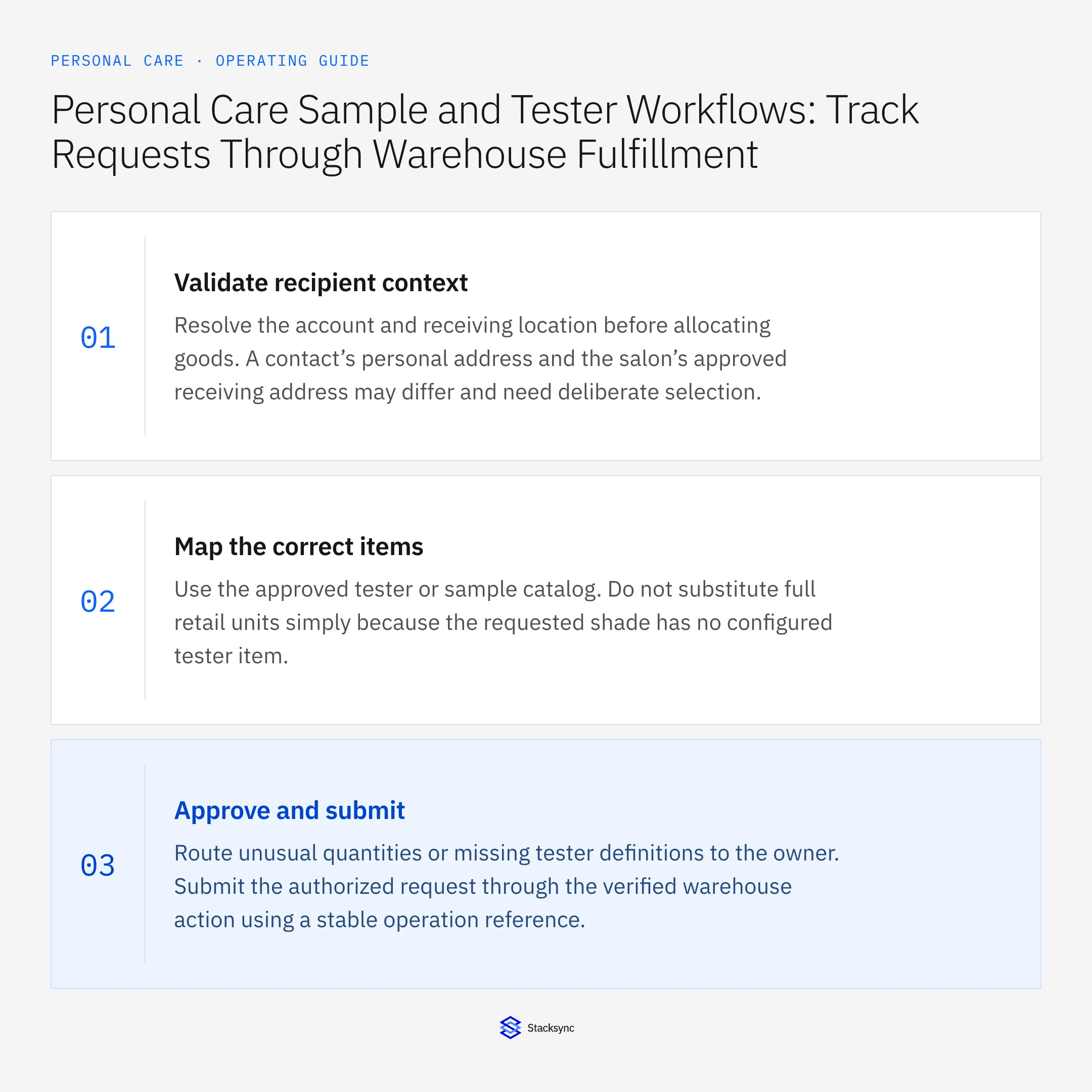
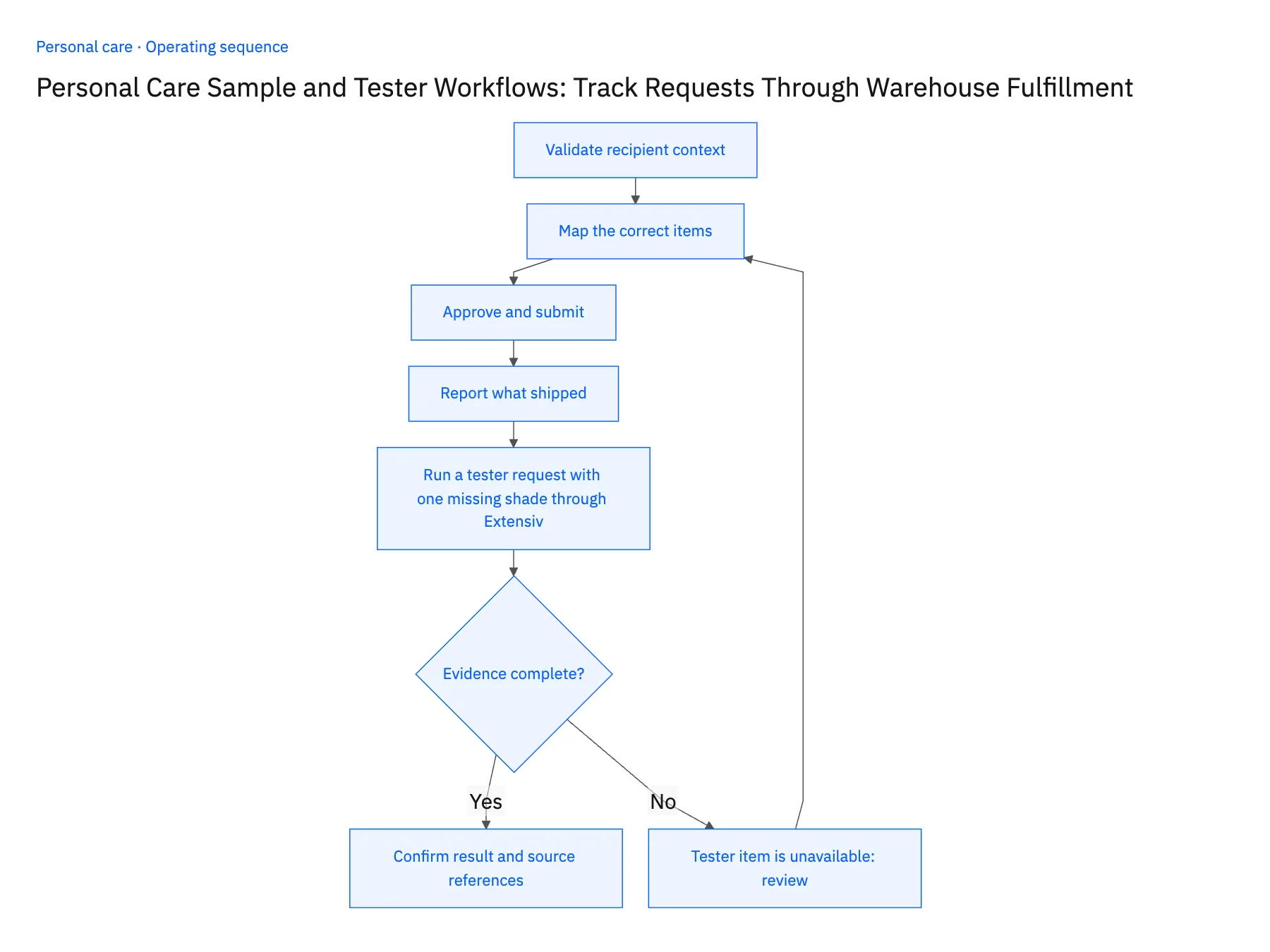
- 01Validate recipient contextResolve the account and receiving location before allocating goods. A contact’s personal address and the salon’s approved receiving address may differ and need deliberate selection.
- 02Map the correct itemsUse the approved tester or sample catalog. Do not substitute full retail units simply because the requested shade has no configured tester item.
- 03Approve and submitRoute unusual quantities or missing tester definitions to the owner. Submit the authorized request through the verified warehouse action using a stable operation reference.
- 04Report what shippedUpdate sales with actual items and shipment evidence, including partial fulfillment. Follow-up should reflect the received assortment rather than the original wish list.
- 05Run a tester request with one missing shade through ExtensivRaise a HubSpot request for three shades where product operations has configured a tester item for only two. In NetSuite, the resulting lines must carry tester item numbers, never the retail SKU; a retail item on any line halts the rollout because stock nobody approved was substituted. The third shade should sit in an awaiting-decision state with the commercial owner named, not vanish. After approval, check the Extensiv order and confirm its warehouse reference is written back to the HubSpot request with the shipped lines. If sales sees the original wish list instead of what Extensiv packed, the read-back step is missing and more reps must wait.
Handle the exceptions explicitly
Tester item is unavailable
Seek an approved replacement or defer the item instead of silently sending retail stock.
Another rep submitted the same request
Review account history and prevent duplicate allocations.
Only some shades ship
Preserve the open remainder and communicate the actual assortment.
What to verify before expanding
- Retail items and tester items remain distinguishable.
- Sales receives the actual shipped assortment and destination reference.
- An unavailable tester does not consume retail stock unless the responsible owner approves that specific substitution.
- A partial tester shipment records the actual shades sent and keeps the unfulfilled assortment visible for sales follow-up.

Connect this process to the rest of your operation
Explore Stacksync workflows and scope the records and actions against your actual systems. Book a demo with a real tester request example and the exception your team handles most often, for example tester item is unavailable.
- Sample and Tester Fulfillment Automation for Personal Care Brands
- Personal Care Returns Workflows Across Zendesk, NetSuite, and Extensiv
- AI Agents for Personal Care Retailer Onboarding: Assemble Product and Packaging Documents
- Conflicting Product Sheets and Missing Packaging Data: Personal Care Agent Exceptions
- How NetSuite for Retail Transforms Inventory, Finance & Sales
- Manage Shopify Exchanges Through Zendesk and NetSuite
The shared architecture guide covers record matching, ownership, and recovery across systems.
Technical references
FAQ
Frequently asked questions










Related articles





