






















Conflicting Product Sheets and Missing Packaging Data: Personal Care Agent Exceptions
Conflicting product sheets, unlabeled packaging levels and absent specs halt the onboarding job with both candidates visible until a product owner names the authoritative source.
- Author
- Ignacio Malpartida · GTM Engineer
- Published
- Read time
- 5 min read

The operating decision
Personal-care document agents should stop at conflicting product sheets, unclear packaging levels, and absent approved specifications. Keep candidate sources and their versions visible, then ask the owner to establish the authoritative value. A newer upload or a similar product is not enough to resolve the conflict.
Explore the complete personal care integration and automation hub for the systems and processes around this guide.
What this looks like in personal care
Two approved-looking files list different case dimensions for the same lotion. One describes a promotional set and the other the regular product, but filenames are abbreviated. The agent should preserve both candidates and request the packaging identity instead of choosing the most recent upload and filling the retailer’s form.
Records, ownership, and update rules
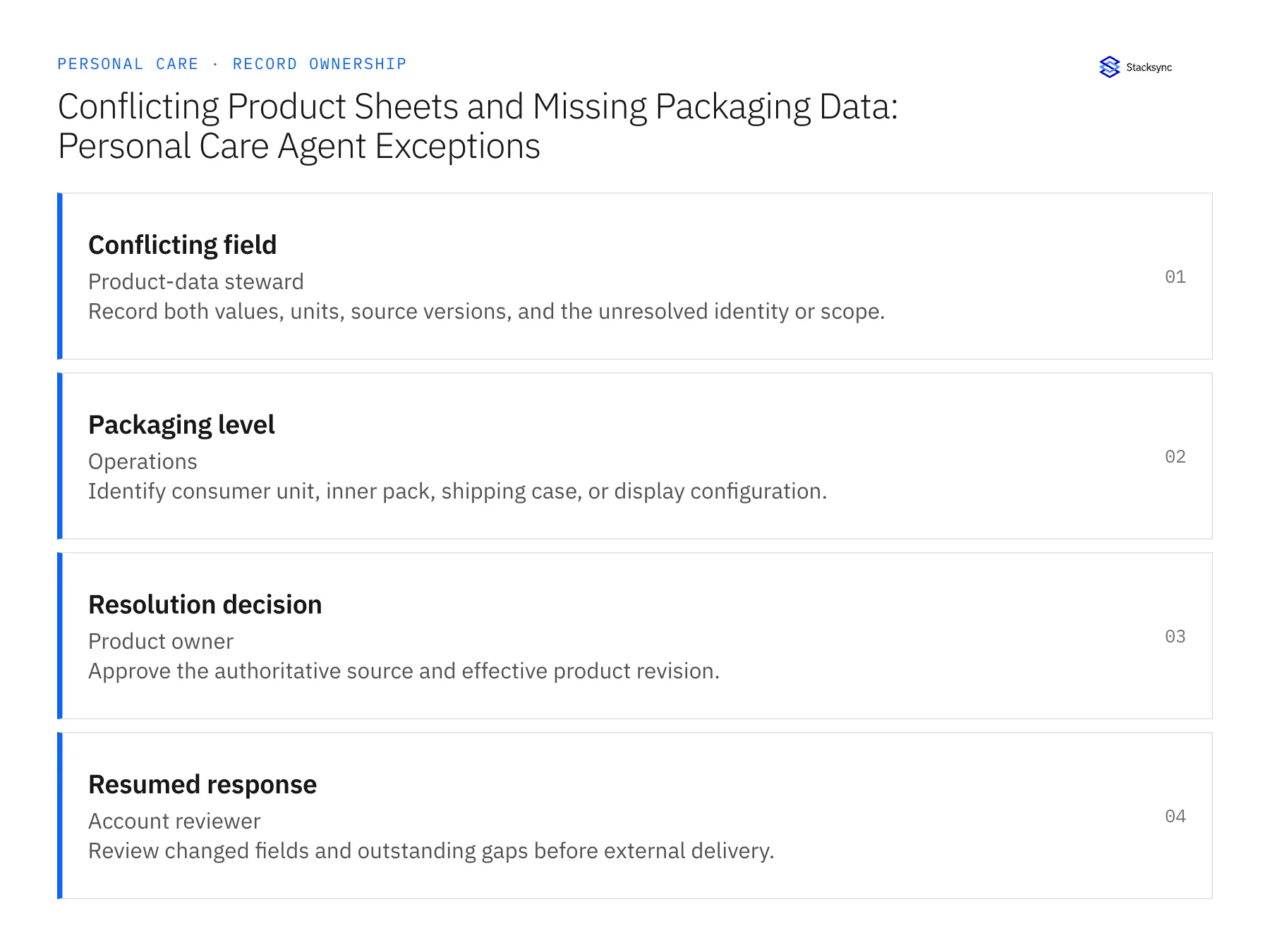
| Record | Owner | Operating rule |
|---|---|---|
| Conflicting field | Product-data steward | Record both values, units, source versions, and the unresolved identity or scope. |
| Packaging level | Operations | Identify consumer unit, inner pack, shipping case, or display configuration. |
| Resolution decision | Product owner | Approve the authoritative source and effective product revision. |
| Resumed response | Account reviewer | Review changed fields and outstanding gaps before external delivery. |
Work through the process
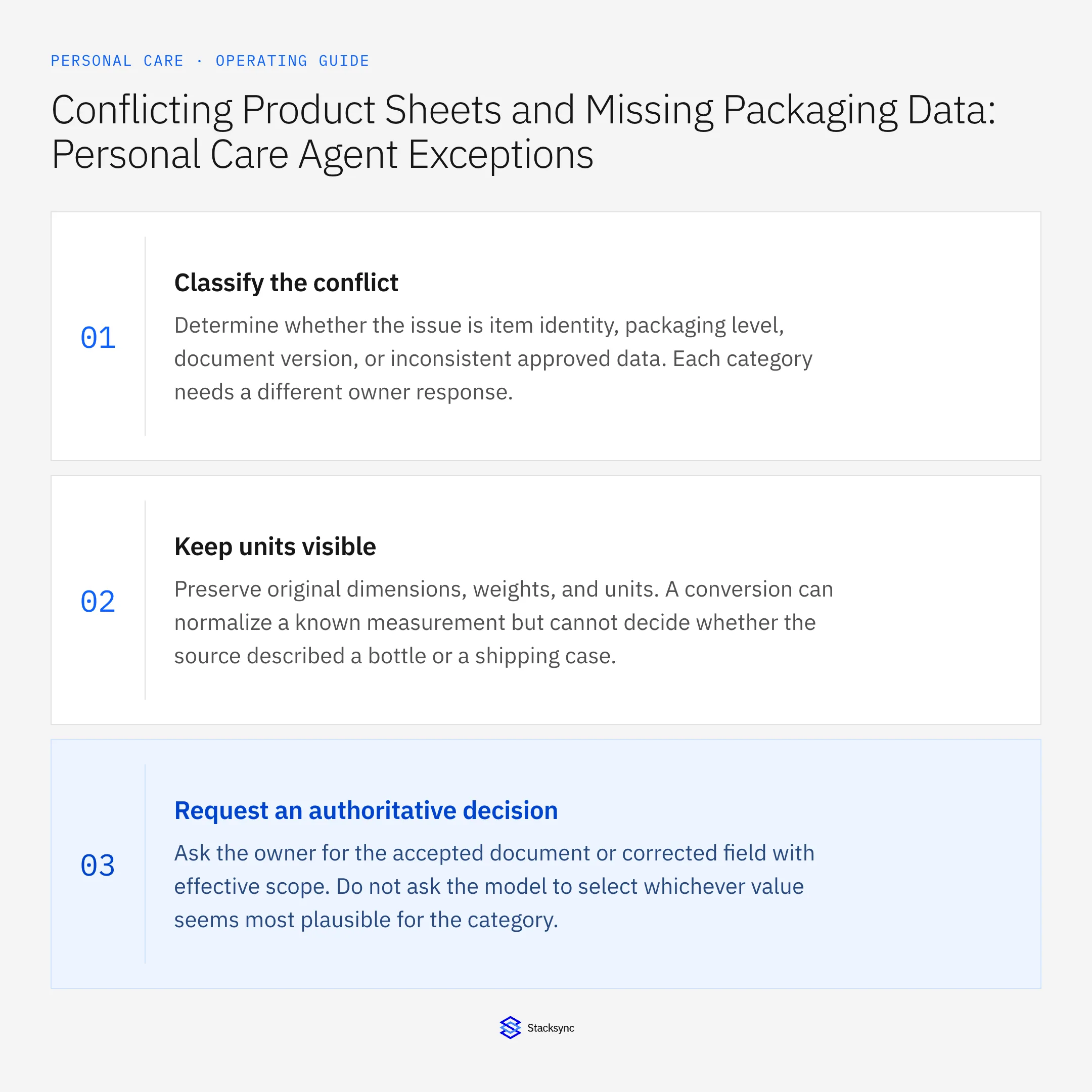
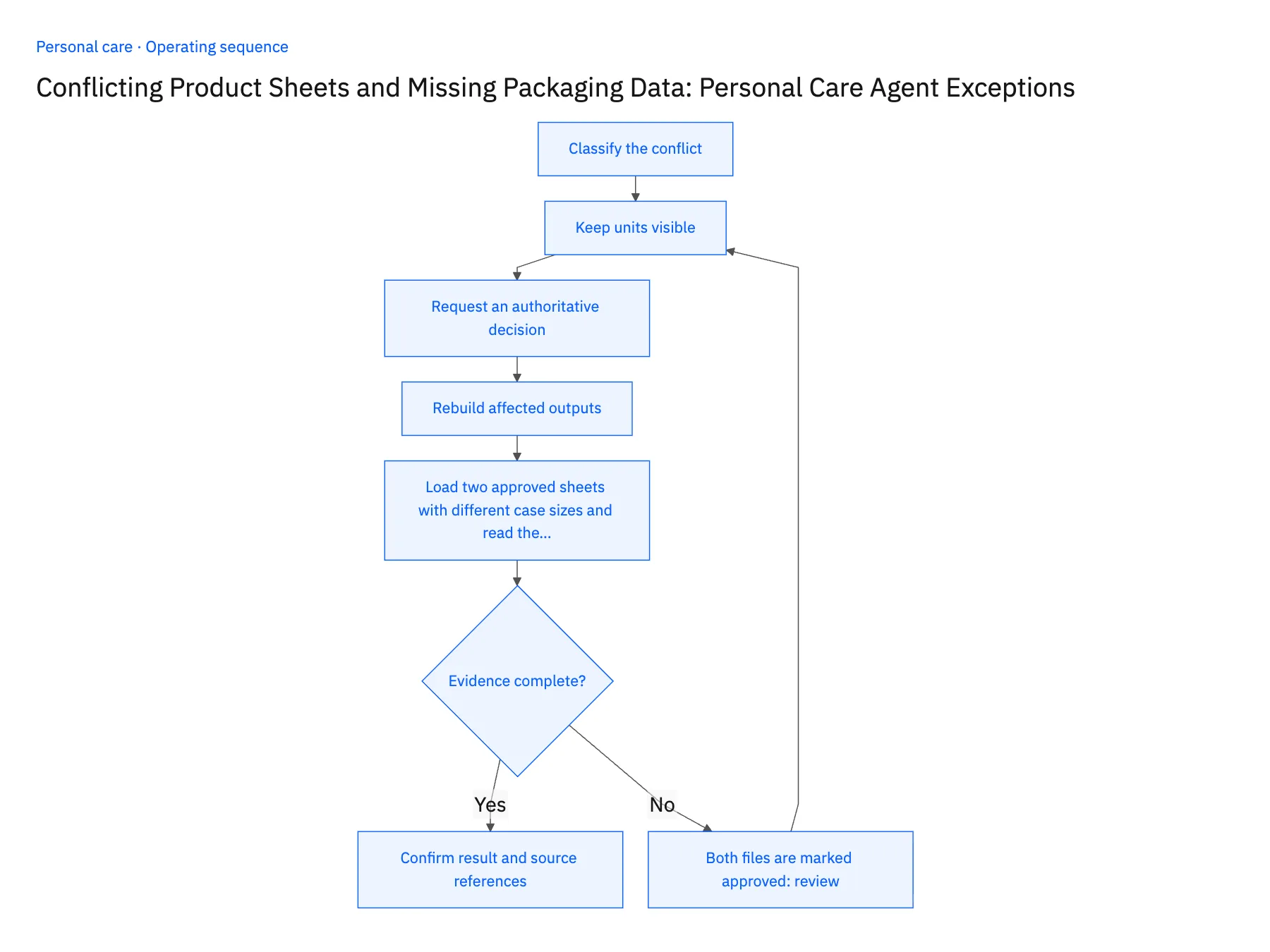
- 01Classify the conflictDetermine whether the issue is item identity, packaging level, document version, or inconsistent approved data. Each category needs a different owner response.
- 02Keep units visiblePreserve original dimensions, weights, and units. A conversion can normalize a known measurement but cannot decide whether the source described a bottle or a shipping case.
- 03Request an authoritative decisionAsk the owner for the accepted document or corrected field with effective scope. Do not ask the model to select whichever value seems most plausible for the category.
- 04Rebuild affected outputsAfter resolution, update the relevant packet fields and show their changed sources. Recheck any dependent pack totals or retailer rows rather than leaving derived values based on the rejected source.
- 05Load two approved sheets with different case sizes and read the holdStore two product sheets for the same lotion in the document source, both marked approved, one listing the promotional set case and one the regular case, with abbreviated filenames. Run the job. The packet should show the case-dimension row blocked, both values with their file versions, and the document owner named. A filled row using the newer upload means the job is choosing, and it stays in test. After the owner marks one file authoritative, rerun and check the change log: the corrected dimension, the pack totals derived from it, and the reason the other file was rejected should all appear. A stale derived quantity stops the rollout.
Handle the exceptions explicitly
Both files are marked approved
Escalate the source conflict to the document owner and block the affected field.
Only a similar item has dimensions
Leave the requested item incomplete; physical similarity is not approved evidence.
Retailer changes the requested pack
Re-scope the packet and rerun identity and packaging-level checks.
What to verify before expanding
- The packet shows why a source was selected or rejected.
- A resolved field triggers review of dependent quantities and dimensions.
- Two documents marked approved retain both conflicting values until the document owner resolves the authoritative scope.
- Changing the retailer's requested packaging level reopens the affected identity and dimension checks before the packet is sent.

Connect this process to the rest of your operation
Explore Stacksync AI agents (Genies) and scope the records and actions against your actual systems. Book a demo with a real conflicting field example and the exception your team handles most often, for example both files are marked approved.
- AI Agents for Personal Care Retailer Onboarding Documents
- AI Agents for Personal Care Retailer Onboarding: Assemble Product and Packaging Documents
- Personal Care Retail EDI: Match Retailer Item Numbers to Shades, Sizes, and Sets
- Shopify–NetSuite Sync for Personal Care Brands: Align Shades, Sizes, and Gift Sets
- How NetSuite for Retail Transforms Inventory, Finance & Sales
- Manage Shopify Exchanges Through Zendesk and NetSuite
The shared architecture guide covers record matching, ownership, and recovery across systems.
Technical references
FAQ
Frequently asked questions










Related articles





