






















Genies for Fire and Security Service Handoffs: Assemble Inspection, Asset, and Service-Agreement Evidence
Use Genies to assemble fire and security service context while keeping technical and commercial decisions with their owners.
- Author
- Ignacio Malpartida · GTM Engineer
- Published
- Read time
- 5 min read

The operating decision
A fire and security handoff Genie can gather inspection references, installed-asset context, service-agreement coverage and open follow-up records into a review packet. Require it to cite the source for each association and distinguish verified facts from missing or conflicting evidence. Its role is administrative preparation and routing. It should not certify an inspection, choose a technical remedy, determine compliance, or authorize remedial work based on a plausible-looking match.
Explore the complete fire, life-safety and security integrators integration and automation hub for the systems and processes around this guide.
What this looks like in fire, life-safety and security integrators
An integrator receives an inspection report for a property with several similar panel names. Salesforce holds customer and asset relationships; NetSuite holds the relevant commercial context. The service coordinator must identify the covered site, check existing work and determine who should review the finding. A Genie can assemble those records and flag the uncertain device match. A qualified reviewer and commercial owner then decide the appropriate next action.
Records, ownership, and update rules
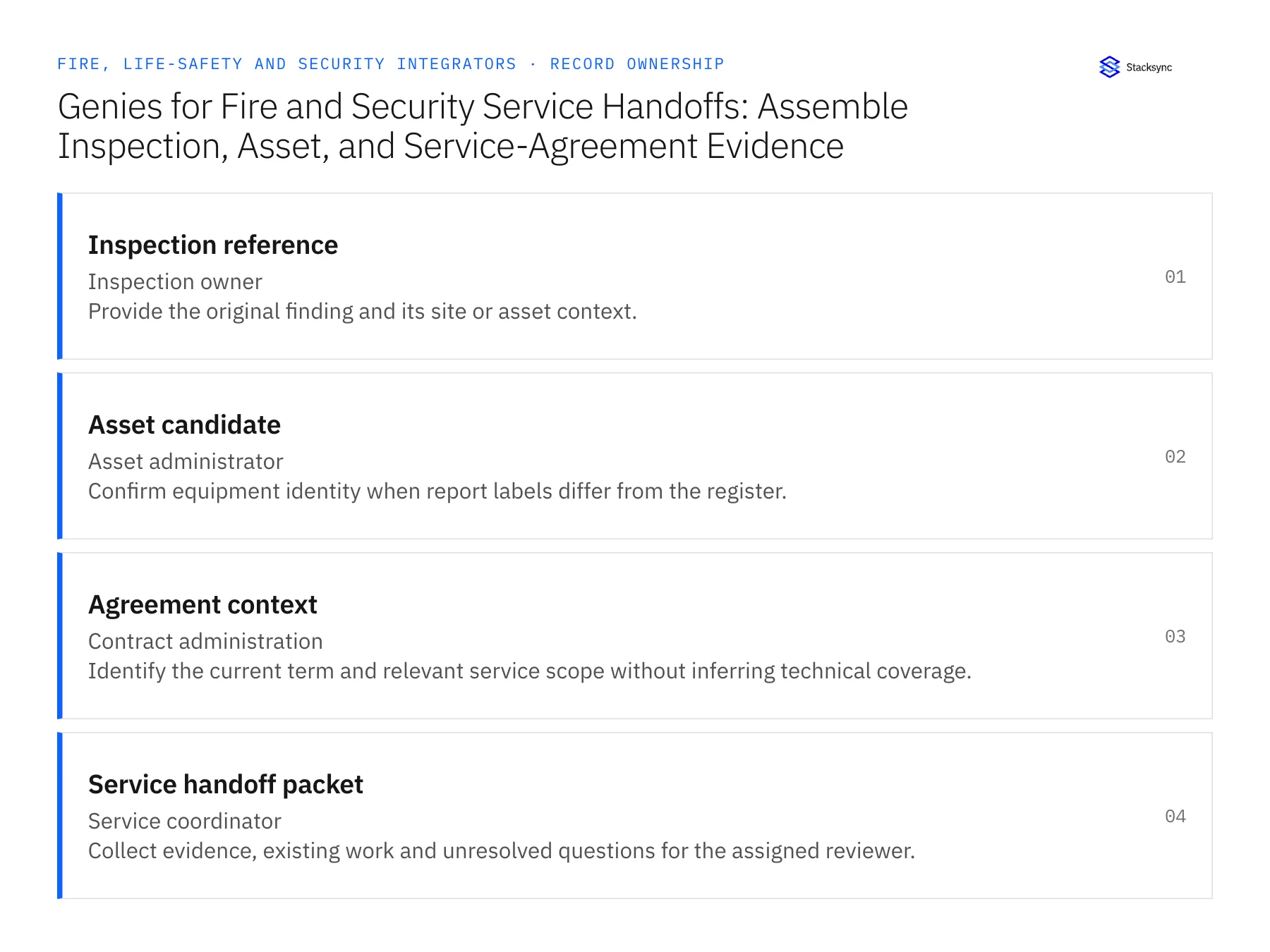
| Record | Owner | Operating rule |
|---|---|---|
| Inspection reference | Inspection owner | Provide the original finding and its site or asset context. |
| Asset candidate | Asset administrator | Confirm equipment identity when report labels differ from the register. |
| Agreement context | Contract administration | Identify the current term and relevant service scope without inferring technical coverage. |
| Service handoff packet | Service coordinator | Collect evidence, existing work and unresolved questions for the assigned reviewer. |
Work through the process
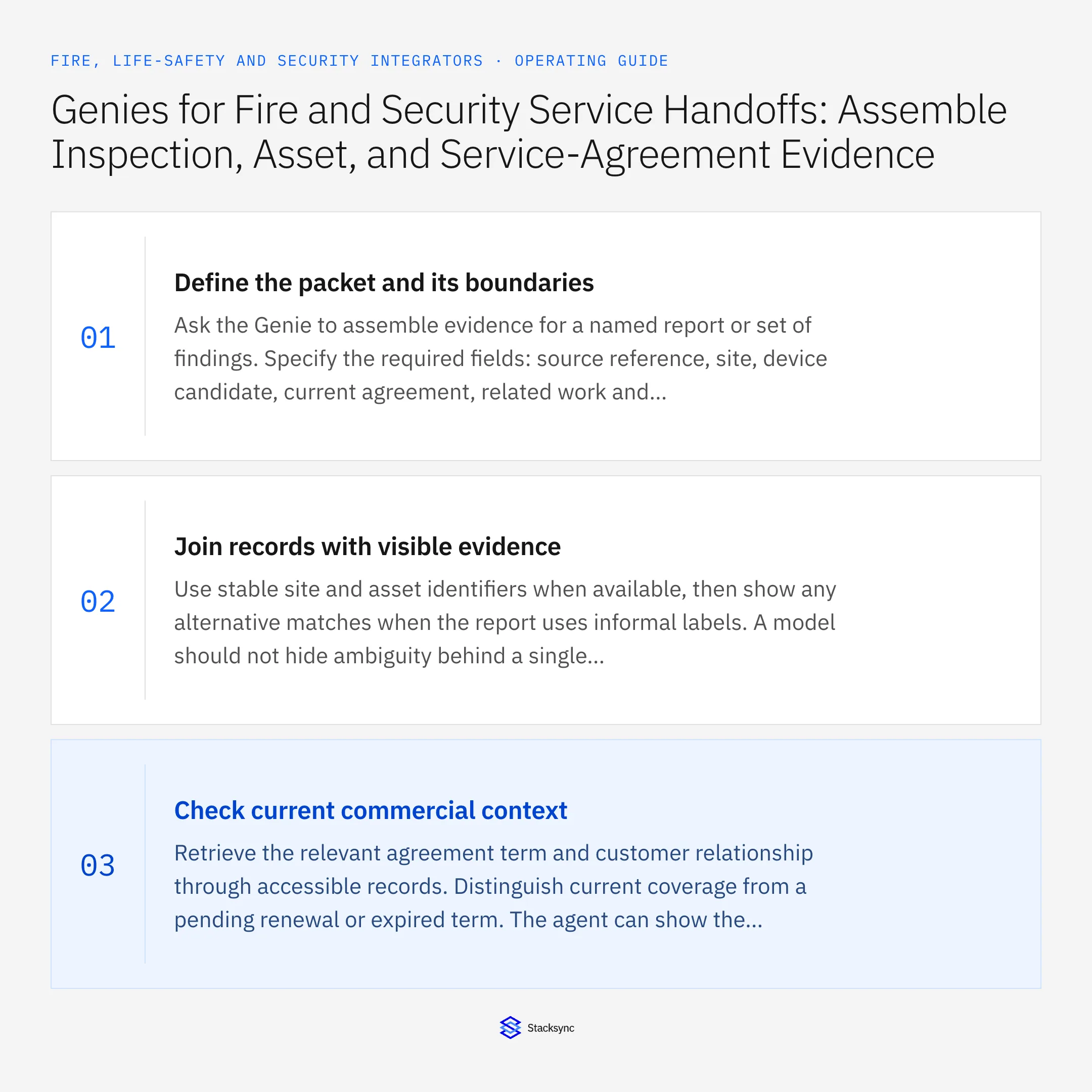
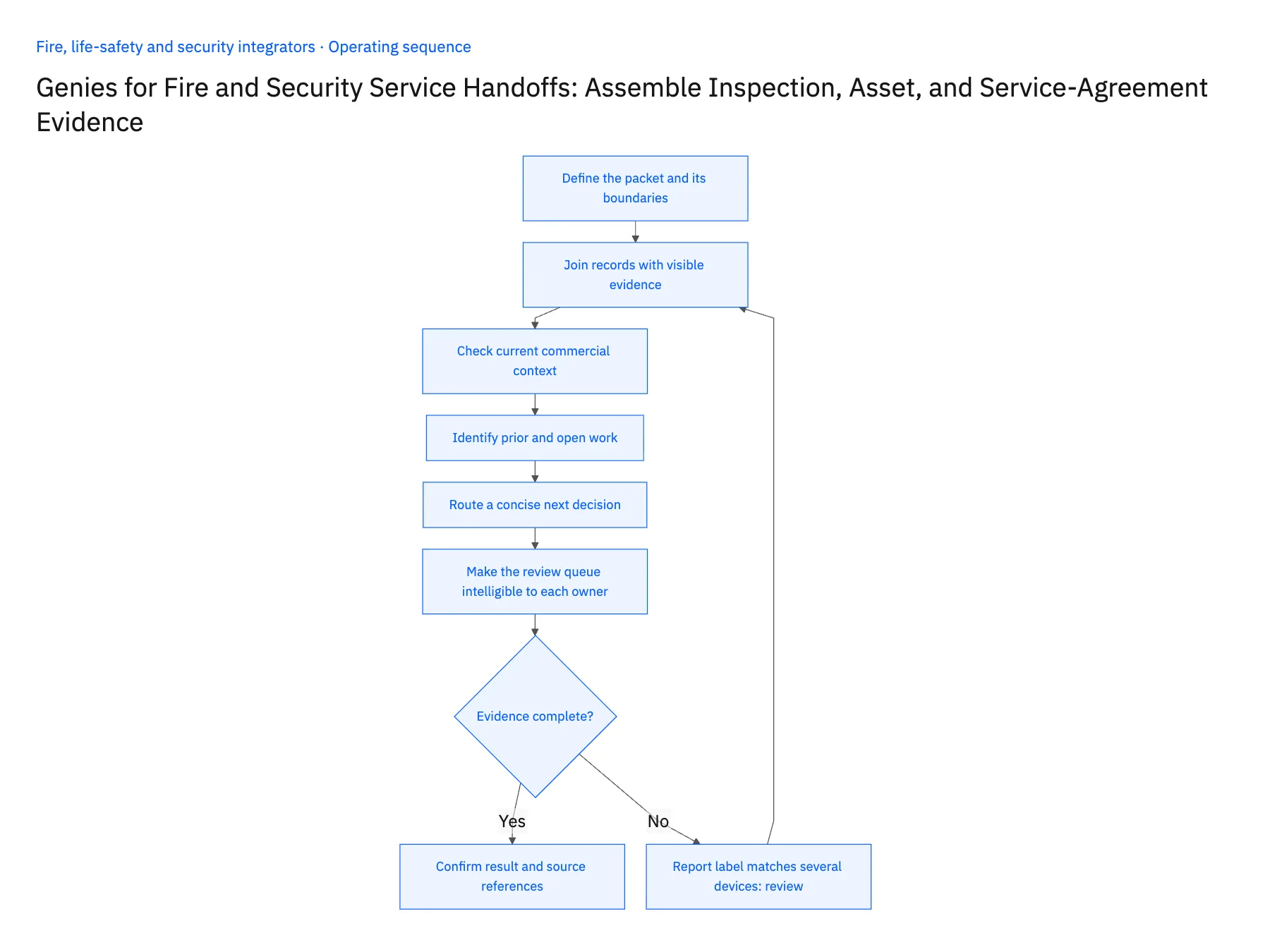
- 01Define the packet and its boundariesAsk the Genie to assemble evidence for a named report or set of findings. Specify the required fields: source reference, site, device candidate, current agreement, related work and unresolved questions. Make clear that the output is a review packet, not a certification or approved repair plan.
- 02Join records with visible evidenceUse stable site and asset identifiers when available, then show any alternative matches when the report uses informal labels. A model should not hide ambiguity behind a single selected record. Include the source text and matching register fields so the asset owner can resolve the association.
- 03Check current commercial contextRetrieve the relevant agreement term and customer relationship through accessible records. Distinguish current coverage from a pending renewal or expired term. The agent can show the agreement evidence, but deciding whether specific work is included may require contract review rather than keyword matching.
- 04Identify prior and open workLook for linked cases, quotes and work orders that might already address the same finding. Present related records without assuming they resolve it. A completed commercial job may still require separate technical review before anyone updates the finding's disposition.
- 05Route a concise next decisionCreate or prepare one owned handoff with the missing decision clearly stated. Send equipment ambiguity to asset administration, technical scope to the qualified reviewer and commercial authorization to the account owner. Record the accepted packet version and avoid generating repeated tasks for the same unresolved finding.
- 06Make the review queue intelligible to each ownerUse the same packet reference but present the question relevant to the receiving team. Asset administration needs the conflicting device identifiers; contract administration needs the term and scope; the service reviewer needs the original finding and related work. A large undifferentiated AI summary makes each person repeat the sorting. A concise question with shared evidence keeps the handoff traceable while reducing unnecessary reading and avoiding conflicting parallel tasks.
Handle the exceptions explicitly
Report label matches several devices
List the candidates with evidence and ask the asset owner to confirm.
Agreement status is stale or conflicting
Show the source dates and route the discrepancy to contract administration.
Prior work appears related but lacks closure evidence
Link it for review without declaring the finding resolved.
What to verify before expanding
- Every asset association includes a supporting source.
- The packet distinguishes current agreement from renewal proposals.
- Technical conclusions remain outside the agent's authorized output.
- One unresolved finding produces one owned review case.

Connect this process to the rest of your operation
Explore Stacksync AI agents (Genies) and scope the records and actions against your actual systems. Book a demo with a real inspection reference example and the exception your team handles most often, for example report label matches several devices.
- AI Service Handoffs for Fire and Security Integrators
- Fire and Security Handoff Exceptions: Missing Device IDs, Conflicting Site Records, and Unapproved Remediation
- Fire and Security Equipment Procurement: Match Supplier EDI Shipments to Project POs and Serial Records
- Fire and Security Integrators: Align Salesforce Installed Equipment With NetSuite Customer and Service Records
- Building Triggers and Workflows on Top of Your Bidirectional CRM Sync
- Two-Way Sync Production-Readiness Checklist
The shared architecture guide covers record matching, ownership, and recovery across systems.
Technical references
FAQ
Frequently asked questions










Related articles





