






















Fire-System Inspection Follow-Ups: Route Deficiency Records to Approved Remedial Work
Turn inspection findings into owned commercial follow-ups while preserving technical review and customer authorization.
- Author
- Ignacio Malpartida · GTM Engineer
- Published
- Read time
- 5 min read

The operating decision
An inspection-follow-up workflow can connect a documented fire-system finding to a service-review task, proposed remedial scope, customer approval and the resulting work order. Preserve the original inspection evidence and the equipment or site reference. The workflow coordinates administrative follow-up; it must not diagnose the condition, decide compliance, or certify remediation. Qualified personnel determine technical requirements, and the authorized customer or commercial owner approves the work before it becomes an execution commitment.
Explore the complete fire, life-safety and security integrators integration and automation hub for the systems and processes around this guide.
What this looks like in fire, life-safety and security integrators
An integrator completes inspections across several commercial properties. Findings arrive in reports with different device references, and the service office manually creates follow-up requests. Some findings already have open work, while others need clarification from the inspector. The workflow can check for an existing case, attach the source finding and route a review. It should not turn every line containing the word deficiency into a new approved repair order.
Records, ownership, and update rules
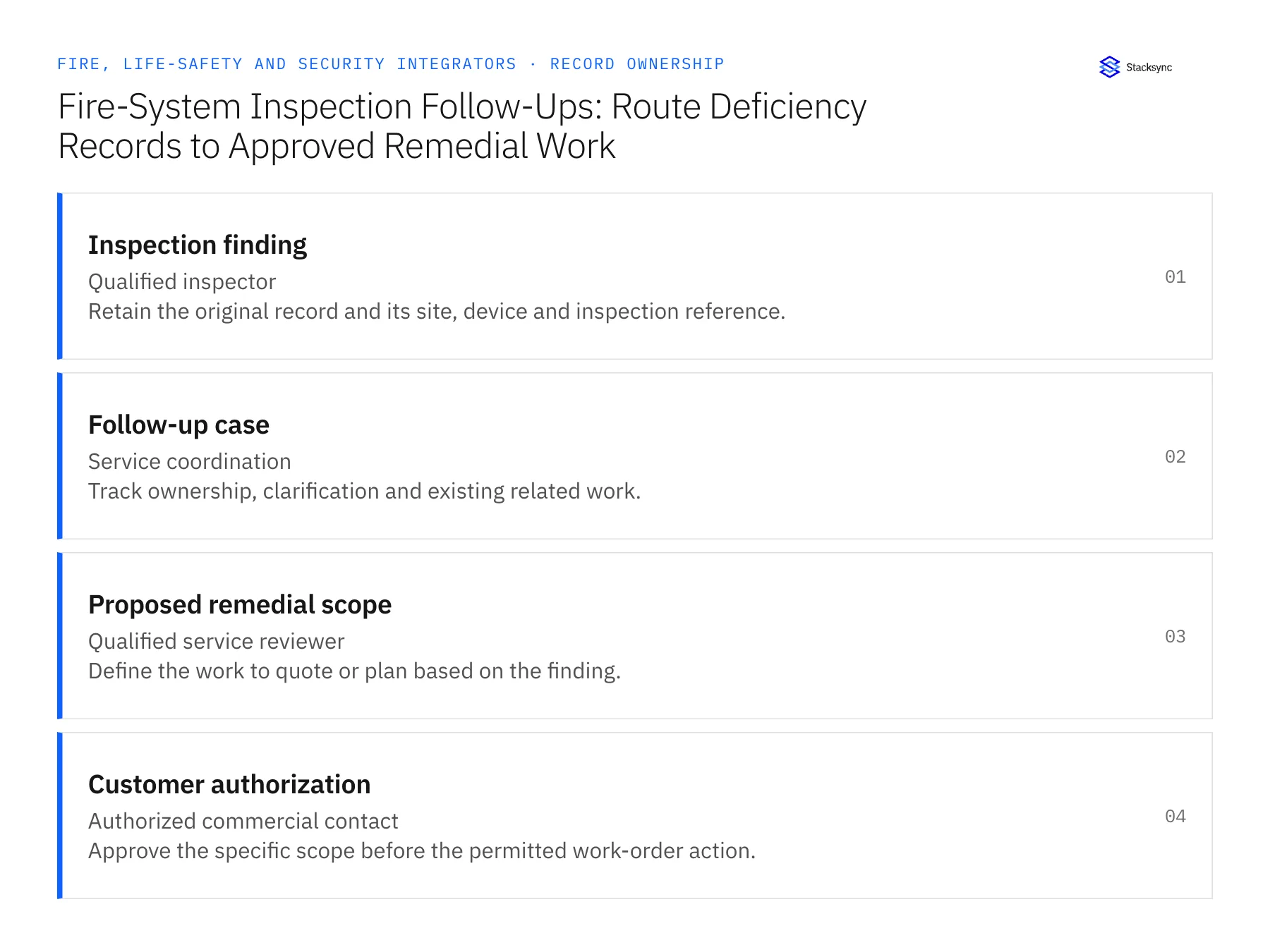
| Record | Owner | Operating rule |
|---|---|---|
| Inspection finding | Qualified inspector | Retain the original record and its site, device and inspection reference. |
| Follow-up case | Service coordination | Track ownership, clarification and existing related work. |
| Proposed remedial scope | Qualified service reviewer | Define the work to quote or plan based on the finding. |
| Customer authorization | Authorized commercial contact | Approve the specific scope before the permitted work-order action. |
Work through the process
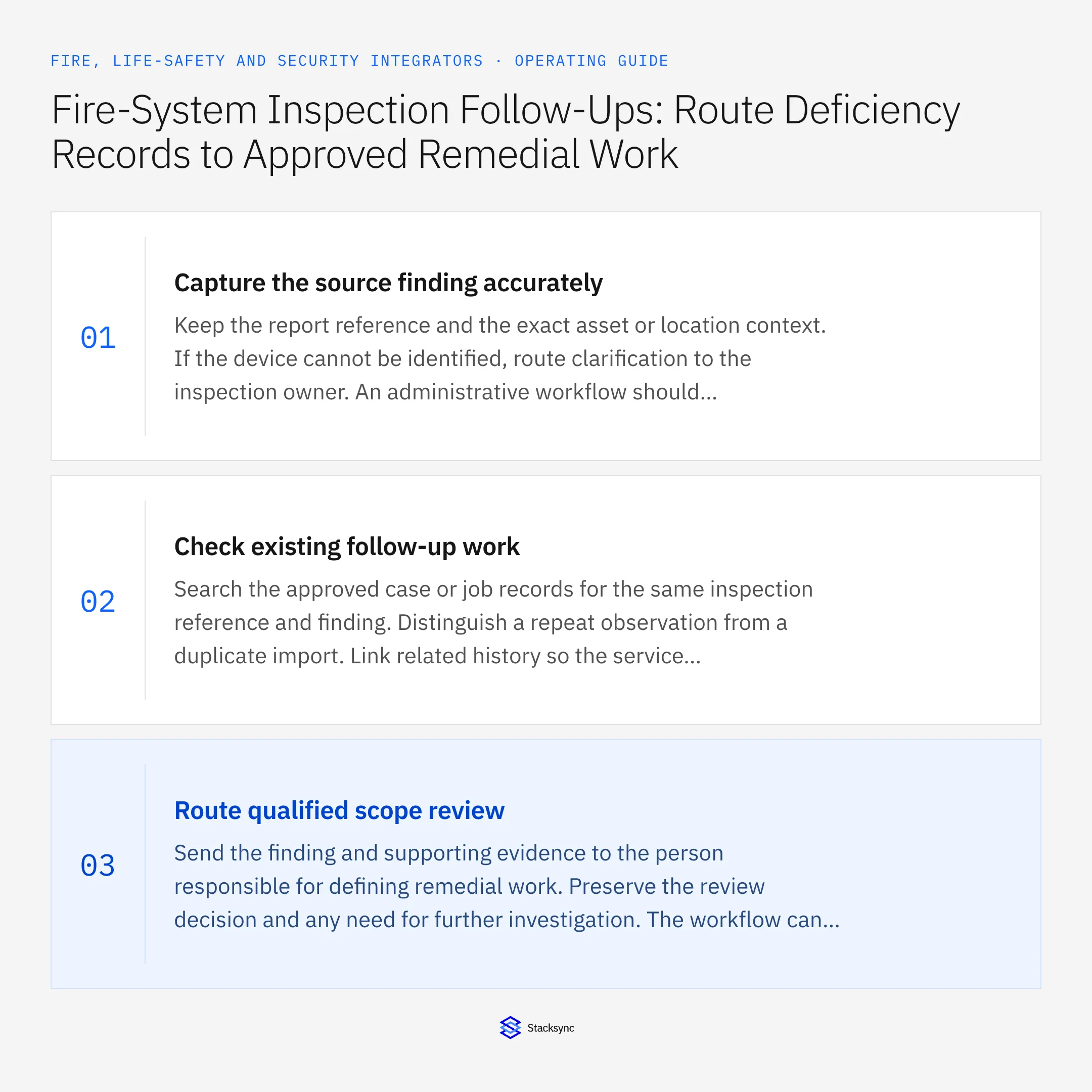
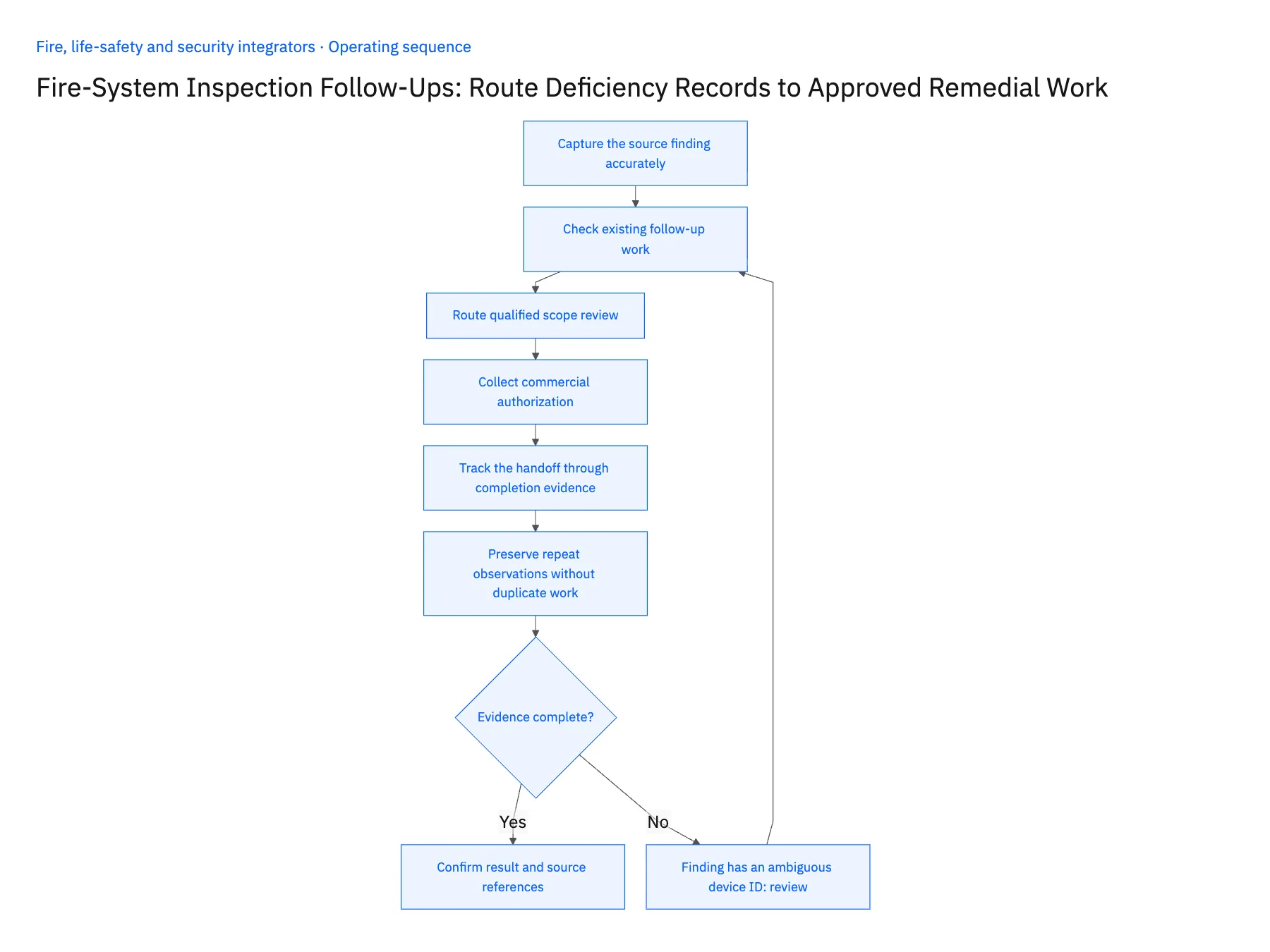
- 01Capture the source finding accuratelyKeep the report reference and the exact asset or location context. If the device cannot be identified, route clarification to the inspection owner. An administrative workflow should not resolve ambiguous technical findings by choosing the nearest matching asset name.
- 02Check existing follow-up workSearch the approved case or job records for the same inspection reference and finding. Distinguish a repeat observation from a duplicate import. Link related history so the service reviewer can see whether a previous repair, customer decision or open request already addresses the issue.
- 03Route qualified scope reviewSend the finding and supporting evidence to the person responsible for defining remedial work. Preserve the review decision and any need for further investigation. The workflow can prepare context, but it should not select technical remedies or make claims about code compliance.
- 04Collect commercial authorizationOnce a scope is defined, route the proposal under the customer's approval process. Keep urgency, technical recommendation and authority to perform billable work distinct. Capture partial approvals and exclusions at the line or asset level needed to prevent unapproved work from entering the execution queue.
- 05Track the handoff through completion evidenceCreate the permitted work request or task after authorization and record its destination identifier. Link later work evidence back to the original finding for review by the responsible personnel. Do not close the inspection finding merely because a commercial job was scheduled or invoiced.
- 06Preserve repeat observations without duplicate workA later inspection may describe an issue that resembles an earlier finding. Link the history for qualified review while retaining both inspection references and dates. Do not automatically merge the observations or close the newer finding because a prior job exists. The service reviewer needs to determine whether the new evidence concerns the same device and condition, and the workflow should preserve that decision before creating or reusing a commercial follow-up.
Handle the exceptions explicitly
Finding has an ambiguous device ID
Request clarification and preserve the original report context before assigning equipment.
Another job already addresses the finding
Link the existing work and avoid creating a duplicate request.
Customer approves only part of the proposed scope
Release only that scope and keep the remainder visible for follow-up.
What to verify before expanding
- Every follow-up links to the original inspection evidence.
- Technical scope has a qualified review owner.
- Unapproved remedial work stays out of the execution handoff.
- Scheduling or invoicing cannot automatically certify a finding resolved.

Connect this process to the rest of your operation
Explore Stacksync workflows and scope the records and actions against your actual systems. Book a demo with a real inspection finding example and the exception your team handles most often, for example finding has an ambiguous device ID.
- Security Installation Acceptance-to-Billing Workflows
- New Security Installations: Route Customer Acceptance Before Activating Recurring Billing
- Genies for Fire and Security Service Handoffs: Assemble Inspection, Asset, and Service-Agreement Evidence
- Fire and Security Handoff Exceptions: Missing Device IDs, Conflicting Site Records, and Unapproved Remediation
- Building Triggers and Workflows on Top of Your Bidirectional CRM Sync
- Two-Way Sync Production-Readiness Checklist
The shared architecture guide covers record matching, ownership, and recovery across systems.
Technical references
FAQ
Frequently asked questions










Related articles





