Two-Way Sync Production-Readiness Checklist
An 18-check production-readiness checklist for two-way sync: validate identities, backfills, retries, deletes, monitoring, permissions, and recovery.
- Author
- Ignacio Malpartida · GTM Engineer
- Published
- Updated
- Read time
- 6 min read

Prove recovery before turning on production writes
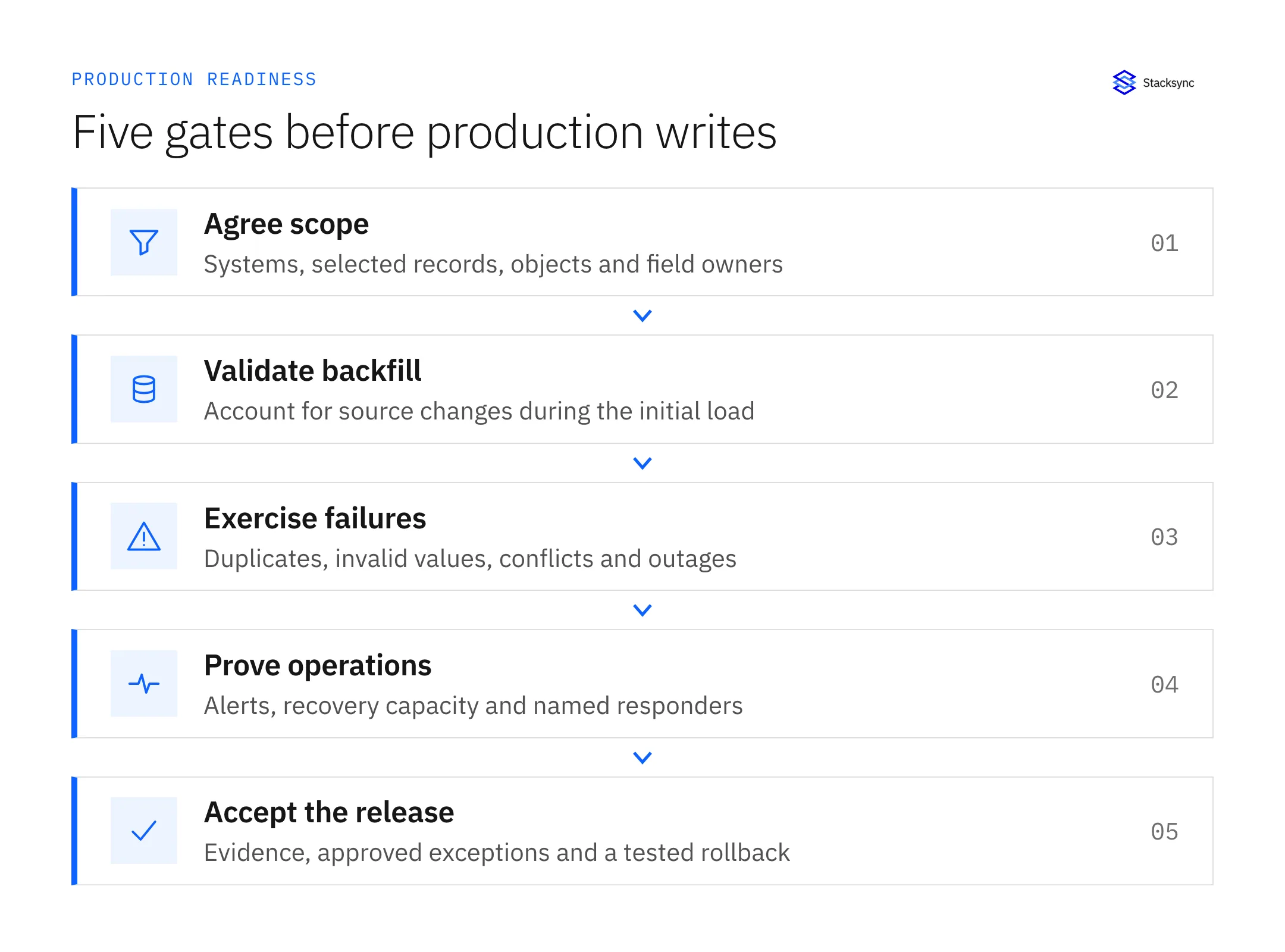
A two-way sync is ready for production when it preserves record identity, applies the agreed field rules, exposes failures, and recovers within the business’s freshness target. A successful initial connection is only the first check. This checklist covers the tests and operating responsibilities needed before a release.
Download the 18-check CSV or download the printable Markdown checklist. Add an owner and evidence for every item. Use Pass, Fail, or Not applicable with a reason; an untested item is not a pass.
The checklist applies to CRM, ERP, database, and warehouse integrations. Set acceptance thresholds for your workflow rather than adopting an arbitrary “real-time” number. An internal reporting feed and an order-fulfillment process may need different freshness, recovery, and reconciliation targets.
Before the initial load
Write down exactly what the integration is allowed to change. Start with objects, selected records, field owners, stable keys, and exclusions. Confirm the application administrators understand the permissions and any changes to the source system required by the connector.
| Check | Evidence to collect |
|---|---|
| Scope and identity | Signed object list, stable match keys, duplicate test |
| Field ownership | Completed mapping workbook and conflict examples |
| Permissions | Read/write test using the intended integration identity |
| Capture mechanism | Observed change detection for each object and direction |
| Backfill boundary | A documented way to account for writes during the initial load |
Capture the source count and the selected filter at the beginning of a test. During backfill, deliberately create and update records in the source. When the incremental path catches up, confirm those changes exist in the destination once. Comparing only total row counts can miss duplicate records and equal numbers of missing and extra rows.
For Stacksync’s PostgreSQL connector, table keys and permissions are concrete setup requirements; see the PostgreSQL connector guide. Treat “connected” and “ready to sync the selected table” as separate states.
Exercise the failures your responders will see
Run these cases in a test environment with representative relationships and validation rules. Record what the integration reports, what changed in the destination, and what action restored correctness. Keep the test small enough that you can inspect every affected record.
| Test | What must be observable |
|---|---|
| Destination timeout after commit | Whether the write landed; no duplicate business action on retry |
| Invalid enum or missing required field | A record-level failure with actionable context |
| Temporary destination outage | Bounded backlog and measured recovery after service returns |
| Concurrent edits | A winner consistent with the field ownership policy |
| Delete and archive | Expected object and relationship behavior, including retention |
| Schema change | A visible configuration problem and a repeatable repair path |
For an ambiguous timeout, do not infer failure from the missing acknowledgment. Inspect the destination by stable ID before repeating a non-idempotent action. If you cannot tell whether an order or payment was created, that is a release-blocking recovery gap for that workflow.
The retry and replay guide explains how to distinguish a temporary failure from a rejected record. Stacksync’s Issues dashboard documentation describes its retry, revert, and ignore actions; test the relevant action with your own validation rules.
Name the owner and measure the recovery target
Measure end-to-end lag from the business change to a usable destination value. Also track the oldest unresolved issue, outstanding records, rate-limit responses, and the time required to drain a backlog. A healthy HTTP endpoint does not prove that customer data is current.
- Route an actual test alert to the person or rotation that will respond.
- Set a maximum acceptable age for unresolved critical records.
- Measure peak traffic while other applications consume the same API quota.
- Verify a credential rotation and the procedure for revoking access.
- Record how to pause writes, reconcile affected records, and restore a known good value.
- Review what sensitive data appears in logs and who can access it.
Recovery capacity matters as much as normal throughput. In an illustrative workload, an outage leaves 10,000 pending changes while another 100 arrive each minute. A drain rate of 100 changes per minute never catches up. The release review needs measured spare capacity and a recovery objective that the business accepts.

Apply this in fire, life-safety and security integrators: site and functional position
A fire and security asset register puts the production-readiness checks into a concrete multi-site setting. Verify customer, site, and asset identities before exposing Salesforce service context through a Supabase application; test permissions and recovery without treating a shared database as permission to share every customer record.
| Record to reconcile | Responsible owner | Rule to preserve |
|---|---|---|
| Site | Service administration | Maintain a stable location key and approved customer relationship. |
| Functional position | Asset administrator | Describe where equipment operates independently of the current device. |
| Installed device | Service team | Record identity and replacement history through a reviewed update path. |
An exception to plan for: Service note arrives after device replacement. Attach it to the correct historical device and visit rather than the latest asset automatically. Acceptance check for the pilot: current equipment and previous devices remain distinct.
The fire, life-safety and security integrators hub connects the broader operating context. These guides develop the specific record mappings and decisions for this application:
Make the release decision reviewable
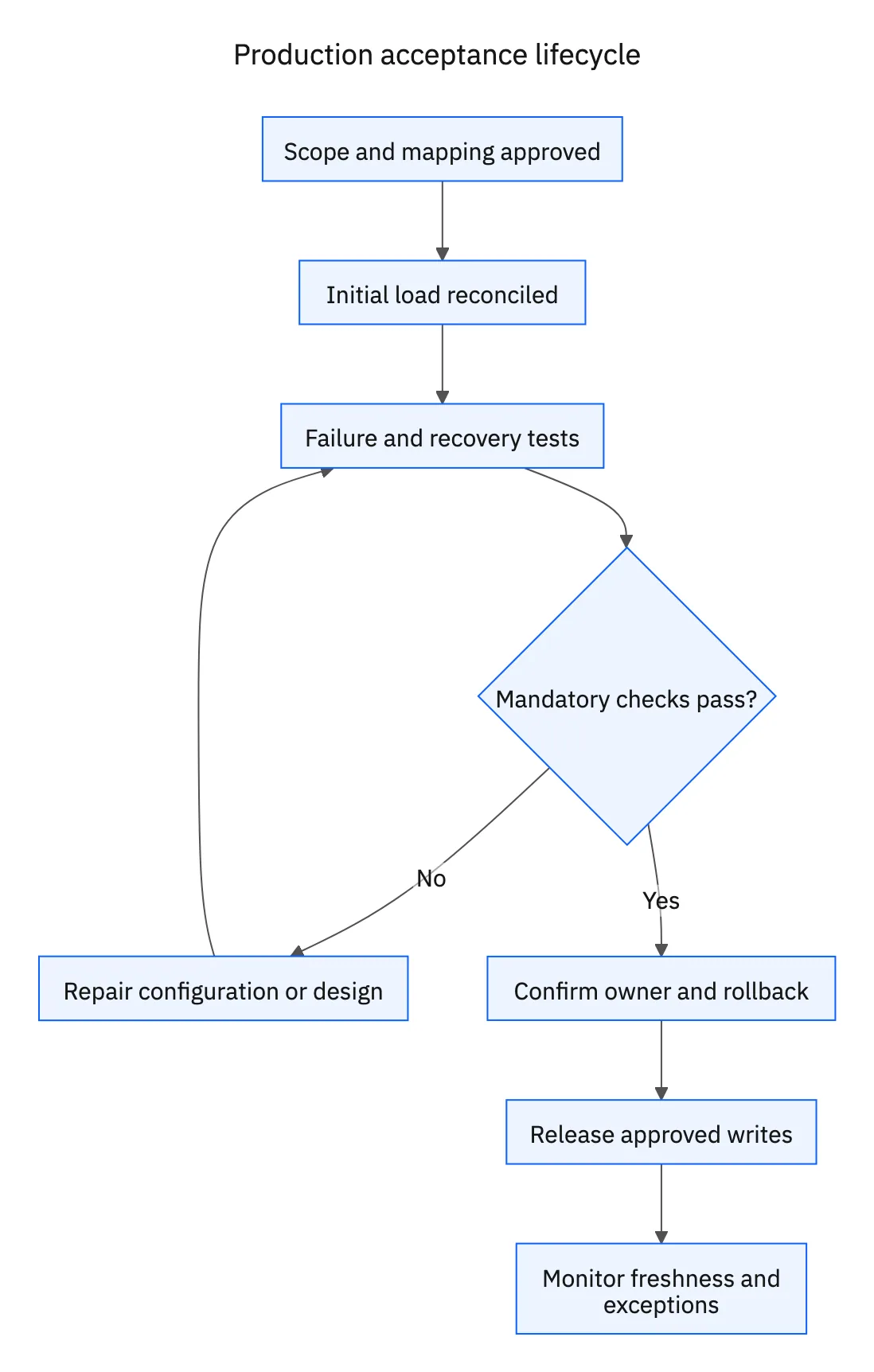
Release only when mandatory checks have evidence, unresolved exceptions have named owners, and the rollback procedure has been rehearsed. “Not applicable” should say why: for example, deletion propagation is excluded because the approved integration archives records instead.
Keep the checklist with the field mapping workbook. Repeat affected checks when a connector version, source permission, schema, object filter, or conflict policy changes. A previous pass applies to the tested configuration, not every future version.
For a Stacksync proof of concept, bring these acceptance cases to an integration review. Ask to demonstrate your hardest object relationship and one recovery scenario, then record the result in the same checklist used for other options.
FAQ
Frequently asked questions










Related articles