






















New Security Installations: Route Customer Acceptance Before Activating Recurring Billing
Connect installation acceptance to the correct recurring-billing start decision for security integrators.
- Author
- Ignacio Malpartida · GTM Engineer
- Published
- Read time
- 5 min read

The operating decision
Security installation handoffs should distinguish installation completion, customer acceptance and the commercial start of recurring billing. A workflow can collect the required evidence and route activation to the authorized owner. It should not assume that a technician closing a task means the customer accepted every deliverable or that a monitoring or service agreement is ready to bill. Use the actual contract requirements, approved start date and verified system action for the recurring service.
Explore the complete fire, life-safety and security integrators integration and automation hub for the systems and processes around this guide.
What this looks like in fire, life-safety and security integrators
An access-control integrator finishes hardware installation at a commercial building, but the customer still needs training and has not accepted the final handover package. The sales agreement includes a recurring service charge after an agreed acceptance condition. Operations wants to close the project, while finance needs a defensible billing start. The workflow should show the remaining handover requirements and route the final decision rather than starting billing from the installer's completed status.
Records, ownership, and update rules
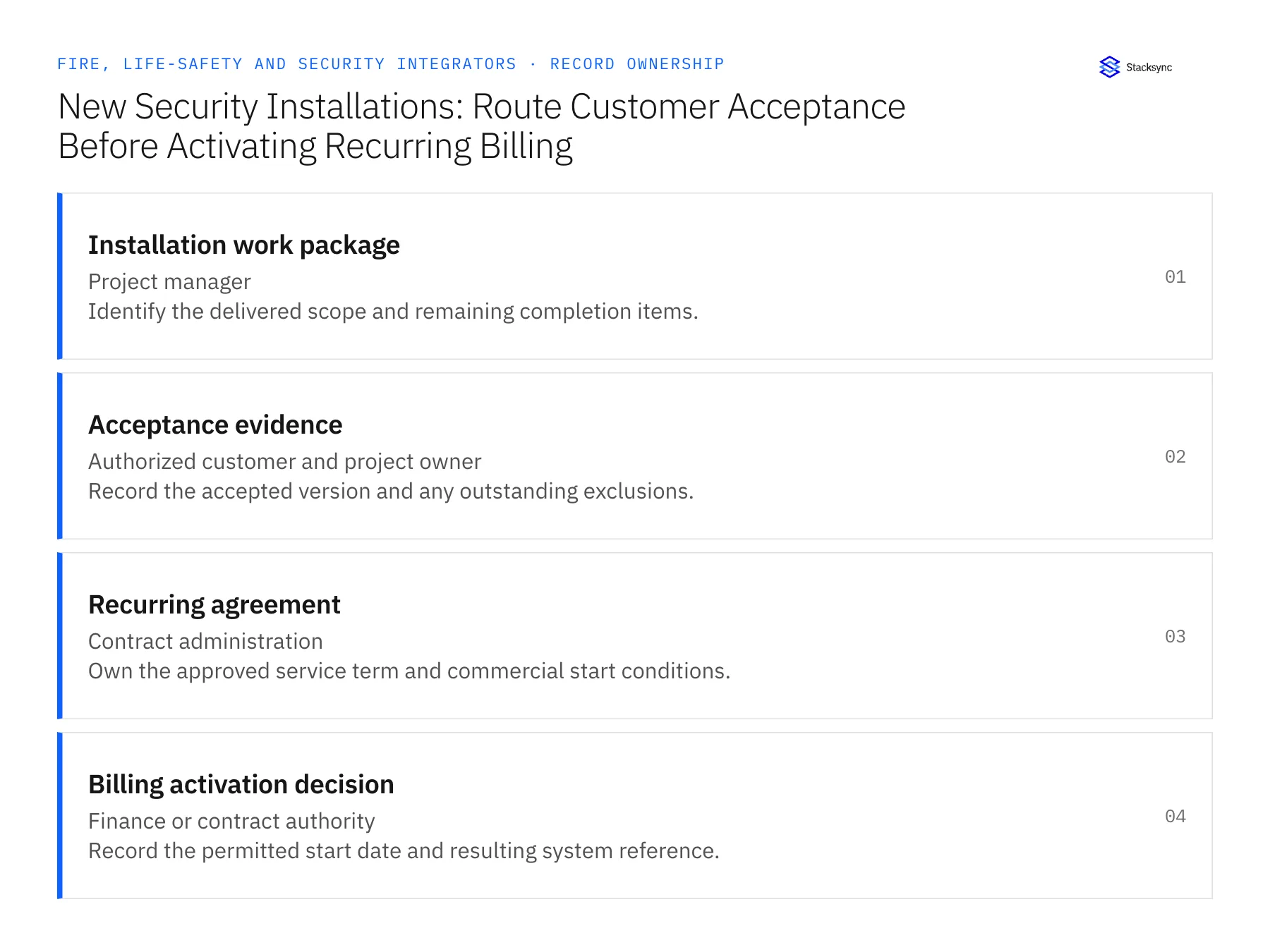
| Record | Owner | Operating rule |
|---|---|---|
| Installation work package | Project manager | Identify the delivered scope and remaining completion items. |
| Acceptance evidence | Authorized customer and project owner | Record the accepted version and any outstanding exclusions. |
| Recurring agreement | Contract administration | Own the approved service term and commercial start conditions. |
| Billing activation decision | Finance or contract authority | Record the permitted start date and resulting system reference. |
Work through the process
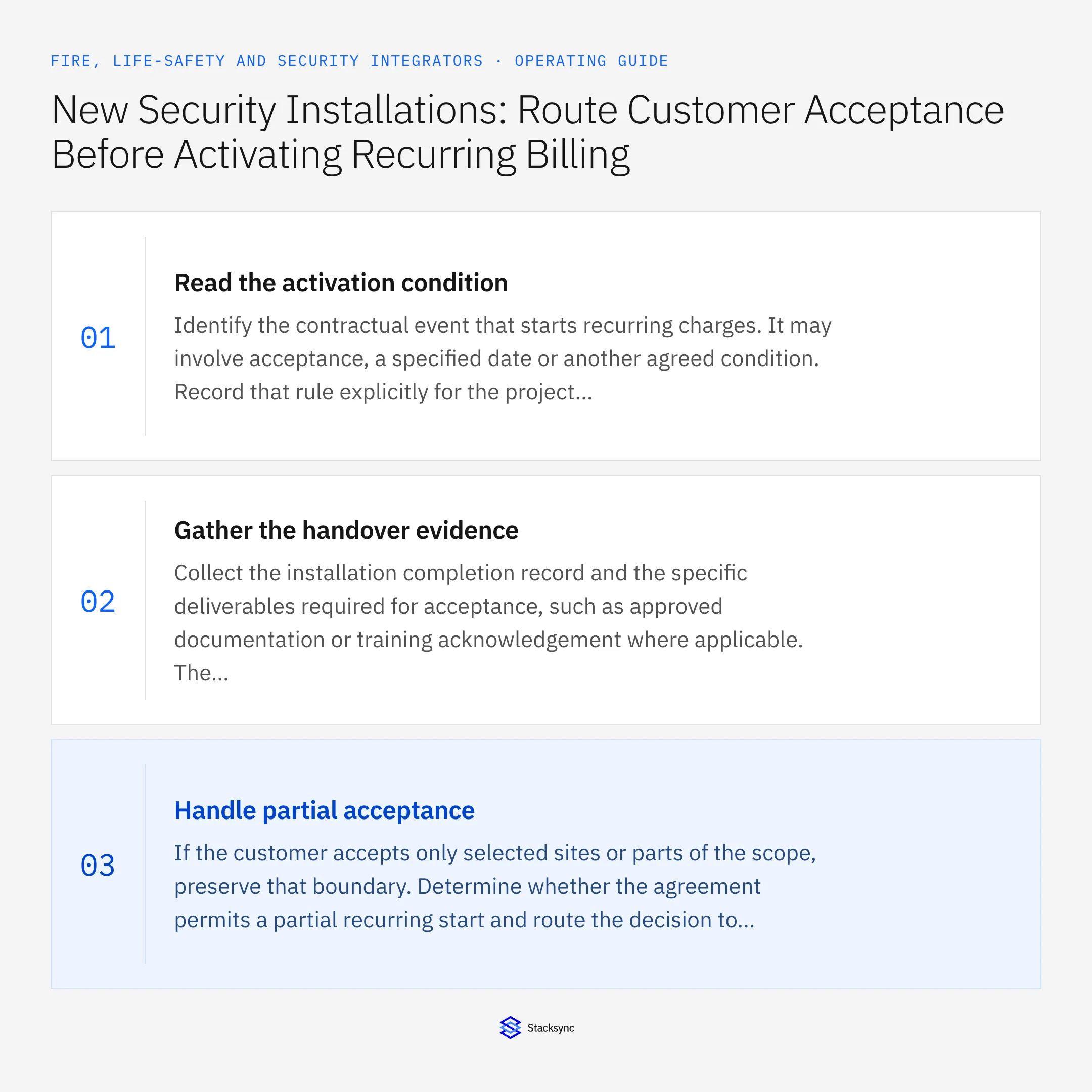
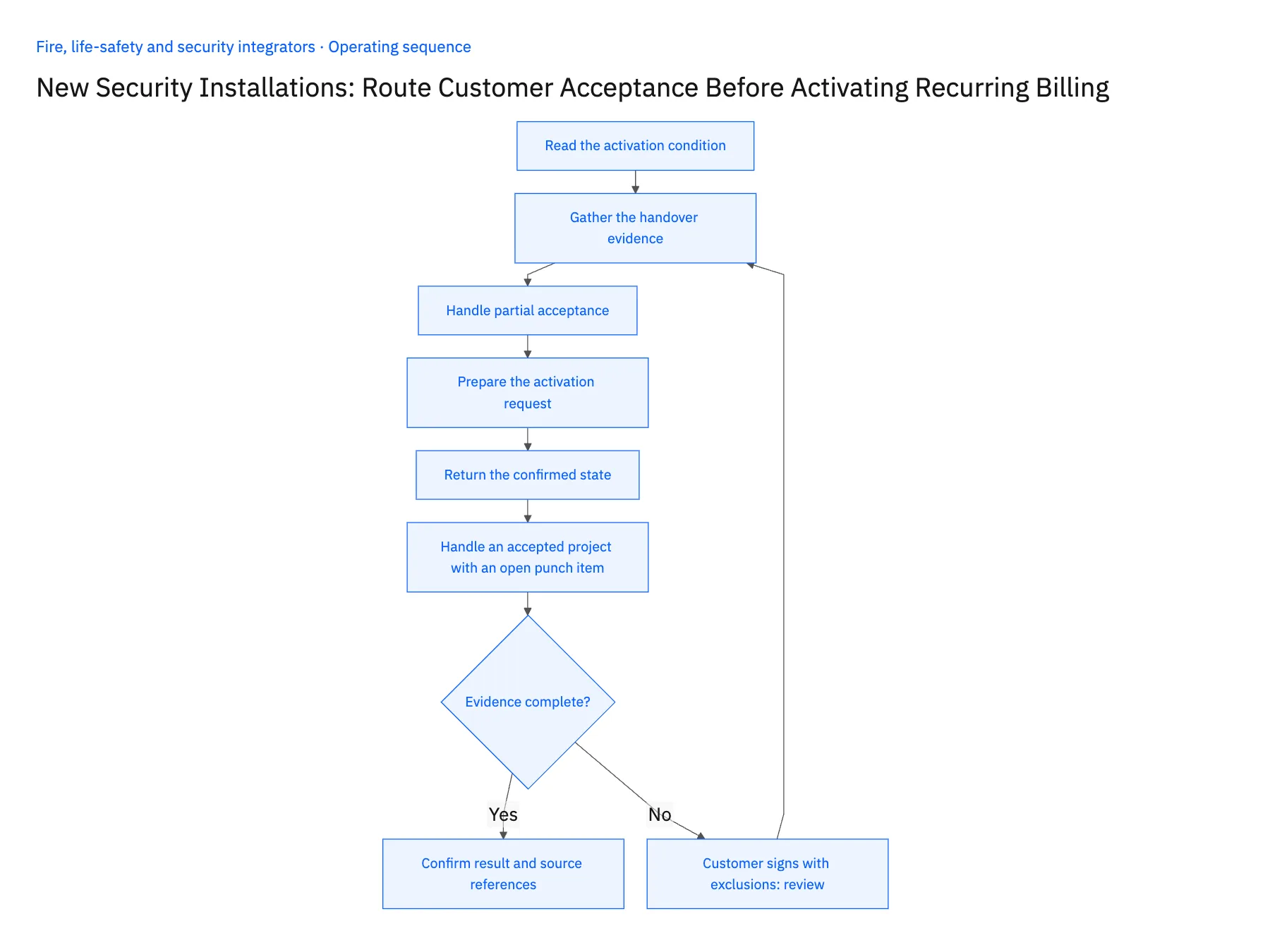
- 01Read the activation conditionIdentify the contractual event that starts recurring charges. It may involve acceptance, a specified date or another agreed condition. Record that rule explicitly for the project rather than adopting a generic installation-complete trigger across every customer.
- 02Gather the handover evidenceCollect the installation completion record and the specific deliverables required for acceptance, such as approved documentation or training acknowledgement where applicable. The workflow should list what is present and what is missing without certifying technical performance from administrative records alone.
- 03Handle partial acceptanceIf the customer accepts only selected sites or parts of the scope, preserve that boundary. Determine whether the agreement permits a partial recurring start and route the decision to the authorized owner. Do not convert a signature for one building into acceptance of the whole rollout.
- 04Prepare the activation requestProvide contract administration or finance with the agreement, accepted scope, approved date and evidence references. Invoke only the verified action allowed by the chosen systems and roles. If the initial scope is a task, confirm its receipt and ownership rather than labeling the recurring service active.
- 05Return the confirmed stateAfter the owning process activates billing, return its reference and effective date to the project and CRM context. Check repeated acceptance updates and corrections so they cannot create a second recurring record. Retain the original handoff if an accepted date is later disputed.
- 06Handle an accepted project with an open punch itemRecord the exact effect of the open item under the customer's acceptance and billing rules. A minor remaining task may or may not prevent the recurring start; the workflow should not decide based on the word minor. Show the accepted scope, the excluded item and the authorized decision. That lets finance apply the actual commercial condition while the project team continues tracking the unfinished work to its proper owner.
Handle the exceptions explicitly
Customer signs with exclusions
Route the exclusions and determine their effect on activation under the actual agreement.
Only some rollout sites are accepted
Keep site-level activation decisions and avoid starting charges for unaccepted scope.
Acceptance date is corrected
Send a reviewed correction to finance instead of silently changing the billing history.
What to verify before expanding
- Technician completion alone cannot activate recurring billing.
- The start decision identifies the governing agreement condition.
- Partial acceptance remains limited to the covered scope.
- A repeated trigger cannot create a duplicate recurring record.

Connect this process to the rest of your operation
Explore Stacksync workflows and scope the records and actions against your actual systems. Book a demo with a real installation work package example and the exception your team handles most often, for example customer signs with exclusions.
- Security Installation Acceptance-to-Billing Workflows
- Fire-System Inspection Follow-Ups: Route Deficiency Records to Approved Remedial Work
- Genies for Fire and Security Service Handoffs: Assemble Inspection, Asset, and Service-Agreement Evidence
- Fire and Security Handoff Exceptions: Missing Device IDs, Conflicting Site Records, and Unapproved Remediation
- Building Triggers and Workflows on Top of Your Bidirectional CRM Sync
- Salesforce–NetSuite Integration: Mapping and Setup
The shared architecture guide covers record matching, ownership, and recovery across systems.
Technical references
FAQ
Frequently asked questions










Related articles





