







Apply the correct commercial rule
Evaluate the actual customer agreement using the stated quantity or value basis and route exceptions to the authorized owner.
Stacksync MCP is here. Give Claude, Cursor, and any MCP client governed access to your syncs, workflows, and connections.
Set up MCP Salesforce
  HubSpot
  NetSuite
  Zendesk
  Microsoft Dynamics 365 Sales
  Dynamics 365 F&O
  Attio
Attio  Pipedrive
  Zoho CRM
  Campfire
  Rillet
  Front
Front  Shopify
  Amazon Seller Central
  SendGrid
 Beverages
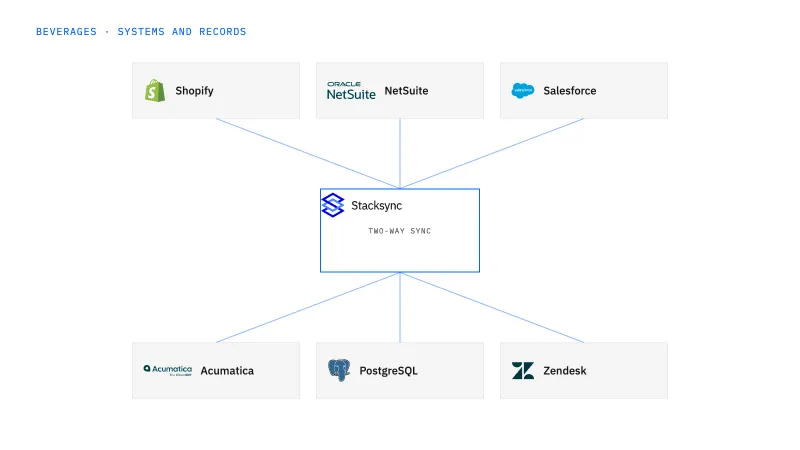
Coordinate beverage order release around the accepted freight terms and distributor receiving window. This fits teams that repeatedly chase approvals for under-threshold orders, appointment changes, and special delivery requests. The workflow makes the reviewed commitment and execution status visible across sales and operations.
A requested date or sales promise reaches fulfillment before logistics confirms the receiving window and commercial terms.
Explore your process in a demo, or get our shared two-way sync architecture guide.
When this fits
Beverage brands combining production, DTC sales, distributor networks, and retail delivery.
Evaluate the actual customer agreement using the stated quantity or value basis and route exceptions to the authorized owner.
Store the accepted location, date, time zone, and window and recheck them when the order changes.
The workflow reads the distributor order in NetSuite and the account context in Salesforce, then posts the freight or window exception to Slack for the owner named in your policy. Approval is a person’s decision recorded against the exact quantity, date, and depot it covers. The release write into NetSuite is enabled only after that connector action and its permission are confirmed in scoping.
The process, end to end
A distributor requests a small replenishment at a tightly scheduled depot. Sales wants an exception to the freight threshold, while logistics needs a confirmed window. A demo should show both decisions, the exact order scope they cover, and what happens when the distributor changes the destination before release.
Scope your implementation
Review current platform pricing alongside the records, volume, and actions in your process. Use your own operating baseline to evaluate the economics.
Explore your process in a demo, or get our shared two-way sync architecture guide.
From foundation to action
Keep shared customer, order, and operational records aligned, with clear field ownership.
Explore two-way sync 02Move approved work between systems, assign exceptions, and confirm the result.
Explore workflows 03Investigate cross-system questions, assemble the evidence, and prepare the next action.
Explore ai agents (genies) 04Connect trading-partner documents to operational records and exception handling.
Explore ediGo deeper
Under-threshold freight and unconfirmed depot windows go to a named approver in Slack, and the order leaves NetSuite for the warehouse only with both decisions attached.
Support logs the claim in Zendesk, logistics confirms which shipment broke, and finance approves one remedy in NetSuite with the damaged bottles counted, not assumed.
Only if the approved policy grants that authority and all required checks pass. A request and an accepted logistics commitment should remain distinct.
The earlier approval is tied to the quantity or order value it covered, so a reduced order does not inherit it. The workflow returns the order to the awaiting-decision state and sends the commercial owner the new quantity against the distributor’s threshold, stated in the unit the agreement uses, cases or order value. The same rule applies when the depot changes: the accepted window and time zone are kept, and logistics must accept the revised destination before the order is released to the warehouse or carrier.
Two-way sync between Salesforce and NetSuite comes first, because it gives the workflow one agreed payer, depot, and order reference to check rather than two versions of the account. The workflow is the second layer: it holds the freight and receiving-window checks and the Slack approvals as explicit states. Genies come after that, for the distributor who later claims a late delivery against the window this workflow recorded. EDI is the last step, when the released order ships as pallets under partner documents.


