






















Reconcile Freight Rates and Dwell Times Before Issuing Credits
To audit detention or dwell-related charges, first determine which recorded events start and stop the billable interval under the applicable agreement.
- Author
- Ignacio Malpartida · GTM Engineer
- Published
- Updated
- Read time
- 7 min read

Dwell time needs a contractual definition
To audit detention or dwell-related charges, first determine which recorded events start and stop the billable interval under the applicable agreement. Gate arrival, check-in, unloading, and gate departure may be different timestamps. The subtraction is easy; selecting the right events is the substantive part of the dispute.
Convert the timestamps to a consistent timezone and preserve their original references. Look for missing events, manual corrections, and records that cross midnight. If the departure precedes arrival after timezone normalization, treat the data as inconsistent. Do not repair it by assuming a day or adding a convenient duration.
Evidence needed to resolve the exception
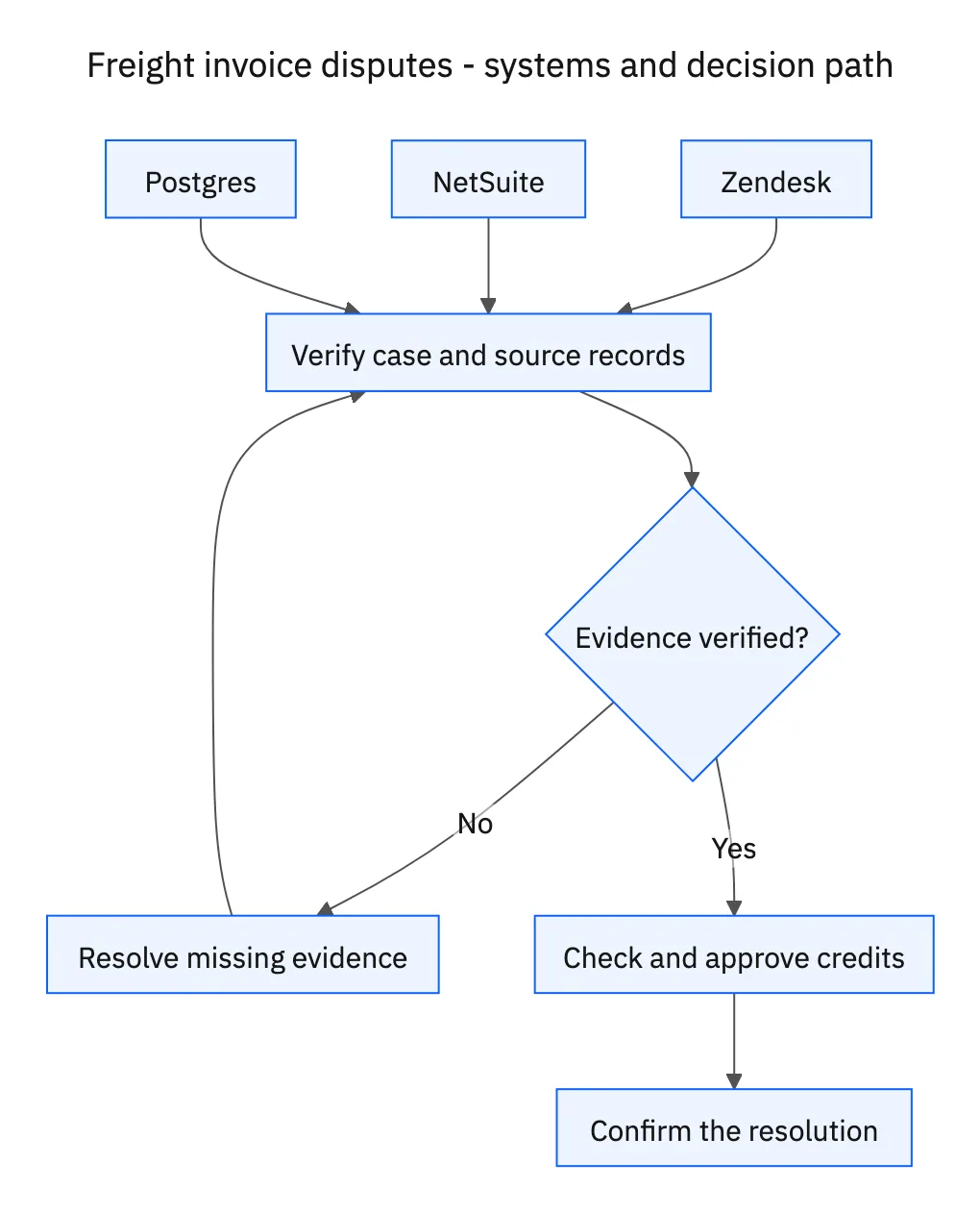
Use this exception guide when reviewing a proposed Genie workflow or investigating a case that cannot proceed confidently. The tables describe operational decisions to configure in your environment. They are not claims that a connected application automatically supplies your organization’s policies, identity mappings, or approval process.
| System or owner | Evidence and responsibility |
|---|---|
| Zendesk | Disputed charges, requests for clarification, and the confirmed resolution. |
| NetSuite | Invoice lines, existing customer credits, and finance-approved credit memos. |
| Postgres | Agreed rate records and shipment arrival/departure evidence. |
| Finance | Approval of any new credit memo and its accounting treatment. |
Required context for this workflow design.
Make the adjustment reproducible
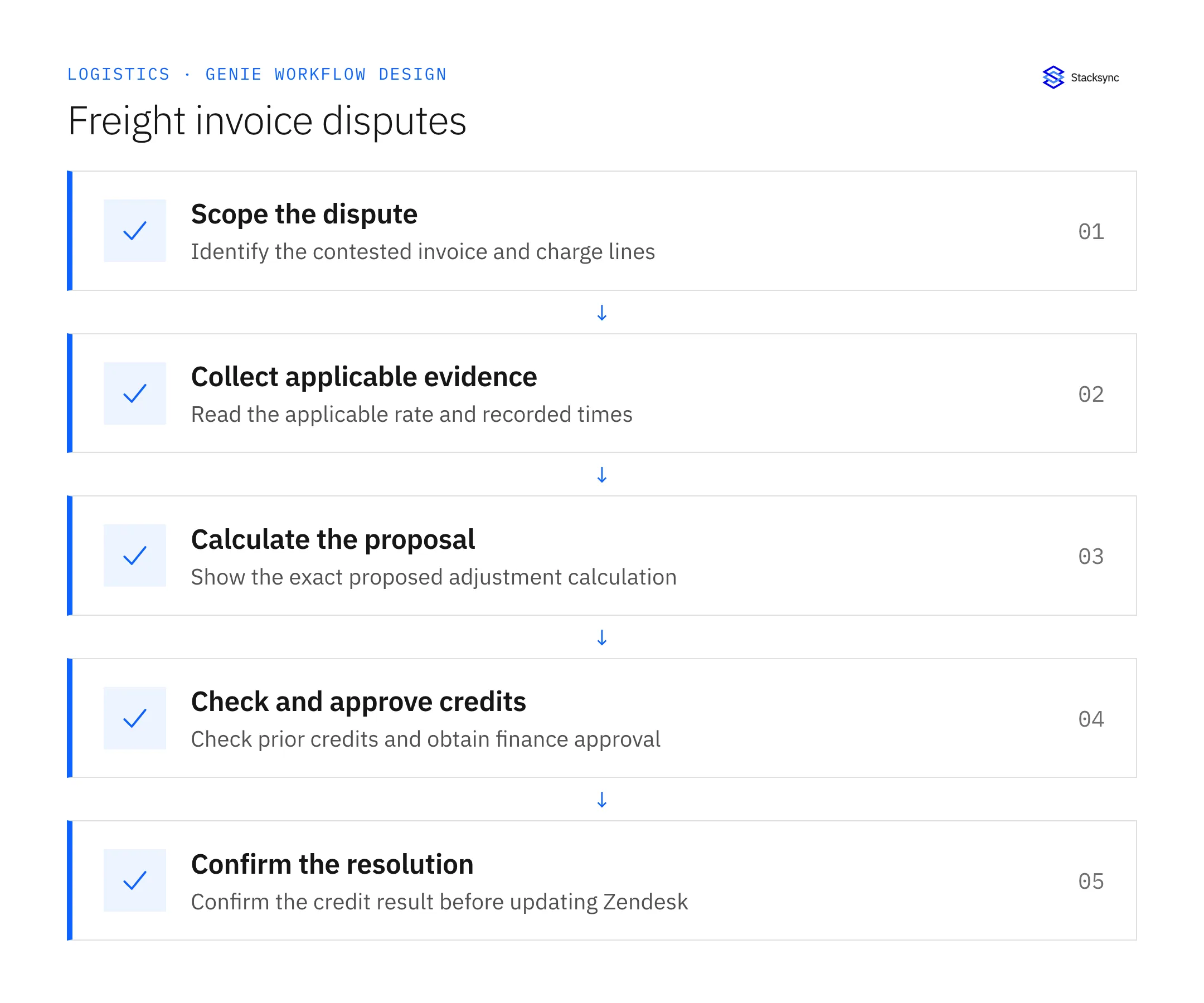
For an illustrative agreement with sixty minutes free and thirty dollars per subsequent thirty-minute block, a recorded ninety-minute stay produces thirty dollars of chargeable time, assuming that block rule applies. If the invoice charges sixty dollars for the same line, the proposed adjustment is thirty dollars before any finance-reviewed tax treatment. These figures illustrate the method, not a standard freight tariff.
Attach the rate clause, event references, elapsed time, free allowance, chargeable units, and multiplication. If the contract uses started blocks, daily caps, or other terms, apply those actual terms. Do not carry the illustrative rule into a live case.
Resolve the financial remainder, not the historical complaint twice
Check whether an existing credit already covers the calculated discrepancy. Its existence and its application to an invoice are separate facts. Finance may need to review an unapplied credit rather than authorize a second one. Search by the invoice relationship and covered charge as well as the customer.
When evidence supports only part of the dispute, separate the supported adjustment from the remaining question. Zendesk can record that a rate mismatch is established while the timing issue awaits a missing departure record. Keep the customer informed of confirmed progress, but obtain finance approval before creating a new credit memo and report its confirmed ID only after the write is verified.
Decision table for common exceptions
Use the condition in the first column to choose the next action. The final column describes the boundary that must remain true while the case is unresolved. Apply the organization’s actual policy and source records to the live case; do not treat an illustrative condition as proof that the condition exists.
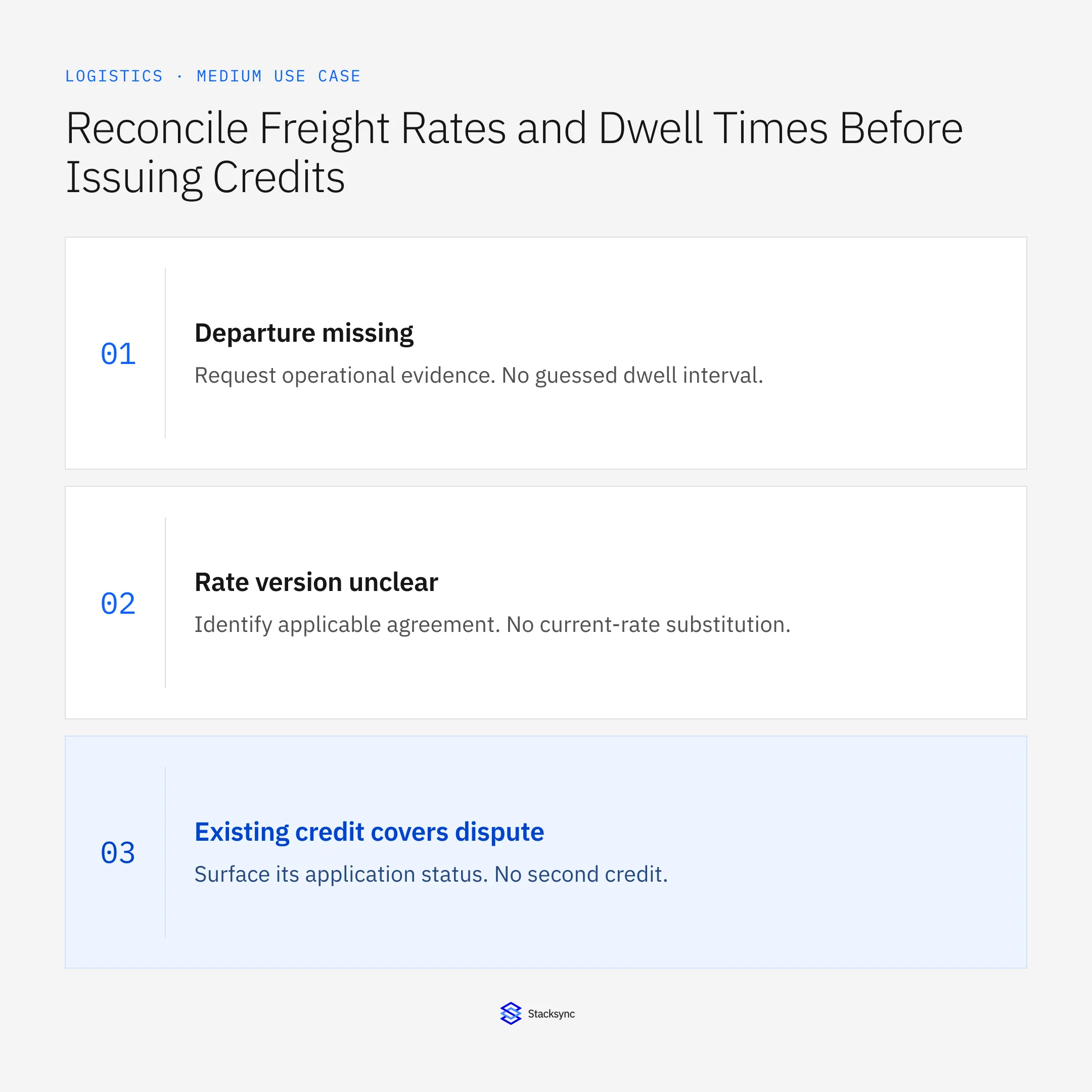
| Observed condition | Next action | Required boundary |
|---|---|---|
| Departure missing | Request operational evidence | No guessed dwell interval |
| Rate version unclear | Identify applicable agreement | No current-rate substitution |
| Existing credit covers dispute | Surface its application status | No second credit |
| Finance decision pending | Keep proposal pending | No memo created |
Exception decisions for freight invoice disputes.
Illustrative exception and recovery
Finance already issued a thirty-dollar credit, but it has not been applied to the invoice. A repeat dispute should surface that credit and its status to finance, not create another thirty-dollar memo.
This example uses fictional records to show the decision logic. It is not a customer case study or a claim of measured results. In a live case, retain the actual record IDs and evidence behind each statement, and replace all illustrative quantities or timing assumptions with the approved operational inputs.
What to record before resuming
A finance review packet with invoice lines, applicable rate clauses, normalized event times, a reproducible adjustment calculation, existing-credit checks, and the confirmed resolution.
Preserve the original finding and the evidence that resolves it. Record which person or system supplied the clarification, which proposal it applies to, and the action now permitted. Do not erase the uncertainty from the history: a later reviewer needs to understand why the case paused and why it resumed.
Boundaries that remain in force
- Use the rate agreement applicable to the shipment and service date.
- Calculate proposed adjustments from recorded events, with no invented free-time rule.
- Check existing credits and require finance approval before any new credit memo.
- Update Zendesk only with the confirmed resolution and record references.
Review the case before restarting
First verify that the new evidence resolves the original blocker rather than a different issue. Then check whether the case, source records, or proposed action changed during the wait. A response attached to the right ticket can still be insufficient if it refers to an earlier proposal or leaves a required quantity, identity, or approval unresolved.
Run the relevant row from the decision table as a review scenario. Confirm that the job stops at the required boundary, asks for the specified information or decision, and resumes from the confirmed state. If a write or message may already have succeeded, inspect its destination before repeating it; if this job only prepares a draft or report, verify that it stays within that output scope.
- Disputes with reproducible line-level calculations
- New credits with explicit finance approval
- Duplicate credits prevented or detected
Track unresolved cases by their actual blocker and owner. A case waiting for clarification needs a different next action from one waiting for a confirmed result. Review the evidence when the state changes, and keep any still-unresolved completion condition visible instead of treating a successful intermediate step as the end of the work.

Give your Genie a job description
Copy the job description below. It preserves the scope and decision boundaries of this use case. Configure the referenced systems, record relationships, policies, and approval owners in your workspace before enabling the job.
Paste this into “Give your Genie a job description.” Explore Stacksync Genies.
Apply this in beverages: distributor order and freight policy
For beverage deliveries, the finance review begins with the freight terms and receiving window actually approved for the distributor order. The linked guides connect those commitments to logistics evidence and keep a requested delivery time distinct from an accepted appointment.
| Record to reconcile | Responsible owner | Rule to preserve |
|---|---|---|
| Distributor order | Sales operations | Preserve requested quantities, destination, date, and commercial reference. |
| Freight policy | Commercial owner | Own the applicable threshold, unit, terms, and approved exceptions. |
| Receiving window | Logistics | Confirm destination-specific time and date requirements with current evidence. |
An exception to plan for: Order quantity drops below threshold. Reassess freight terms before release instead of inheriting the earlier approval. Acceptance check for the pilot: freight approval identifies the order amount or quantity it covers.
The beverages hub connects the broader operating context. These guides develop the specific record mappings and decisions for this application:
Implementation references
These first-party references document the underlying records and interfaces. The cross-system sequence, approvals, and completion rules in this article are a proposed operational configuration; validate them against your connected workspace before enabling it.

FAQ
Frequently asked questions










Related articles





