






















Automotive component EDI 850 and 860: preserve firm orders and approved revisions
Original 850 orders, 860 change requests and partner responses stay traceable through replays, retries and engineering cutovers under the customer agreement.
- Author
- Alexis Favre · Co-Founder & CTO
- Published
- Read time
- 4 min read

The operating decision
Automotive suppliers using an agreed X12 850/860 order process should preserve original order identity, line-level revisions and business acceptance independently from transport receipt. Keep forecasting and scheduling messages under their own documented interpretation rather than treating every incoming quantity as another purchase order. Validate customer plant, part reference and engineering applicability before a revision changes accepted demand. A technically valid document does not override released production or an established customer approval boundary.
Explore the complete automotive components integration and automation hub for the systems and processes around this guide.
What this looks like in automotive components
A supplier receives an 850 for a customer plant, followed by an 860 that changes a line’s requested date and part reference. A separate planning feed also contains quantities for the same period. If the intake combines those sources without their business rules, it can double demand or replace a valid engineering revision. The useful process records the original order, compares the buyer’s change with the accepted state and routes consequential differences to planning and engineering. The response then reflects the supplier’s actual decision under the partner agreement.
Records, ownership, and update rules
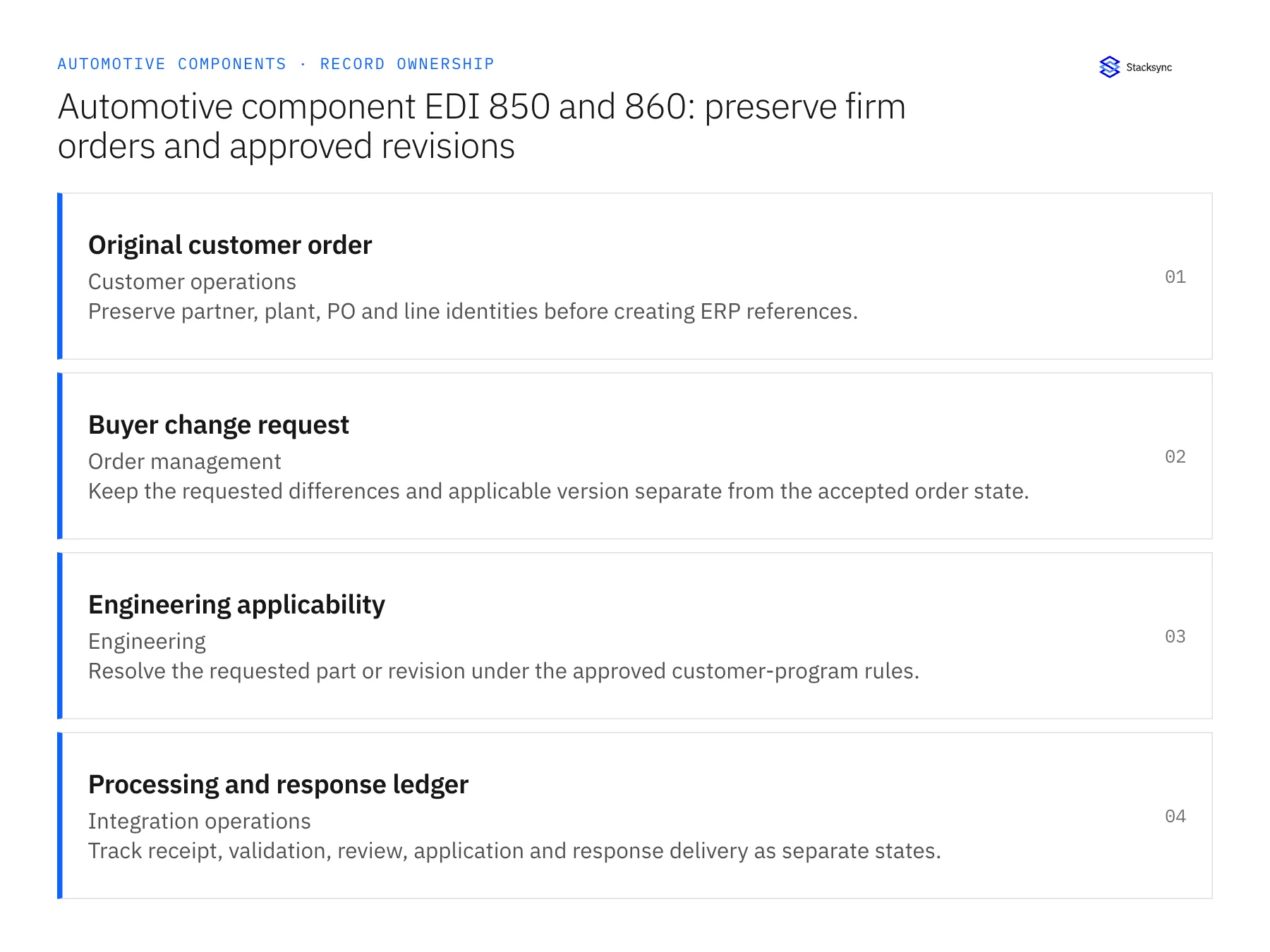
| Record | Owner | Operating rule |
|---|---|---|
| Original customer order | Customer operations | Preserve partner, plant, PO and line identities before creating ERP references. |
| Buyer change request | Order management | Keep the requested differences and applicable version separate from the accepted order state. |
| Engineering applicability | Engineering | Resolve the requested part or revision under the approved customer-program rules. |
| Processing and response ledger | Integration operations | Track receipt, validation, review, application and response delivery as separate states. |
Work through the process
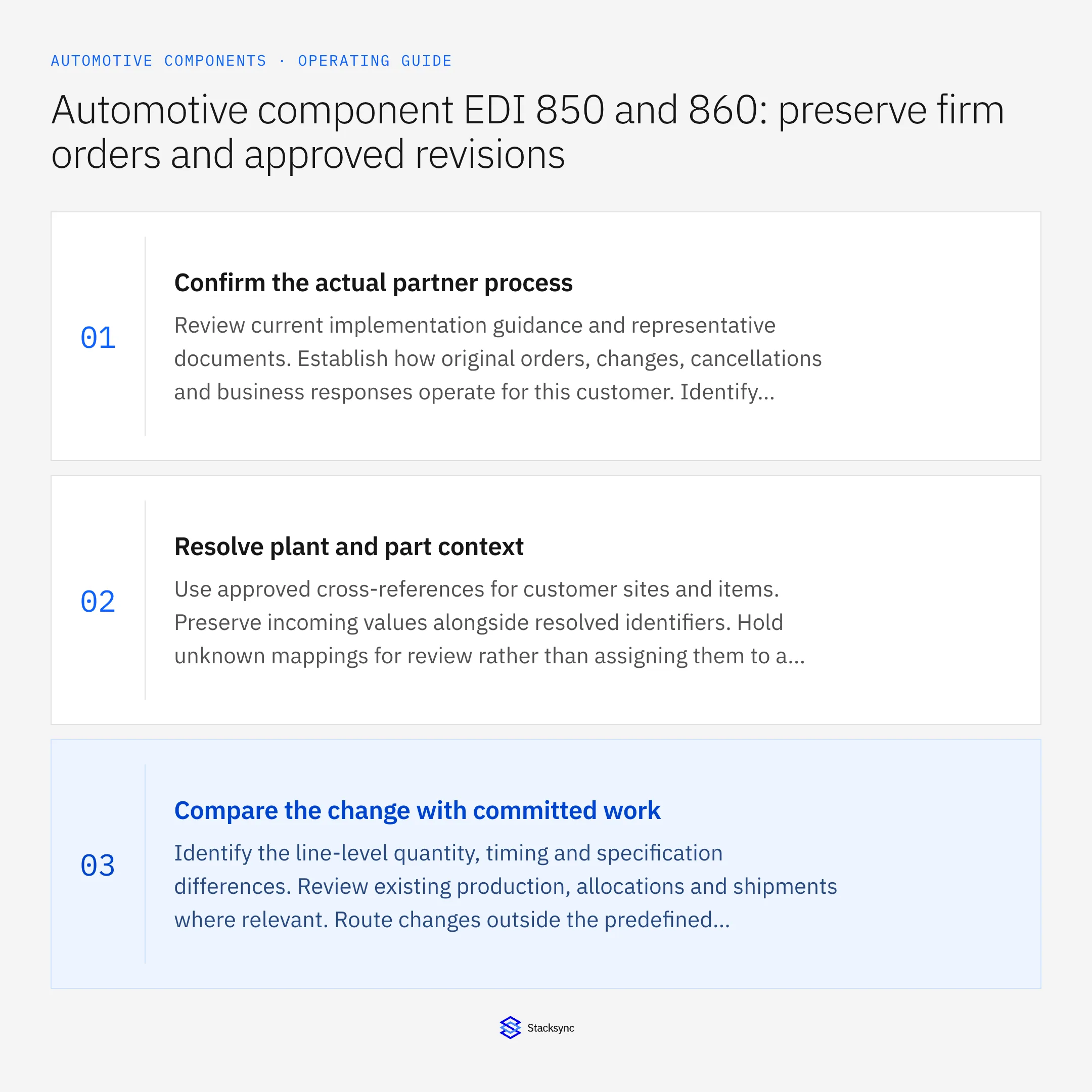
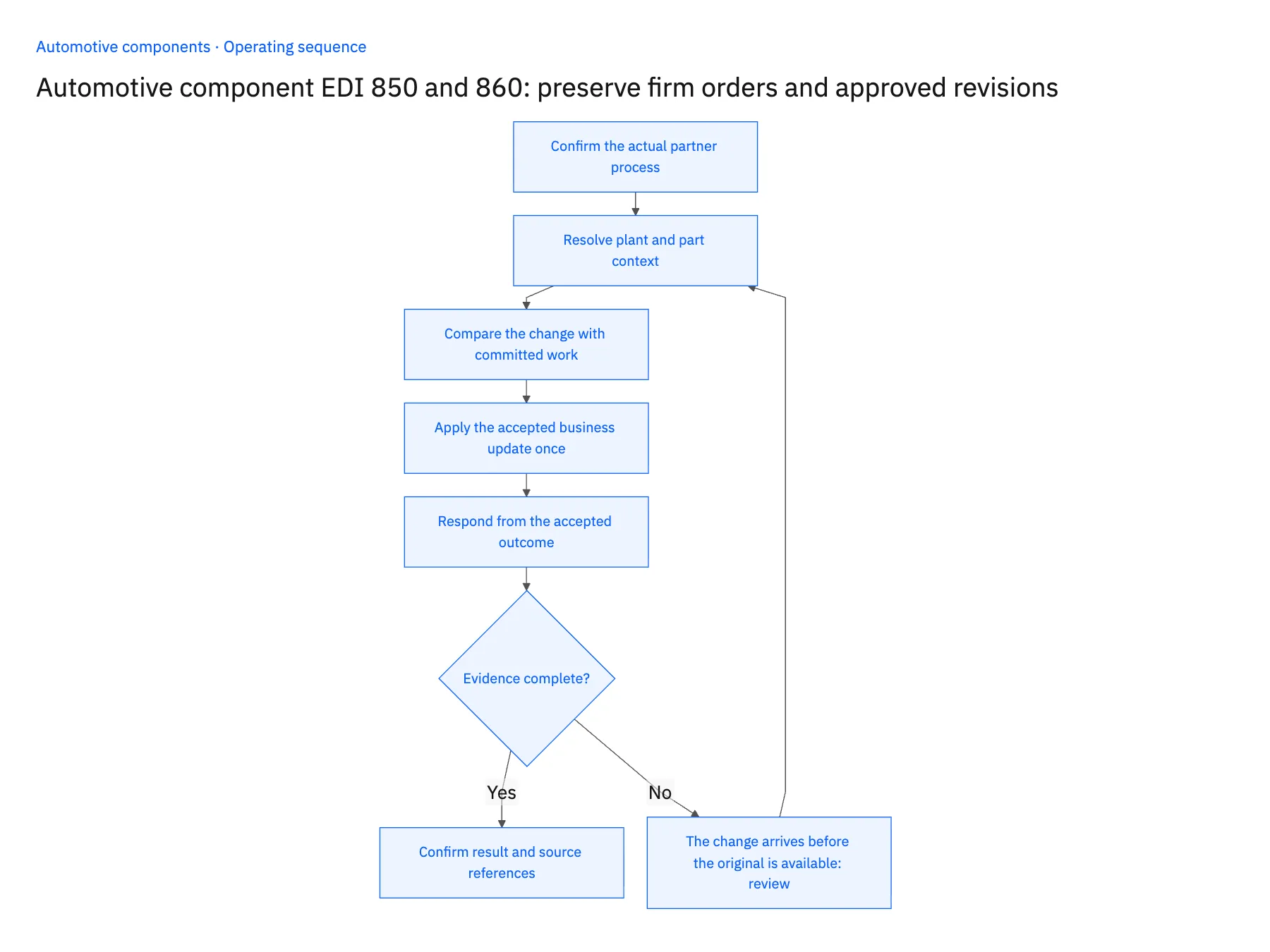
- 01Confirm the actual partner processReview current implementation guidance and representative documents. Establish how original orders, changes, cancellations and business responses operate for this customer. Identify separate forecast or schedule sources so their quantities are not added to firm demand accidentally.
- 02Resolve plant and part contextUse approved cross-references for customer sites and items. Preserve incoming values alongside resolved identifiers. Hold unknown mappings for review rather than assigning them to a default plant or the newest available part revision.
- 03Compare the change with committed workIdentify the line-level quantity, timing and specification differences. Review existing production, allocations and shipments where relevant. Route changes outside the predefined acceptance conditions to the responsible owners and keep the current accepted commitment visible.
- 04Apply the accepted business update onceUse stable references and an application ledger to distinguish replays from new changes. Confirm the destination outcome before marking the update applied. Reconcile an uncertain response instead of blindly creating another order or change.
- 05Respond from the accepted outcomeGenerate the agreed partner response from what the supplier actually accepted, including unresolved or rejected lines where the process allows them. Retry failed response delivery independently from the already completed ERP application.
Handle the exceptions explicitly
The change arrives before the original is available
Hold it with its references and investigate missing intake or sequence. Do not invent an original order to satisfy a processing dependency.
A forecast contains the same quantities
Keep it under its documented planning meaning and prevent double counting with the firm order.
A requested revision crosses an engineering cutover
Route applicability to engineering and planning before accepting the changed line.
What to verify before expanding
- The original order and every accepted change remain traceable.
- Separate planning feeds do not automatically create duplicate firm demand.
- A replay cannot reapply an already accepted revision.
- Response delivery status is distinguishable from ERP application and business acceptance.

Connect this process to the rest of your operation
Explore Stacksync EDI and scope the records and actions against your actual systems. Book a demo with a real original customer order example and the exception your team handles most often, for example the change arrives before the original is available.
- EDI order and revision automation for automotive component suppliers
- Automotive component suppliers: connect Salesforce program awards and NetSuite demand
- Automotive suppliers: separate firm releases and forecasts in Dynamics and SQL Server
- Automotive components: connect NetSuite shipments to Postgres lot evidence
- EDI for Automotive Suppliers and OEMs: Powering Real-Time Manufacturing Communication
- Bi-Directional Sync vs CDC Duplicates: Reliability Guide
The shared architecture guide covers record matching, ownership, and recovery across systems.
Technical references
FAQ
Frequently asked questions










Related articles





